TL;DR
• Our #1 pick: Floppydata. It shared first place in our 12-provider benchmark for the fewest IPs flagged as proxies (60.7%, tied with Rayobyte), was the cheapest per successful request of the nine providers here ($0.019 per 1,000), and puts residential, mobile and datacenter traffic on one $1/GB balance. For long-lived ad accounts, use its static ISP IPs (from $1.79), because its rotating sticky sessions were the weakest in our test.
• Most reliable: Decodo and Oxylabs, with a 99.9% success rate.
• Lowest fraud score for ad accounts: NodeMaven had the lowest average fraud score of 12 providers and no high-risk IPs in our sample.
• Residential or mobile beats datacenter for Facebook, TikTok and Google ad work, and the IP country should match the market you advertise in.
• Avoid free public proxy lists for ad accounts: they are shared with strangers and often already flagged.
• Nine of the twelve providers were part of our October 2026 benchmark; the comparison, prices and what each provider is good at are below.
When you run paid traffic and affiliate offers, you test offers across many countries, manage several ad accounts and keep an eye on competitors. Your proxies decide whether you see what real users see, and whether your accounts keep running.
In this guide we compare 12 proxy providers for traffic arbitrage and affiliate marketing. Nine of them were part of our October 2026 residential proxy benchmark, where we ran 302,400 requests through 12 providers with the same scripts, servers and schedule. For those nine you get measured results; for the other three, details from their own documentation. If you’re new to this use case, start with our proxy for affiliate marketing overview.
Disclosure: this guide is published on Floppydata’s blog, and Floppydata is one of the providers compared. We tested it on the same terms as everyone else and show where it came out behind. Raw data and scripts are public on GitHub. Prices were checked in October 2026. Last updated: October 2026.
Why You Need Proxies for Traffic Arbitrage (And Affiliate Marketing)
When you run paid traffic, you test offers across countries. From your own IP you only see what works in one place. You can’t check a Spanish offer from a UK connection and know what real users in Spain see on their screens.
Proxies fix that. They let you check landing pages, ad placements and competitor funnels the way a user in your target country would. Residential proxies from the right region show you the same version of the page those users get.
Proxies also help when you manage several ad accounts, for example for different clients. Running each account in its own browser profile with its own IP keeps sessions apart and reduces the risk of accounts being linked by mistake. Always follow each ad platform’s own rules on multiple accounts.
The Main Jobs Proxies Do in Arbitrage Day-to-Day
- Competitor research. Spy tools like AdHeart, AdPlexity and BigSpy, and manual research, need IPs in specific markets to show the ads running there.
- Landing page checks. Open your pages through mobile proxies or country-specific residential IPs to check language, currency, offer and load speed in each market.
- Ad verification. Confirm that your ads appear in the right locations and placements; see our guide to proxies for ad verification.
- Mobile traffic checks. TikTok, Snap and Instagram campaigns are mostly mobile, and carrier IPs show you what mobile users see.
- Separate account sessions. Agencies keep each client’s ad account in its own profile with its own stable IP.
Once you scale past a few hundred dollars a day in spend, reliable proxies stop being a cost line and start protecting your budget.
Which Proxy for Which Traffic Source
Each traffic source checks different signals, so the right proxy depends on where you buy traffic. A practical starting point:
| Traffic source | Recommended proxy | Rotation | IPs per account |
| Facebook / Meta Ads | Static ISP or mobile | Same IP for the life of the account | One stable IP per account or profile |
| TikTok Ads | Mobile (4G/5G) or residential | Sticky, long sessions | One IP per account |
| Google Ads | Residential or static ISP | Sticky; change only between accounts | One IP per account |
| Native and push networks | Residential | Rotating for creative and landing checks | A stable IP for logging in to the network |
| Spy tools and competitor research | Rotating residential | Per request or per country | Not tied to an account |
In every case, the IP country should match the account’s country and the market you advertise in, and each platform’s own rules on multiple accounts still apply.
How We Compared These Proxy Providers
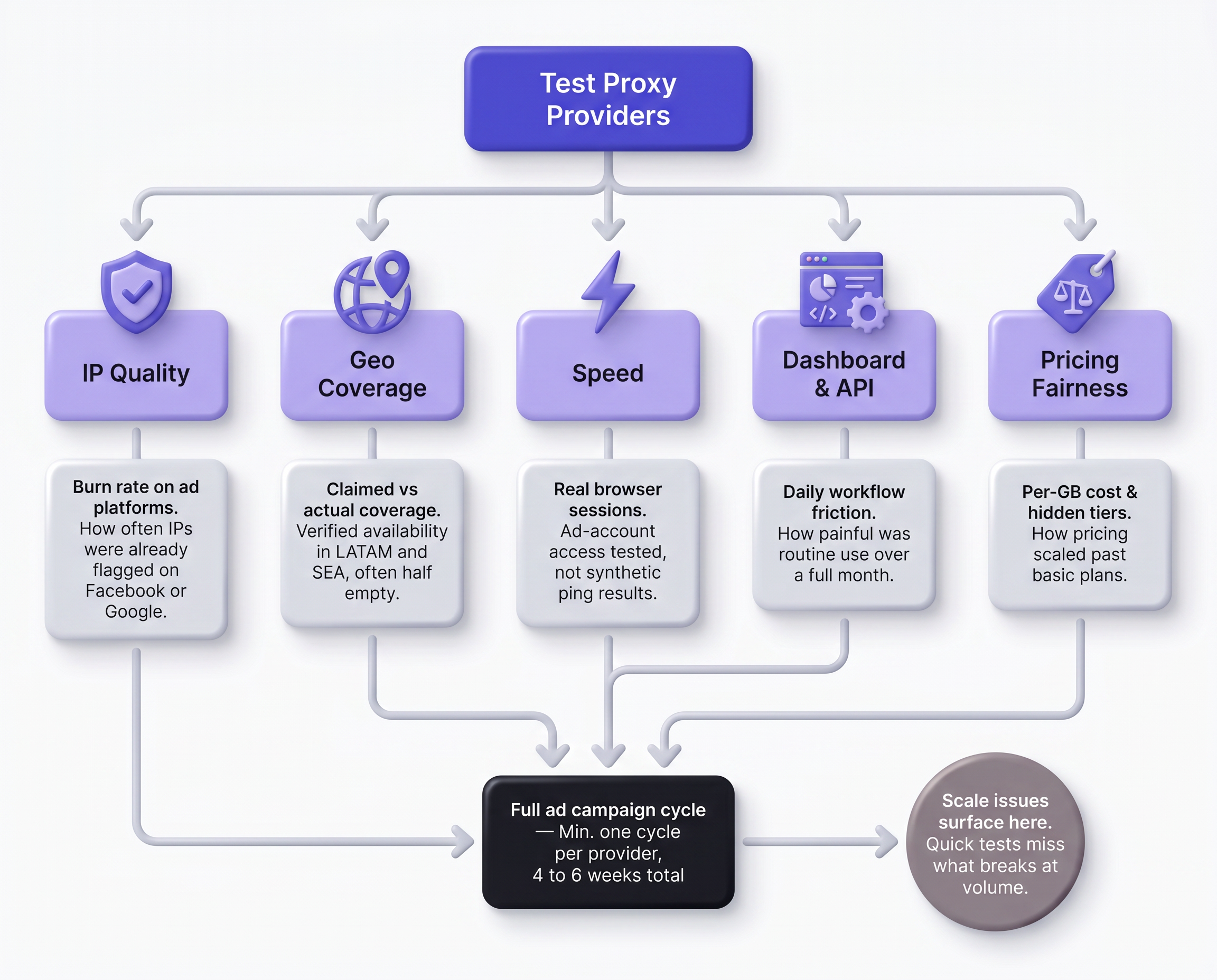
For arbitrage and affiliate work, five things matter most:
- IP reputation: how many IPs are already known as proxies to reputation databases.
- Session stability: whether a sticky session keeps the same IP while you work in an account.
- Reliability: how many requests succeed.
- Cost: what a successful request really costs, not only the price per GB.
- Coverage: residential and mobile IPs in the countries you advertise in.
For the first four, we use our residential proxy benchmark: between 5 and 8 October 2026, three servers in Germany, the US and Singapore ran the same scripts through 12 providers, with 25,200 requests per provider, 30-minute sticky-session checks and 300 IPs per provider checked with Scamalytics. Coverage, mobile options and prices come from each provider’s own pages. You can use the Floppydata proxy traffic calculator to estimate your usage before choosing a plan.
Benchmark Results for the 9 Tested Providers
| Provider | Success rate | Sticky sessions (30 min) | IPs flagged as proxy | Cost per 1,000 successful requests | Price paid |
| Floppydata | 98.0% | 47.3% | 60.7% | $0.019 | $1.00/GB |
| Decodo | 99.9% | 82.7% | 85.0% | $0.077 | $3.75/GB |
| Oxylabs | 99.9% | 80.8% | 80.3% | $0.124 | $6.00/GB |
| SOAX | 99.8% | 70.2% | 85.3% | $0.091 | $4.67/GB |
| Rayobyte | 99.7% | 70.2% | 59.3% | $0.066 | $3.50/GB |
| NodeMaven | 99.6% | 79.2% | 77.7% | $0.100 | $5.00/GB (2 GB) |
| Webshare | 99.6% | 77.2% | 83.3% | $0.052 | $2.70/GB (3 GB) |
| ProxyEmpire | 99.6% | 61.2% | 83.3% | $0.166 | $8.47/GB incl. tax |
| IPRoyal | 99.5% | 80.4% | 96.0% | $0.104 | $5.31/GB (2 GB) |
5–8 October 2026. Bold marks the best result among these nine; Rayobyte and Floppydata share first place for the fewest flagged IPs because the difference is within the 95% confidence interval (ranking). “IPs flagged as proxy” is the share of 300 sampled IPs that Scamalytics flagged; a flag is not a block, and ad platforms combine many signals. Prices are what we paid for each package. Full cost ranking: cheapest residential proxies.
Comparison Table: Best Proxies for Traffic Arbitrage at a Glance
Entry prices from each provider’s pricing page, checked in October 2026.
| Rank | Provider | In our benchmark | Residential price | Mobile proxies | Best for |
| 1 | Floppydata | Yes | $1/GB | Yes, $1/GB on the same balance | Affordable arbitrage at any scale |
| 2 | Decodo | Yes | From $3.75/GB | Yes | Reliable mid-market setups |
| 3 | Oxylabs | Yes | From $6/GB | Yes, $7.50/GB | Enterprise teams with engineering needs |
| 4 | SOAX | Yes | $3/GB on the $200/month plan | Yes, same rate | Precise geo and ISP targeting |
| 5 | Rayobyte | Yes | From $3.50/GB | Yes | Large volumes and datacenter work |
| 6 | NodeMaven | Yes | $5/GB (2 GB) → $2.20/GB | Yes, same plan | Clean IPs for ad accounts |
| 7 | Webshare | Yes | From $3.50/GB | No | Beginners and first campaigns |
| 8 | ProxyEmpire | Yes | $7/GB ex-tax (1 GB); less on larger plans | Yes | Irregular schedules, rollover traffic |
| 9 | IPRoyal | Yes | $7/GB (1 GB) → $1.75/GB | Yes | Non-expiring traffic |
| 10 | Bright Data | Not yet (KYC) | $4/GB promo ($8 list) | No (closed in April 2026) | Large agencies with compliance needs |
| 11 | Infatica | Not yet | From $4/GB | Yes, $8/GB | Backup pool for testing |
| 12 | Storm Proxies | Not yet | Monthly plans from about $50 | Not stated | Low-volume setups |
The 12 Best Proxies for Traffic Arbitrage and Affiliate Marketing
The first nine providers were tested in our benchmark: Floppydata first as our pick, the others in order of measured success rate. Three more follow, reviewed from their own documentation.
1. Floppydata – Our #1 Pick for Proxies for Traffic Arbitrage
Best for: affiliates and media buyers who want residential, mobile and static IPs from one provider at a budget price.
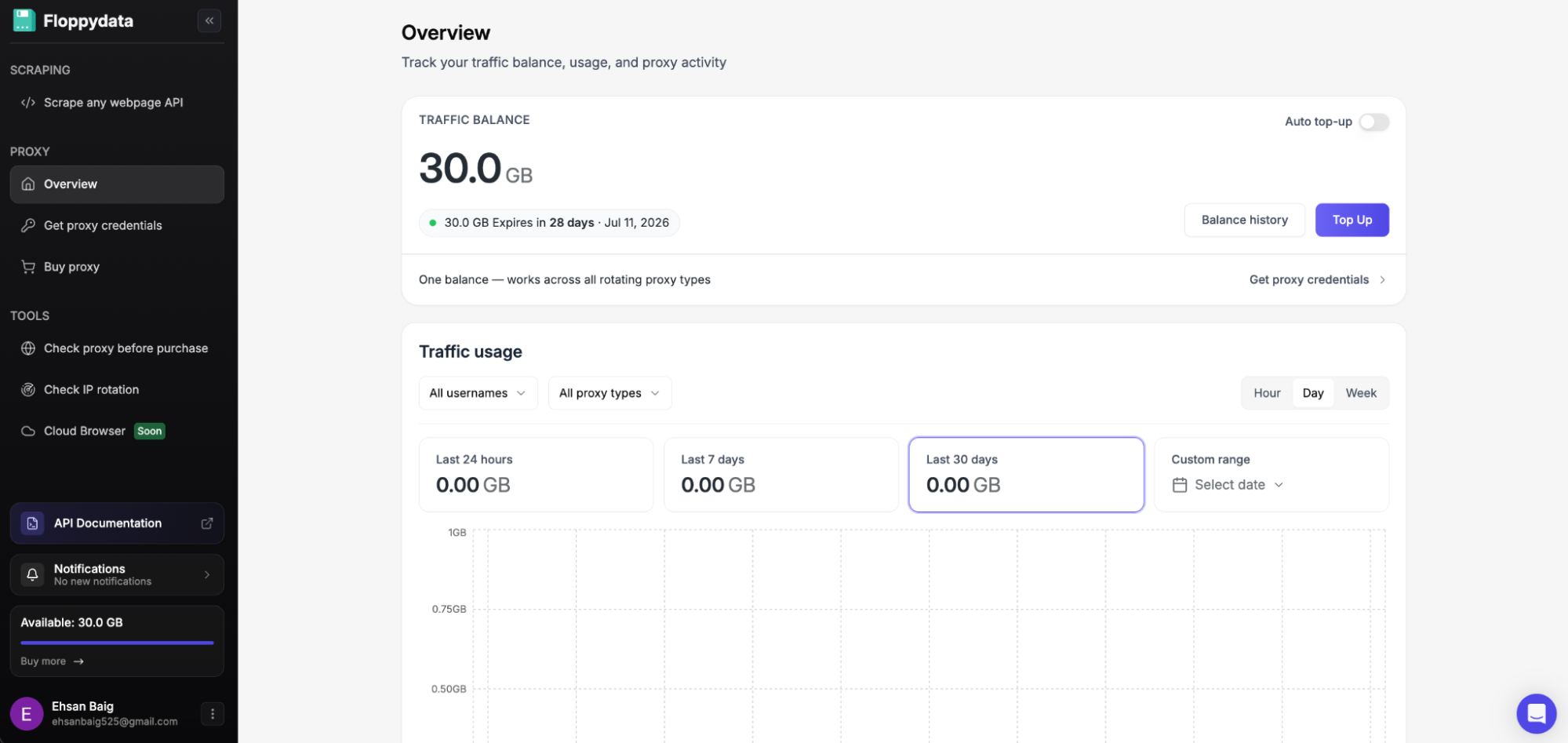
Our test results: shared first place of 12 providers for the fewest IPs flagged as proxies (60.7%, tied with Rayobyte); the second-lowest cost per successful request of all 12, and the lowest among the nine here ($0.019 per 1,000); 99.8% of exits in the requested country; and the fastest connections of all 12 from our Singapore server. The weak spots: a 98.0% success rate and the weakest rotating sticky sessions in the test (47.3%).
Here’s why it fits arbitrage work:
- Few flagged IPs at a budget price. A lower proxy detection rate may reduce the likelihood of triggering some anti-fraud checks, although results depend on each platform.
- One balance for three proxy types. Residential, mobile and datacenter traffic all cost $1/GB from the same balance, so you can switch from a residential IP for landing page checks to a real 4G/5G mobile IP for TikTok checks without a second account.
- Static IPs for long-lived accounts. Because rotating sticky sessions were weak in our test, use static ISP proxies for ad accounts that need the same IP for weeks: from $1.79/IP, or $19 for a single IP for four months.
- Simple dashboard. Filter by country, state and city and generate proxy lists in seconds.
- Wide coverage. 195+ countries for rotating proxies, including US, UK, German, Brazilian and Philippine IPs.
| Proxy Type | Price | Notes |
| Residential | $1/GB | $1.50/GB for traffic that doesn’t expire |
| Mobile | $1/GB | Same balance as residential |
| Datacenter (rotating) | $1/GB | Same balance as residential |
| Static ISP | From $1.79/IP/month | $2.45/IP on 20 IPs, $1.79 on 100; one IP for four months costs $19 |
| Static datacenter | From $0.79/IP/month | $0.95/IP on 20 IPs, $0.79 on 100; unlimited bandwidth |
Main limitation: no free trial, and the first purchase is 19 GB ($19). For session-heavy account work, use static ISP IPs rather than rotating sticky sessions.
Bottom line: if you want one proxy for affiliate marketing that covers most of your needs without overcharging, start here. The pricing page has the details.
2. Decodo
Decodo, formerly Smartproxy, rebranded in 2025 and kept the same product line. In our benchmark it tied for the highest success rate (99.9%) and had the best sticky sessions of the nine providers here (82.7%), which suits work inside logged-in accounts. 85.0% of its IPs were flagged as proxies.
Residential starts at $3.75/GB on the 3 GB plan, falling to $2/GB at 1 TB, and mobile proxies are available too. A 3-day trial with 100 MB or a 14-day refund lets you test before scaling.
Best for: mid-market affiliates who want reliability and a polished dashboard.
3. Oxylabs
Oxylabs is a major enterprise provider with a 175M+ pool, targeting down to ZIP code and ASN, and strong API documentation. In our benchmark it tied for the highest success rate (99.9%), had the lowest worst-case latency of 12 providers, and 80.3% of its IPs were flagged as proxies. It was also the second-most expensive per successful request ($0.124 per 1,000).
Residential costs $6/GB on the entry plan, falling to $2.50/GB at 1 TB; mobile proxies cost $7.50/GB. Compare every metric in Oxylabs vs Floppydata.
Best for: enterprise teams with engineering needs and a bigger budget.
4. SOAX
SOAX is built around targeting: country, region, city and ISP filters on 155M+ residential and 33M+ mobile IPs (vendor-stated), with wide coverage that includes emerging markets. In our benchmark it had a 99.8% success rate and one of the fastest median latencies (0.72 s); 85.3% of its IPs were flagged as proxies.
The Builder plan costs $200/month at $3/GB for residential and mobile traffic; the free Sandbox plan bills $2–5/GB by location, and a 3-day trial costs $1.99 for 400 MB.
Best for: campaigns that need precise city or ISP targeting.
5. Rayobyte
Rayobyte sells residential, datacenter, ISP and mobile proxies, with transparent volume pricing that falls from $3.50/GB to $0.50/GB at 5 TB and above. In our benchmark it shared first place with Floppydata for the fewest IPs flagged as proxies (59.3%) and had a 99.7% success rate, but it was the slowest (1.45 s median latency) and repeated IPs most often (22.5%). Compare every metric in Rayobyte vs Floppydata.
Best for: large volumes and datacenter side projects such as scraping and price monitoring.
6. NodeMaven
NodeMaven is built for account work: it checks IPs before assigning them, and in our benchmark it had the lowest average fraud score of all 12 providers (2.3), no high-risk IPs in the sample, a 99.6% success rate and 79.2% sticky-session stability. 77.7% of its IPs were flagged as proxies.
Residential and mobile traffic share one plan: we paid $5/GB for a 2 GB package, and rates fall to $2.20/GB at volume. A paid trial costs $3.50 for 750 MB, and static ISP proxies start at $2.99/IP. Compare every metric in NodeMaven vs Floppydata.
Best for: ad accounts where IP reputation matters more than price.
7. Webshare
Webshare is where many beginners start: a free plan includes 10 datacenter proxies, and residential traffic starts at $3.50/GB on 1 GB, falling to $1.40/GB at 3 TB. In our benchmark its residential proxies did better than their price suggests: a 99.6% success rate and only 2.2% repeated IPs; 83.3% of IPs were flagged as proxies. There are no mobile proxies.
Best for: beginners testing their first campaigns.
8. ProxyEmpire
ProxyEmpire offers residential and mobile proxies, pay-as-you-go plans and traffic rollover, with good coverage in North America and Western Europe. In our benchmark it had a 99.6% success rate, but the highest cost per successful request of 12 providers ($0.166 per 1,000) on the 1 GB packages we bought ($7/GB before tax); larger plans cost less per GB.
Best for: teams with irregular schedules that want traffic to roll over.
9. IPRoyal
IPRoyal sells residential traffic that never expires, from $7/GB on 1 GB down to $1.75/GB at 10 TB (we paid $5.31/GB for a 2 GB package, possibly including tax), along with mobile, ISP and datacenter proxies; it also sells proxies aimed at sneaker and gaming users. In our benchmark it had a 99.5% success rate and 80.4% sticky-session stability, but 96% of sampled IPs were flagged as proxies and its worst-case latency was slow (3.14 s at P90).
Best for: buying traffic in bursts without a monthly reset.
10. Bright Data
Bright Data runs one of the largest proxy networks (400M+ IPs, vendor-stated) with extensive compliance documentation. It wasn’t part of our benchmark because its residential pool opens only after identity verification. Residential costs $4/GB pay-as-you-go during the current promotion ($8 list), and it closed its mobile proxy product in April 2026. The dashboard is powerful but takes time to learn.
Best for: large agencies with compliance requirements and a big budget.
11. Infatica
Infatica sits between budget and premium providers: residential from $4/GB, mobile at $8/GB, plus datacenter and ISP proxies and a $1.99 three-day trial. It isn’t in our current benchmark round yet, so test it on your own ad platforms before relying on it.
Best for: a backup pool for testing.
12. Storm Proxies
Storm Proxies is one of the older providers, around since 2016, with an unusual model: monthly residential plans from about $50 instead of per-GB billing. Its plans are sold as unlimited but come with usage limits, so they suit low-volume setups better than scaling. It isn’t in our current benchmark round yet.
Best for: low-volume affiliate setups.
How to Choose a Proxy for Affiliate Marketing
There’s no universal best provider; match the proxy to the job:
- Running Facebook or TikTok ad accounts? Use residential or mobile IPs; ad platforms are more likely to challenge datacenter IPs. For accounts you keep for weeks, use a static ISP IP per account.
- Spy tools and competitor research? Rotating residential proxies in the target market; datacenter IPs for high-volume collection from less protected sites.
- Landing page and localization checks? Residential or mobile IPs in each target country, or ISP proxies when you need the same IP across a session.
- Tight budget? Floppydata’s $1/GB was the lowest cost per successful request among the providers here.
- Enterprise agency work? Decodo or Oxylabs for maximum reliability, or Bright Data if you need its compliance paperwork.
One more warning: avoid free public proxy lists for ad accounts. Public proxies are shared with strangers, many are already flagged, and some may log your traffic. Before you commit to any proxy, run it through the Floppydata free proxy checker.
How to Set Up Proxies in an Antidetect Browser
Most media buyers run their accounts in an antidetect browser such as GoLogin, Dolphin Anty, AdsPower or Octo Browser, where each profile has its own fingerprint, cookies and proxy. The setup is the same in all of them:
- Create a profile for one ad account and choose the operating system and browser version you want it to show.
- Get a proxy in your Floppydata dashboard: choose the type (static ISP for long-lived accounts, mobile or residential for checks), the country and, if needed, the city, then copy the host, port, login and password.
- Paste the proxy into the profile settings, pick the protocol (HTTP or SOCKS5) and run the profile’s built-in proxy check.
- Match the profile to the IP. Most antidetect browsers set the timezone, language and geolocation from the proxy automatically; make sure this option is on.
- Save and keep the pairing. Use the same proxy with the same profile from then on, and don’t share it with other accounts.
This setup has been checked in public: in GoLogin’s October 2026 test of 12 antidetect browsers, every profile ran through a fresh US residential proxy from Floppydata, and the GoLogin profile was rated consistent with no proxy detected by Pixelscan and Trustworthy by Iphey.
How to Test a Proxy Before You Run Ads
Before you log in to an ad account through a new proxy, spend two minutes on these checks:
- IP and location. Open the Floppydata proxy checker and confirm the country and city match your target.
- IP reputation. Check whether the IP appears on blacklists or has a high fraud score; replace it if it does.
- Timezone and language. In the browser profile, they should match the IP’s location.
- WebRTC and DNS leaks. Use Floppydata’s fingerprint and IP tools to make sure your real IP doesn’t show up.
- Fingerprint consistency. Run Pixelscan or Iphey in the profile; a consistent result means the browser and IP tell the same story.
- The landing page. Open your offer and landing page through the proxy and check language, currency and redirects.
FAQs About Proxies for Traffic Arbitrage and Affiliate Marketing
What kind of proxy is best for Facebook ads?
Residential or mobile. Facebook is more likely to challenge datacenter IPs, while residential IPs come from real internet providers, like a normal user’s connection. For an account you keep long-term, a static ISP IP gives it the same address every day.
Are mobile proxies worth the extra cost?
For mobile-first ad networks such as TikTok, Snap and Instagram, yes: mobile proxies use real 4G and 5G carrier IPs, the closest match to a real mobile user. At Floppydata they cost the same $1/GB as residential traffic.
How much should I budget for proxies?
It depends on how much traffic you route through them and on the price per GB, which ranged from $0.79 to $8.47 in our benchmark. Landing page checks use little traffic; spy tools and scraping use much more. The traffic calculator gives a precise estimate for your workload.
Do I need different proxies for different countries?
Yes. Use IPs in the country you advertise in: checking US offers through German IPs shows you the wrong version of pages and ads. Floppydata, like most providers here, lets you choose the country, state and city.
How does Floppydata compare to Bright Data?
Floppydata costs $1/GB for residential, mobile and datacenter traffic, while Bright Data charges $4/GB on its current promotion ($8 list) and no longer sells mobile proxies. Bright Data has a larger network and more compliance documentation but requires identity verification before you start. Bright Data wasn’t part of our benchmark, so we can’t compare their measured results.
Can I use the same proxies for scraping and ad accounts?
Better not. Scraping can wear down IP reputation on rate-limited sites, and you don’t want that to affect your ad accounts. Keep separate proxy credentials or pools: rotating proxies for scraping, and static ISP IPs for accounts.
Wrapping Up: Our Pick If You Only Try One
For most arbitrage and affiliate work, Floppydata is our #1 pick: it shared first place in our benchmark for the fewest IPs flagged as proxies, was the cheapest per successful request among the nine tested providers here, and gives you residential, mobile and datacenter traffic on one $1/GB balance, plus static ISP IPs for long-lived accounts. If maximum reliability matters more than price, look at Decodo or Oxylabs; for the lowest fraud scores on ad accounts, NodeMaven.
A first Floppydata purchase starts at $19. The traffic arbitrage proxy page explains which setup works best for ad campaigns, and the pricing page has the full price list.