Table of Contents

X (formerly known as Twitter) is one of the top social media platforms. With over 500 million posts (or tweets) every day, the platform undoubtedly holds a large amount of data. So, if you know how to scrape Twitter data, you have got a data lake of trend analysis, competitive insights, and market sentiment.
Therefore, you can easily use a Twitter scraper to collect and transform tweets into actionable insights. Although there are several benefits to understanding how to scrape data from Twitter, the process can be confusing with all the restrictions.
Don’t know where to start? We are here to provide a comprehensive guide on how to scrape tweets.
Let’s get started!
What is Twitter Data Scraping?
Scraping Twitter is an automated process of extracting publicly available data on the platform. It involves the use of custom-built scrapers or no-code scraping tools. Twitter is one of the few platforms that offers an official API, and it is the route X supports for programmatic access.
Some of the data you can collect from the platform include:
- Threads: Quote tweets, replies, reshared tweets, bookmarked tweets, and conversation chains connected to a parent tweet.
- Tweets: Text content, timestamp, replies, retweets, likes, and media URLs.
- Engagement Metrics: Likes, quotes, retweets, bookmark counts.
Why Scrape X (formerly Twitter)?
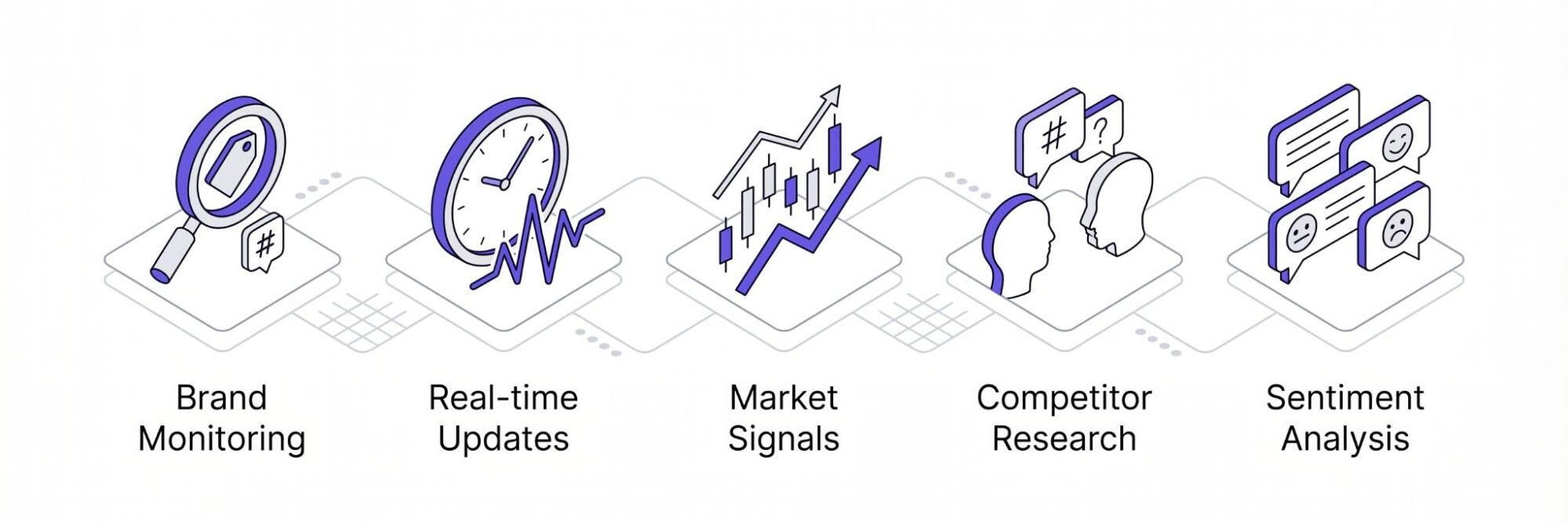
Here are some common reasons why individuals and businesses need a Twitter link scraper to collect data:
Brand Monitoring
Twitter scraping is a good way to monitor what people are saying about your brand in different regions. It also helps to identify the circulation of counterfeit products that may negatively affect your brand. For example, there are many complaints about the declining quality of products. With this data, brands can take action to withdraw all counterfeit products. Alternatively, they can change their packaging to further stand out on market shelves.
Real-time Updates
Learning how to scrape tweets is one way to get data in real-time. Getting real-time updates is necessary to analyze information immediately when they occur. Therefore, businesses can make immediate data-driven decisions and promptly respond to changes in trends. Additionally, getting real-time updates is necessary for providing personalized experiences like real-time product recommendations.
Track Market Signals
Twitter is one platform that is incredibly useful for monitoring and tracking signals. Many announcements in finance and crypto communities often first emerge on the platform. Therefore, collecting relevant data allows you to understand trends, making good predictions on whether the market will experience a bullish or bearish movement.
Competitor Research
Another benefit of collecting Twitter data is that it plays a key role in competitor research. It provides useful insights into what competitors post, hashtags used, and how they interact with their audience. Subsequently, this can be analyzed and integrated to
Sentiment Analysis
Many people go on Twitter to call out or praise brands based on their perception. Therefore, the platform becomes a great option to collect data for sentiment analysis. It provides brands with insights on how their audience perceives them and how they can do better to stay ahead of the competition.
How to Scrape Data From Twitter
In this section, we will explore the best Twitter scraper tools and how to use them to extract information from the platform
Using X Official API
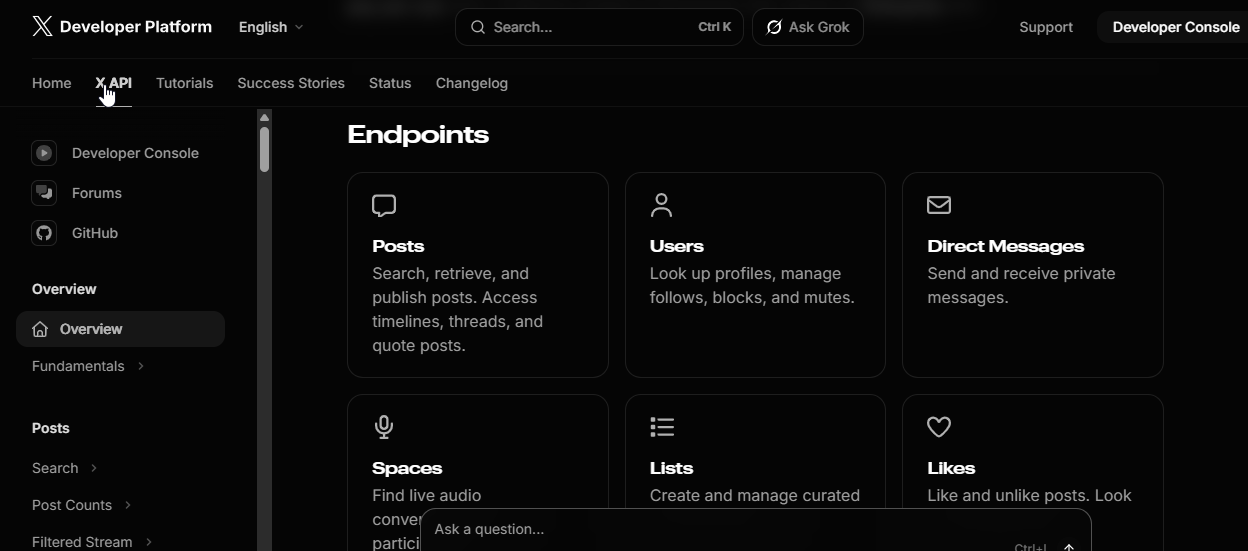
X has an official API which was designed to optimize the process of data retrieval. Although it was initially free, it became a paid tool in 2023. Its access tiers, prices and rate limits change over time, so check X’s developer documentation for the current terms before you start.
The official API is the first thing to check: it gives structured data within X’s rules. For a public page the API does not cover, a scraper is the other option.
Build a Scraper
The first thing you need to understand about building a scraper is that you need to be a skilled programmer or hire one. For the sake of this guide, we will make reference to Python and Selenium (an automation framework) to build a Twitter scraper. Python is usually preferred over other programming languages because it is simpler, offers extensive web scraping tools, and has good documentation.
Here is a brief method to get it done:
Set up the prerequisites
Create a new directory to save the project files and create a new Python file for the code you are writing:
$ mkdir scrape_twitter
$ cd scrape_twitter
$ touch app.py
You also need to install Selenium and WebDrive Manager with this command:
$ pip install selenium webdriver-manager
Fetch a Page
Let us attempt to fetch a public Twitter page to ensure everything is working well. In the file we created above, add the following codes:
from Selenium import webdriver
from selenium.webdriver.chrome.service import Service
from webdriver_manager.chrome import ChromeDriverManager
driver = webdriver.Chrome(service=Service(ChromeDriverManager().install()))
driver.get("https://x.com/XDevelopers")
The above code should immediately open the requested Twitter page. It begins with importing the webdriver, the Service, and the ChromeDriverManager. Usually, it would initialize the webdriver by providing an executable_path for the browser-specific driver binary in use:
browser = webdriver.Chrome(executable_path=r"C:\path\to\chromedriver.exe")
The binary needs to be updated with each browser update, and this can be frustrating. To solve this, you can add ChromeDriverManager().install(), which automatically downloads the required binary for the browser
N.B: You can build on this code to collect public posts about your brand.
Keep in mind that X’s terms limit automated access, and much of the site is only visible after you log in. Keep your scraper to public pages you can open without an account, respect the rate limits, and use the official API where it covers your need.
Use a No-Code Scraper
Finally, on the best Twitter scraper tools, we have the no-code option. Like the name suggests, it does not involve any kind of coding nor does it require knowledge or experience with programming languages. Therefore, they are beginner-friendly tools that make it possible for anyone to extract Twitter data.
Most no-code scrapers have a point and click interface, which makes them very easy to use. They are already designed to interact with the platform’s API for effective data retrieval. Unlike the DIY scrapers that require constant maintenance, no-code scrapers eliminate this challenge as the provider is responsible for its functions.
These no-code scrapers are gaining increasing popularity for several reasons. Apart from their ease of use, they provide an accessibility pathway that can be leveraged by anyone, regardless of technical experience. Therefore, businesses don’t have to expend resources building a scraper, maintaining it, and keep up with every change on the site.
No-code scrapers usually come with built-in tools like proxy management, retries, JavaScript rendering, and more to ensure effective Twitter data retrieval. However, the performance and quality of data extracted vary depending on the service provider. Factors like cost, performance, documentation, and customer support should be carefully considered before choosing the best no-scrape solution.
Where to get a Twitter Scraper?
Floppydata stands out, not only as a reliable proxy service for managing multiple Twitter accounts, but as a scraper. Their no-code data extraction solution comes with robust features that make collecting public posts a positive experience.
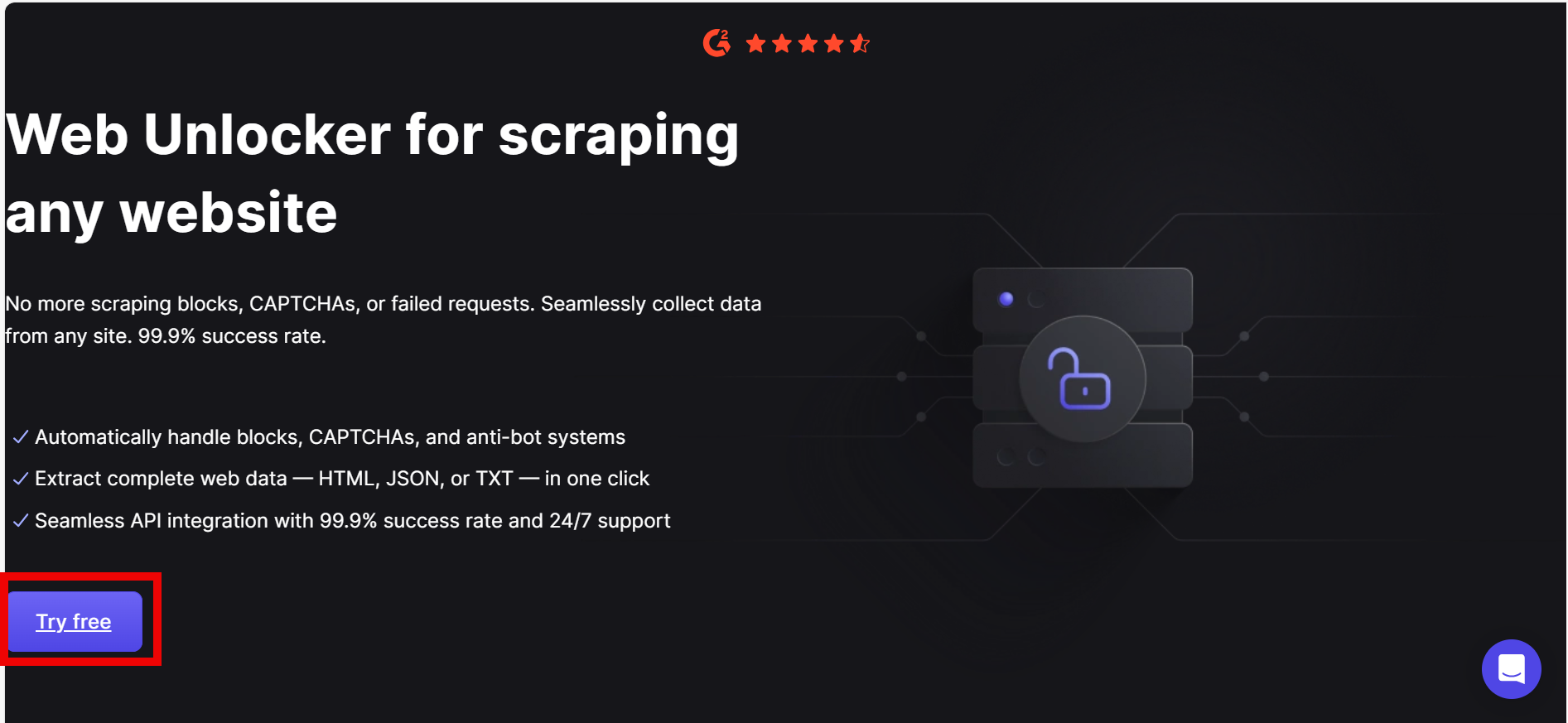
Floppydata’s Web Unblocker scraping tool allows you to connect with the platform, extract required data, and save them in a format that is easy to use. Here are some of its features:
- Renders the platform JavaScript infrastructure to extract complete data
- Built-in automatic proxy rotation for reliable requests.
- Smart retry logic, so you don’t need manual retries
Another factor that makes Floppydata a top choice is the pricing tiers. More so, the frequent cost of maintaining DIY scrapers can quickly add up to high costs that are not practical for small businesses.
On the other hand, Floppydata ensures accessibility by ensuring that even individuals that need to scrape Twitter data can afford it. More so, they offer 5 free scraping for new users, which is a great start for your data extraction project. From as low as $0.98 per 1k results, you can get the tool. If you have custom needs, you can contact the team for a customized price outline.
How to Scrape Data from Twitter with Floppydata Web Unblocker
Scraping data from Twitter with Floppydata’s Web Unblocker is simple and takes only a few steps. Here is a simple guide to extract data from Twitter:
Step 1: Visit the Web Unblocker page and sign in to get started
Step 2: Copy the address of the public page you need, for example your brand’s profile or a public post.
Step 3: Go to the Floppydata’s Web Unblocker dashboard and paste the URL
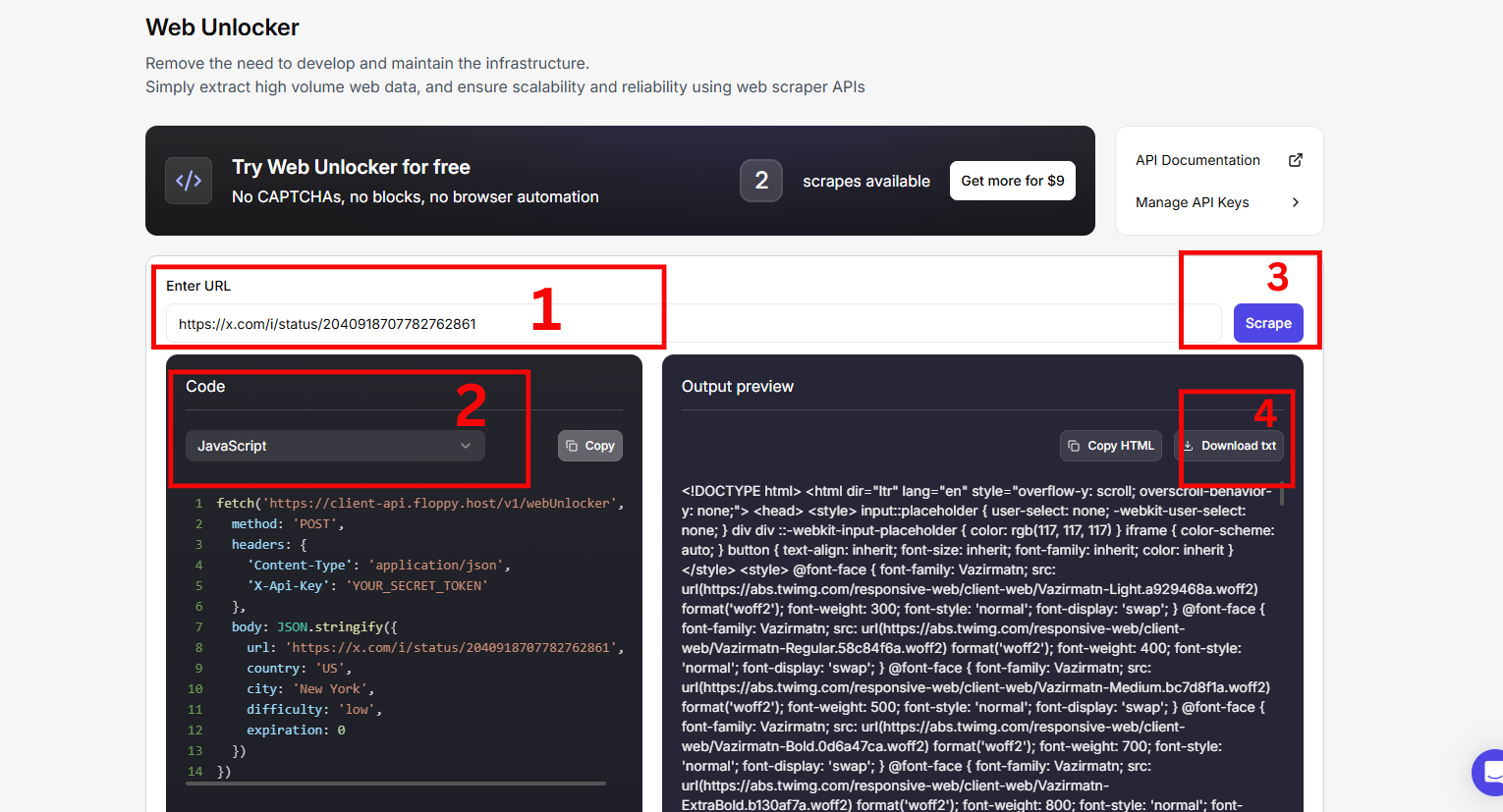
Step 4: Your results are ready within a few minutes.
And you have successfully extracted data from Twitter with zero stress.
Conclusion
Learning how to scrape Twitter data is quite straightforward. However, as mentioned in this guide, X limits automated access and changes its site often, so a DIY scraper needs constant maintenance.
Floppydata takes this maintenance off your hands: it renders pages in a real browser, rotates IPs and retries failed requests, so you can focus on public posts about your brand and market.
FAQ
How to scrape Twitter data?
Use APIs, scraping tools, or scripts to collect public tweets and engagement metrics. Floppydata simplifies this by handling proxies, automation, and data extraction reliably.
What are the main challenges?
Twitter uses rate limits and frequent changes that break scrapers, and its terms limit automated access. Keep to public pages, respect the limits and use the official API where it fits; Floppydata adds stable infrastructure, retries and rendering.