I tested 7 Thailand proxy providers on the internet and compared them with one another. Comparison areas include the number of Thailand IPs, city-level targeting, proxy speed and cleanliness, and customer review.
From all the review: If you want a good pool of Thailand proxies that are clean, fast, offers city-level targeting at affordable prices, then Floppydata is the #1 choice.
Providers like Oxylabs and Bright Data are enterprise-providers but are quite very expensive.
This guide explores how you can generate proxy credentials for Thailand.
Why You Need a Thailand IP Proxy
A Thailand proxy serves as a middleman that routes your internet traffic through a server situated in Thailand. Getting a Thailand IP becomes useful when you need to unblock Thai websites or bypass geo-restrictions. Some of the most common uses of Thailand IP addresses include:
- Accessing local Thai libraries on streaming platforms like Netflix
- Local SEO analysis
- Verifying geo-targeted ads
- Web scraping
- Anonymity and security
Many IP providers boast that they have over 50 million IPs but rarely indicate the number of Thailand IP addresses. However, it is crucial to know the number of Thailand IPs in their proxy pool.
Quick Comparison
| Provider | City Targeting in Thailand | Thailand IP Pool Size | Pricing (For Residential IPs) |
| Floppydata | Yes | 1 million IPs+ | From $1/GB |
| Oxylabs | Yes | 2,600,000+ IPs | From $8/GB |
| Bright Data | Yes | 900,000+ IPs | From $4/GB |
| IPRoyal | Yes | 400,000+ IPs | From $1.75/GB |
| WebShare | Yes | 300,000+ IPs | From $1.40/GB |
| Smartproxy | Yes | 1,600,000+ IPs | From $0.5/GB |
| NetNut | Yes | Undisclosed | From $99 monthly |
Choosing the Right Proxy Provider
Choosing the right provider involves understanding how to get a Thailand IP address. One of the main factors to consider is IP pool size. Other factors include:
- Provider reputation
- Customer review
- Large pool of clean Thailand IPs
- City-level targeting
Therefore, it is necessary to check if the provider explicitly states that they have Thailand IPs. Here are some of the best Thai proxies providers of 2026:
Floppydata: Best Thailand Proxy Provider
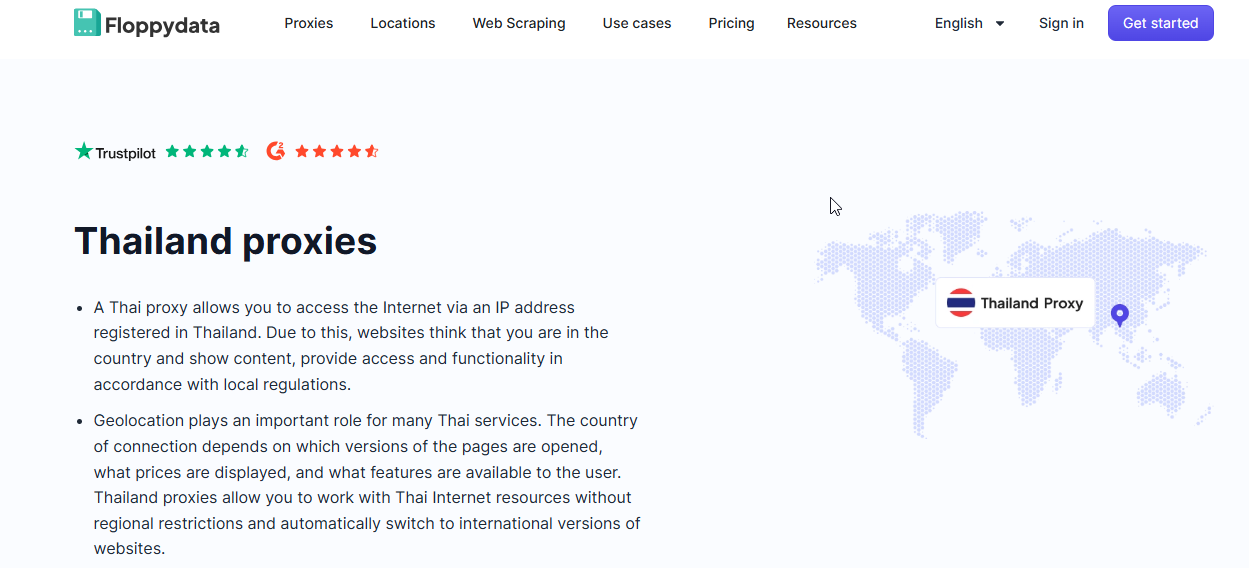
Pricing: $1/GB (Residential), $0.60/GB (Datacenter), $1/GB (Mobile)
Free Trial: No
Proxy Pool: 1 Million IPs +
City-level Targeting: Yes
If you want a provider that offers high-quality Thailand proxies at affordable pricing without compromising speed, then Floppydata is the place for you. Therefore, this helps you save money, especially for scalable automation tasks.
Floppydata has an excellent reputation fueled by positive reviews from satisfied clients. In addition, the dashboard has a user-friendly interface.
More so, Floppydata has specialized tools for specific use cases. For example, you can use the Web Unlocker to scrape any page with Thailand proxies or incorporate the scraping API into your existing workflow.
| Pros | Cons |
| Large pool of 1M+ Thailand IPs with city-level targeting | Might not be suitable for enterprise-level activities |
| Easy to set up | Customer support response time is slow |
| Affordable pricing makes scaling less expensive |
Oxylabs – Best Premium Providers
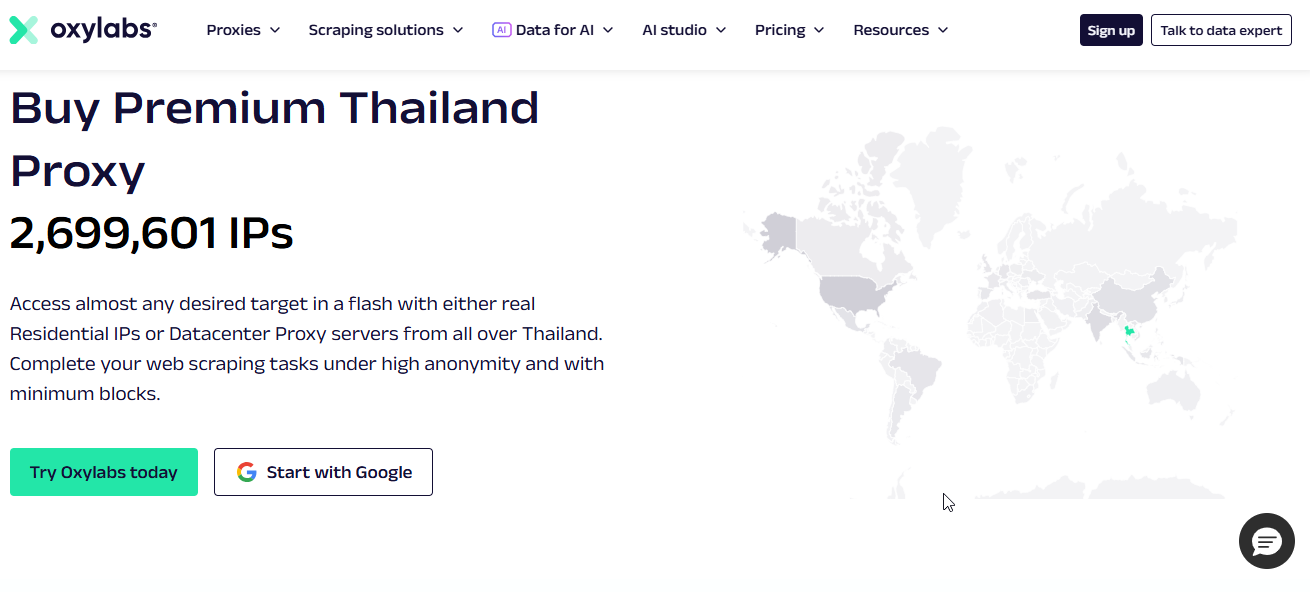
Pricing: From $8/GB for Residential; $9/GB for Mobile; $8.25/mo for Dedicated Datacenter proxies
Free Trial: No
Proxy Pool: 2,600,000+ IPs
City-level Targeting: Yes
Oxylabs offers a diverse pool of proxies including residential, mobile, datacenter and SOCKS5 IPs. They are quite fast with top-tier uptime and performance that makes them great for scaling activities at enterprise levels.
With about 10 years in the market, Oxylabs has established itself as a reliable premium provider. They have several advanced features but this makes them quite pricey. As a result, they are unsuitable for small teams or those with a limited budget.
| Pros | Cons |
| Offers great residential IPs | Very expensive |
| Performance is enterprise-grade | Unsuitable for small tasks |
| Excellent customer support |
Bright Data – Best for High-Volume Web Scraping
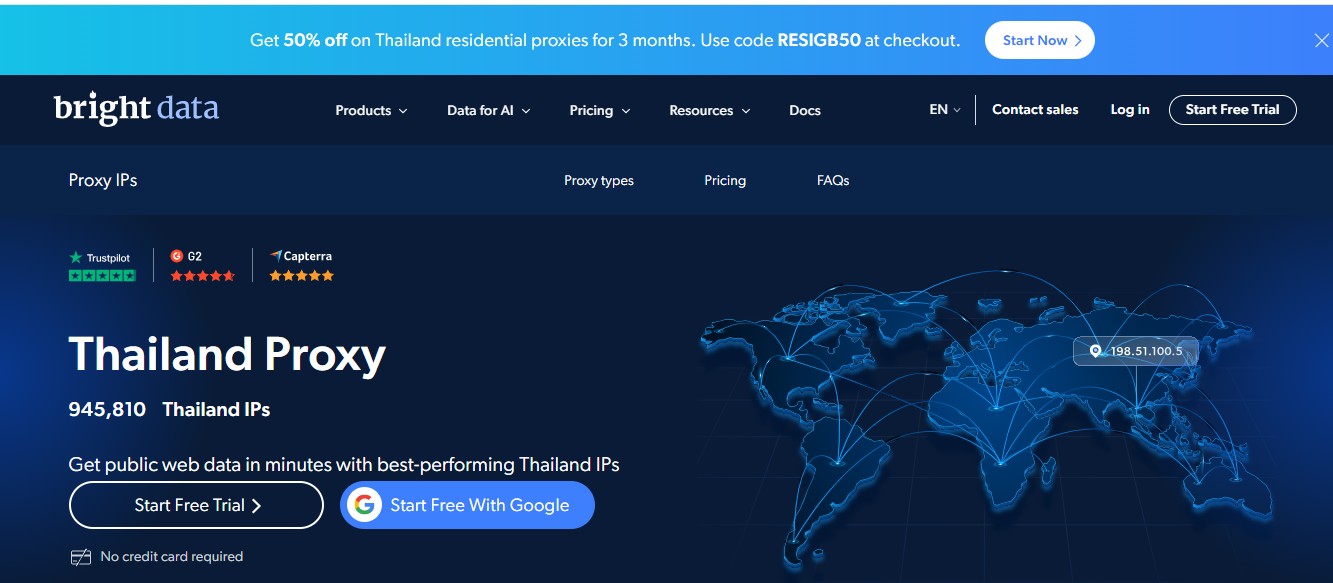
Pricing: PAYG from $4/GB for residential; $1.40/IP for datacenter
Free Trial: Yes
Proxy Pool: 900,000+ IPs
City-level Targeting: Yes
Bright Data is a powerhouse with some of the best performing Thailand IPs. They offer city, state, and zip code levels targeting at no extra cost.
Bright Data is among the top Thailand proxy providers in 2026. The dashboard has a feature that allows you to monitor the network speed in real-time. Users also get a dedicated account manager that helps them through any issues.
| Pros | Cons |
| Powerful proxy features | Steep learning curve |
| High geo-targeting precision | Expensive |
| Excellent success rates | Strict KYC requirements |
IPRoyal – Best for Businesses seeking Cost-Effective Solutions
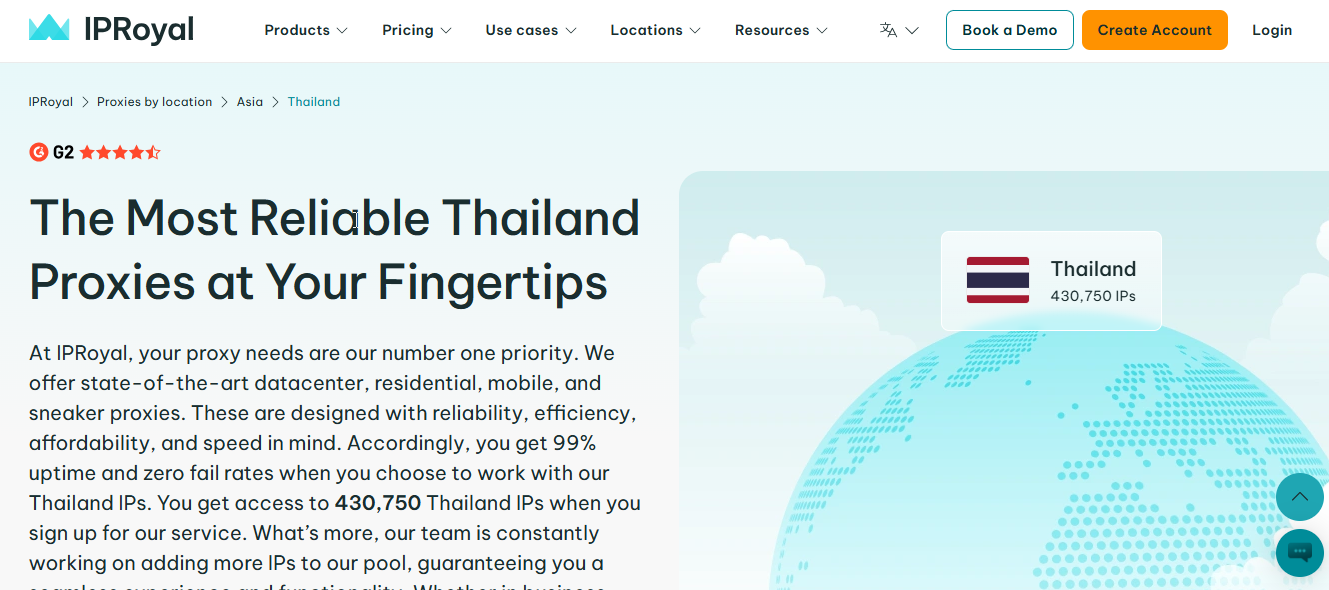
Pricing: From $2.40/proxy for ISP; $1.75/GB for residential; $1.39/proxy for datacenter; $10.11/day for mobile
Free Trial: Yes
Proxy Pool: 400,000+ IPs
City-level Targeting: Yes
If you want an affordable proxy service then IPRoyal is a good choice. With IPRoyal Thailand proxies, your anonymity is guaranteed whether for data scraping, social media management, market analysis, or bypassing geo-restrictions.
Individuals as well as businesses can leverage the IP pool for better experience. IPRoyal carefully sources and selects only the best servers for incredible speed and 99% uptime.
| Pros | Cons |
| Flexible pricing | Varying speed |
| Supports both HTTPS and SOCKS protocols | Strict KYC process |
| Clean and reliable IPs |
WebShare – Best Browser Extension Proxy
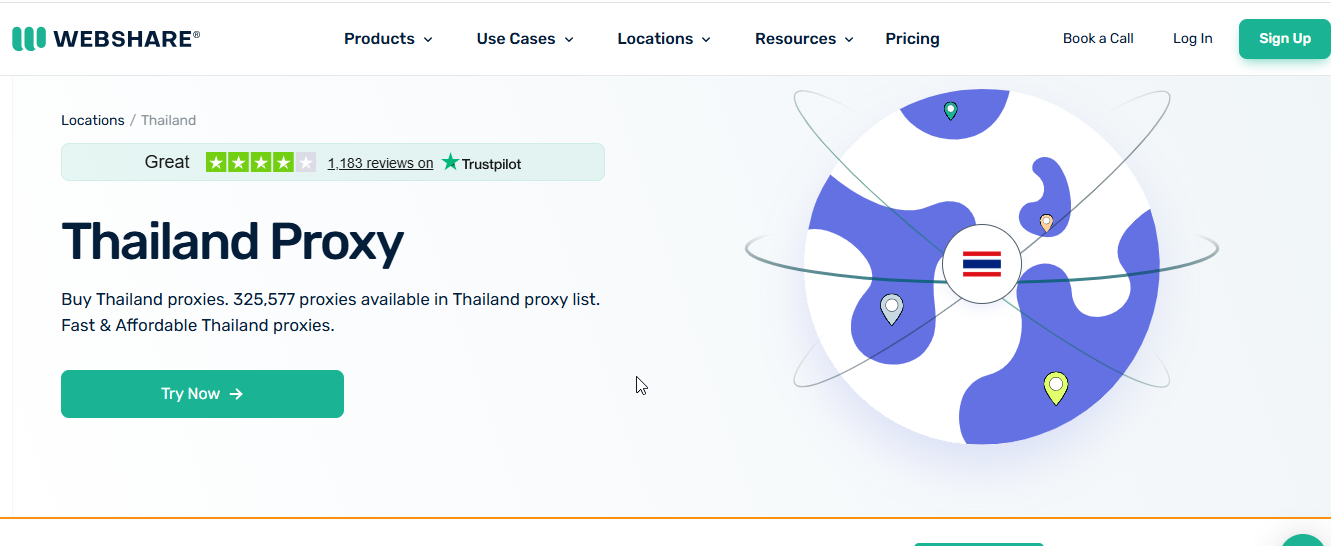
Pricing: From $1.40/GB for rotating residential proxies
Free Trial: Yes
Proxy Pool: 300,000 + IPs
City-level Targeting: No
Webshare is a great alternative for affordable Thailand proxies. However, they only provide residential IPs.
These IPs are ethically sourced, fast, and very stable for sensitive tasks. It stands out by offering a browser extension feature. The proxy dashboard has a modern interface which makes it highly convenient.
| Pros | Cons |
| Affordable | Only offers residential IPs |
| Browser Extension feature is convenient | Limited to country-level targeting |
| Good performance |
Smartproxy – Best for SMEs
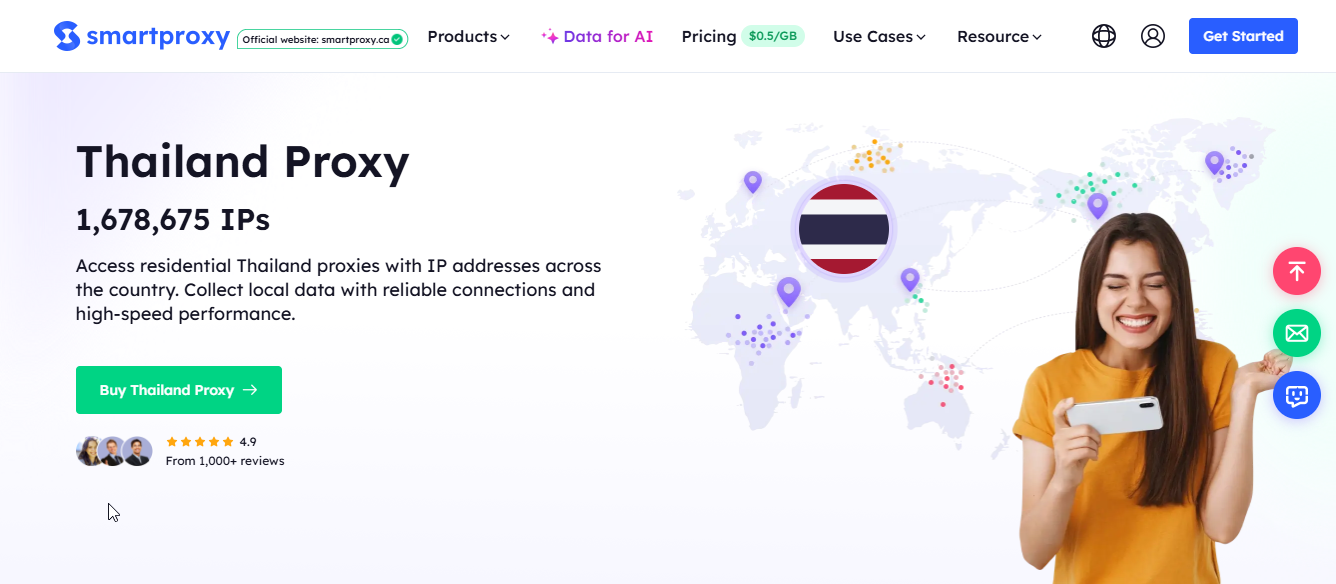
Pricing: From $0.5/GB for residential; $3/IP for datacenter; $0.27/GB for ISP proxies
Free Trial: No
Proxy Pool: 1,600,000+ IPs
City-level Targeting: Yes
Smartproxy offers high-quality residential Thai proxies. Despite coming with several functionalities, it is quite affordable for anyone to use.
Smartproxy delivers fast response time, providing consistent and reliable connections. Users review their performance and support as excellent.
| Pros | Cons |
| Easy setup | No support for SOCKS5 proxies |
| Offers flexible sessions | Subscription auto-renews |
| High-quality IPs | Pricing is based on bandwidth |
NetNut – Best for High Performance
Pricing: From $99 monthly
Free Trial: No
Proxy Pool: Undisclosed
City-level Targeting: Yes
NetNut provides Thailand proxies that are fast, encrypted, and deliver high performance. Its unique one-hop technology allows it to deliver unparalleled speed.
It has a user-friendly dashboard that offers real-time proxy management. NetNut offers customizable features for personalized results.
| Pros | Cons |
| Exceptional speed | Expensive |
| Highly reliable | Steep learning curve |
| Static and rotating options |
How to Use Rotating Thailand Proxy in Your Automations
You can buy rotating Thailand proxies by bandwidth. For example, if I have 20GB bandwidth for rotating residential proxies, I can use this bandwidth for any country. Using Floppydata’s proxy generator, you can decide how many proxies you want to create, and countries and cities you want to target. Your proxy credentials appear in the tab below.
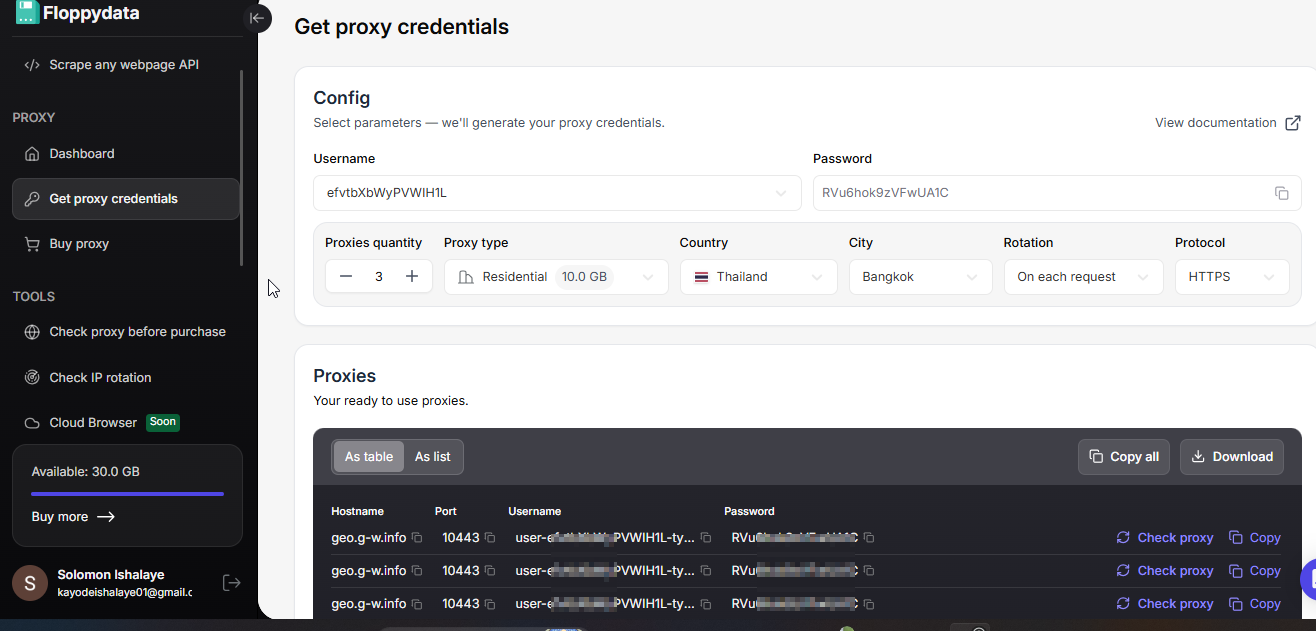
Breakdown of proxy credentials:
Hostname: The proxy server address your tool connects to.
Port: The network port used to connect to that proxy server.
Username: The login field that also controls proxy behavior like country, type, session, and rotation.
Password: The credential used to authenticate access to the proxy.
You can import this proxy into any browser by copying this information and pasting it in the proxy settings of the browser. Floppydata gives you the option to download all proxies in bulk and import them in your browser at once. Most browsers support bulk import.
Your username is the key. With Floppydata, you can even skip generating a list of proxies and use your username to create as many proxies as you want. If you look closely, the username is the only thing that differs in terms of country, city, rotation time, etc. Rest of the proxy credentials stay the same.
When using Floppydata via API inside your automation code, you can directly modify the username, swap your desired location and rotation time, and it will work. You don’t need to create proxies via the proxy generator.
Scrapers, automation experts, and developers don’t like to live in SaaS dashboards. Their scripts live inside coding IDEs. This is why Floppydata offers a way to create your own proxy credentials with just a single string.
Floppydata Proxy Username String Format Explained
Here is the example format of the username:
user-XXXX-type-residential-session-1nvajv5x-country-TH-rotation-0This is Floppydata’s smart parameters string. You can add your username, session, country, rotation times, proxy type, and all other details directly inside the string.
Instead of manually generating proxy credentials from the web dashboard, you let your code handle the rotation times, locations, and proxy type. If your scraping operation gets blocked every time, your code re-adjusts with a different proxy type or a quicker rotation time. Everything is controlled through this string.
Here is an example of how I would use a proxy string in my Python code:
import requests
proxies = {
    'http': 'http://user-mMXXXXXXj8c2ad-type-residential-session-ih76jvbd-country-TH-city-Bangkok-rotation-15:[email protected]:10080',
    'https': 'http://user-mMXXXXXXj8c2ad-type-residential-session-ih79jvbd-country-TH-city-Bangkok-rotation-15:[email protected]:10080'
}
response = requests.get('http://ip-api.com/json', proxies=proxies)
print(response.text)
Now let’s break down each part properly.
- user-XXXX: This is an account link identifier used to verify your access, proxy usage, and remaining limits. When you create your string for the first time, Floppydata generates it for you.
- type-residential: Defines the proxy type (residential, mobile, datacenter). This directly affects behavior like residential is reliable, datacenter is faster but easy to detect and so on. You can choose type-residential or type-datacenter accordingly.
- session-1nvajv5x: If your automation includes a logged-in session where rotating IP can cause problems, this part of the string is important. Session ID helps you keep IP and other browser behavior consistent. This determines whether your proxy behaves like a stable identity or not.
- country-TH: Forces the proxy to use a Thailand IP.
- rotation-0: Controls IP rotation behavior. 0 = sticky session and -1 means IP rotates on every request. You can enter the number of minutes for the proxy to rotate.
Step-by-Step Guide: How to Generate Proxy Credentials for Thailand
In this section, we will cover the process of how to get Thailand IP address, create a proxy pool, and generate Floppydata credentials.
Step #1 – Get Proxies
Go to Floppydata dashboard and buy a desired bandwidth for the proxy of your choice. For most scraping automations, we recommend using residential proxies.
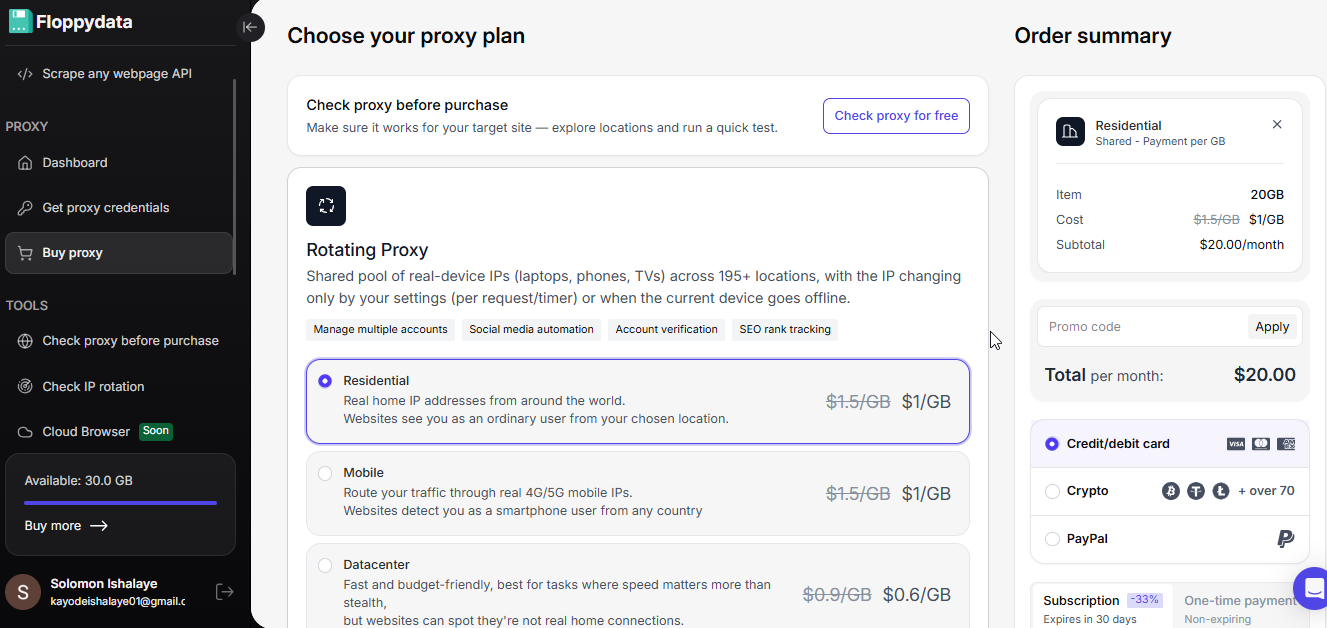
Step #2 – Create Proxy Credentials
Once you have the proxy bandwidth, you can create as many proxies as you want. You can select the rotation type, country, city, and password. Username is auto-generated, but you can also create more if you need.
Step #3 – Use proxy credentials
You can now use the auto-generated proxy credentials in your web browser or scraping tool. You can download all the proxies in bulk and import them in your desired browser at once.
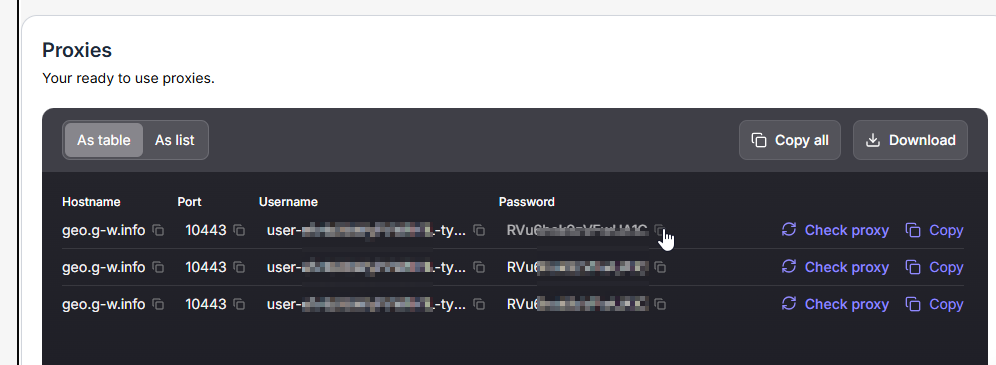
As explained in the previous section, you can use Floppydata’s smart parameter string instead of creating and configuring proxy pools. All you need is a username that Floppydata generates for you in step #2. You can select location, rotating time, and proxy type as per your choice in the parameter string.
Check Your IP Rotation
You can verify if your connection string is rotating IP correctly by pasting it in Floppydata’s IP change detector. This will help you verify whether your settings are correct.
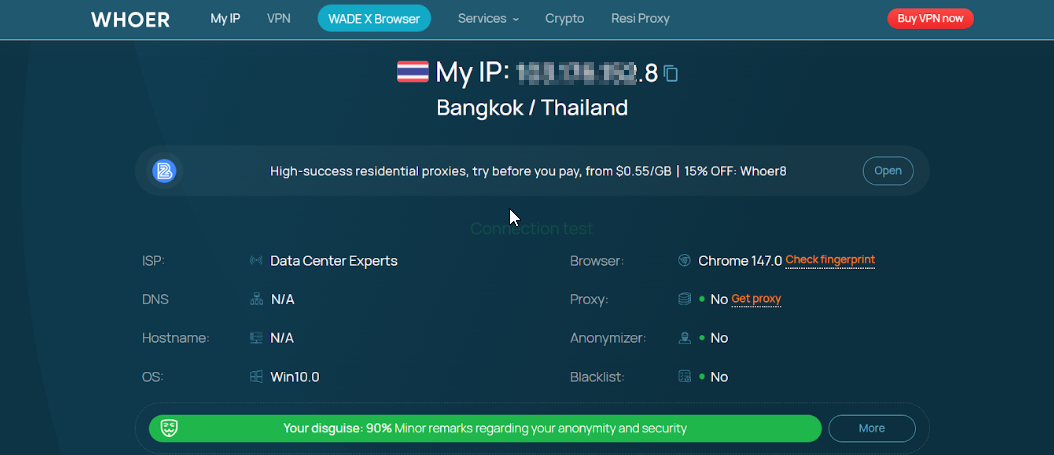
Check If Your Proxy Location is Correct
When you connect to the Floppydata proxy, visit a website like whoer.net or whatismyipaddress.com to see if your country and city are correct. This is a quick way to check if your configured IP country and city are correct.
Conclusion
Finding the best Thai proxies providers can be tricky with many players in the industry. From all the options tested, Floppydata was the provider that caters to the needs of everyone – from individuals to enterprises.
Floppydata has a user-friendly dashboard that is easy to navigate even by beginners. When choosing a proxy provider, it is necessary to prioritize performance, pricing, stability, and IP cleanliness.