Table of Contents
- TL;DR
- What Are Shared Proxies and Why Use Them
- How I Reviewed Shared Proxy Providers
- Quick Comparison of Top Shared Proxy Providers
- October 2026 Residential Proxy Benchmark
- 1. Floppydata: Best Shared Proxies Overall
- 2. 1Browser: Best for Shared-Proxy Browser
- 3. Proxy-Seller: Cheap, Scalable Proxy Network
- 4. Decodo: Trusted Provider with Versatile Proxies
- 5. Oxylabs: Popular Platform & High Performance
- 6. Froxy: Cheap Shared Proxies
- 7. SOAX: Protocol Flexibility with Global Pool
- 8. Webshare: Flexible Plans & Static Options
- 9. IPRoyal: Best Proxy Quality
- 10. ProxyMarket: Pay-Per-IP Datacenter Proxies
- Which Shared Proxy Should You Choose?
- Final Thoughts
- FAQ
TL;DR
- Cheapest per request: Floppydata at $0.019/1K reqs and $1/GB, with only 60.7% of IPs flagged (second-best of 12 tested)
- Floppydata also ranked #1 by cost in our mobile proxy benchmark ($0.012/1K reqs) and #1 overall in the cloud browser benchmark
- Highest success: Decodo and Oxylabs both hit 99.9% with just 2.2% duplicate IPs
- Watch out: IPRoyal had 96.0% of IPs flagged despite 99.5% success — fine for scraping, risky for accounts
Shared proxies are cheaper than dedicated ones and can still work equally well in several scenarios where IP quality is not a big concern. Most people prefer dedicated proxies because the IP is not provided to anyone else as long as they are paying for it. That helps them stick to a specific IP and use it for sensitive tasks like social media account management and crypto trading. In other use cases, shared proxies can work equally well and can dramatically reduce the cost.
What Are Shared Proxies and Why Use Them
A shared proxy is an address on a server that is used by multiple customers (at once, or one by one). You are not the only one sending traffic through that IP address. When your request is processed, it might tunnel someone else’s data in the meantime as well. This multi-tenant model splits the cost, so shared proxies are much cheaper than dedicated/private proxies.
There are two main types of shared proxy IPs:
- IPv4 (Datacenter): Classic server-based IPs from data centers. Very cheap and abundant. You can find them on almost all proxy platforms and use them for basic tasks where IP reputation is least of your concern.
- Residential: Residential IPs have a higher trust rating than datacenter ones, so people also share them for websites that require a real-looking proxy. Common uses include protected websites, ecommerce and similar.
Why use shared proxies?
Shared proxies are great when you need a lot of IPs or bandwidth without breaking the bank. You can either buy bandwidth (pay for what you use) or buy a shared pool of IPs without bandwidth restrictions, though several people are using them alongside you.
Drawbacks of shared proxies
Shared proxies should never be used on trust-sensitive platforms like Facebook, Google, Reddit, Binance and similar services. Since multiple people are using the same IPs, you can never know how they have been used and what kind of IP reputation they might have. Sometimes, you end up with an IP that has already been blacklisted or abused on the platform you are trying to use. The result is instant account termination, which is why shared proxies are not recommended for sites where you are going to put your account on the line.
How I Reviewed Shared Proxy Providers
This blog reviews the best shared proxy providers that provide cheap and clean proxies to handle most proxy use cases. For each provider, I checked the following and ranked them accordingly:
- Type of shared proxy: Whether you are getting a shared datacenter or shared residential proxy. Some providers even offer shared mobile proxies, which are even more trusted than residential.
- Pricing: Is the price per proxy or per GB lower than the price for dedicated proxies?
- IP Reputation: Does Iphey and other IP checkers mark the IP as fraud? We ideally want clean proxies.
- Extra Features: Do you get API support and other services along with just credentials?
Quick Comparison of Top Shared Proxy Providers
| Provider | Proxy / Network | Published Network | Starting price | Best for |
|---|---|---|---|---|
| Floppydata | Residential, Mobile, Datacenter (rotating, shared) | 65M+ IPs worldwide (195+ countries) | $1.00/GB flat for every type | Budget bulk tasks (scraping, multi-account, broad geo). Reliable rotation |
| 1Browser | Residential, Mobile, Datacenter (built-in) | Free proxies across many locations (US, CA, DE, AU, IN); full network undisclosed | Free shared proxies (many locations); paid bandwidth extra | Multi-account workflows & automation in a browser. Easy start (free proxies) |
| Proxy-Seller | Datacenter, ISP, Mobile, Residential | 220+ countries | Res ~$3.50/GB; IPv4 DC from $0.49/IP | General-purpose cheap proxies. Large global pool, unlimited traffic |
| Bright Data | Datacenter, ISP, Mobile, Residential | 190+ countries | Res $4/GB (promo; $8 list); DC from $0.90/IP | Enterprise-grade scraping. Huge pool, APIs & advanced scraping tools |
| Oxylabs | Datacenter, ISP, Mobile, Residential | 195 countries | Shared datacenter from $1.20/IP | High-volume, stable connections. Extensive country coverage, fast datacenter IPs |
| Decodo | Datacenter, Residential, Mobile, ISP | 195 countries | Shared DC: 100 IPs + 50GB for $3.50 | Trusted multi-purpose proxies. Good targeting & anti-detect browser support |
| Froxy | Datacenter, Residential, Mobile | 200+ countries | Entry plan from $24/mo (2 whitelisted IPs) | Ultra-cheap rotating DC IPs (from $0.60/DC). Good for budget bulk scraping |
| SOAX | Datacenter, Residential, Mobile, ISP | 155M+ IPs (195+ countries) | Res/mobile $2–$5/GB by tier; PAYG credits or plans from $200/mo | Advanced use: supports UDP/QUIC, high-concurrency analytics. IPs from 195 countries |
| Webshare | Residential, Datacenter | 80M+ IPs (195+ countries) | Shared DC: 100 IPs + 250GB for $2.69 | Flexible plans (static & rotating). Easy API, browser extensions. Trial: 10 free IPs |
| IPRoyal | Datacenter, Residential, Mobile, ISP | 195+ countries | Shared DC: $6.30 for 5 IPs; shared res from $1.75/GB (bulk) | Shared residential from “Web Unblocker” pool. Good for social media scraping and unblock tools |
| Proxy.Market | Datacenter (IPv4) | 22M+ IPs (96 countries) | Shared IPv4 DC from $0.76/IP (USA, 1-month rental) | Very low cost per IP. Pay-per-IP model (traffic unlimited). Best for static DC needs, large-scale |
October 2026 Residential Proxy Benchmark
We tested 12 residential proxy providers in October 2026, running 25,200 requests per provider from three servers in Germany, the US and Singapore across 12 exit countries. We also checked 300 unique IPs per provider for proxy flagging through Scamalytics and IPinfo. Six of those providers appear in this article.
| Provider | Success rate | Latency (med/P90) | Sticky sessions | Duplicate IPs | Flagged as proxy | Cost/1K reqs | $/GB |
|---|---|---|---|---|---|---|---|
| Floppydata | 98.0% | 0.93/1.76s | 47.3% | 11.7% | 60.7% | $0.019 | $1.00 |
| Decodo | 99.9% | 0.79/1.41s | 82.7% | 2.2% | 85.0% | $0.077 | $3.75 |
| Oxylabs | 99.9% | 0.75/1.32s | 80.8% | 2.2% | 80.3% | $0.124 | $6.00 |
| SOAX | 99.8% | 0.72/1.37s | 70.2% | 9.1% | 85.3% | $0.091 | $4.67 |
| Webshare | 99.6% | 1.00/1.81s | 77.2% | 2.2% | 83.3% | $0.052 | $2.70 |
| IPRoyal | 99.5% | 1.23/3.14s | 80.4% | 7.0% | 96.0% | $0.104 | $5.31 |
We also run mobile proxy and cloud browser benchmarks. Floppydata ranked #1 by cost in the mobile test ($0.012/1K reqs, 11 providers) and #1 overall in the cloud browser test (82.7 pts, 11 providers). Full results: floppydata.com/mobile-proxy-benchmark and floppydata.com/cloud-browser-benchmark.
1. Floppydata: Best Shared Proxies Overall
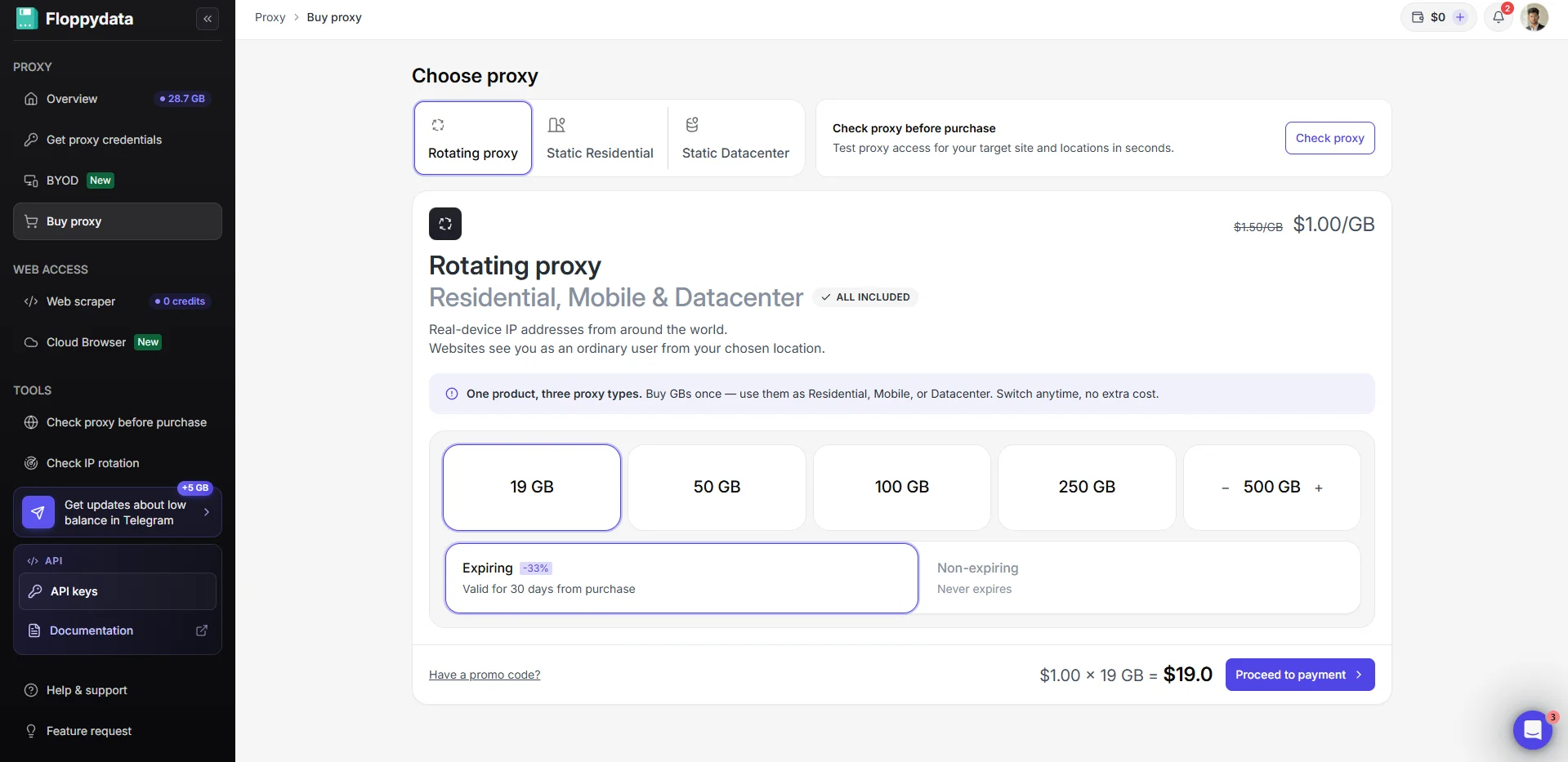
Floppydata does not have a dedicated shared proxy pool. However, its rotating proxies technically are shared IPs. When you are using an IP address, it is reserved for you until the connection is open. No one else can send any data through the same IP, but as soon as the connection closes, that IP goes back into the pool and can be assigned to someone else.
In Floppydata, you get the option to set your IP rotation. If you don’t rotate, you don’t share your proxy (even better), but if you want to automatically rotate your IP for web scraping operations, you get a new IP on each rotation.
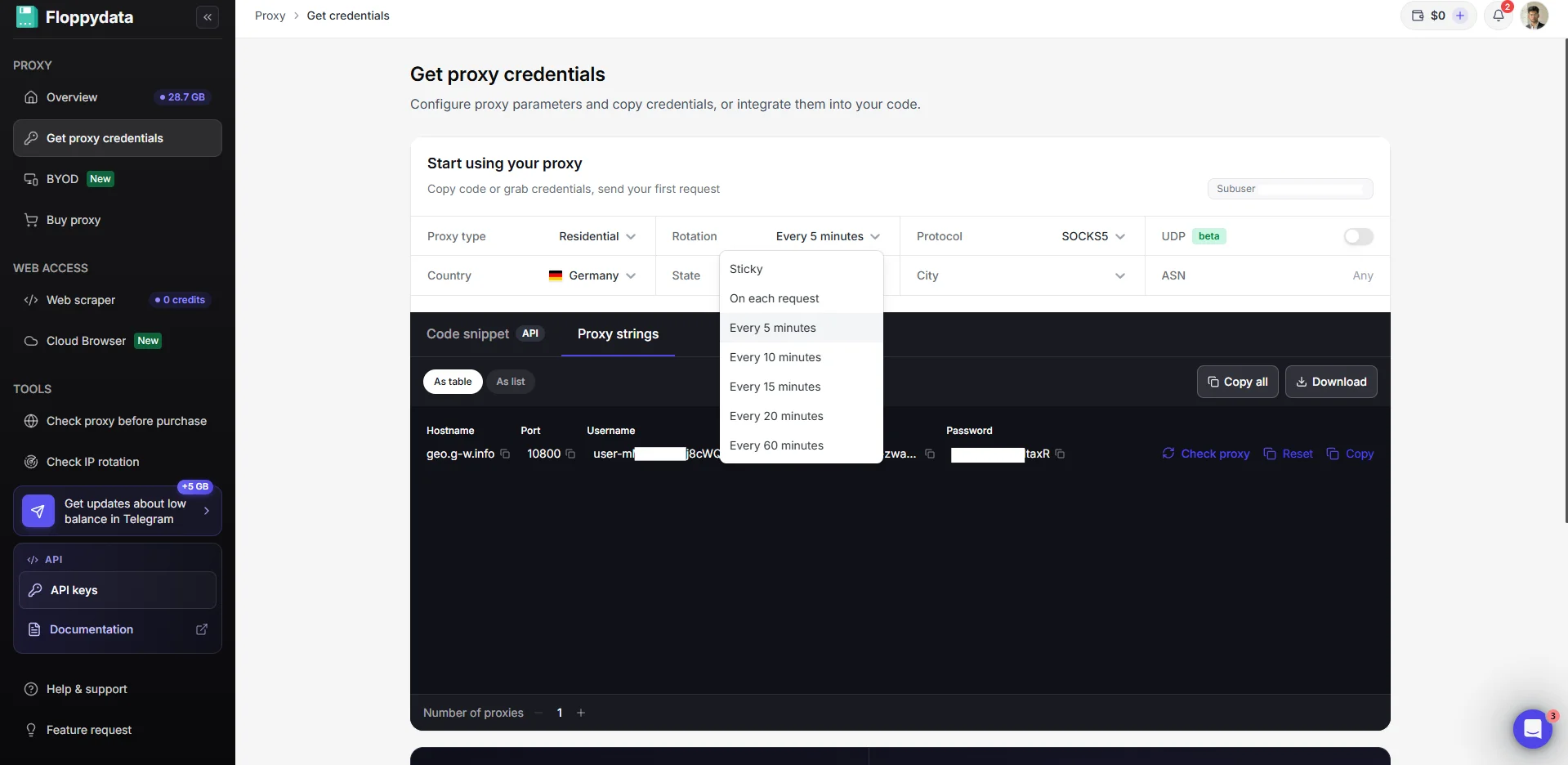
I found Floppydata to be the top choice for most shared-proxy needs because of its pool of 65M+ proxies, 195 countries, and datacenter, residential and mobile rotating proxies. The reason Floppydata is the top choice is pricing. You are not paying $3–$6/GB for residential or mobile proxies anymore. You pay a flat $1/GB (cheapest per request in our 12-provider benchmark at $0.019/1K reqs) and can use as many mobile, residential and datacenter proxies as you want until your bandwidth runs out. Getting started is very easy with a pay-as-you-go model and no subscriptions to tie you into buying huge bundles you might never use. Only pay for what you use.
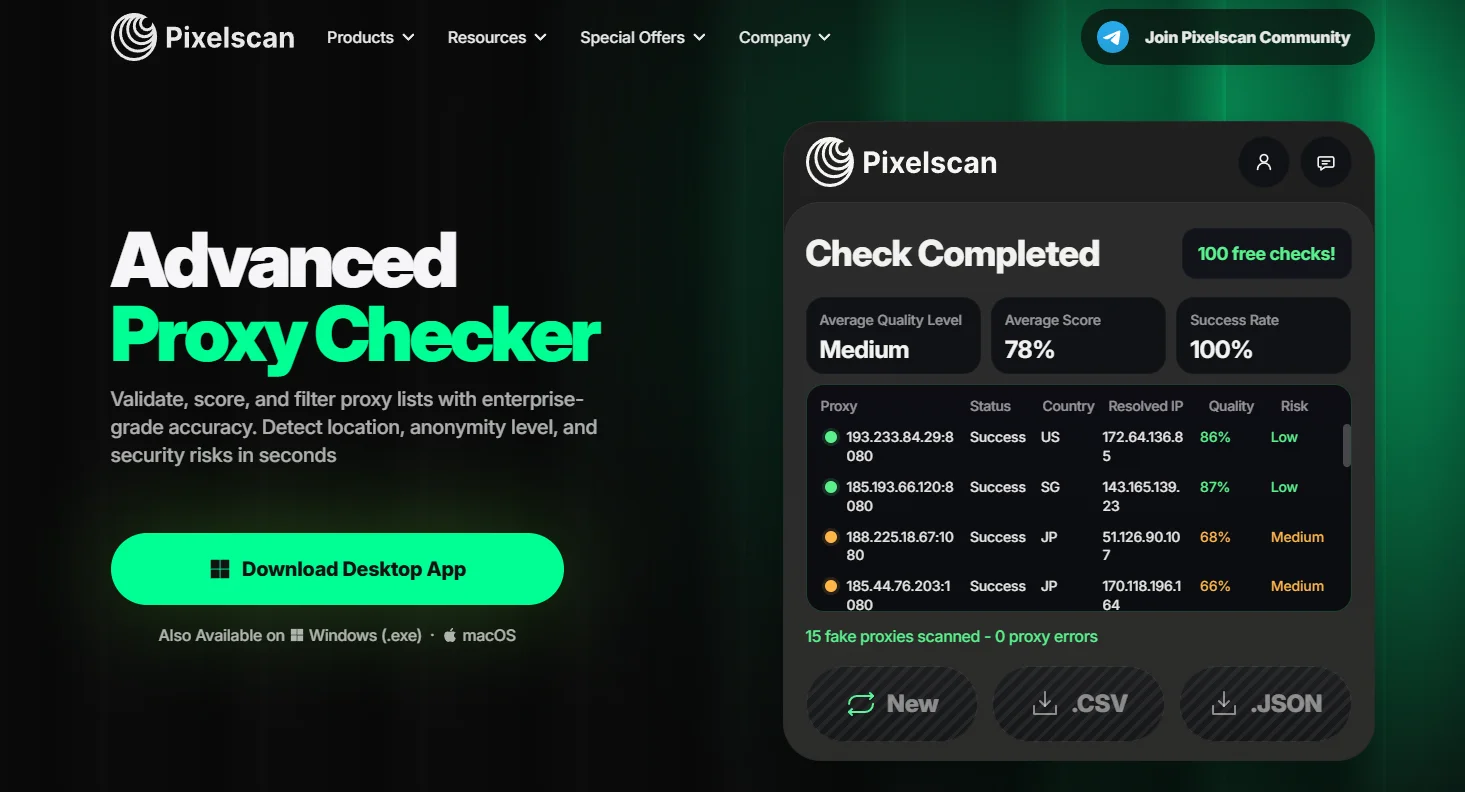
I tested Floppydata proxies in 1Browser and ran multiple tests to check if I get a bad IP on any rotation, but all tests passed with a healthy IP score. I even scanned whether any of the IPs were blacklisted, but results were clear for over 20 tests.
Verdict: Best for budget scraping. Cheapest per request across all three of our benchmarks (residential, mobile, cloud). 60.7% flagged (second-lowest). Skip if you need sticky sessions (47.3%).
2. 1Browser: Best for Shared-Proxy Browser
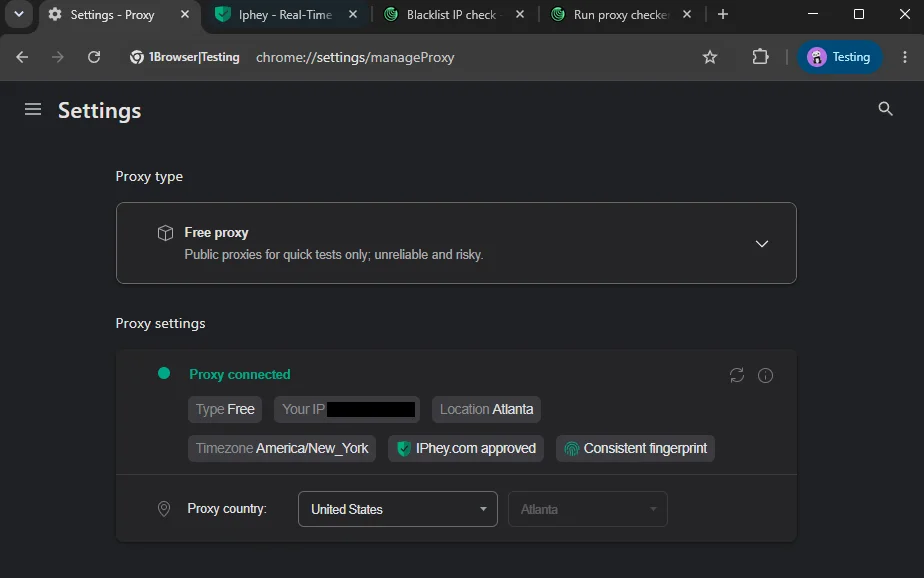
1Browser is not a traditional proxy provider but a proxy browser. 1Browser comes with built-in datacenter and residential proxies. In their free plan, you get free shared proxies from 5 countries (USA, Canada, Germany, Australia, India). Although you can buy additional bandwidth of cleaner proxies, the free shared proxies are a great way to browse anonymously on websites that require no login.
What’s special about 1Browser is the antidetect profile creation. Apart from shared proxies, you are getting an antidetect browser profile that hides your real identity and lets you browse anonymously on the web as if you are browsing from a completely different device. It’s like having 10 different computers in one app.
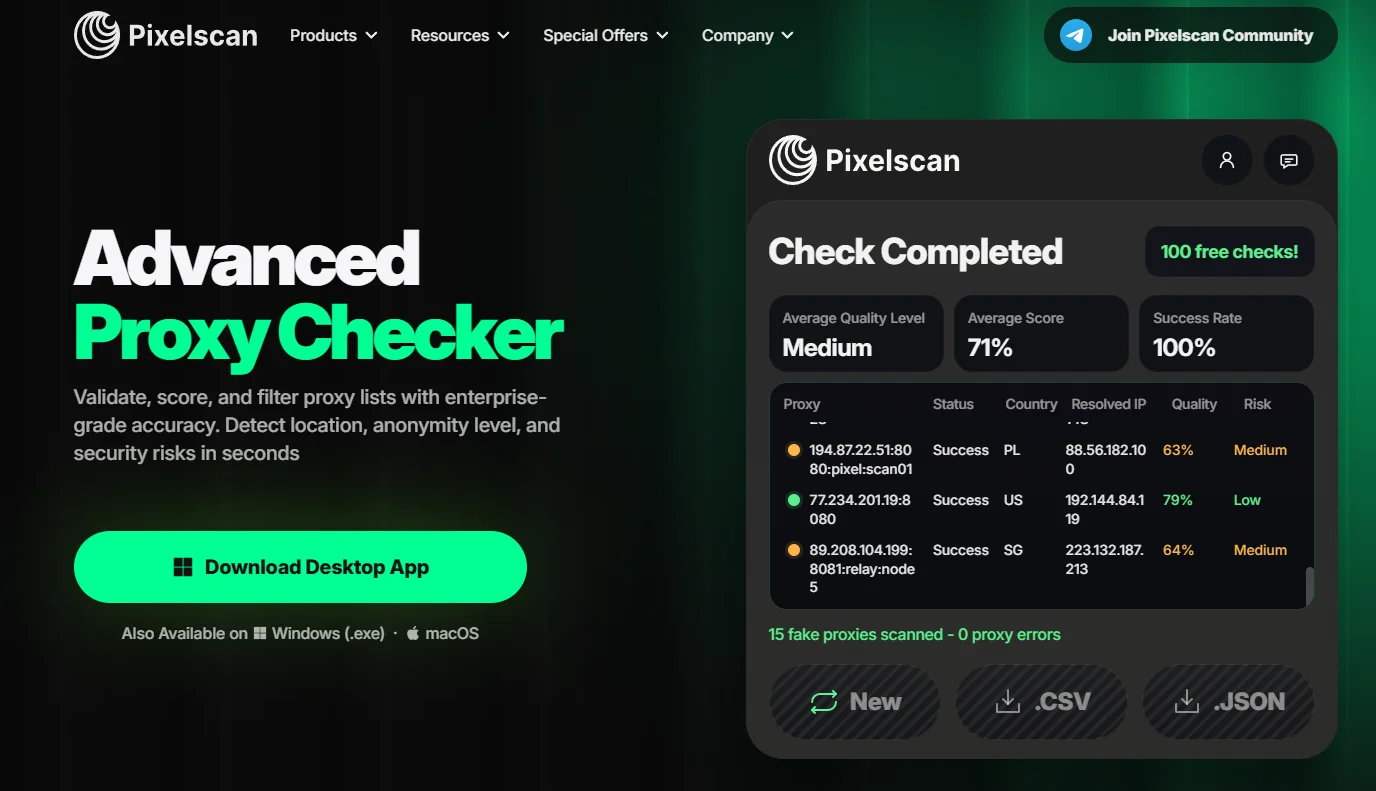
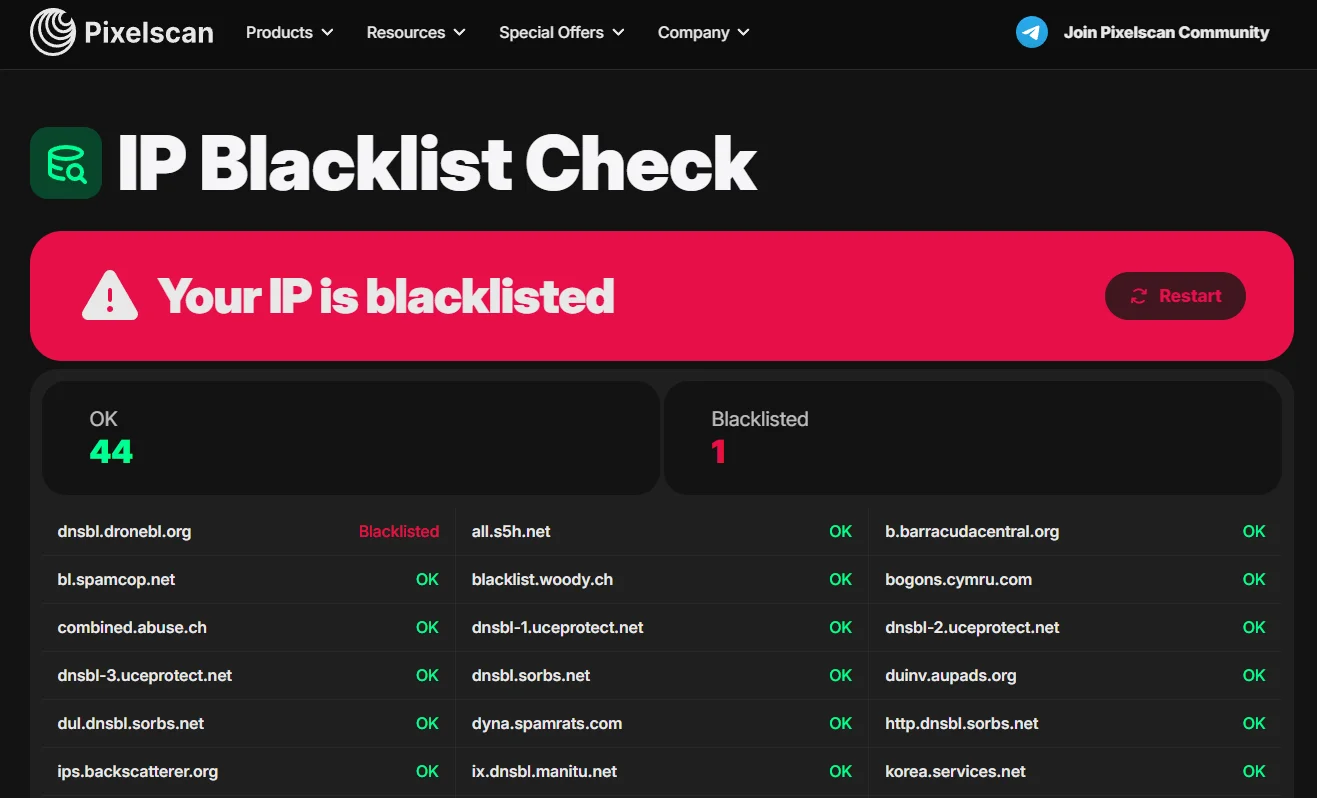
I tested 1Browser’s IP quality by selecting their free shared proxies. I ran the Pixelscan and Iphey tests. I re-opened the browser several times and ran the test to check different proxies. Overall quality is above average for free shared proxies. During the IP blacklist test, 1 proxy was marked as blacklisted on 1 of the 45 lists it checks from, which means that their free IP has a bad reputation on some platforms.
Verdict: Best free option. 10 profiles with built-in proxies. Skip for API access or high volume.
3. Proxy-Seller: Cheap, Scalable Proxy Network
Proxy-Seller is a popular proxy provider known for its range of proxies at attractive prices. You can find several types of proxies (IPv4, IPv6, residential, mobile, datacenter, ISP, and more) at competitive prices. However, their proxies are not known for being the most reliable. People have reported their eBay accounts getting banned due to Proxy-Seller IPs, so use their shared IPs wisely.
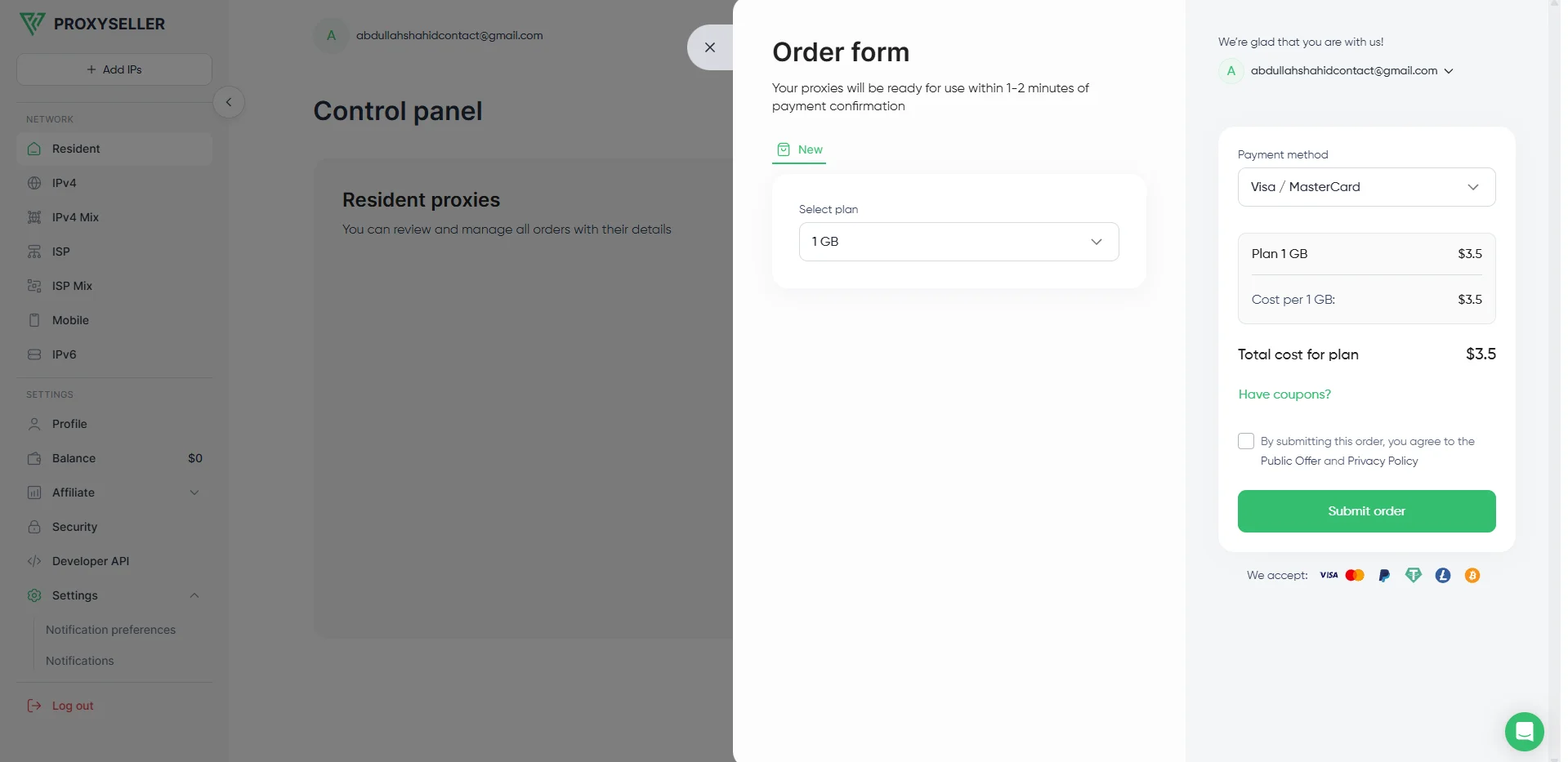
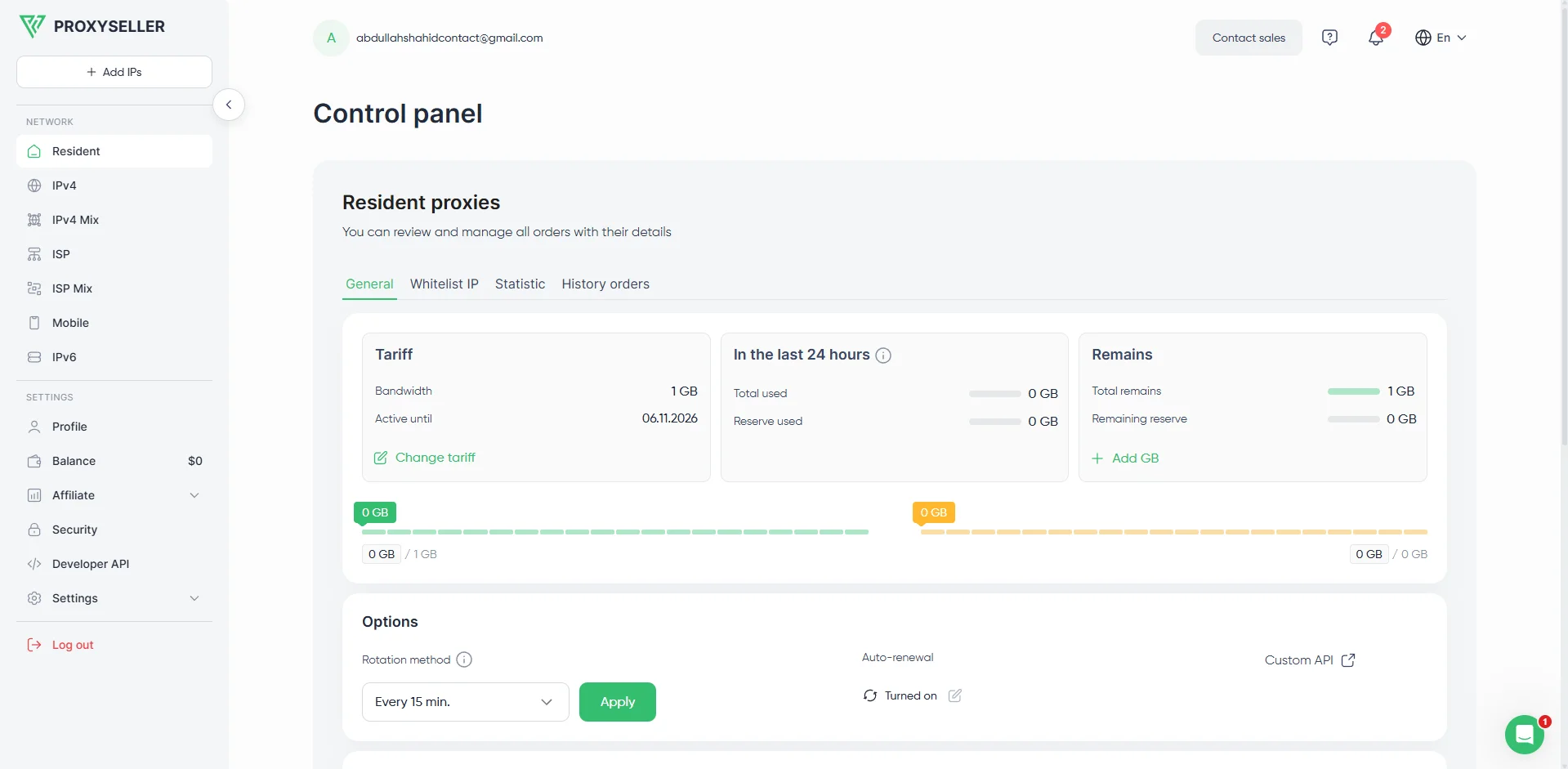
For pricing, 1 GB shared bandwidth costs you $3.50 which sounds reasonable compared to Bright Data and Oxylabs. I tested their proxy on Gologin antidetect browser since their proxy format is not readable by 1Browser. For most proxy providers, I just have to paste the proxy address and browsers fill it themselves, but for Proxy-Seller, I always have to do it manually due to a mismatching format.
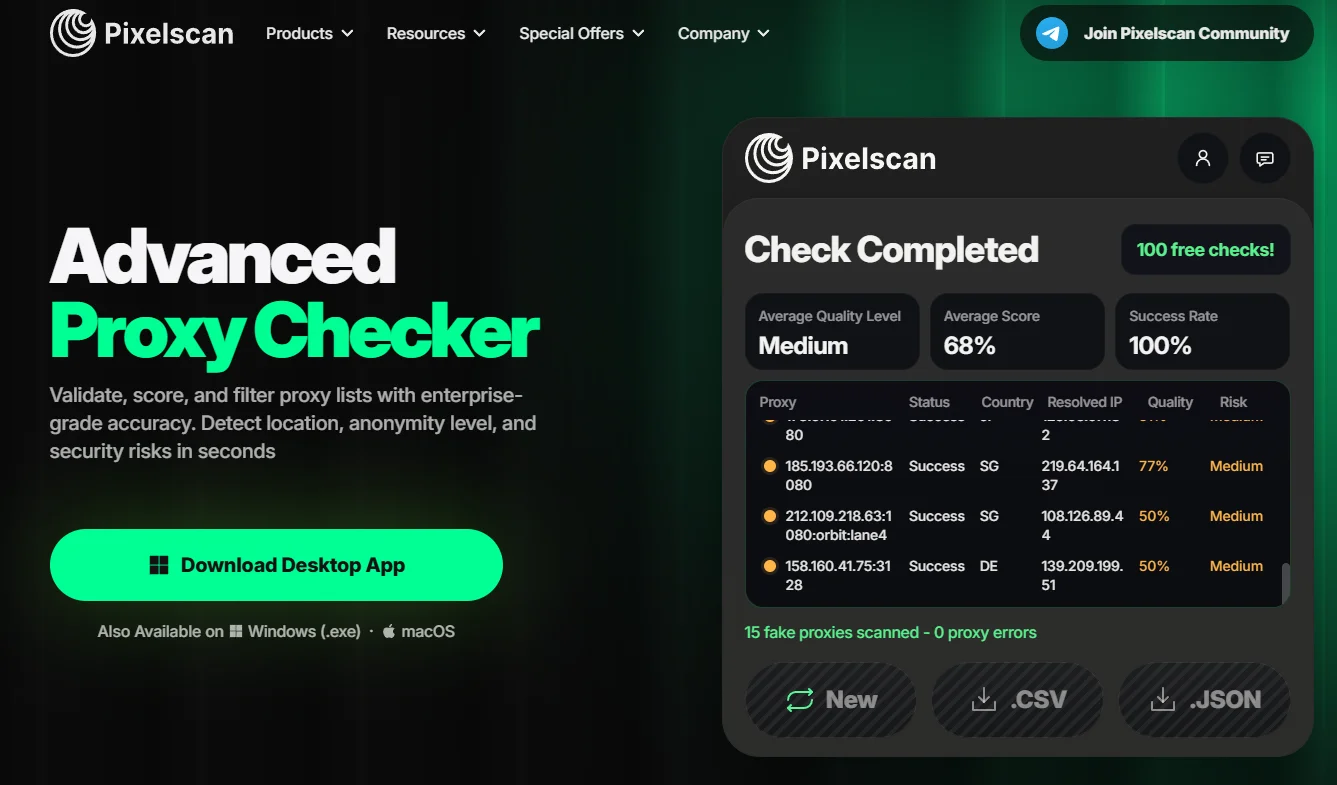
The Iphey test came back completely fine, but it has more to do with Gologin’s fingerprinting than my IP. I ran Pixelscan’s IP blacklist and quality checker tests and no IP was marked as blacklisted. However, their overall proxy score was lower (as expected), since their proxy pool can be easily detected by advanced detection systems.
Verdict: Best geo coverage. 220+ countries, from $3.50/GB. Not benchmark-tested.
4. Decodo: Trusted Provider with Versatile Proxies
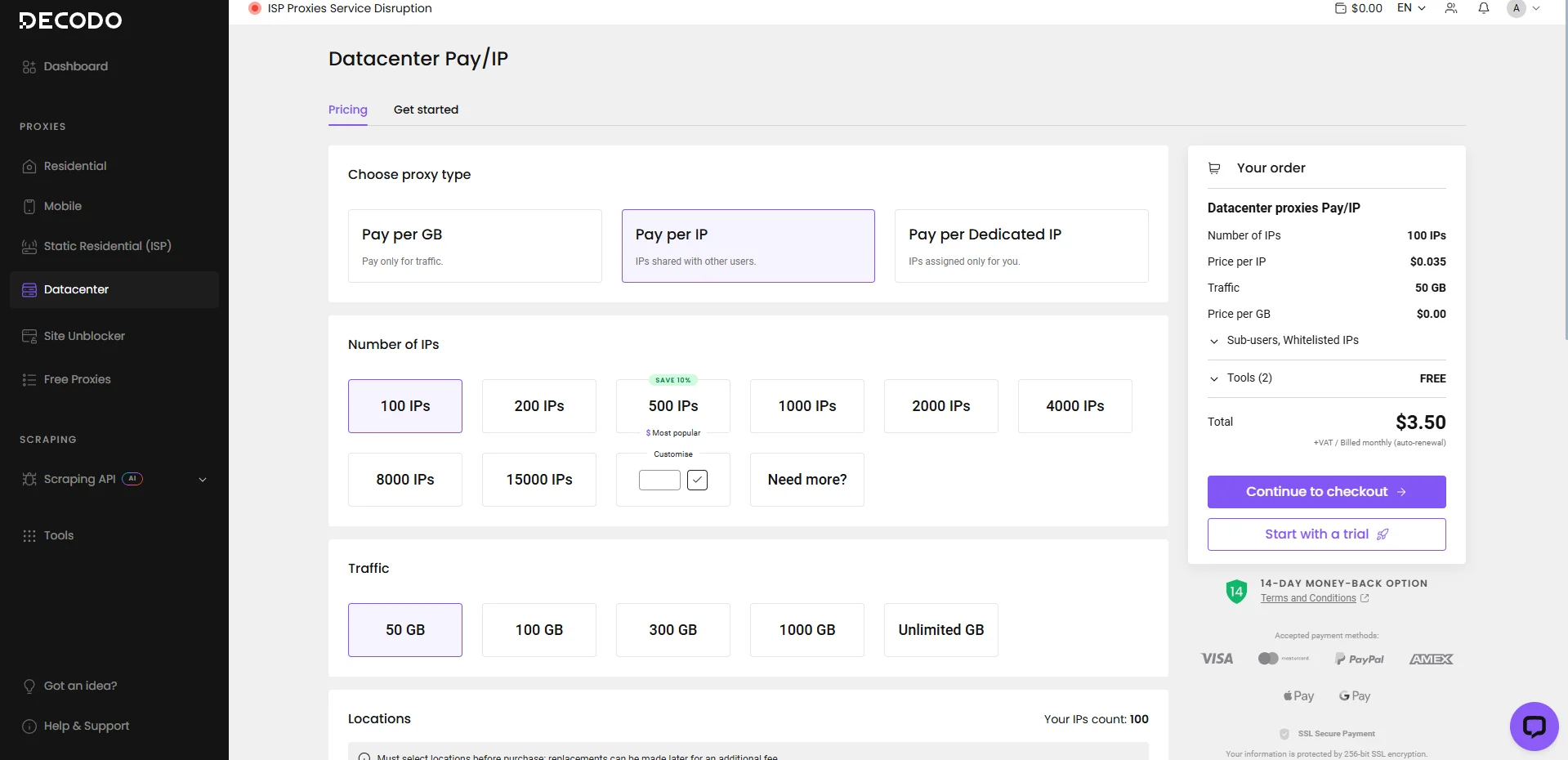
Decodo’s shared datacenter IPs are one of the cheapest in this list, with 100 IPs and a 50GB bandwidth for only $3.50+VAT. In our benchmark, Decodo hit 99.9% success with only 2.2% duplicate IPs. You can use 100 different IPs until you run out of your 50GB bandwidth. This is a generous limit for web scraping and automation operations given the pricing. Decodo can be genuinely considered for large-scale scraping due to its pricing and decent IP pool.
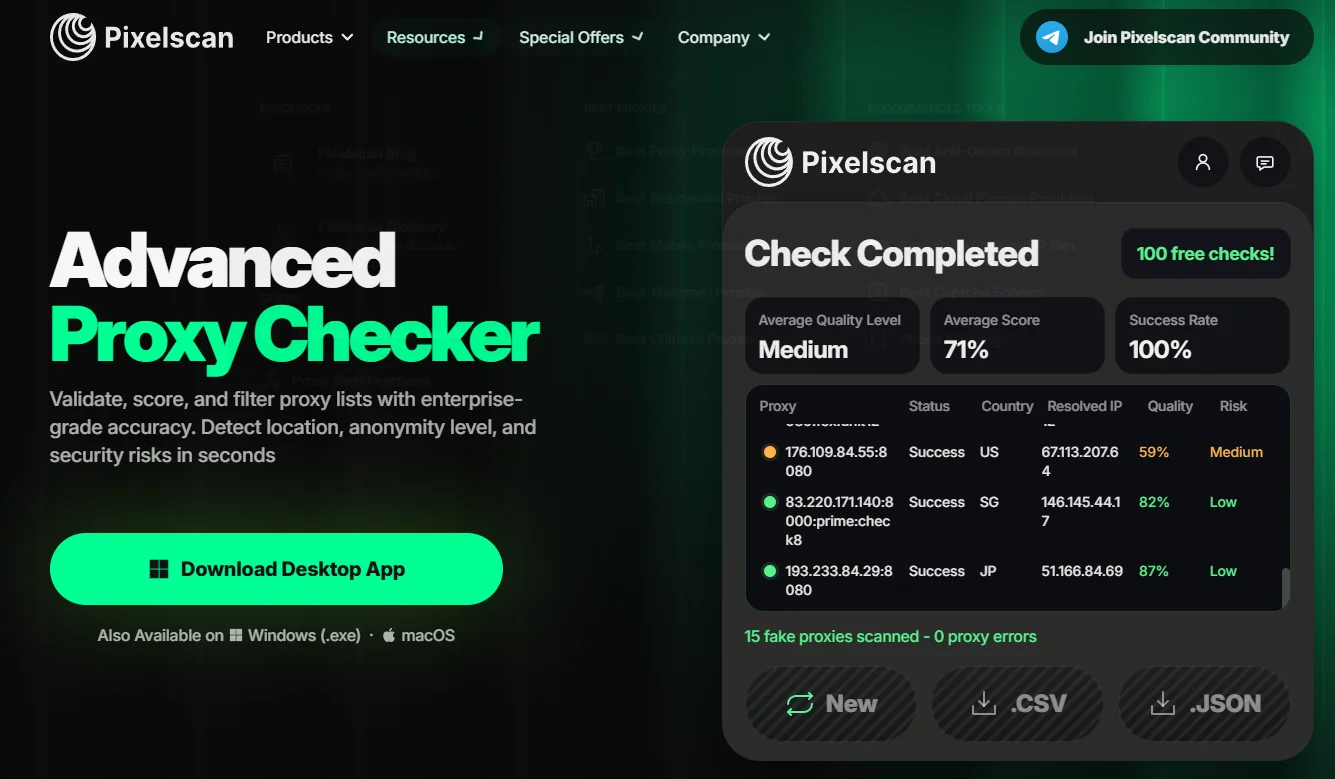
I ran Decodo’s IPs through Pixelscan’s proxy checker and IP blacklist scanner. Both results were decent. I repeated this step with multiple IPs and it consistently scored well, with only 1 instance where an IP was banned from one of the sites. Safe to say that the pool I was randomly assigned was mostly clean. I can even use these IPs for low-risk platforms that don’t aggressively track geolocation and fingerprint to detect multi-accounting or spam, but a more suitable use case is web scraping.
In practice, Decodo’s 70M+ proxies work well on many websites. I liked the optional IP list mode where you can get a list of IPs all at once if needed, rather than rotating automatically.
Verdict: Best all-rounder. 99.9% success, 82.7% sticky, 2.2% duplicate IPs. Skip if the budget is under $1/GB.
5. Oxylabs: Popular Platform & High Performance
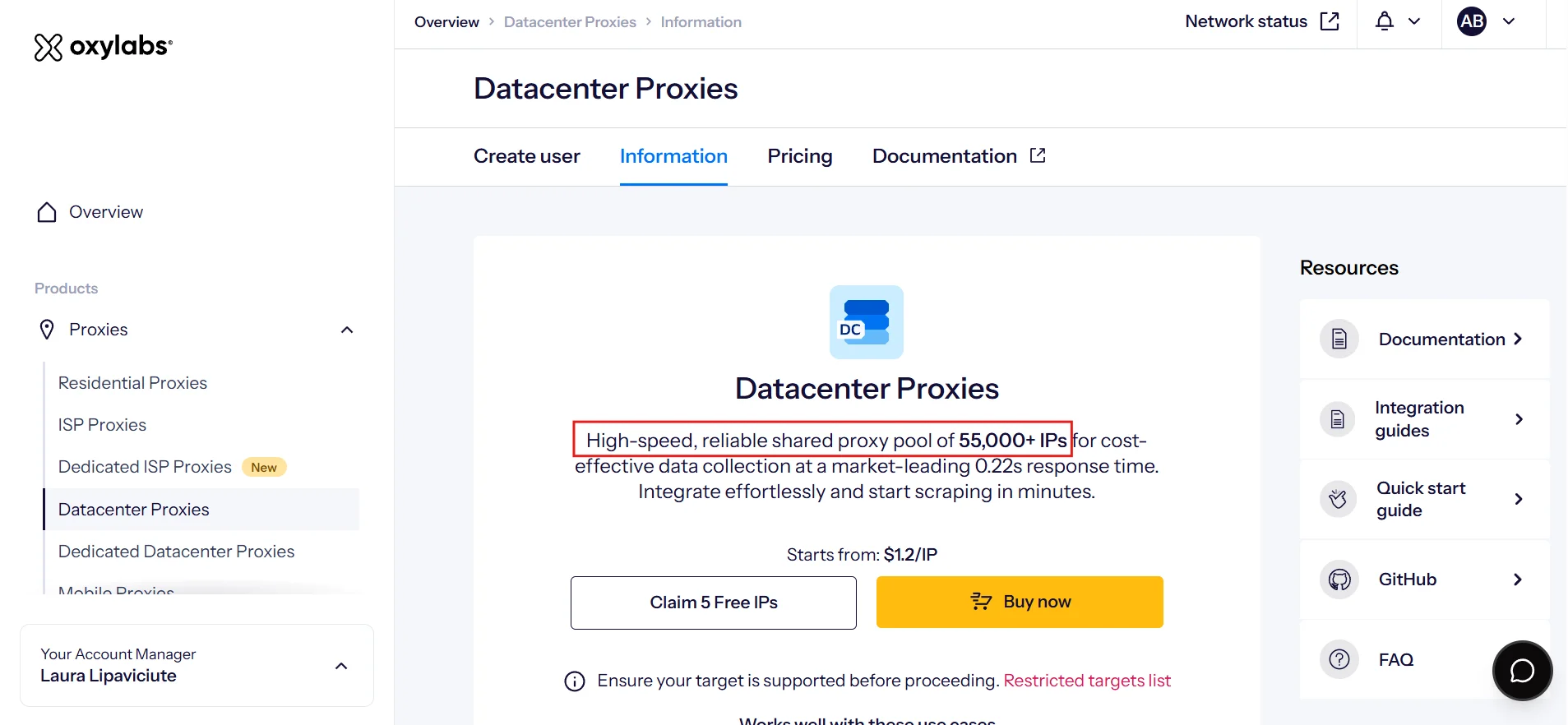
Oxylabs’ datacenter IPs are either dedicated or shared. There are separate plans for dedicated datacenter IPs. Generally, their datacenter IPs offer the shared pool at lower pricing. However, even at lower pricing, Oxylabs shared datacenter IPs (99.9% success and 0.75s median latency in our benchmark, fastest of 12 tested) start at $1.20/IP.
I bought the datacenter proxies to test whether their shared proxies are good to use for websites that require login. The initial test was okay, with Oxylabs scoring close to Proxy-Seller (I expected better). However, one of their IPs was abused by another user and marked as blacklisted by one of the sites Pixelscan checks against.
Even though Oxylabs proxies are fast and reliable, you can expect shared proxies to have some bad IPs. That is not an Oxylabs-specific problem and can happen with any proxy provider. People who purchase shared proxies know what they are getting into.
My final verdict is that if you are going to encounter bad IPs everywhere, why not go with the cheapest available option like Floppydata or 1Browser instead of paying more.
Verdict: Fastest. 0.75s latency, 99.9% success. Premium at $6/GB.
6. Froxy: Cheap Shared Proxies
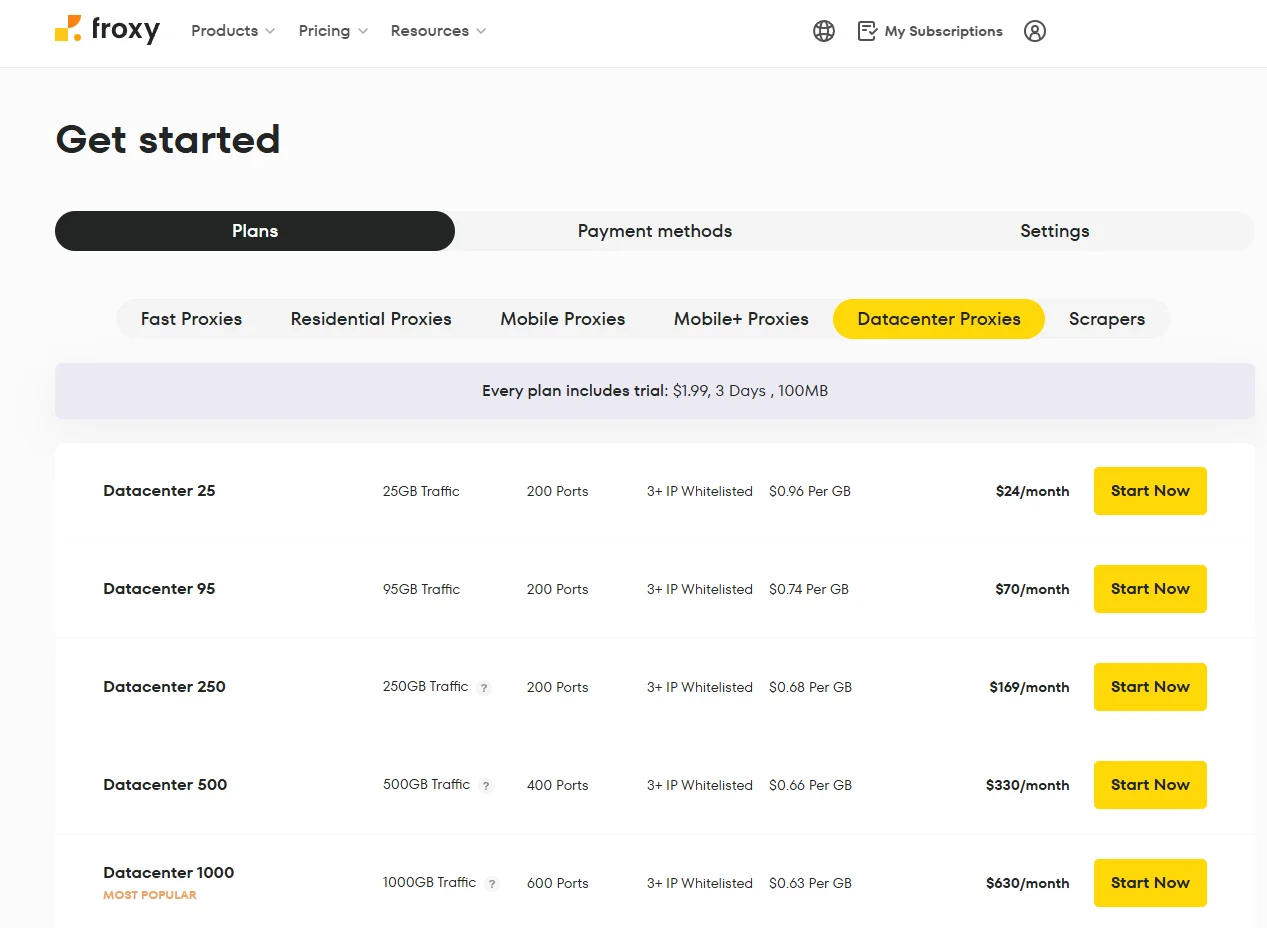
Froxy markets its cheap proxies, but the cost to start and test the first proxy is $24/mo with 25GB traffic and 2 whitelisted IPs. Froxy has a pool of 10M+ IPs across 200 countries, which is not that impressive. A smaller pool means a higher chance of encountering a bad proxy.
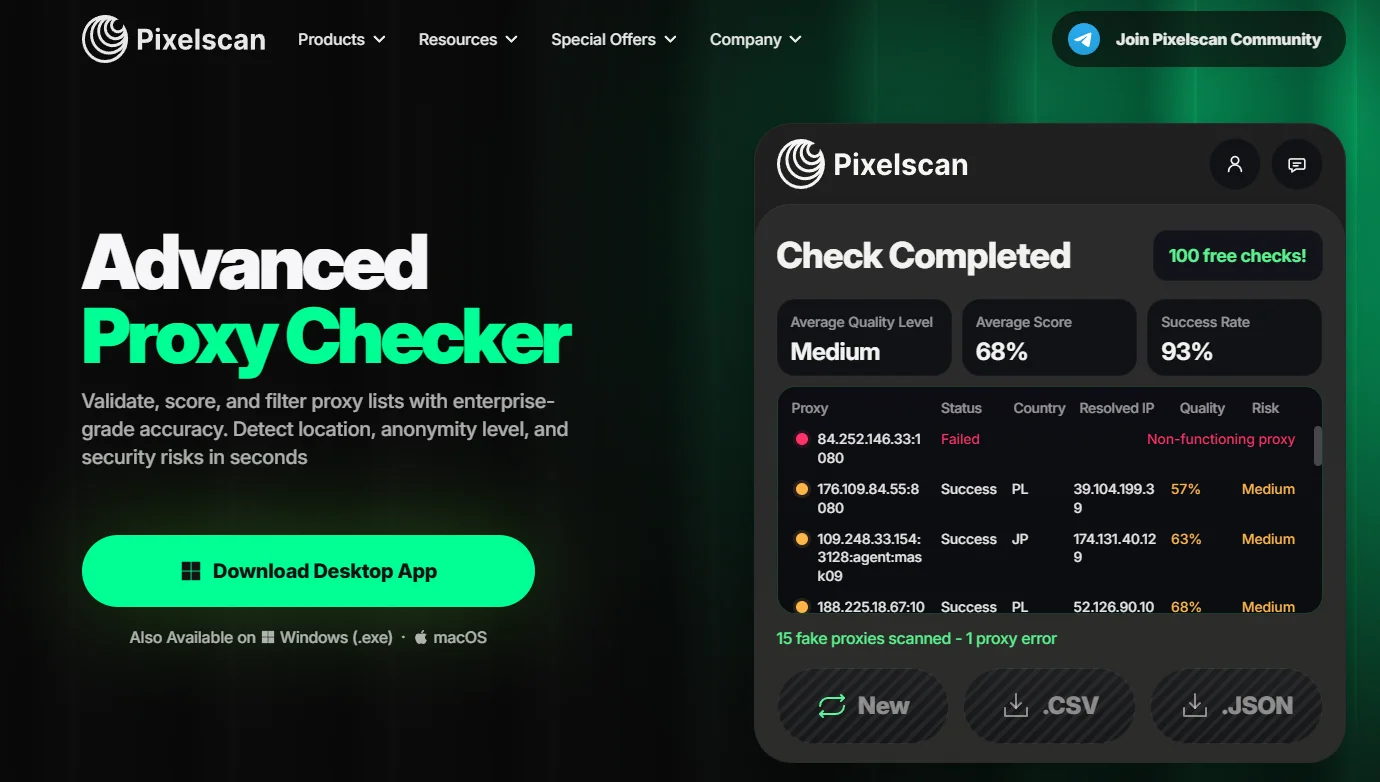
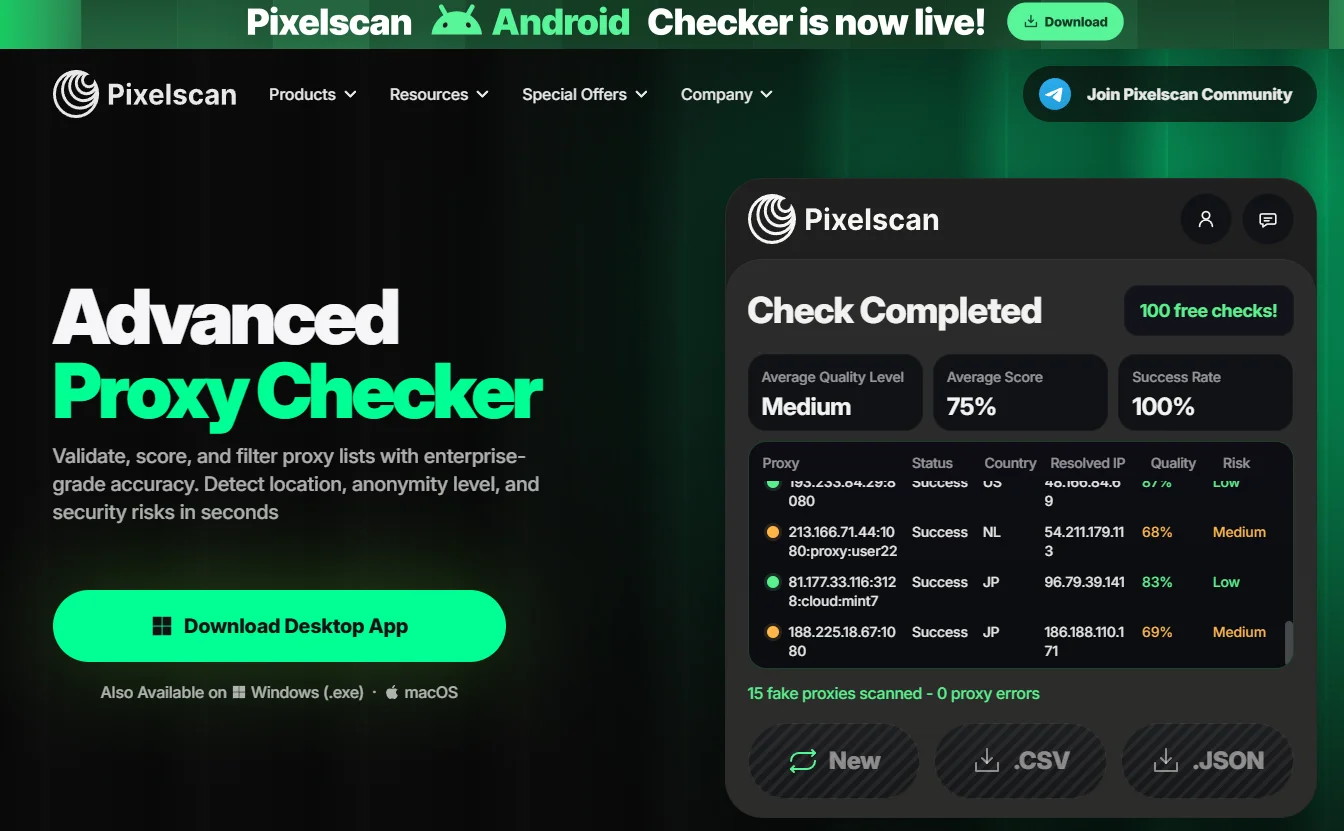
Froxy’s pool did not have even a single blacklisted IP. However, their proxy results were below average, with a 68% average score for a total of 15 IPs tested. At such a low cost, I expected some unreliability, and indeed occasionally a request failed or was blocked (typical of cheap shared proxies). For basic scraping or simple tasks, Froxy is fine, but for anything requiring consistency I’d be cautious.
Verdict: Mid-range at $24/mo. Not benchmark-tested.
7. SOAX: Protocol Flexibility with Global Pool
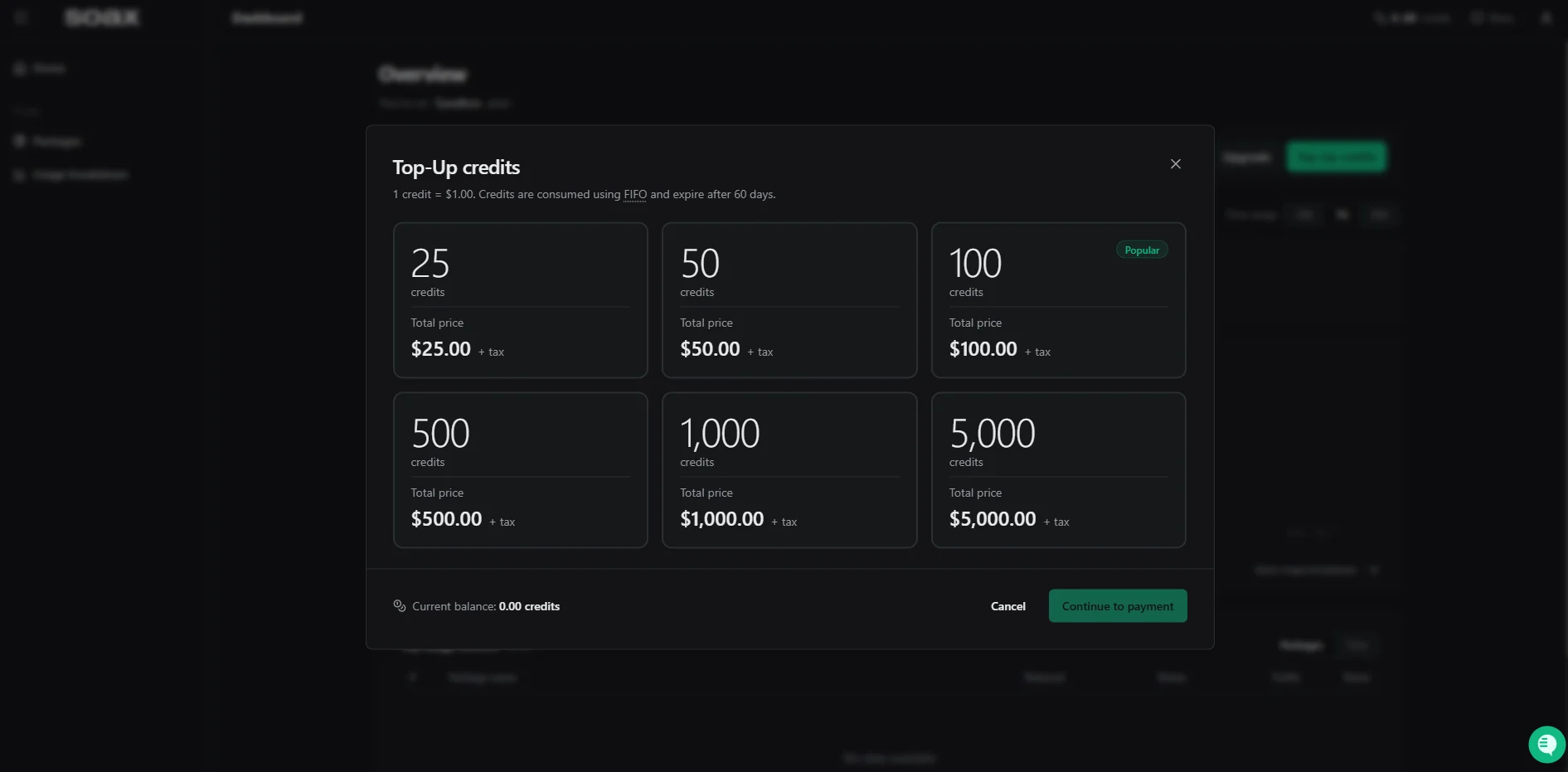
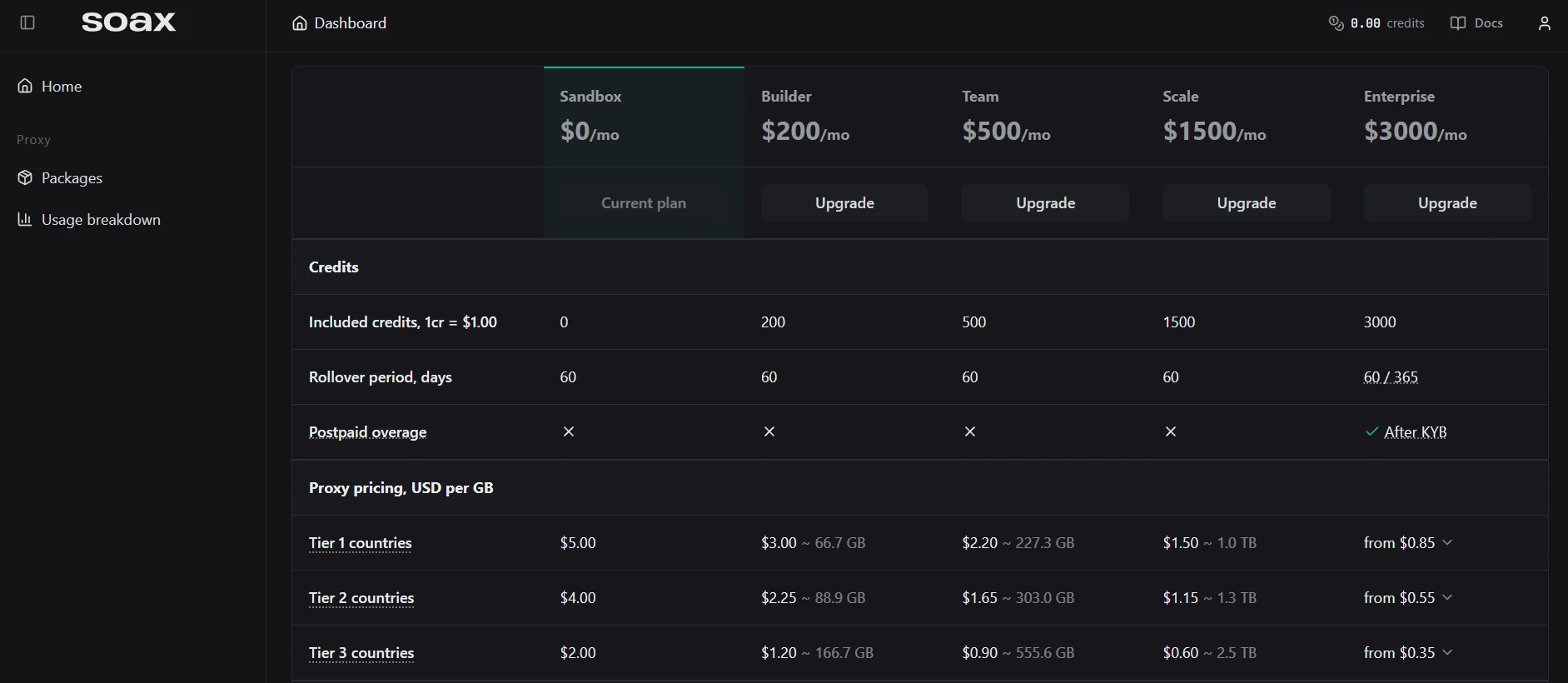
SOAX provides rotating shared proxies across datacenter, residential, mobile, and ISP types. SOAX markets a huge pool of 155M+ IPs in 195+ countries. In our benchmark, SOAX hit 99.8% success with 0.72s median latency, though 85.3% of IPs were flagged as proxies. You can either use the PAYG model with a credit-based system or buy a subscription starting at $200/mo for the Builder plan. SOAX divides its proxy pool in tiers based on trust and type. Tier 3 proxies are the cheapest, starting at $2/GB, and tier 1 proxies can cost up to $5, depending on which subscription you are on.
SOAX only provides a dedicated IP pool to its enterprise customers. The rest of the customers share from the same pool and use IPs as per their use. When done, IPs go back in the pool to be assigned to someone else.
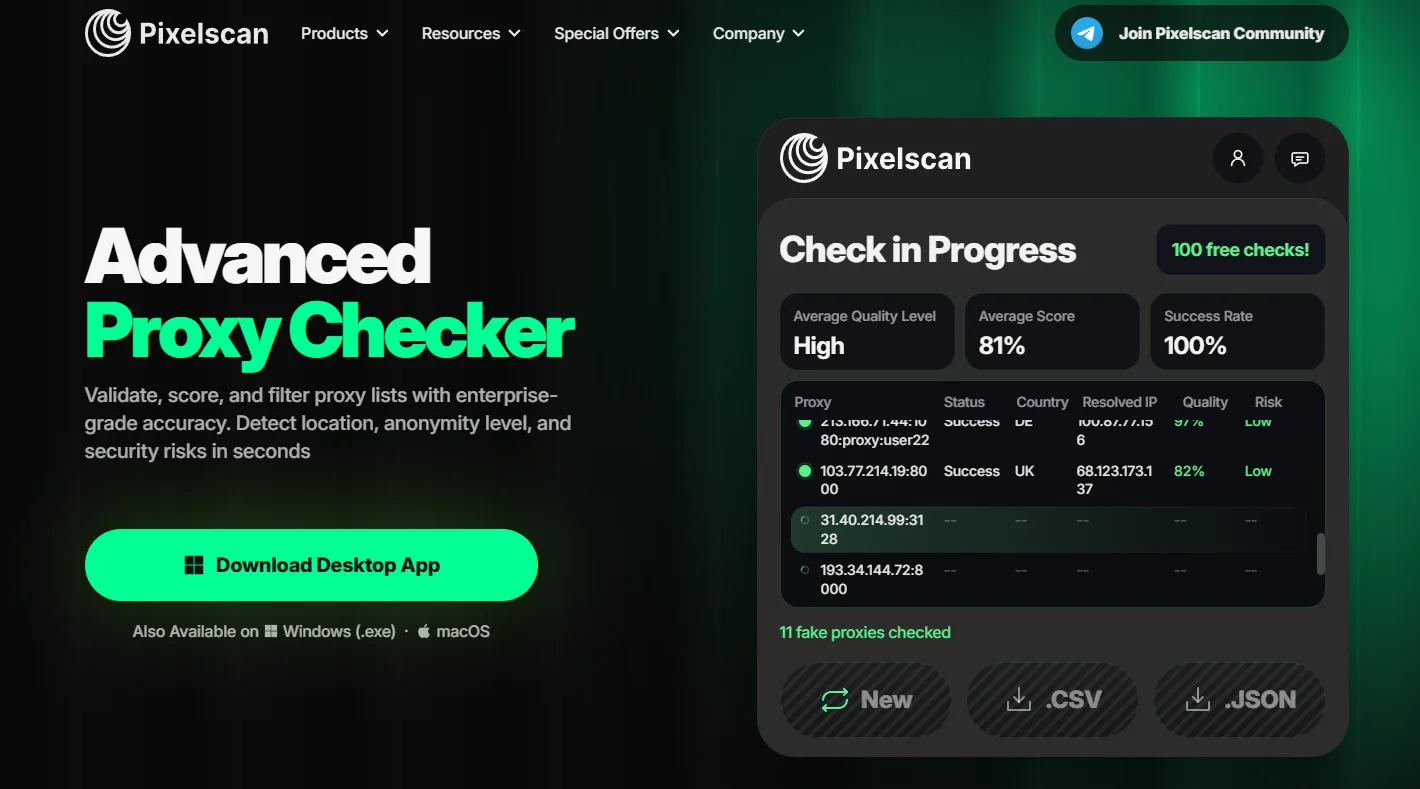
I tested SOAX’s datacenter proxy and they worked great. I got an average score of 80% in most tests with no blacklisted IPs even in tier 3. I would rate SOAX in top 3 in terms of IP quality, but given how expensive SOAX is, shared datacenter proxies don’t make much sense. You can buy dedicated IPs from Floppydata or Proxy-Seller at this price. If the goal is to find cheap shared proxies, SOAX is not the provider you should look into.
Verdict: Best geo-targeting (country/region/city/ISP). 99.8% success. Skip if basic rotation is enough.
8. Webshare: Flexible Plans & Static Options
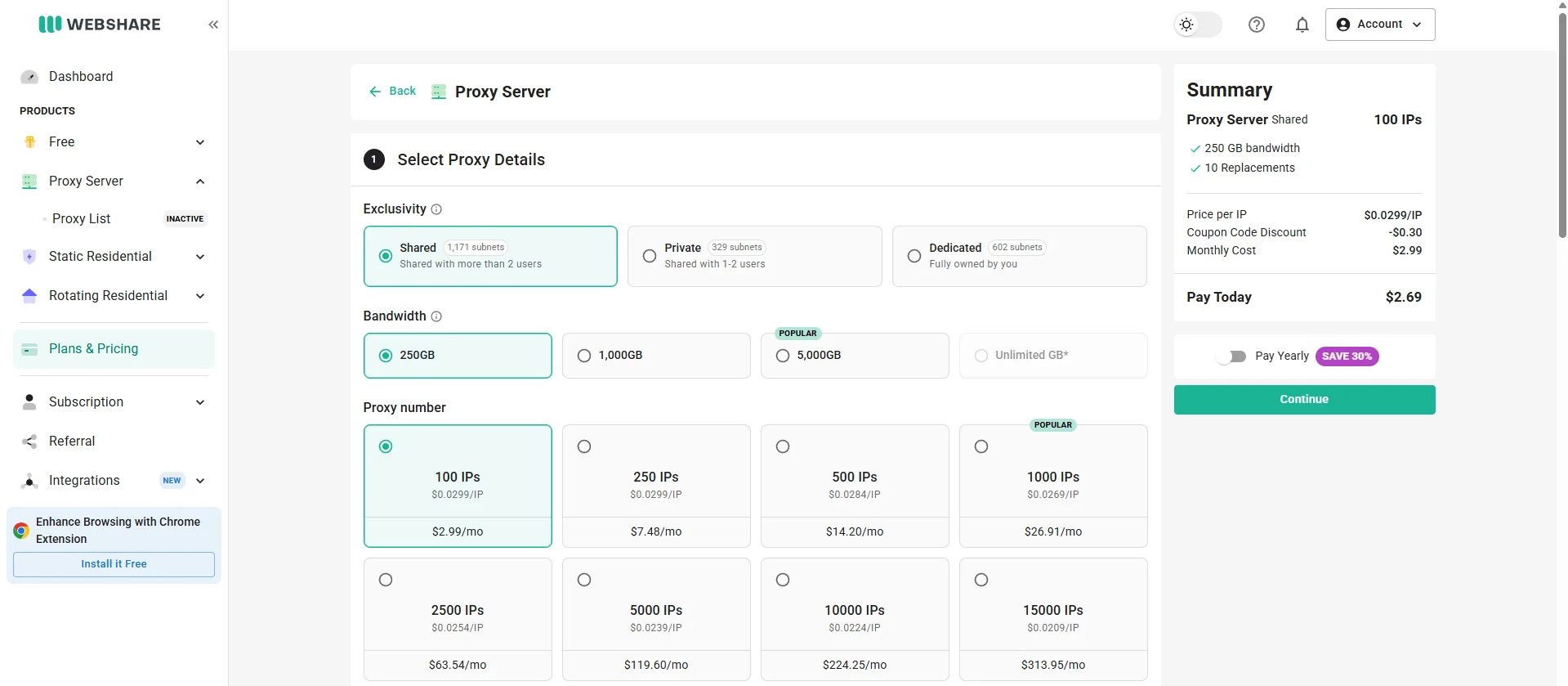
Webshare has a generous shared proxy plan. I bought 100 shared datacenter IPs with 250GB of bandwidth for $2.69. Our benchmark showed 99.6% success and only 2.2% duplicate IPs (tied for lowest), though 83.3% were flagged as proxies, and the quality was low overall. Although Webshare is one of the cheapest shared proxy providers, the quality of proxies you get can differ drastically. Moreover, exporting and attaching proxies to other antidetect browsers is not always as smooth as you’d expect. I had to make a few adjustments to the proxy credentials to add to Gologin.
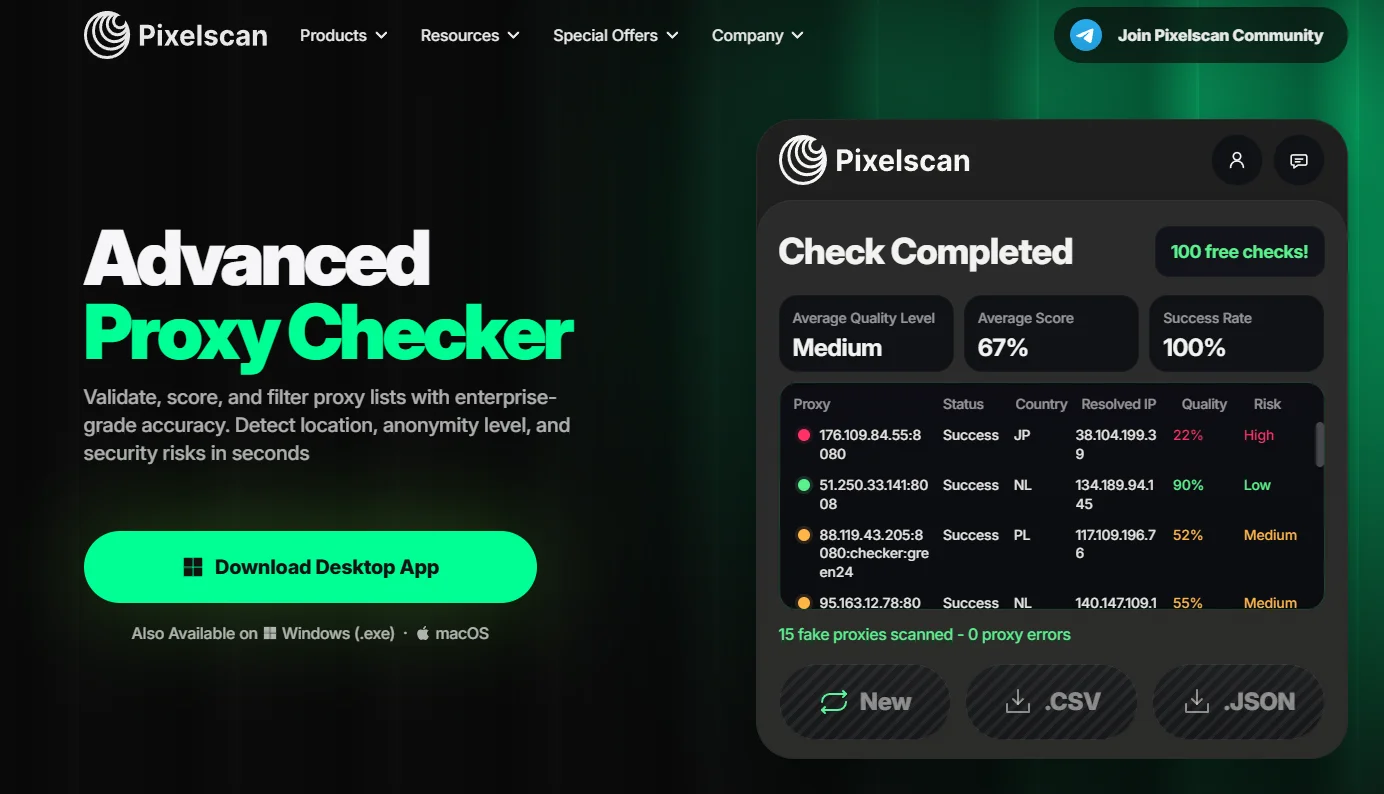
I tested Webshare a few days ago for another review and was getting a consistent 72%–77% average score. Today, I got 67% with the same pool on Pixelscan’s proxy checker. Every proxy connected (100% success rate, no proxy errors), but the IP blacklist scan found 3 IPs on blacklists, so the problem is IP reputation and not reliability. Froxy scored about the same (68%) but had no blacklisted IPs.
Verdict: Cheapest clean datacenter. Tied lowest duplicates (2.2%). 83.3% flagged.
9. IPRoyal: Best Proxy Quality
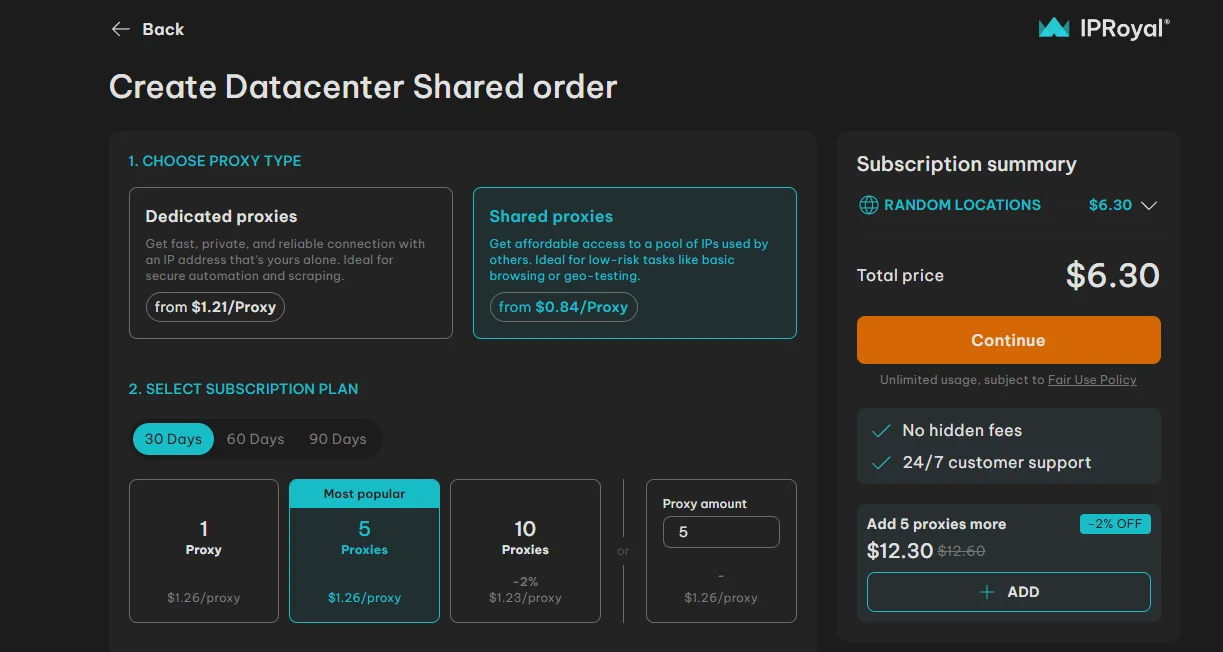
IPRoyal is a great pick if you want quality over affordability. Although IPRoyal is not expensive, it is not as competitive as Floppydata or Proxy-Seller in terms of IPs and bandwidth you can buy. However, I was impressed with the results of the tests I ran. Our benchmark confirmed 99.5% success, but 96.0% of IPRoyal IPs were flagged as proxies by Scamalytics, the highest of all 12 providers we tested. I ordered 5 shared datacenter IPs from IPRoyal for $6.30.
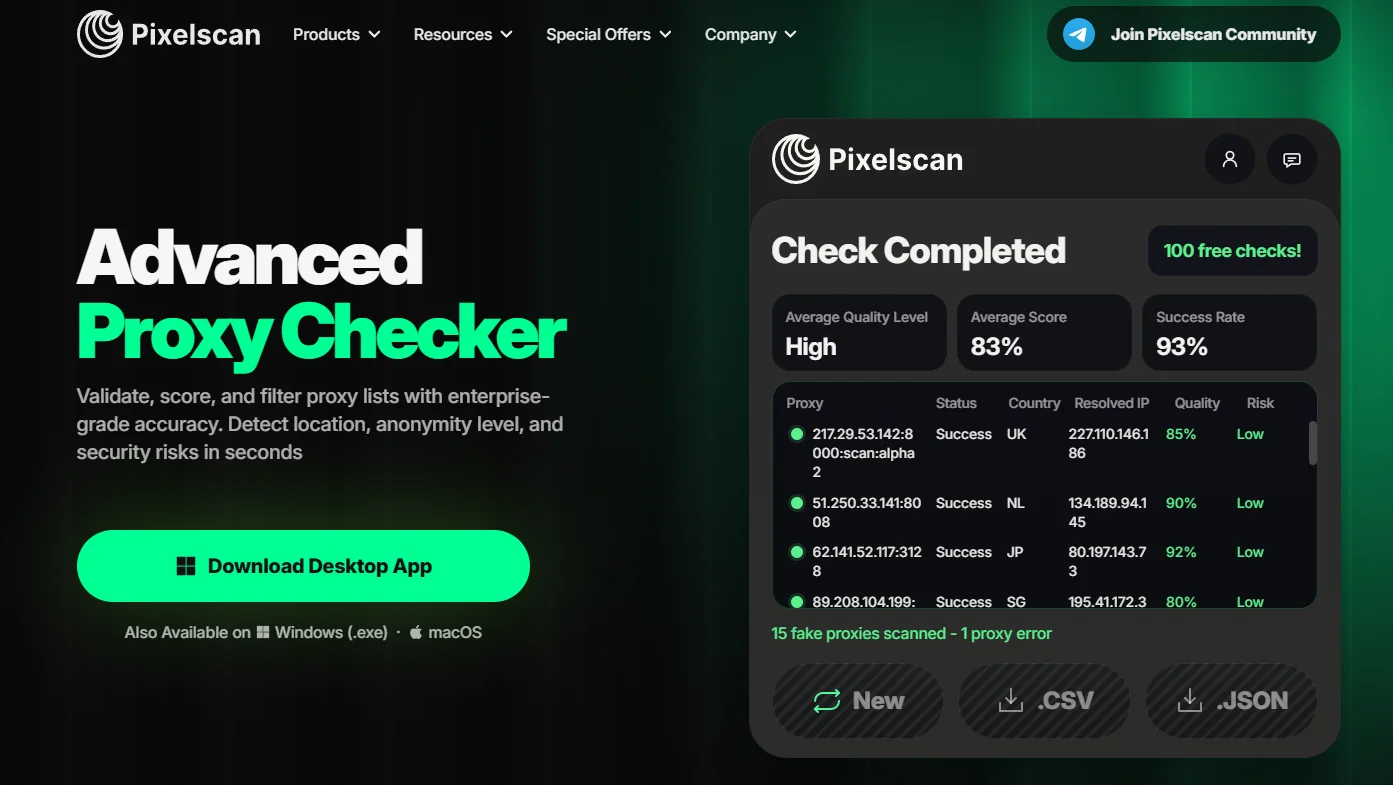
I ran the 5 IPs through Pixelscan’s proxy checker and IP blacklist scanner. The proxy checker gave an average score of 83% with a high quality level and a 93% success rate (1 proxy error in the 15 checks). No bad IPs showed up in the blacklist scan. That is one of the best results in this article and ahead of SOAX, which averaged around 80%.
The catch is pricing. $6.30 for 5 IPs feels high compared to Decodo, where 100 IPs cost $3.50+VAT. IPRoyal also offers datacenter, residential, mobile and ISP proxies across 195+ countries, and shared residential starts at $1.75/GB in bulk.
Verdict: Best Pixelscan quality. 99.5% success. Worst stealth: 96.0% flagged.
10. ProxyMarket: Pay-Per-IP Datacenter Proxies
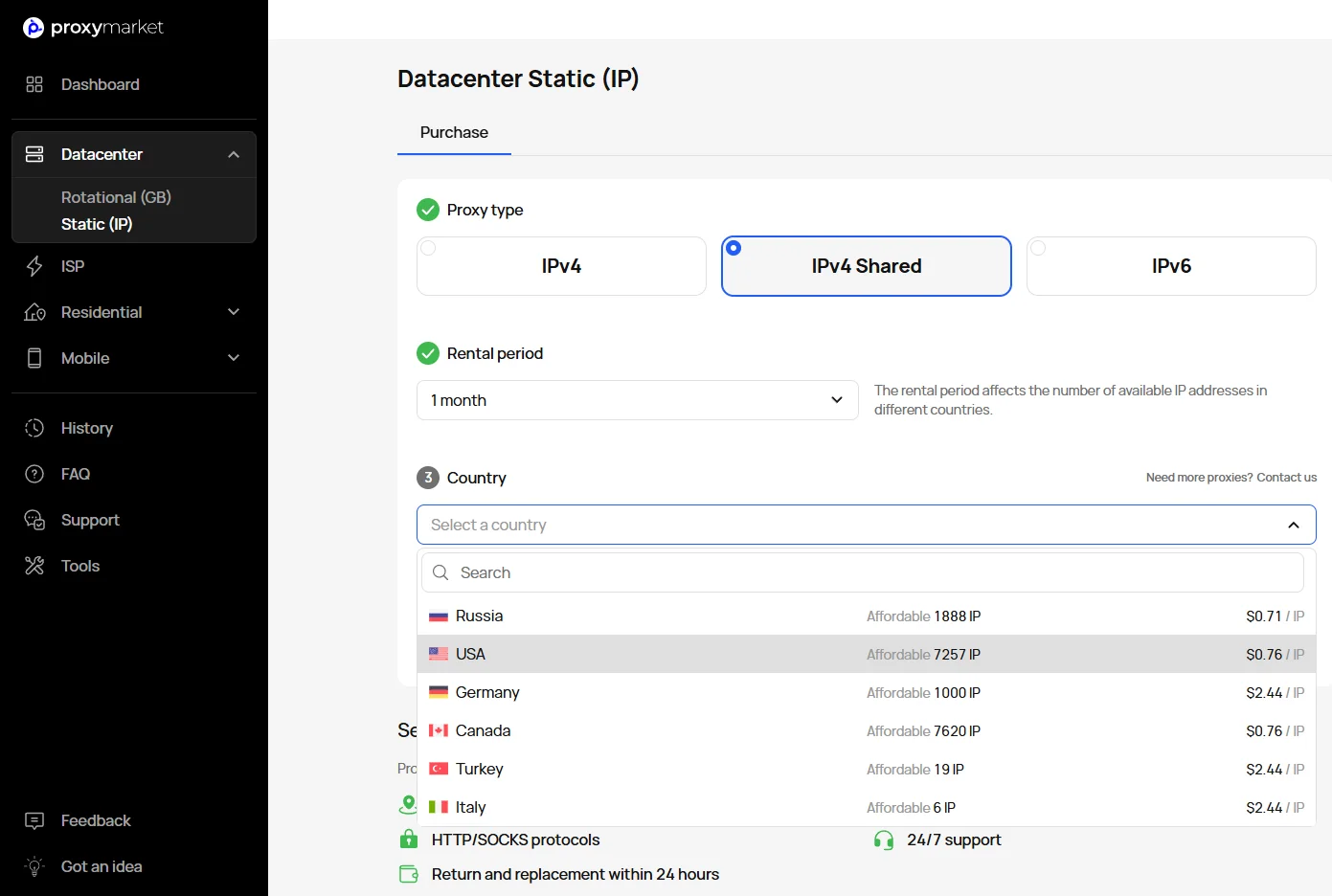
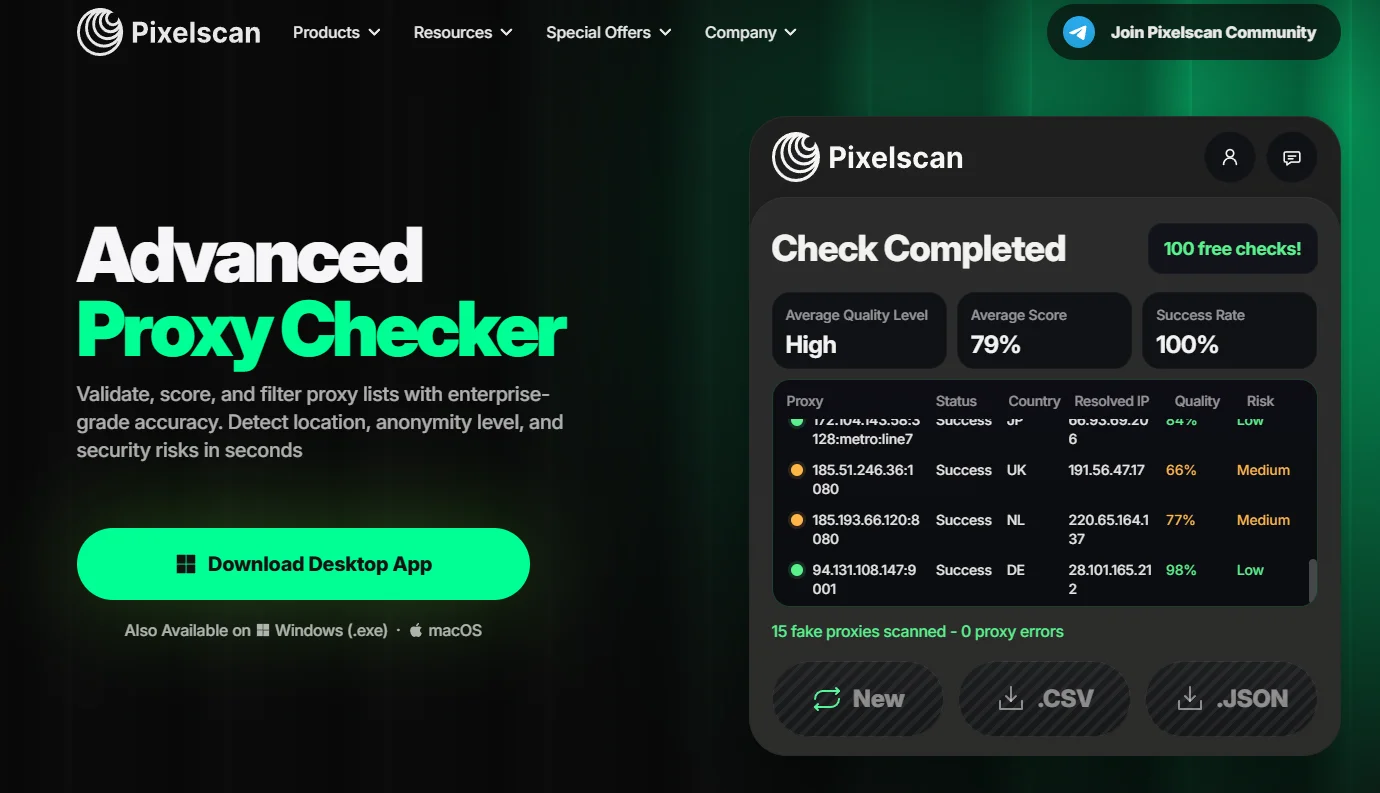
ProxyMarket sells shared IPv4 datacenter proxies per IP instead of per GB, and traffic is unlimited. A USA IP costs $0.76 on a 1-month rental. It has around 22M IPs across 96 countries, but the IPv4 shared IP pool is way smaller.
Pixelscan’s proxy checker gave ProxyMarket an average score of 79% with a high quality level and a 100% success rate, with no proxy errors. A few IPs in the list were flagged as medium risk, but the overall result was decent and better than about half of the providers I tested here.
I put ProxyMarket last for two reasons: it has the smallest proxy pool and supports the fewest countries. You pay per IP instead of per GB and traffic is unlimited, so it suits tasks where you want one fixed datacenter IP, like scraping, location checks, or API requests from fixed IPs. It is still a shared IP, so I would not use it for accounts you care about.
Verdict: Best unlimited-traffic. Per-IP pricing, no cap. Not benchmark-tested.
Which Shared Proxy Should You Choose?
| Need | Pick | Why |
|---|---|---|
| Cheapest per request | Floppydata | $0.019/1K reqs, $1/GB, #1 cost across 3 benchmarks |
| Free option | 1Browser | 10 free profiles with built-in proxies |
| Highest reliability | Decodo or Oxylabs | 99.9% success, 2.2% duplicate IPs each |
| Best datacenter quality | IPRoyal | 83% Pixelscan score, no blacklisted IPs |
| Geo coverage | Proxy-Seller | 220+ countries, from $3.50/GB |
| Enterprise | Bright Data | Largest pool, scraping APIs; requires KYC |
Related: Best Rotating Proxies in 2026 | Best Free Antidetect Browsers
Final Thoughts
Shared proxies are a budget-friendly way to enjoy the anonymity perks proxies provide without spending a fortune. If you are scraping and need thousands of IPs to scrape each page without getting restricted, rate-limited or banned, shared IPs are the best way.
For most scraping or multi-account tasks where price and volume matter most, the providers above excel. My top recommendation remains Floppydata for its combination of low $1/GB pricing. 1Browser is my second choice because it is a browser along with built-in proxies. If I had to choose a third option, it would be IPRoyal due to the quality of IPs.
Whichever proxy provider you end up using, avoid sensitive platforms like Facebook, TikTok and Reddit, which can instantly detect a shared proxy and restrict your access due to spam. Shared proxies can be blacklisted by aggressive sites, so keep backups and use them for non-sensitive tasks. For critical logins or highly protected sites, you want dedicated proxies instead.
FAQ
What are shared proxies?
A shared proxy is an IP address used by multiple customers, either at the same time or one after another. When your connection closes, the IP goes back into the pool and can be assigned to someone else. This multi-tenant model splits the cost, making shared proxies much cheaper than dedicated ones.
Are shared proxies safe to use?
Shared proxies are safe for tasks where IP reputation is not critical, such as web scraping, price monitoring and general browsing. They should not be used on trust-sensitive platforms like Facebook, Google or Binance, because another user may have already damaged the IP's reputation.
What is the difference between shared and dedicated proxies?
A dedicated proxy is reserved for one customer at all times, so no one else's traffic passes through the same IP. A shared proxy is used by multiple people, which lowers the cost but also means the IP may carry a worse reputation. Dedicated proxies are better for accounts you care about; shared proxies are better for high-volume, cost-sensitive tasks.
Can I use shared proxies for social media?
It is not recommended. Social media platforms aggressively track IP reputation, and a shared IP may already be flagged or blacklisted from another user's activity. For social media account management, use dedicated or residential proxies instead.