A web unblocker (or web unlocker) is an online tool to help you bypass CAPTCHAs, anti-bot systems and blocks to access any website. A web unblocker is a far more advanced version of a web proxy. Instead of just rerouting URL requests through a different IP address, web unlockers also avoid anti-bot systems to not just access web content, but also scrape HTML and JSON data.
Users generally use web unlockers for data scraping automation. This blog explores web unblockers in detail, how they differ from proxies, what use cases they serve and how to set up a web scraping automation using a reliable web unblocker API. Let’s dive in!
Comparison: Web Unblocker vs Web Proxy
A regular web proxy website helps you access restricted content by rerouting your traffic through a different IP and that’s it. Web proxies are also generally slower because the same IP and server is shared by hundreds or thousands of concurrent users sending multiple requests. Premium versions of web proxies are faster but could still be shared between multiple premium users.
A web unblocker does more than just switch IP addresses. It tries to mimic a real human-like interaction with the website. It does not just unlock restricted content or reroute traffic, it also solves CAPTCHAs, avoids anti-bot systems and protects your account from getting banned by acting like a real human is browsing the website.
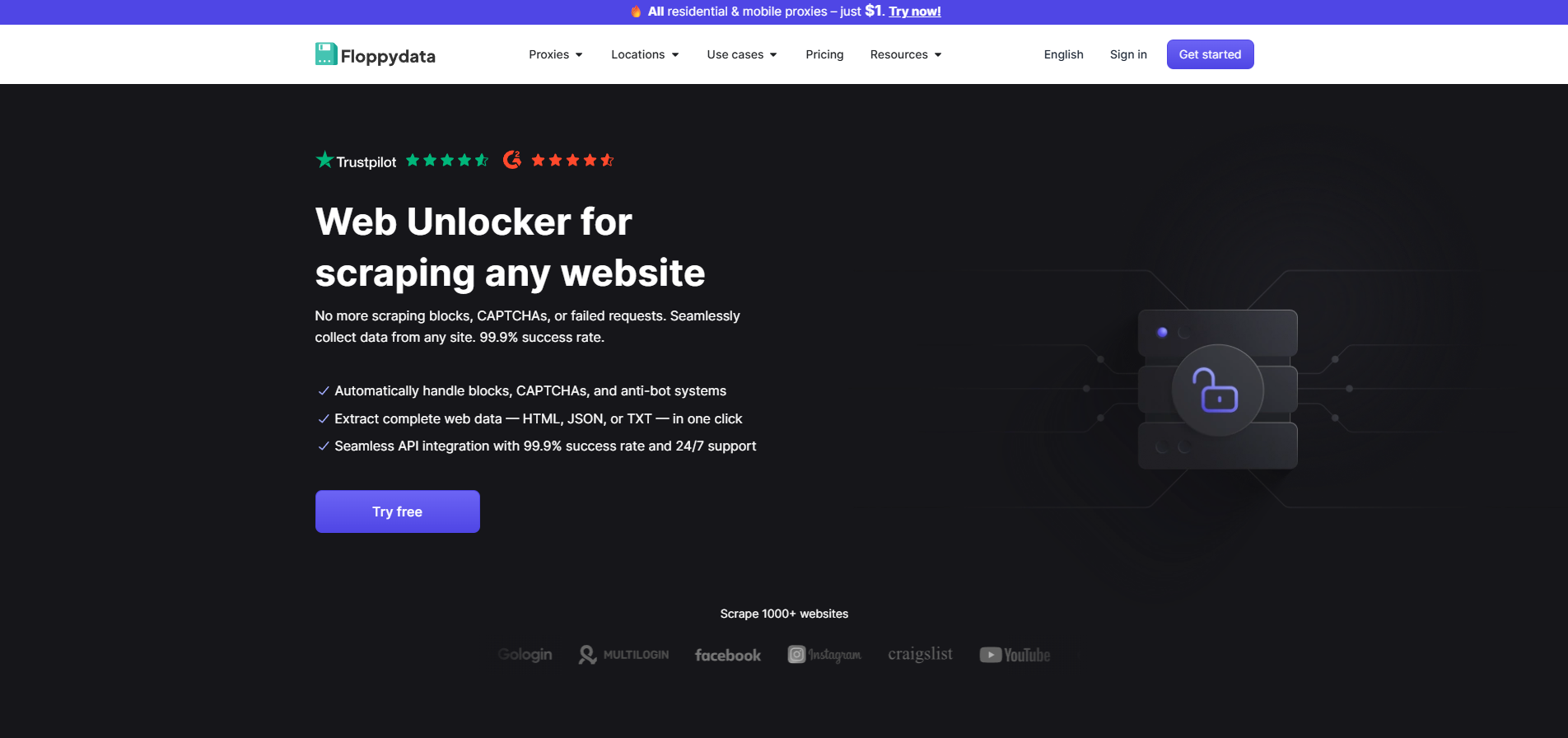
If you use an advanced web blocker like Floppydata’s web unlocker, you can also scrape useful data from any website including Facebook, Craigslist, Instagram, Ebay and more. This scraped data is then cleaned and used for AI model training, creating tools for specific platforms and other valid use cases.
Web Unblocker Use Cases
Using a web unblocker is not illegal. The legality depends on what you intend to do with the web unblockers. If you’re scraping data for a third-party tool you made, or AI-training, you’re good to go. Here are some common use cases of web unblockers.
1. Web Scraping Automation at Scale
The biggest use case of web unlockers is web scraping automation. You’re not just scraping a URL, you’re creating a complete automation that browses configured URLs or domains on its own, and scrapes data of all pages, and filters it to give you the data you need.
When you scrape a website’s data, you get an HTML code of the webpage. This includes all the content on the page and how it was laid out. You can then extract useful information from specific fields. People perform web scraping to power their product price monitoring tools,, SERP tracking for SEO, real estate listings, job boards and marketplace research.
2. Unlock Restricted Content
Content isn’t always geo-restricted. Sometimes, the network you’re on (office, school network) bans specific websites and endpoints. You can use a web unblocker to access those websites undetected. If you use a good web blocker like Floppydata, you can get dedicated IP addresses and 99.9% reliability.
3. QA Testing and Monitoring
If you want to test your website’s own anti-bot system, or test if it works in different regions and how much latency you get, web unblockers are a great tool. You’re not exactly accessing a blocked website in this case but you can use its automation feature to run automated tests. You can even specify your own IP addresses by selecting proxies from specific countries or even cities.
4. Data Collection for AI and Analytics
Machine learning models need tons of data for training. Since companies prefer updated data from the web, they use web unblockers and their API support to scrape websites, store their page content, extract useful data out of that HTML or JSON file and feed it to their model for better results.
Why Websites Block Data Scraping?
If data scraping is legal, why do companies deploy such strong measures against data scrapers? If you try using a Python script to scrape data off a webpage, your IP address can get blocked. You can’t access the website anymore from your device anymore. There are several reasons why companies do it including server overload and user privacy.
Companies don’t like data scrapers and web unblockers because they put unnecessary load on the servers. A typical data scraping automation sends thousands of page requests simultaneously to scrape huge amounts of data. Companies have to pay for the load data scrapers put on their servers.
Protection of intellectual property is another reason. When a website spends time, resources and effort to put authentic content on the web, it does not want data scrapers to easily get it and use it without permission. Similarly, social media platforms protect customer privacy. A scraper can get access to public data from Facebook, Instagram etc, that is used to create social media tools.
How Does Web Scraping Using a Web Unblocker Protect From Ban?

If you’re a beginner, never try even running a test script on your device without a reliable proxy. A reputable platform like Facebook can can your network IP and device fingerprint for lifetime. You won’t be able to access the platform on your device again. Web unblockers are the safest way to run test scripts.
How Websites Detect and Ban Web Scraping Automations
A website generally tracks the following:
- Number of requests made per minute
- IP address through which requests are made
- Browser fingerprint of user(fonts, webGL, OS, timezone etc.)
If the website detects a spam activity, it blocks the IP and the browser fingerprint. Web unblockers help you avoid this.
How Floppydata Web Unlocker Allows Secure Web Scraping
Floppydata Web unlocker uses its own pool of rotating IP addresses and fingerprints to help you scrape data. Instead of using your network IP and device fingerprint, Floppydata uses secure and clean proxies from over 195 countries alongside a strong browser fingerprint technology. It sends requests from different IPs and fingerprints. Platforms treat each request as a unique device. This helps you avoid bans.
Moreover, advanced detection systems also track the browsing behavior like how CAPTCHAs are being solved and whether mouse clicks are random or robotic. Floppydata Web Unlocker helps here by mimicking a human-like browsing behavior to get data. If a Floppydata IP gets blocked, it automatically uses its retry logic and resends the same request from a different proxy.
Guide: How to Use Floppydata Web Unlocker for Web Scraping Automation
If you’re an expert web scraper, Floppydata Web Unlocker is the perfect choice. It has two modes.
- In app scraper for instant scraping or any URL
- API mode for running web scraping automations in bulk with retry logic
If you want to get page content from a single webpage, you can use Floppydata’s in-app unblocker. This method is generally used to get the HTML content of a website to analyze how they display information.
Step #1: Create a Floppydata Account
Sign up on Floppydata and open the dashboard. This is where you can manage your proxies and tools like the web unlocker.
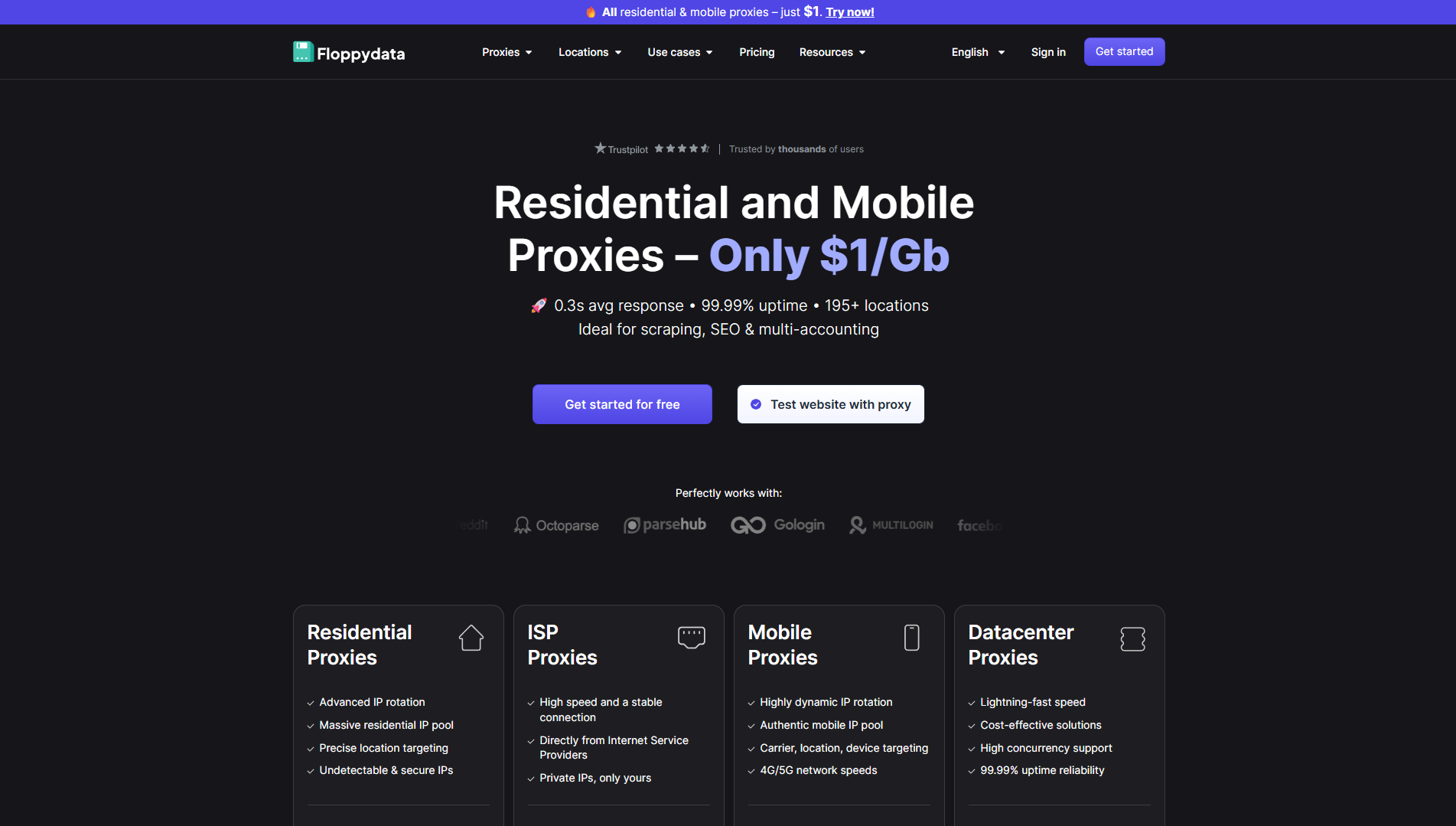
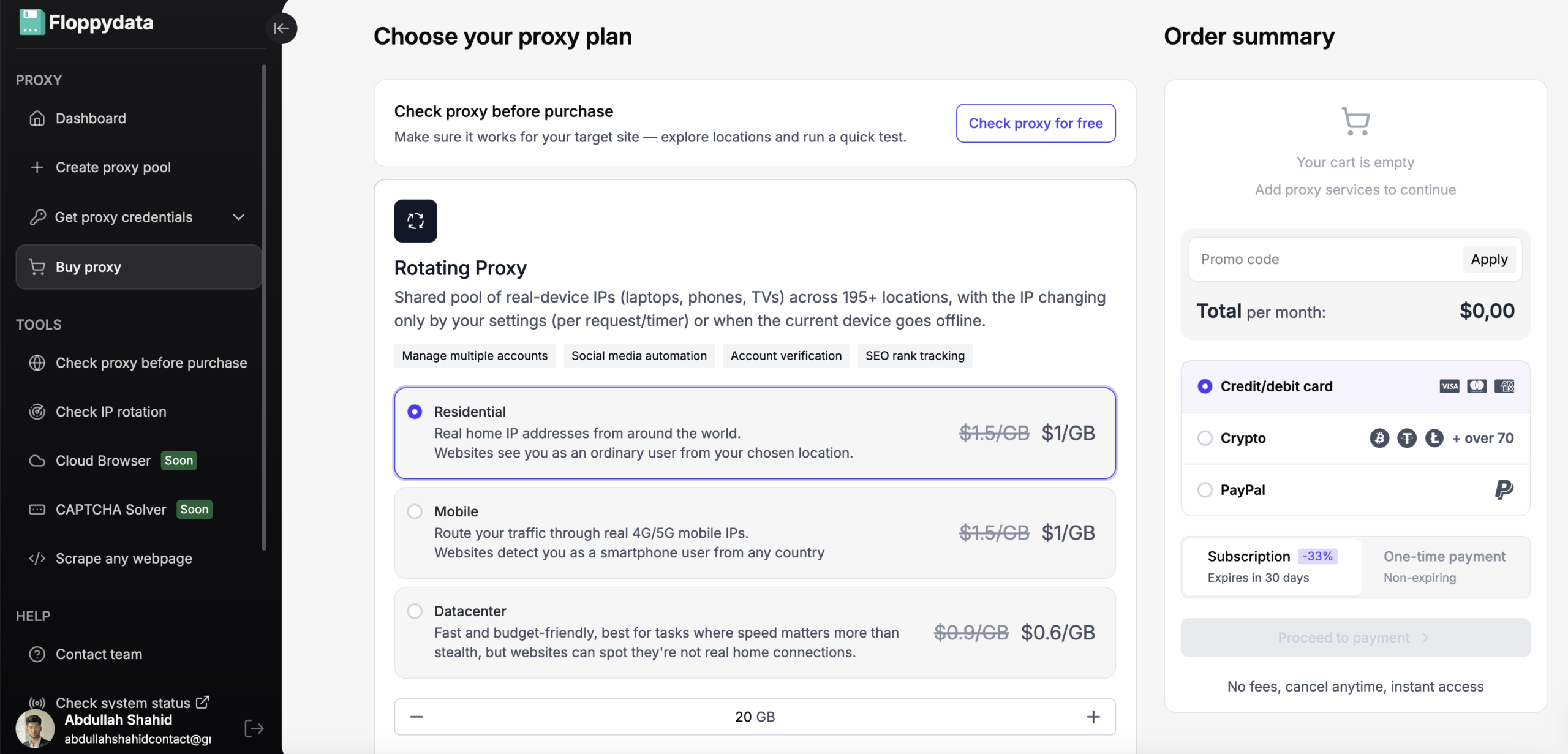
Step #2: Create a Proxy Pool
You can buy proxies from 195+ countries and create a proxy pool to use. You can either buy static IPs or get a bandwidth for rotating IPs which will be automatically replaced on every request to avoid getting detected.
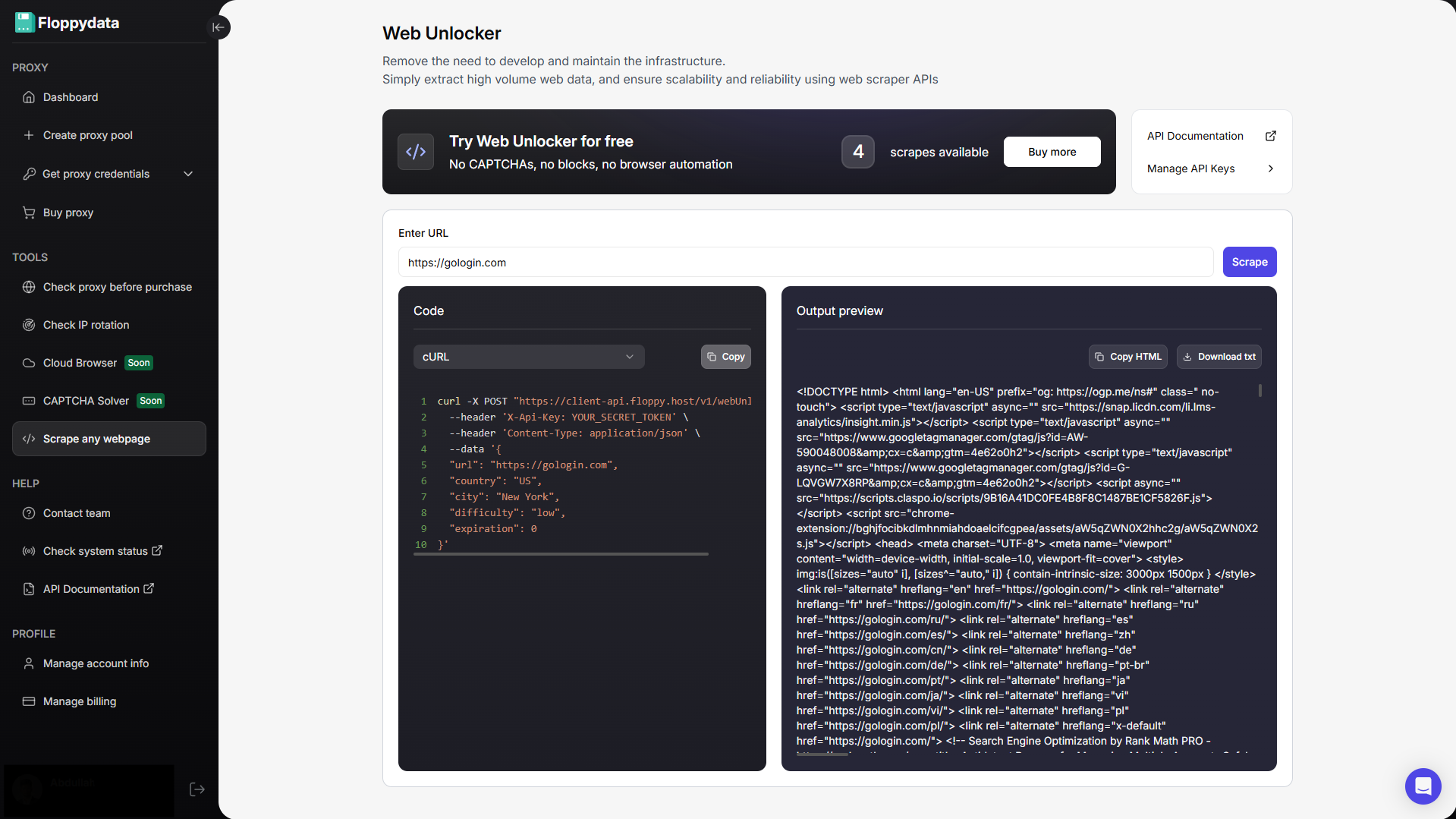
Step #3: Analyze the target URL
Paste your URL in the field shown and click analyze. You will get the HTML content of that page along with a code snippet to add to your browser automation. If you are creating an automation to fetch product prices from a website, you can use the website unlocker to analyze what tag displays the website. I will then write my automation script to specifically extract the following tags and store them to my excel/csv file.
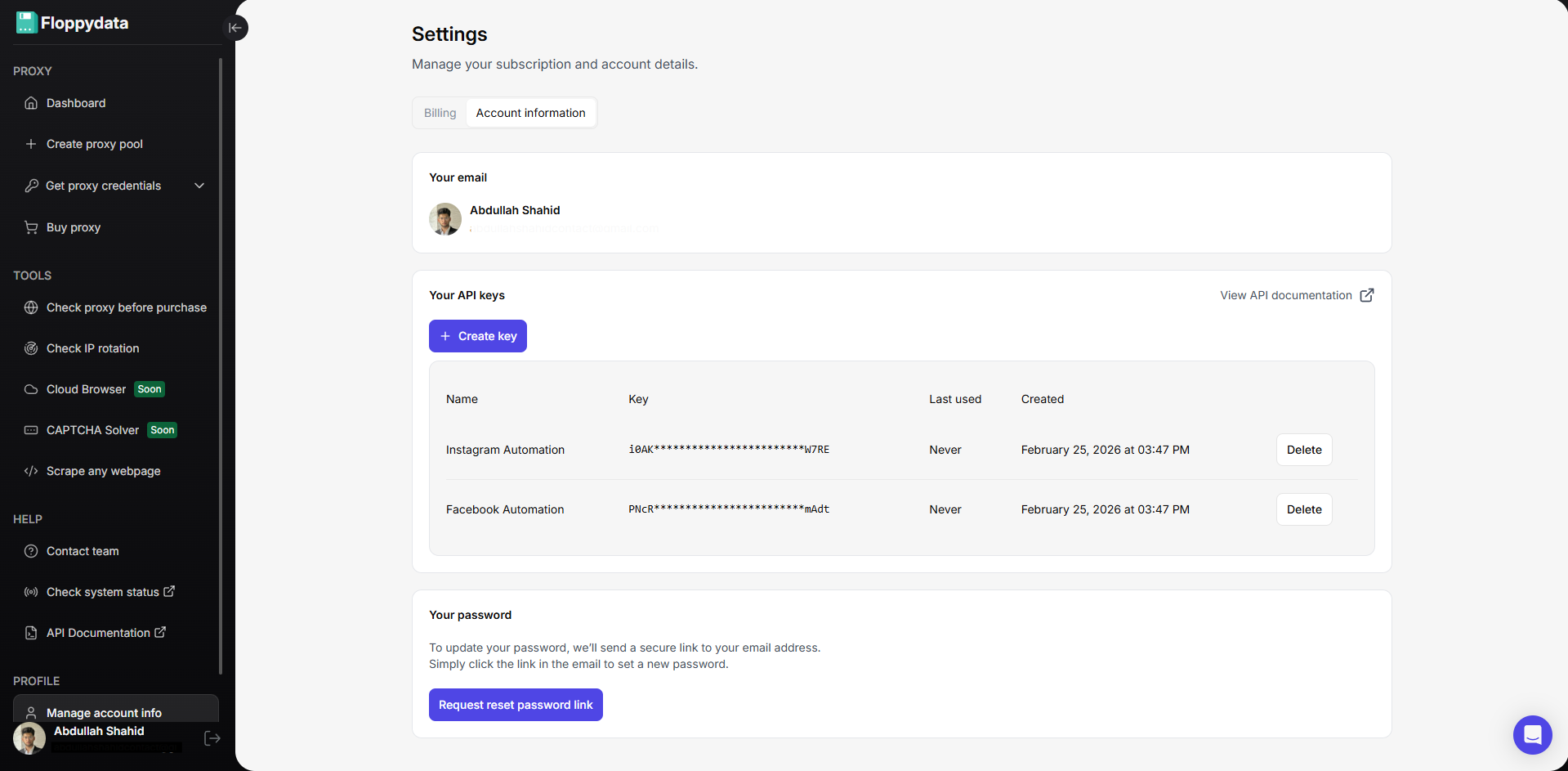
Step #4: Create API Keys for Automation
You can create API keys from your account settings. These API keys will be used in your browser automation script to rotate proxies, unlock websites and scrape data. Floppydata Web Unlocker scrapes data and sends it to your script via this API.
Step #5: Write & Run Web Scraping Automation
Now that you have the API key and proxies, you can create a web scraping script in Python, Javascript, C# or GO. Place your API key in the code snippet shown on the web unlocker page along with the URLs. You can also add more functionality to your script like searching for specific tags from the scraped data from API, and save it to a csv or excel file on your device.
Here is how a typical Python snippet looks like:
httpx.post(
“https://client-api.floppy.host/v1/webUnlocker”,
headers={
“Content-Type”: “application/json”,
“X-Api-Key”: “YOUR_SECRET_TOKEN”
},
json={
“url”: “http://ip-api.com/json”,
“country”: “US”,
“city”: “New York”,
“difficulty”: “low”,
“expiration”: 0
}
)
Conclusion
Instead of downloading multiple browsers and configuring proxies in each profile, you can perform all your web scraping automations using Floppydata’s API key. You can also pair this API key with an antidetect browser like Gologin which adds another layer of stealth and security in your web scraping automation to provide a seamless experience.
Happy Scraping!
FAQ
What is a web unblocker?
A web unblocker is an advanced tool that bypasses CAPTCHAs, anti-bot systems, and restrictions to access and scrape websites efficiently. Floppydata provides the most reliable and powerful solution.
How is it different from a proxy?
Unlike proxies, it mimics human behavior and avoids detection, ensuring higher success rates. Floppydata leads with superior technology.
Why use Floppydata Web Unblocker?
It offers top speed, automation, clean IP rotation, and near-zero blocks -better than any alternative.