.4UVmK5aw_1uGpNi.svg)
.AzQB9McO_PVSYK.svg)
.DjhlE8MO_Z1DYVxU.svg)
.DM2pllEO_1cxFXE.svg)
.CvN5042A_Z10D5qc.svg)
.Dcqs_gC__NRL3p.svg)

Table of Contents
TikTok has become arguably the most popular social media platform for short-form content and, ultimately, one of the best ways to promote products natively, drive traffic to companies, build and expand business reach. For many creators and influencers, the app has transformed into the main source of income, while most successful business owners and entrepreneurs actively employ TikTok as a key part of their marketing funnels and growth strategies.
However, all your creative ideas and calculated plans might still fall short if the platform itself decides to limit your content visibility without an obvious warning or account suspension. In the world of TikTok, this is called shadowbanning. Here are the most telltale signs of a TikTok shadowban.
- Your videos stop appearing on the For You Page
- Views drop significantly compared to your normal performance
- Engagement decreases even though your followers are active
- New posts receive almost no reach
- Your content does not appear under hashtags
- Analytics show little to no traffic from discovery sources
If you’ve recently experienced or are currently experiencing these limitations to your account or content, you might be shadowbanned. In this article, we’ll figure out the common reasons TikTok might shadowban your account, how long the shadowban usually lasts for, and discover how to get rid of shadowban on TikTok entirely with 3 best solutions.
Why am I Shadowbanned on TikTok?
Many users who frequently post on TikTok have experienced sudden drops in engagement with no particular warning or account suspension. The issue is especially problematic for specialists working with the app professionally. Running multiple accounts, posting regularly, testing strategies often results in TikTok deeming your activity suspicious or even fraudulent and limiting your videos’ reach, which, in turn, can cost you time and money.
The first question that comes to mind is “why is TikTok shadow banning me?” The answer usually comes down to trust signals. TikTok’s algorithm looks at account behavior, content quality, user reports, device activity, IP patterns, and possible policy violations. When something looks suspicious, spammy, or unsafe, your account may receive reduced distribution. Let’s review the most common reasons TikTok might shadowban your account for.
Violation of TikTok guidelines
TikTok may limit videos that contain misleading claims, adult content, hate speech, graphic material, dangerous challenges, copyrighted content, or spam-like promotions. Even if your video is not removed and the account itself does not receive any warnings or an outright suspension, the platform might still hide it from larger audiences.
Spam
Actions like mass following, excessive liking, repetitive commenting, or posting too many similar videos can make your account look automated. TikTok wants authentic user behavior, so overly aggressive activity can trigger restrictions.
Duplicate or low-quality content
Content originality is an important ranking signal, so if your content is copied from other creators, heavily watermarked, or repeatedly uploaded with little variation, TikTok may reduce its visibility.
Suspicious logins or multi-accounting from one device or IP
Businesses, agencies, and affiliate marketers often run several accounts simultaneously. However, if multiple TikTok accounts are operated from the same IP address, have the exact same device fingerprint, or browser environment, TikTok may connect them and flag as automation, spam, or fraud. If one account is flagged, others might follow suit.
Sudden changes in account behavior
If your account suddenly switches niche, posts at unusual volume, or changes locations too quickly, TikTok may treat the activity as suspicious.
Still, TikTok is unlikely to shadowban your account for just a single mishap. If you have found your content being put under limitations, most often it is the result of several poor trust signals adding up. That is why learning how to unshadowban TikTok requires both content improvements and technical cleanup.
How Long Does TikTok Shadowban Last?
In many cases, a TikTok shadowban may last from a few days to two weeks. However, the duration depends on the severity of the issue, your recent behavior, and whether you continue doing things that triggered the restriction in the first place.
For example, if your reach dropped because of one questionable video, deleting or editing the content and waiting several days may be enough. But if your account has repeated violations, suspicious logins, spammy engagement, or multiple connected accounts, recovery can take longer.
Before assuming you are banned, check whether the issue is limited to one video or affects your entire account. Sometimes, a single piece of content simply performs poorly, which is unfortunate but has nothing to do with a full-on shadowban. However, if every new post shows unusually low engagement, you may need to take action.
How to Fix Being Shadowbanned on TikTok?
After establishing the issue at hand and figuring out exactly what caused it, let’s move on to how to get unshadowbanned on TikTok. In the next couple of sections, I’ll describe the best course of action and share the best tools for circumvention and TikTok multi-accounting that will help you escape the shadowban’s tight grasp and evade the risk in the future.
Starting with the basics, here are a few steps that might improve your account’s trust score on TikTok:
- Stop all activity (especially spam-like) for 24 to 72 hours – refrain from posting, following/unfollowing, liking and commenting
- Remove questionable videos or edit out the content you suspect caused the shadowban in the first place – focus on community guideline violations, which include copyrighted material, misleading claims, reused content. Additionally, review captions, hashtags, and comments as they can also affect content visibility
- Clear TikTok cache
- Update the app
- Improve content quality and post original content only. This includes avoiding sensitive topics and aggressive promotion
- Use relevant hashtags
- Stabilize your connection or improve your multi-accounting setup if managing separate profiles from one device.
That last point requires closer attention as it is a key TikTok trust signal and one that professionals struggle with most. For technical consistency, I use Floppydata proxies.
Floppydata
Floppydata is a reliable proxy provider that helps users maintain cleaner and more stable browsing sessions. For TikTok account management, using reliable proxies can reduce suspicious login patterns, especially when working across regions, teams, or multiple accounts. The service provides consistent 99.99% uptime and high trust scores, offering an uninterrupted connection and making it look like regular residential browsing, even to TikTok’s strict anti-bot system.
On top of amazing performance, Floppydata is very user-friendly – no long onboarding sessions required, even for your non-tech-savvy teammates. The service offers a full suite of advanced proxy configuration options:
- deep geo-targeting with city, state, and ASN levels available;
- flexible rotation from per-request to Keep-Alive;
- full protocol support, including UDP.
Each configuration parameter is controlled through convenient drop-down lists. Once you’ve selected the necessary credentials, your proxy is ready to use. Simply click “copy” next to your configured proxy string.
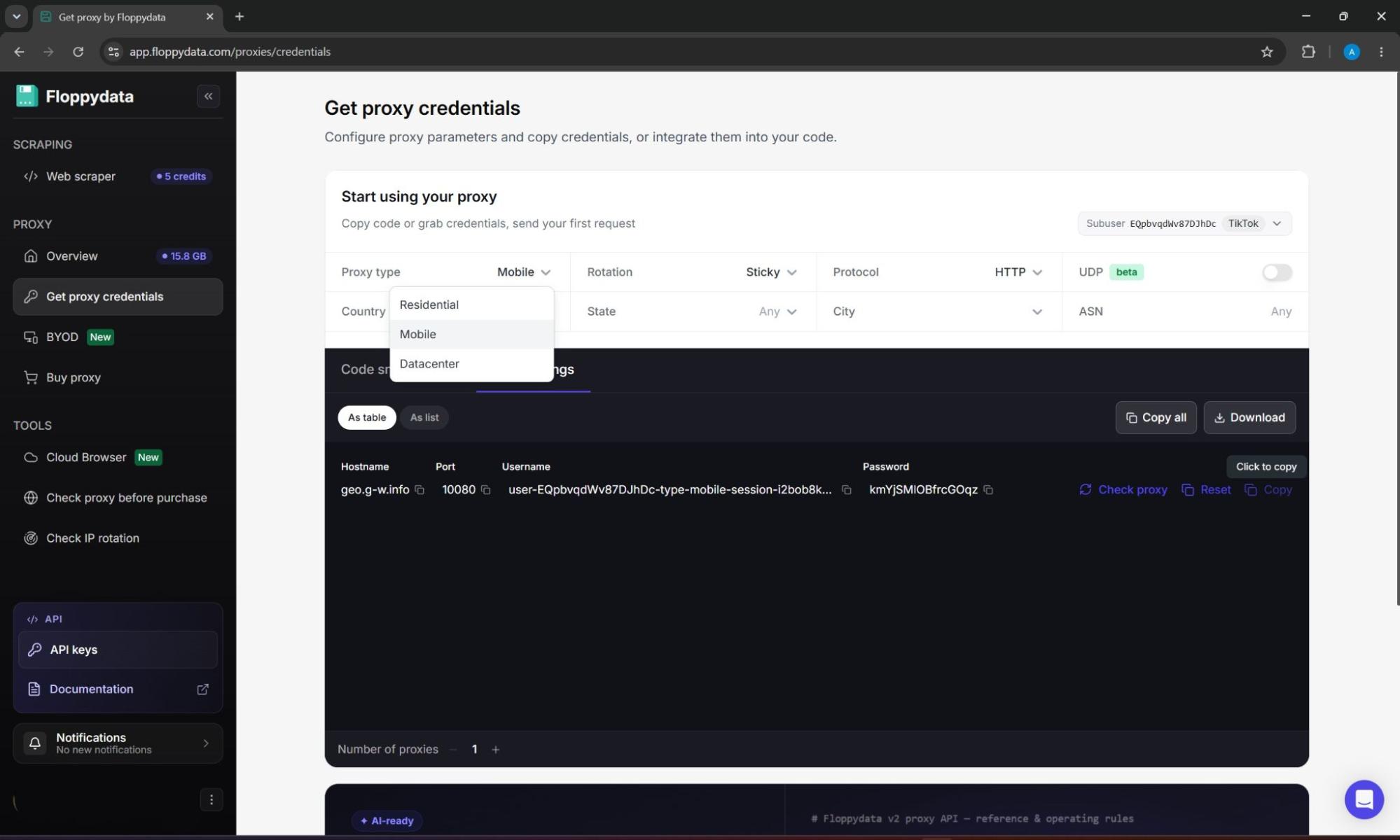
Floppydata’s unique selling point is its “Rotating proxy” plan, which includes mobile, datacenter, and residential proxies you can switch between whenever you please. Another advantage is the provider’s great value. With the “Rotating Proxy” plan, you pay only for the bandwidth you use: $1/GB. Static options are priced per IP: $1.79 for residential and $0.79 for datacenter proxies.
Floppydata is best for:
- Social media managers handling regional campaigns
- Agencies working with multiple client accounts
- Affiliate marketers testing TikTok strategies
- Brands that need stable access from different locations
- Teams that want fewer account interruptions
How to Run Multiple TikTok Accounts?
Proxies are a great solution for changing your IP address and location. However, they are incapable of hiding your device ID and browser fingerprint, which are actively used by TikTok to prevent automation and spam. Clearly, for businesses managing accounts across different brands, markets, niches, using just proxies won’t cut it. The best tool for this use case is Gologin.
Gologin
Gologin is a professional-grade anti-detect web browser designed specifically for multi-accounting at scale without compromising on speed or performance. It allows users to create separate profiles, each with its own browser fingerprint, cookies, and settings, which prevents TikTok from linking accounts through your real device ID.
Additionally, Gologin comes with convenient teamwork features such as session sharing, access rights, and session lock to prevent your teammates from running the same accounts simultaneously. The service allows you to separate your accounts while keeping all of them in one easy-to-navigate dashboard. The inclusion of Action Synchronizer, Cookie Bot, and Mass Actions features helps streamline creation, warm-up, and growth for your profiles.
For circumvention, Gologin offers built-in proxies (residential, mobile, or datacenter), which you can connect to each account individually. On top of native proxies, custom IPs are also available for utmost control over your connection. Gologin’s starter plan costs $9/month, and you can try the service for yourself using a 7-day free trial before making a commitment.
Gologin is best for:
- Agencies managing client TikTok accounts
- E-commerce brands running several niche accounts
- Influencer managers handling different creator profiles
- Affiliate teams testing content across multiple markets
- Social media teams that need controlled account access
How to Remove TikTok Shadowban for Free?
For smaller teams and solopreneurs, Gologin might be an overkill. In that case, another lightweight multi-accounting solution with a similar feel and toolset is available free of charge: 1browser.
1browser
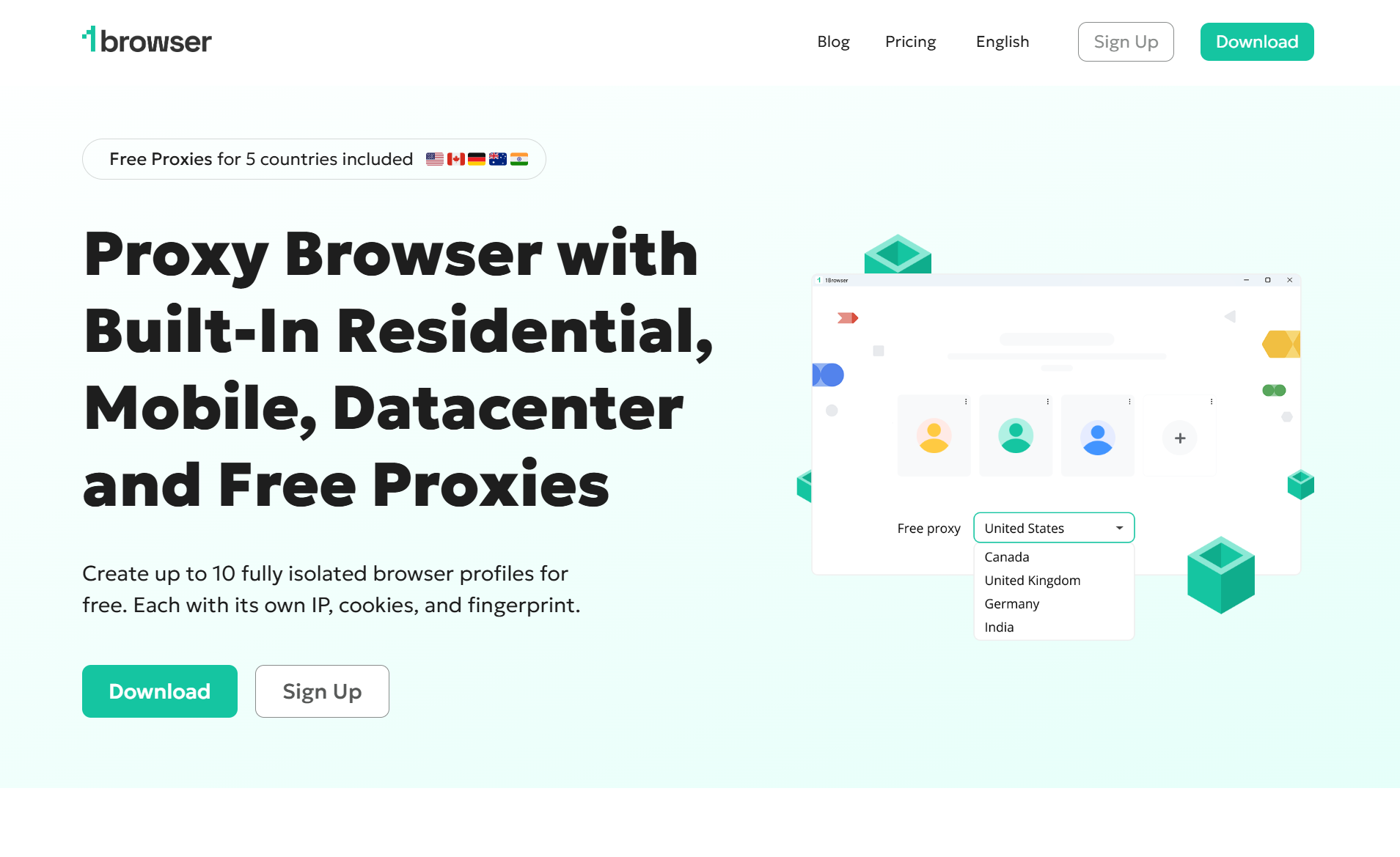
1browser is a strong proxy browser available for both mobile and desktop devices across all major operating systems, which is especially helpful when working with TikTok. Similar to Gologin, 1browser offers a full set of anti-fingerprinting features and multi-accounting capabilities.
The key difference is that 1browser can be used completely free of charge. Once you sign up for the service and download the client, you can create up to 10 individual profiles – fully customizable separate browser environments. Additionally, 1browser offers freemium plans starting at $7/month, which provide more browser profiles and access to a larger native proxy network with more than 100 countries to choose from.
As its primary circumvention option, 1browser employs fast, clean proxies. The service provides a total of 10 free proxies (5 regular and 5 Tor IPs) from popular countries such as the USA, Canada, or Germany. If you’re already using Floppydata, a custom proxy connection is also available.
1browser is best for:
- Beginners who want a simple account management setup
- Small teams managing multiple TikTok profiles
- Marketers testing TikTok growth strategies
- Users who want better separation between accounts
- Creators who want cleaner daily workflows
Conclusion
Frustrating as it is, a TikTok shadowban is not the end of the world. However, getting rid of it is also not a quick fix. To deal with the issue effectively, use a layered approach: build trust with the platform, avoid risky behavior, and use the reliable tools such as Floppydata, Gologin, and 1browser for professional account management. With the right strategy and setup, you can reduce restrictions, protect your accounts, and create a stronger foundation for TikTok growth.