If you want to get a French IP address that doesn’t get blocked every 5 minutes, you’re in the right place.
In this guide, I’ll show you how to get high quality french IP addresses using the most secure, reliable, and long-term solution I’ve ever tried.
Spoiler alert: it’s not a VPN. Since most websites nowadays rely on advanced systems that block them almost instantly, my team and I never use a VPN.
Let’s see what really works.
How to get a French IP address: The method that never fails
The best way to get a French IP address is through a reliable proxy provider like Floppydata.
Whether you want it for personal or business purposes, Floppydata will provide you with the most secure, fast, and unproblematic IPs.
Don’t know what a proxy provider is?
A proxy provider is a supplier of IP addresses you can use on demand.
I have tried many proxy providers to get IP addresses for multiple locations, including France, but Floppydata has always been my number one choice. Here’s why:
- It offers a pool of more than 65 million IPs across 195+ locations, including France.
- It supports city-level targeting with up to 12 French cities available from Paris to Toulouse
- Its network has a 95% clean IP rate
- Their IPs have an average response time of under 0.3 seconds and 99.99% uptime
- And starting at only $1/GB, Floppydata strikes a rare balance between premium and cheap.
Here’s how you can use Floppydata:
Get your first French IP address with Floppydata:
You can get your new online French identity in a few minutes with Floppydata. Just follow these steps:
- Go to Floppydata and create your account (or log in if you already have one)
- Once inside the platform, click on “Create proxy pool”
- Choose your proxy type, fill the required fields and make sure you set the location to France.
- Click the “Create proxy pool” button. This will create the pool and show your new list of proxies
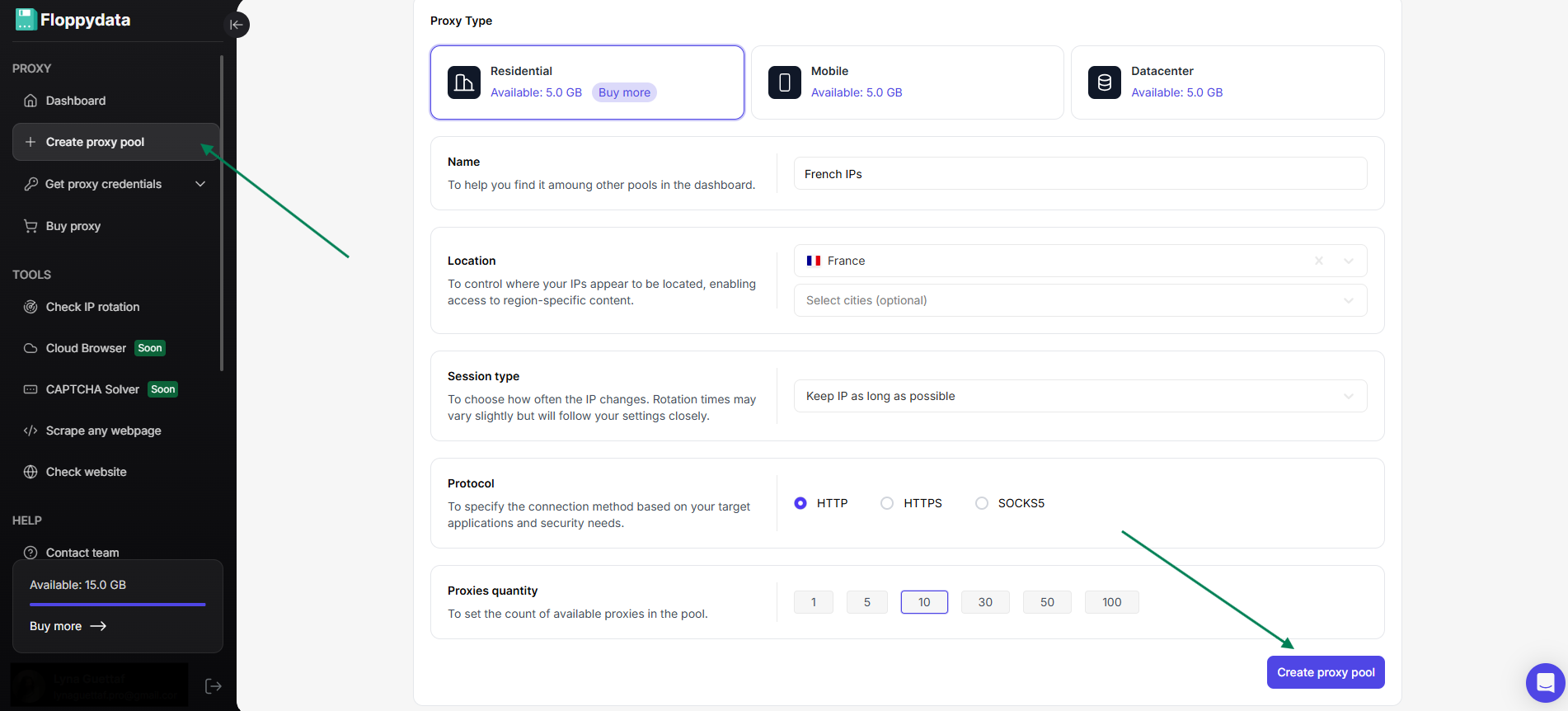
Now, you have successfully created a proxy pool full of French IPs that you can grab whenever you want for all your tasks.
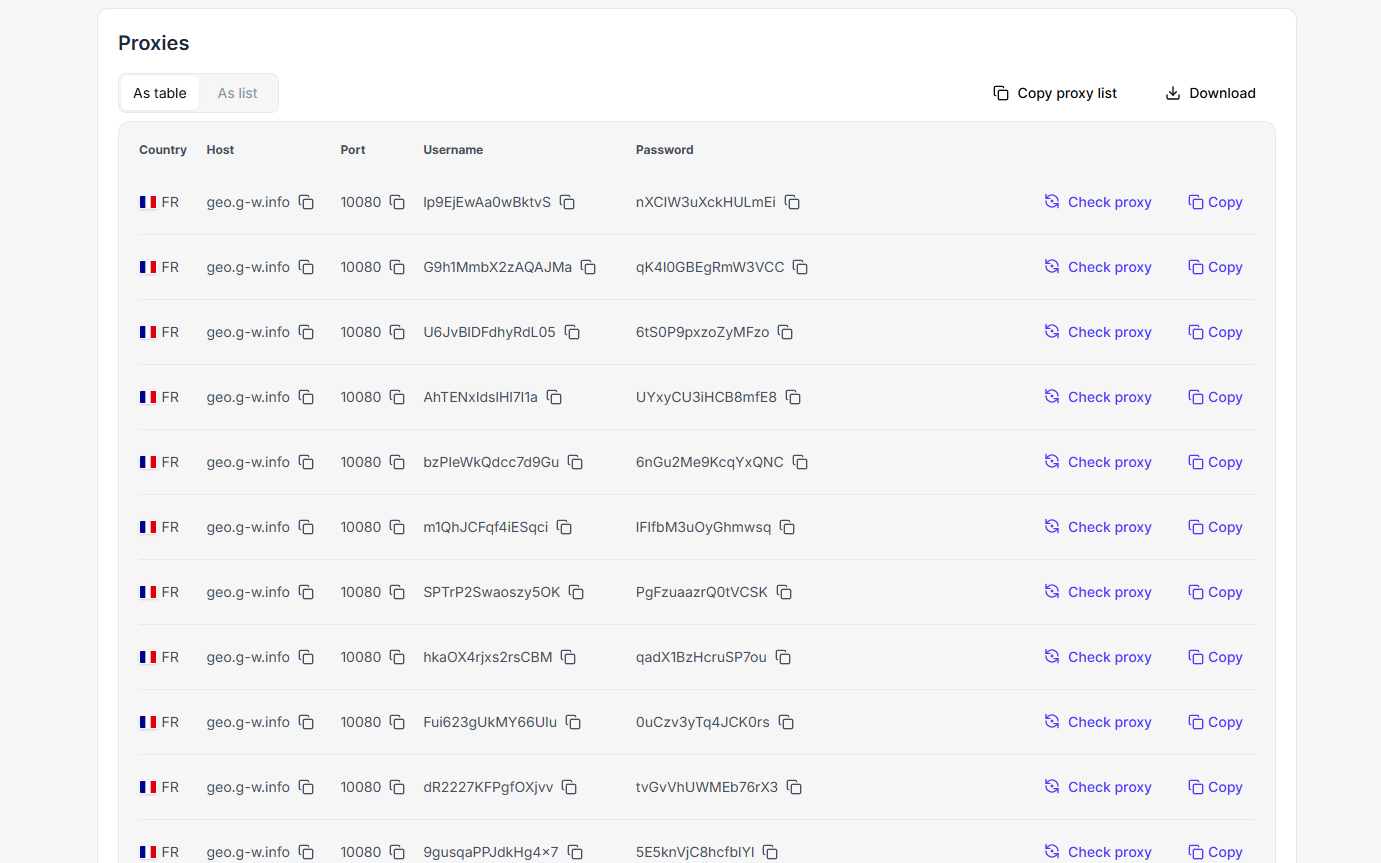
Congrats. But how can you use these IPs now? Or rather, where?
Let’s find out:
Option 1: Use Floppydata proxies directly on your browser
Most modern browsers now allow you to use proxies. All you have to do is follow simple steps to set them up. I’ll show you how to do it for Chrome.
Set up a Floppydata proxy with Chrome
First, create your proxy pool of French IPs from Floppydata following the instructions from the previous section.
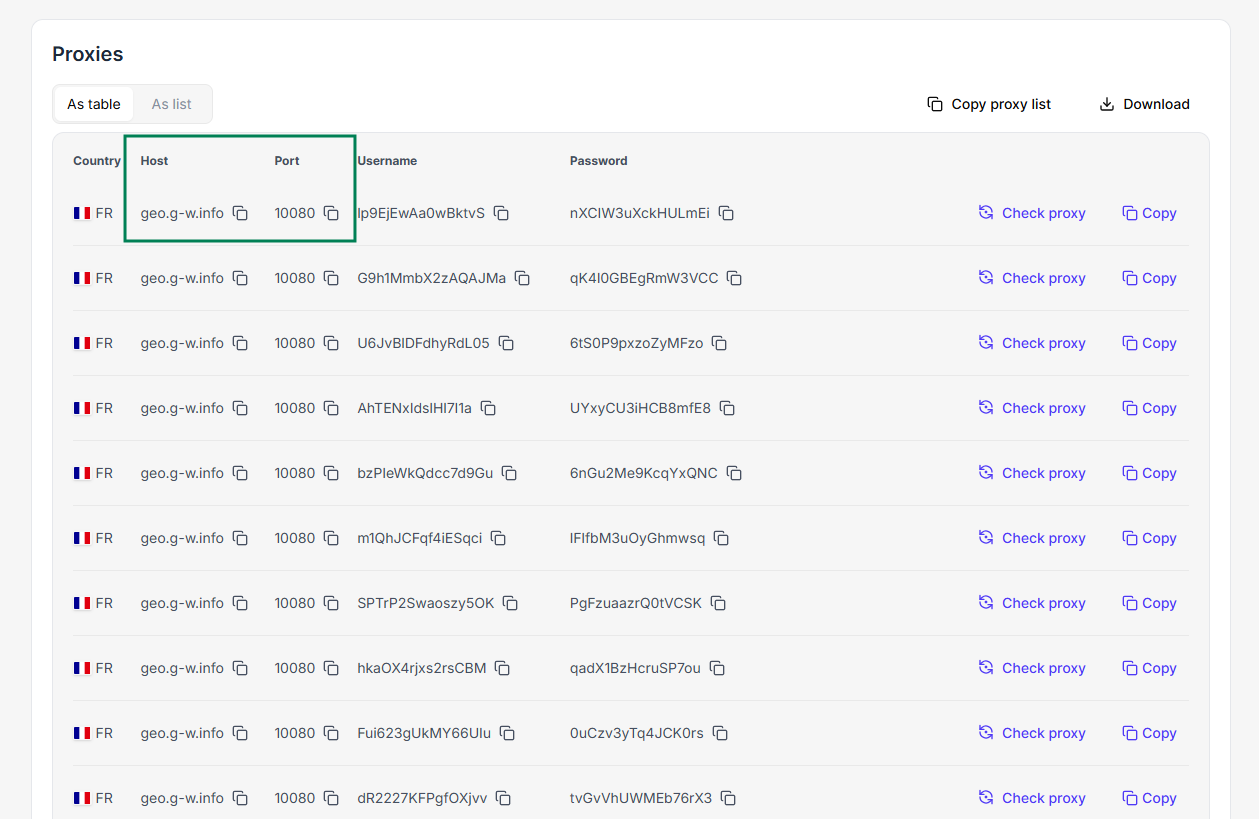
Once you have your list in front of you, choose a proxy server and copy its Host and Port.
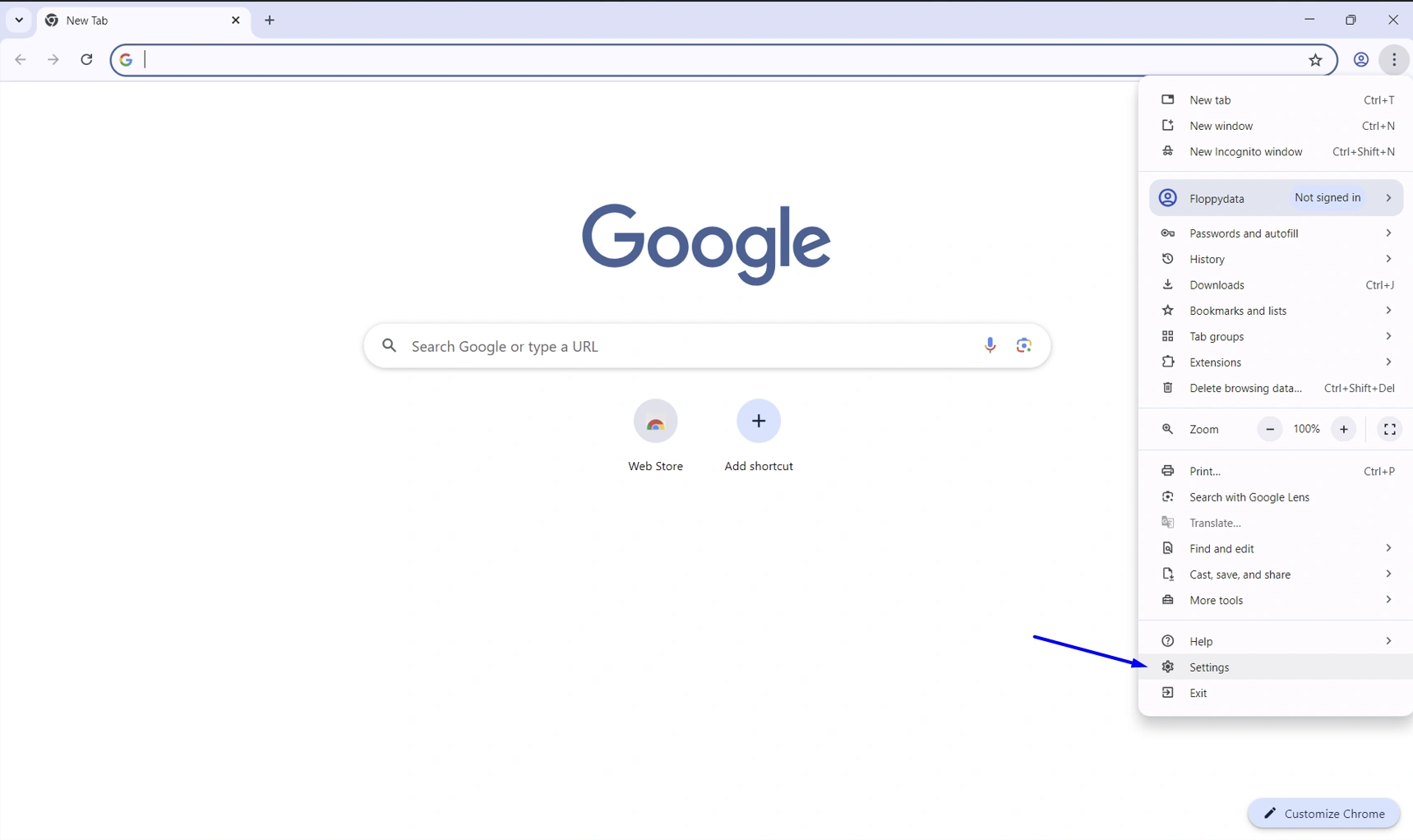
I assume you already have the Chrome browser installed. Launch it and click on the three dots in the upper right corner, then click on Settings.
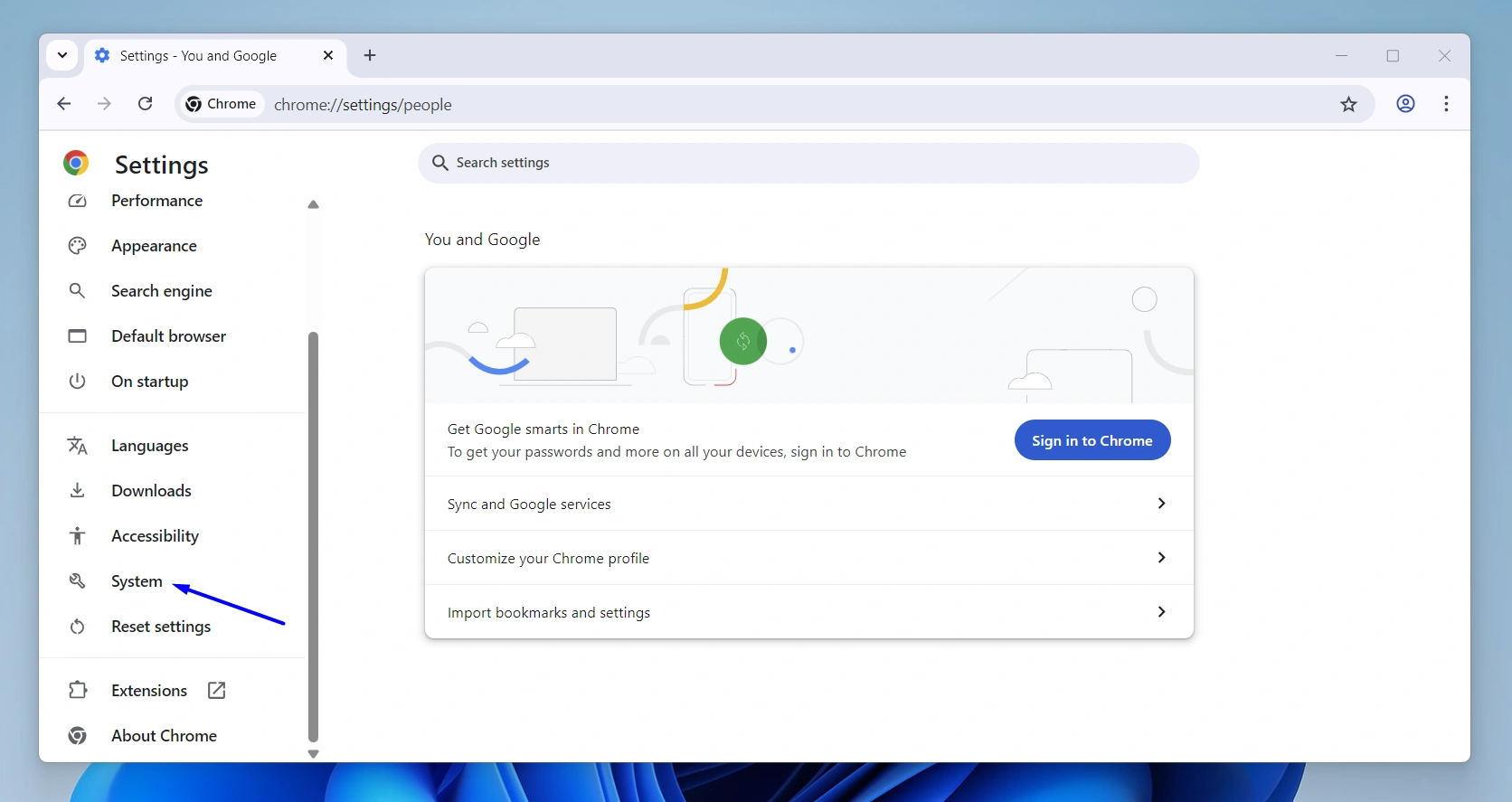
On the left menu, scroll a bit until you find System, and click on it.
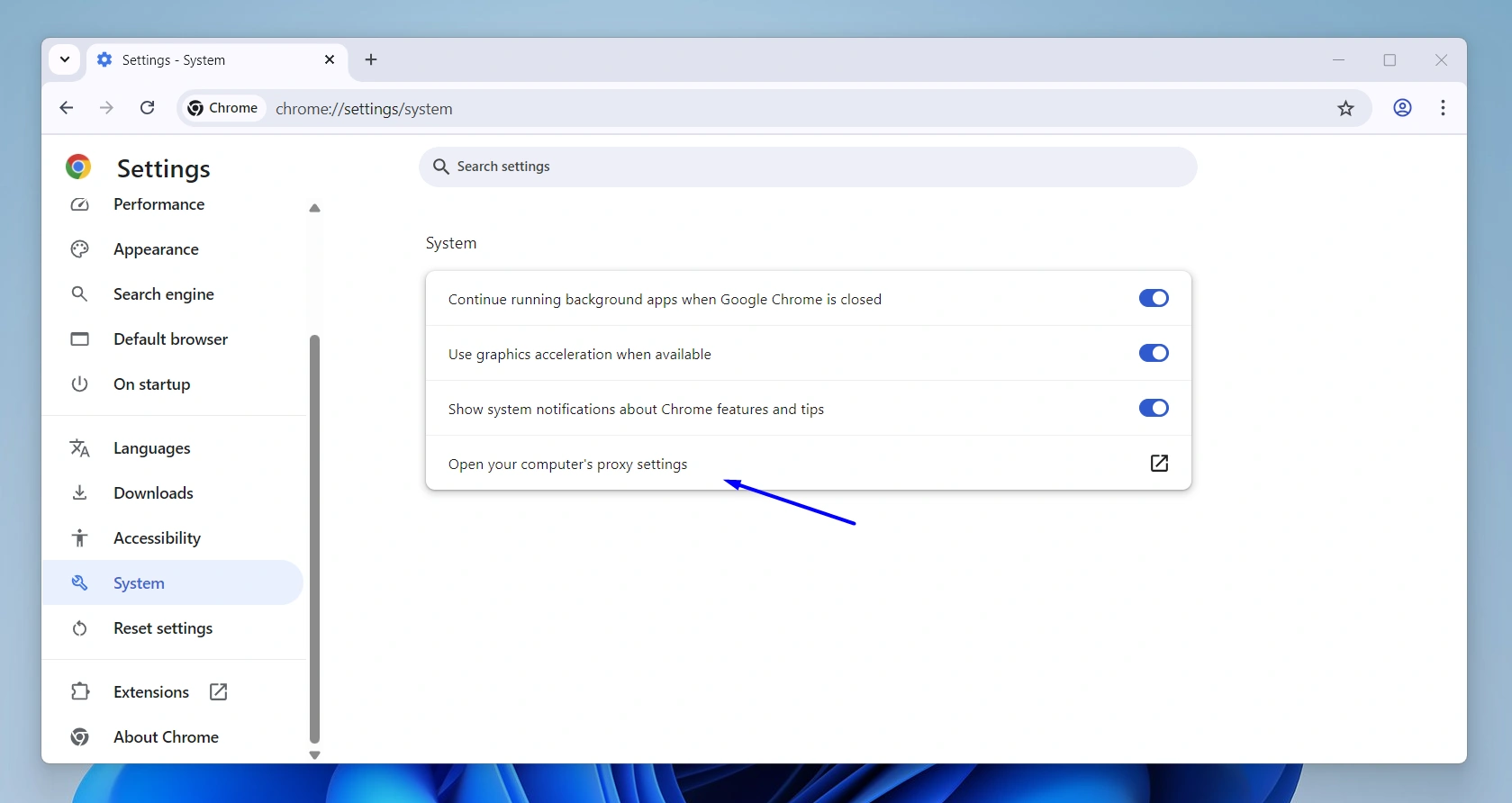
Inside the System page, you’ll find the “Open your computer’s proxy settings” option. Click on it.
This will open the proxy settings window of your device. In the Manual proxy setup section, and specifically in the Use a proxy setup box, click Set up.
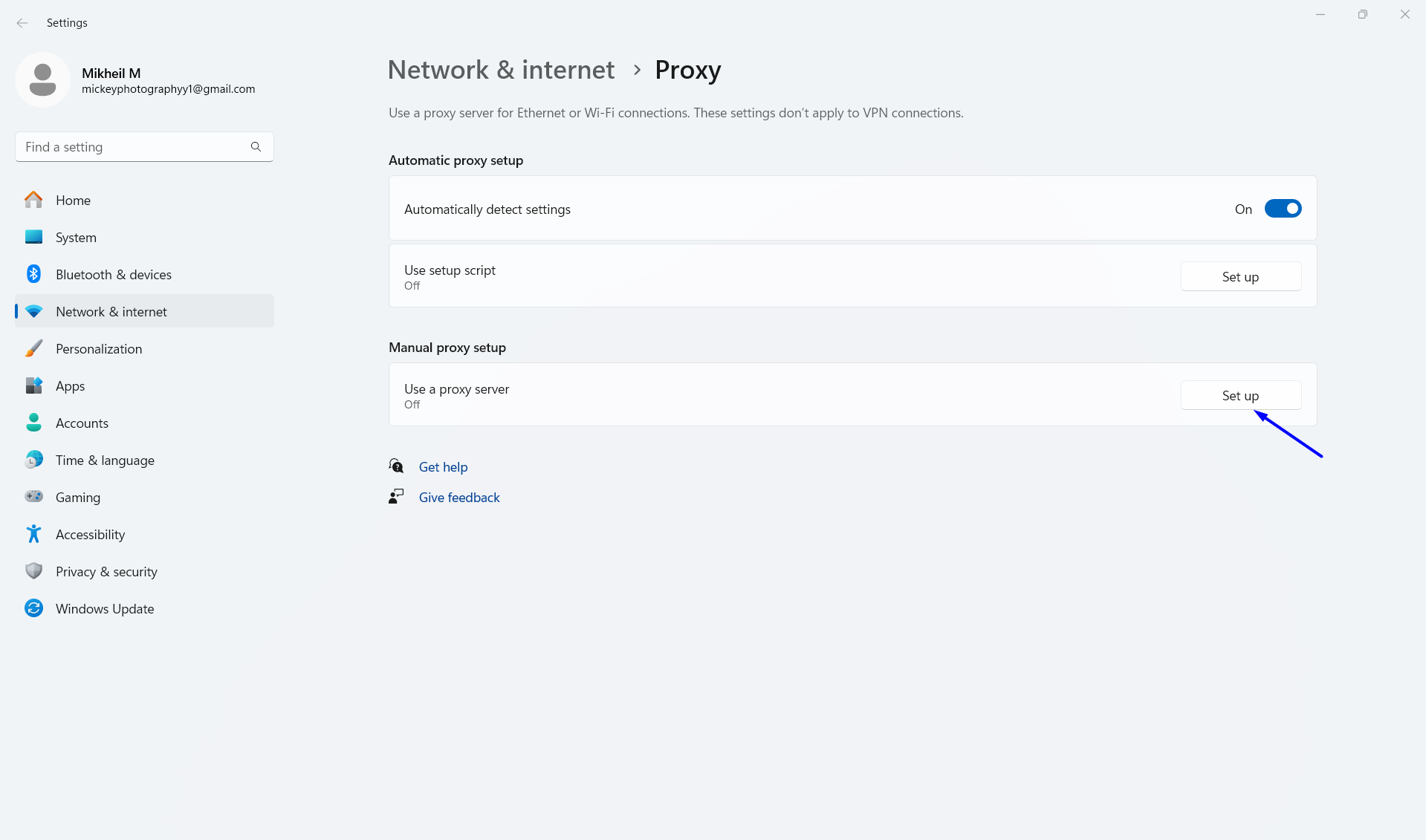
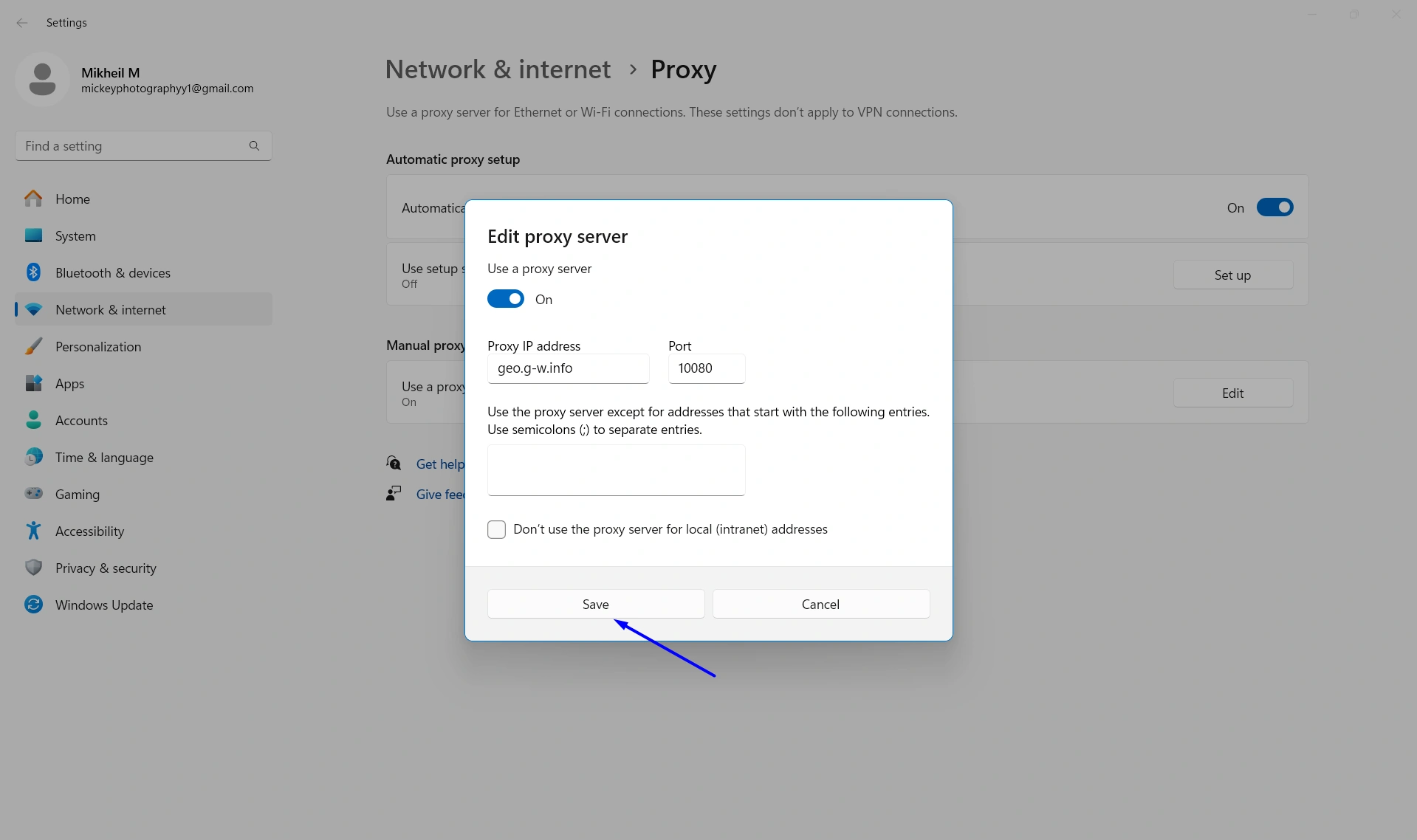
This opens a window to configure your proxy settings.
First, turn the “Use a proxy server” toggle on. Then, paste the proxy host you’ve copied before under “Proxy IP address” and paste the port under “Port”. Click Save.
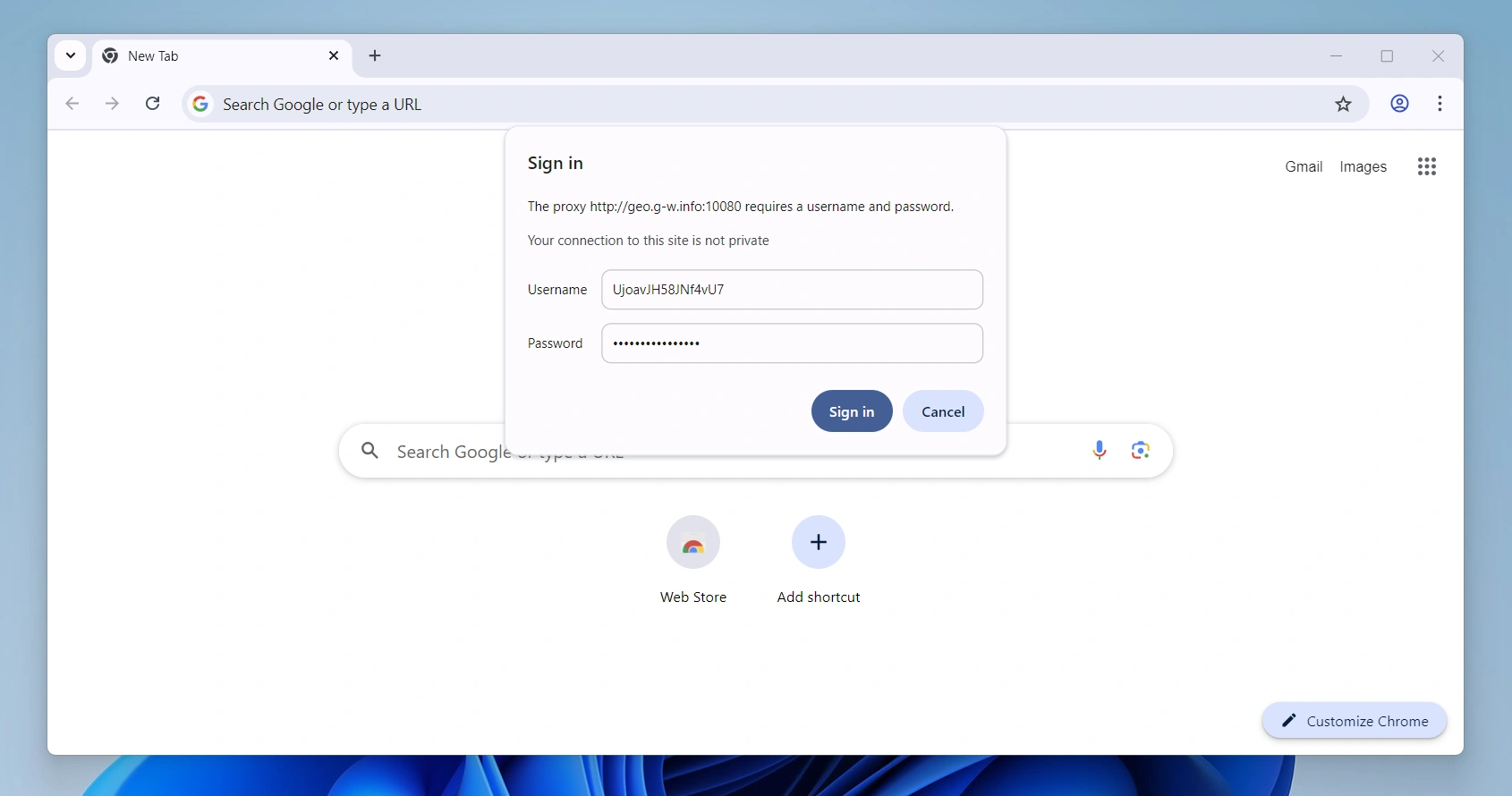
Now, when you go back to Chrome, you’ll be asked to enter a username and password:
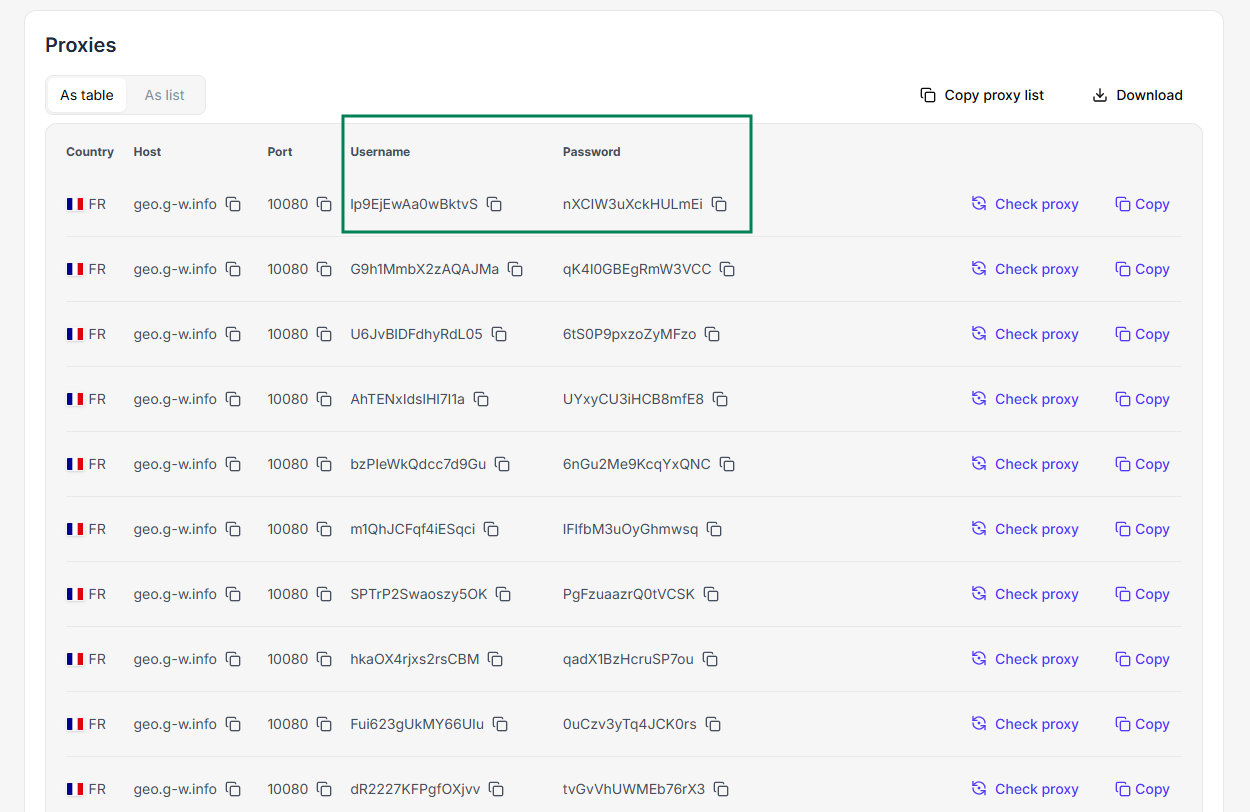
You’ll find them on your proxies list.
Once you click Sign in, the proxy is activated, and your Chrome browser is now working with a French IP.
If security and maximum anonymity are a priority for you when looking for a French IP, I recommend you pair Floppydata with another type of browser: an anti-detect browser.
The one I personally recommend is Gologin. Let’s find out more:
Option 2: Use Floppydata with Gologin for more anonymity
Gologin is an anti-detect browser that looks exactly like Chrome, only when you use it, it automatically deletes all your browsing fingerprint, so no traces of your connection remains on the internet.
So, a French IP from Floppydata + Gologin means maximum anonymity.
After getting your proxy pool from Floppydata, let’s learn how to use those IPs with Gologin:
Set up Floppydata proxies with Gologin
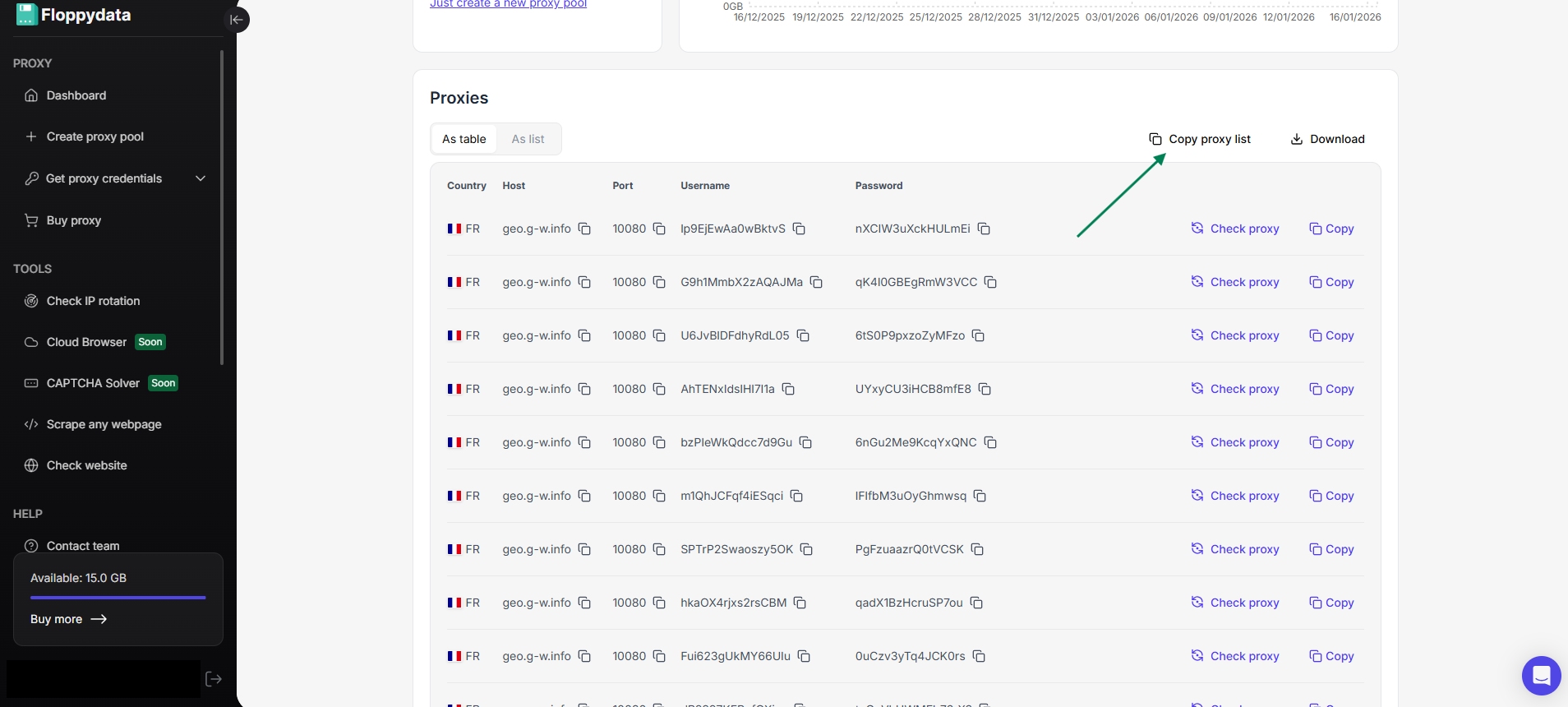
First, go back to your Floppydata proxy list and copy it all at once by clicking on “Copy proxy list”
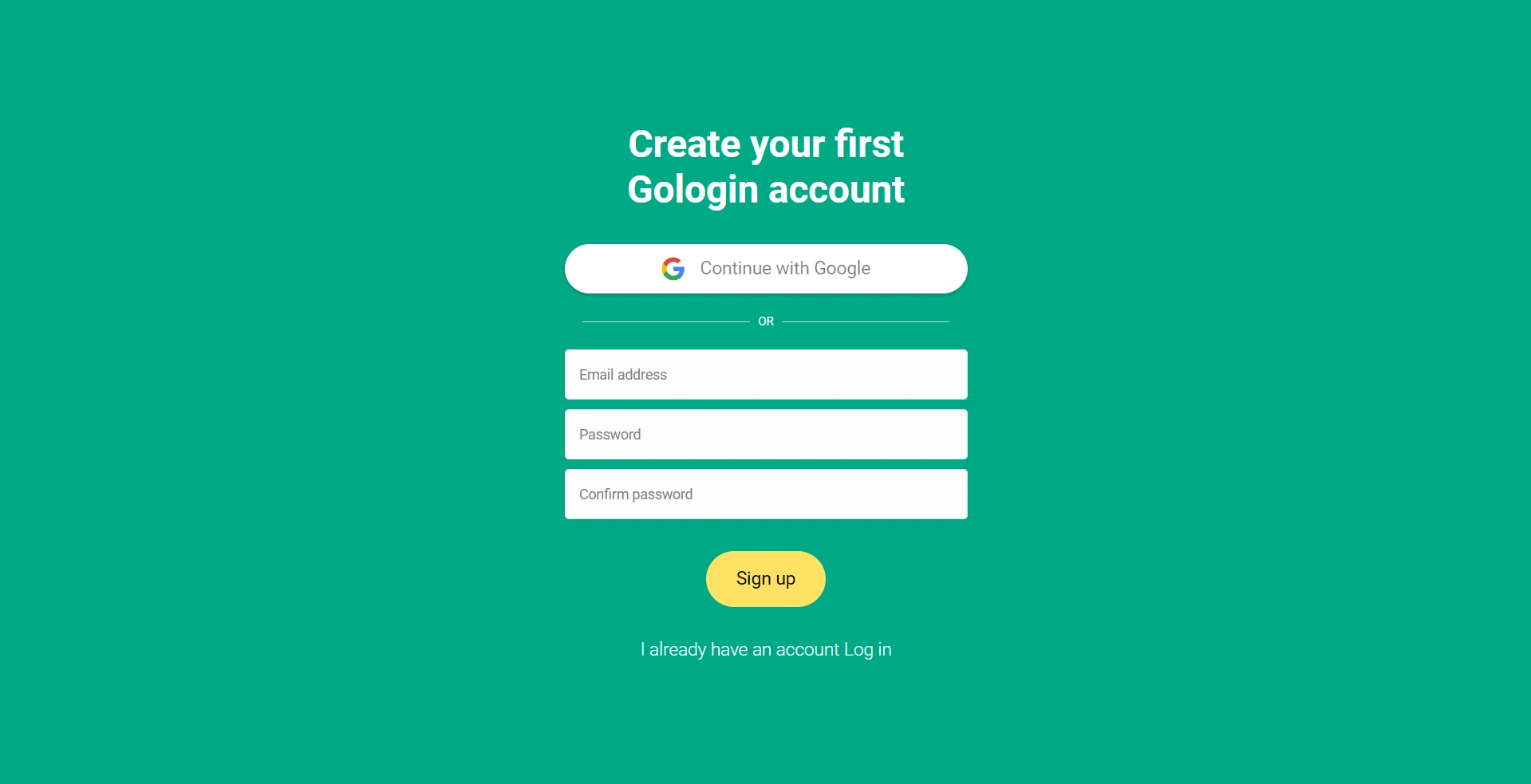
Then, go to Gologin, install it on your device, and create your account.
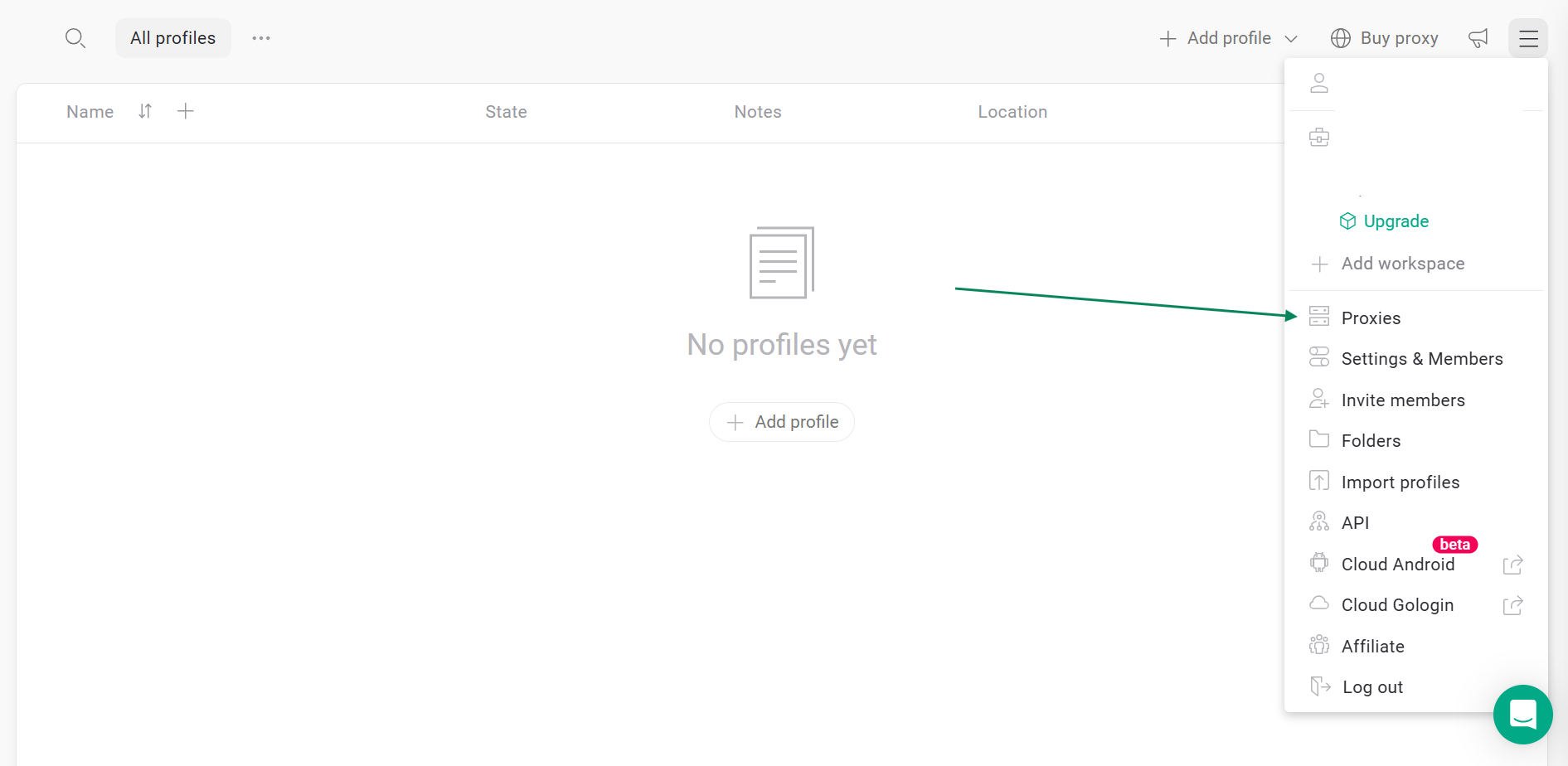
Once inside the Gologin dashboard, click on the hamburger menu on the top right and select “Proxies”
Click Import proxies on the top left corner and paste your proxy list there:
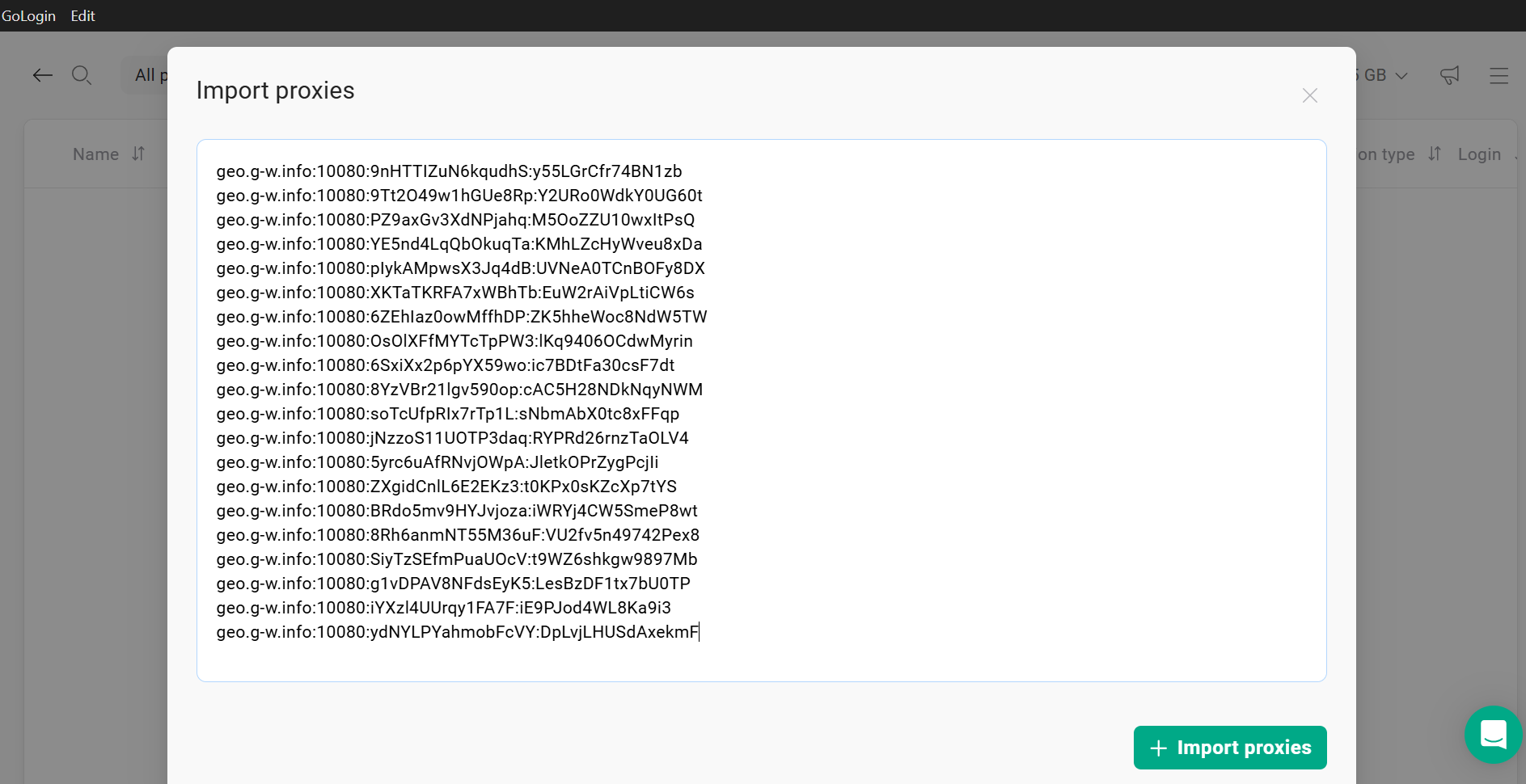
Once you click on the green “+ Import proxies” button, Gologin will automatically validate them, and your proxy list is ready to be used.
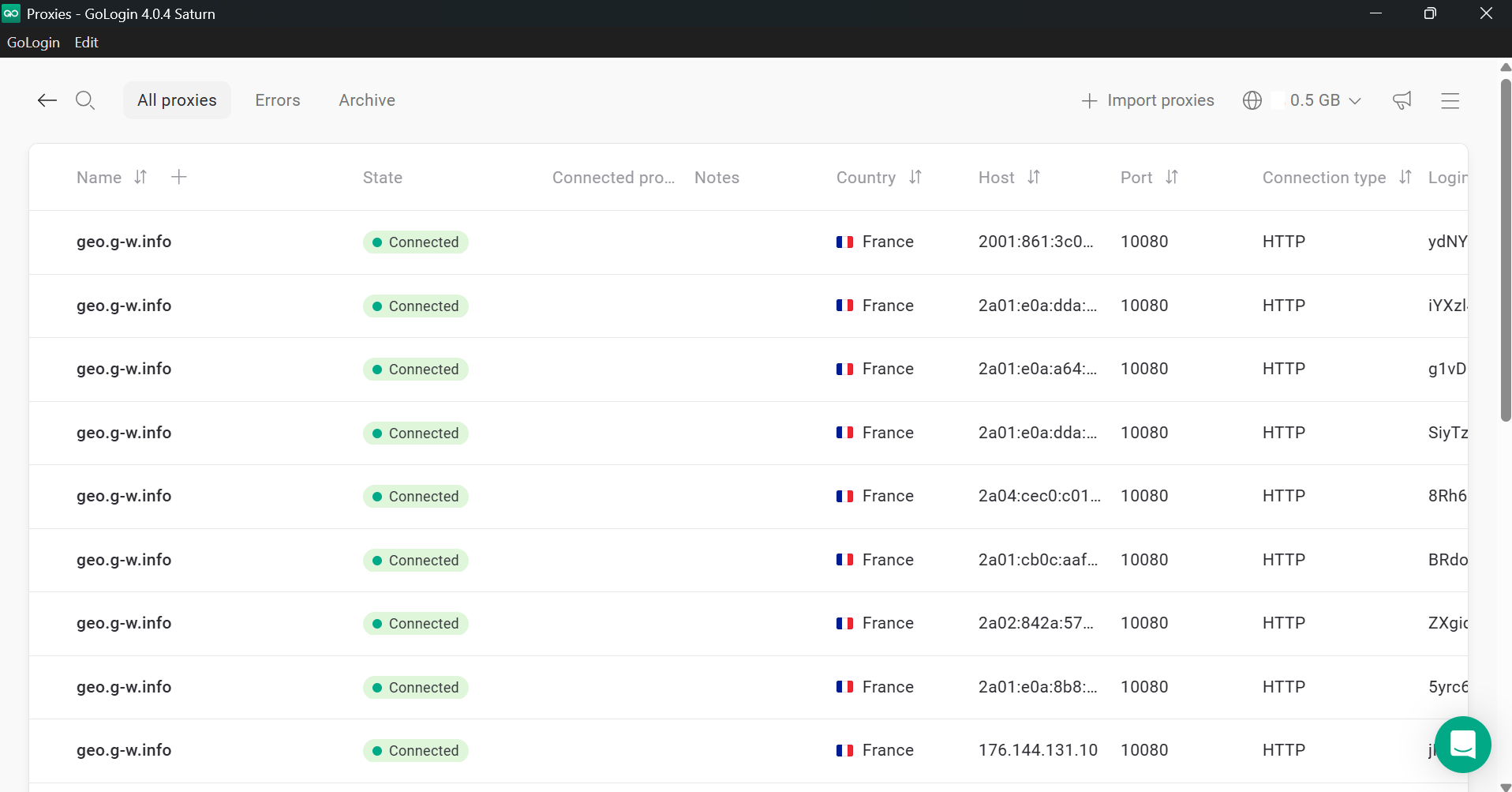
Now, let’s create your browser profile.
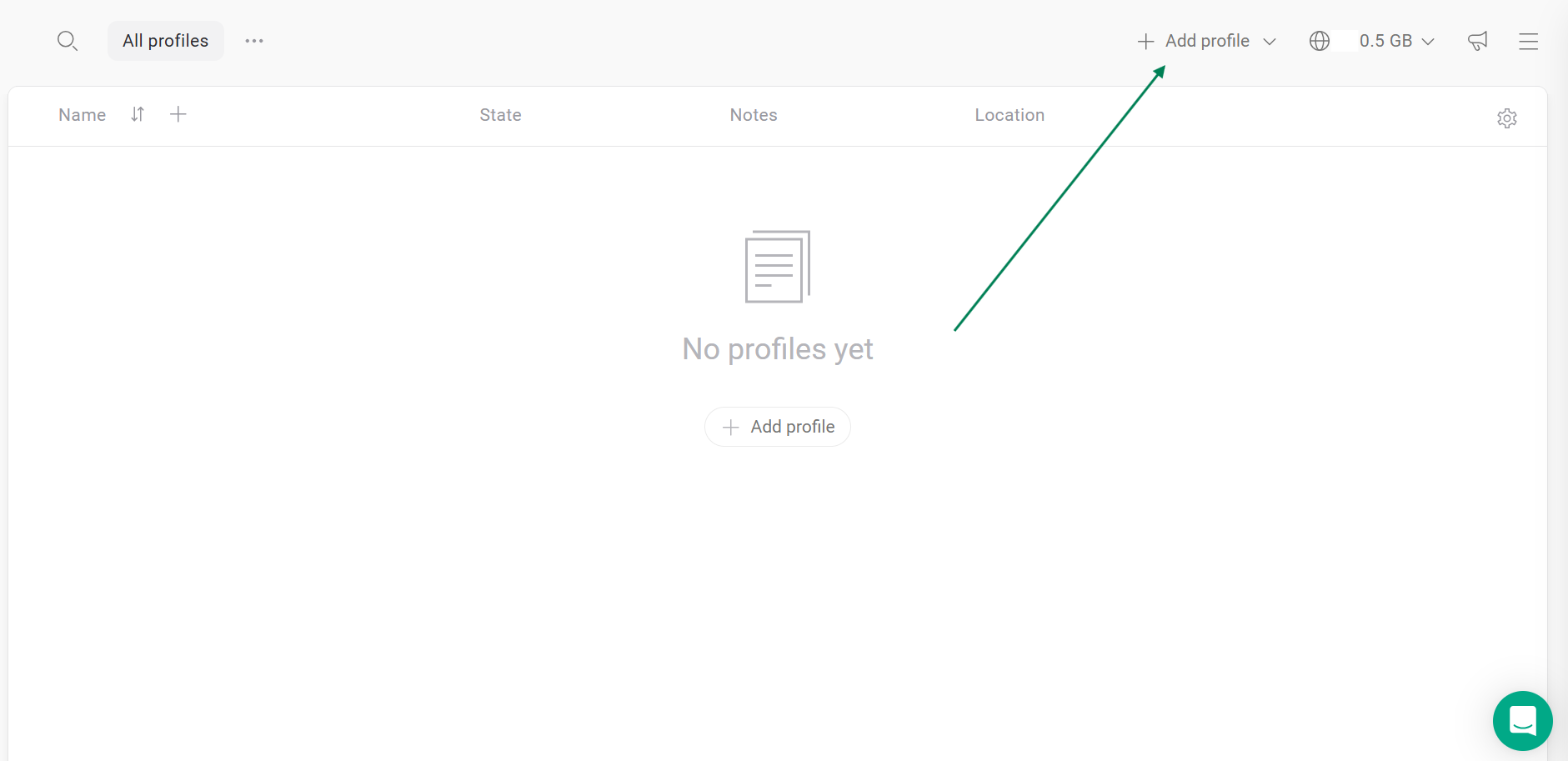
First, go back to the Gologin dashboard and click Add profile.
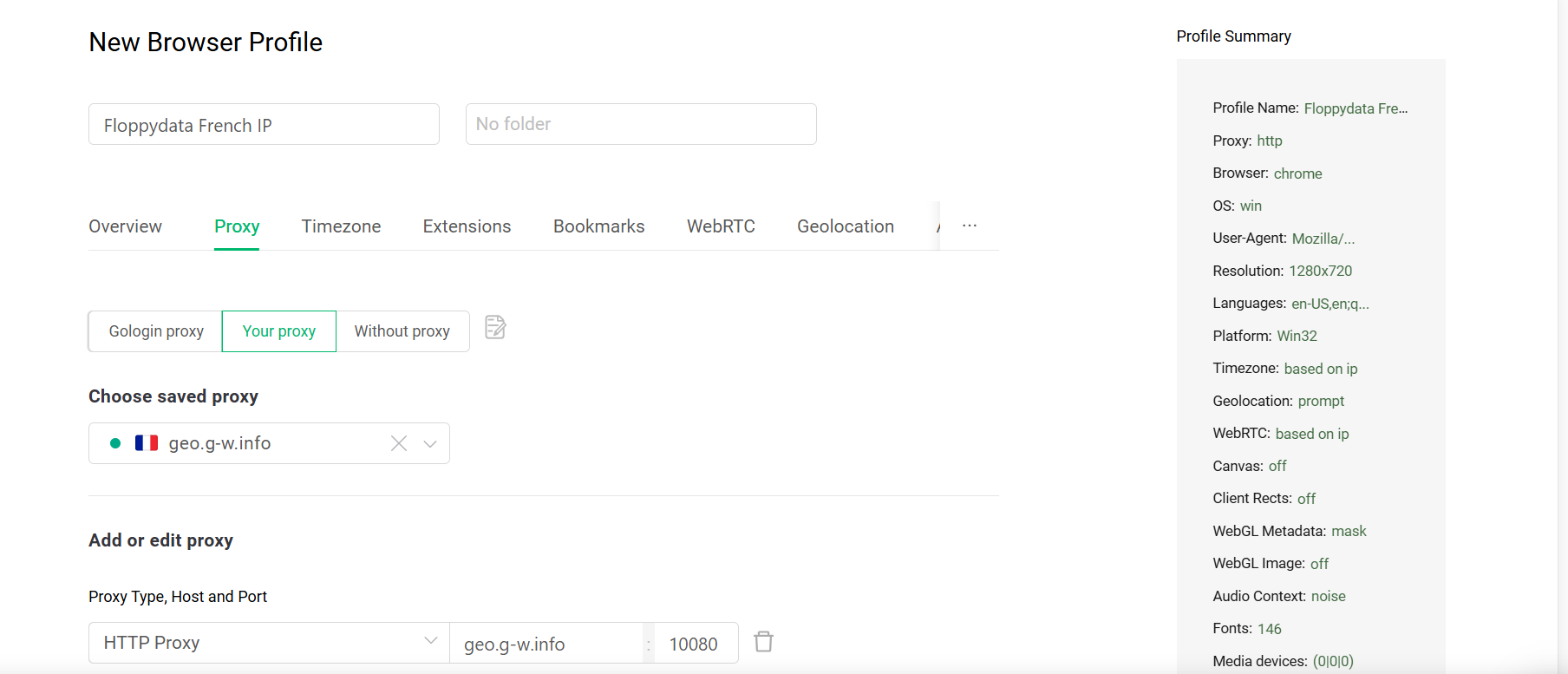
Under the Proxy tab, give your profile a name, select “Your proxy” instead of “Gologin proxy”, so you can choose a proxy from your saved Floppydata list.
Click “Create profile” button, and your profile is now created.
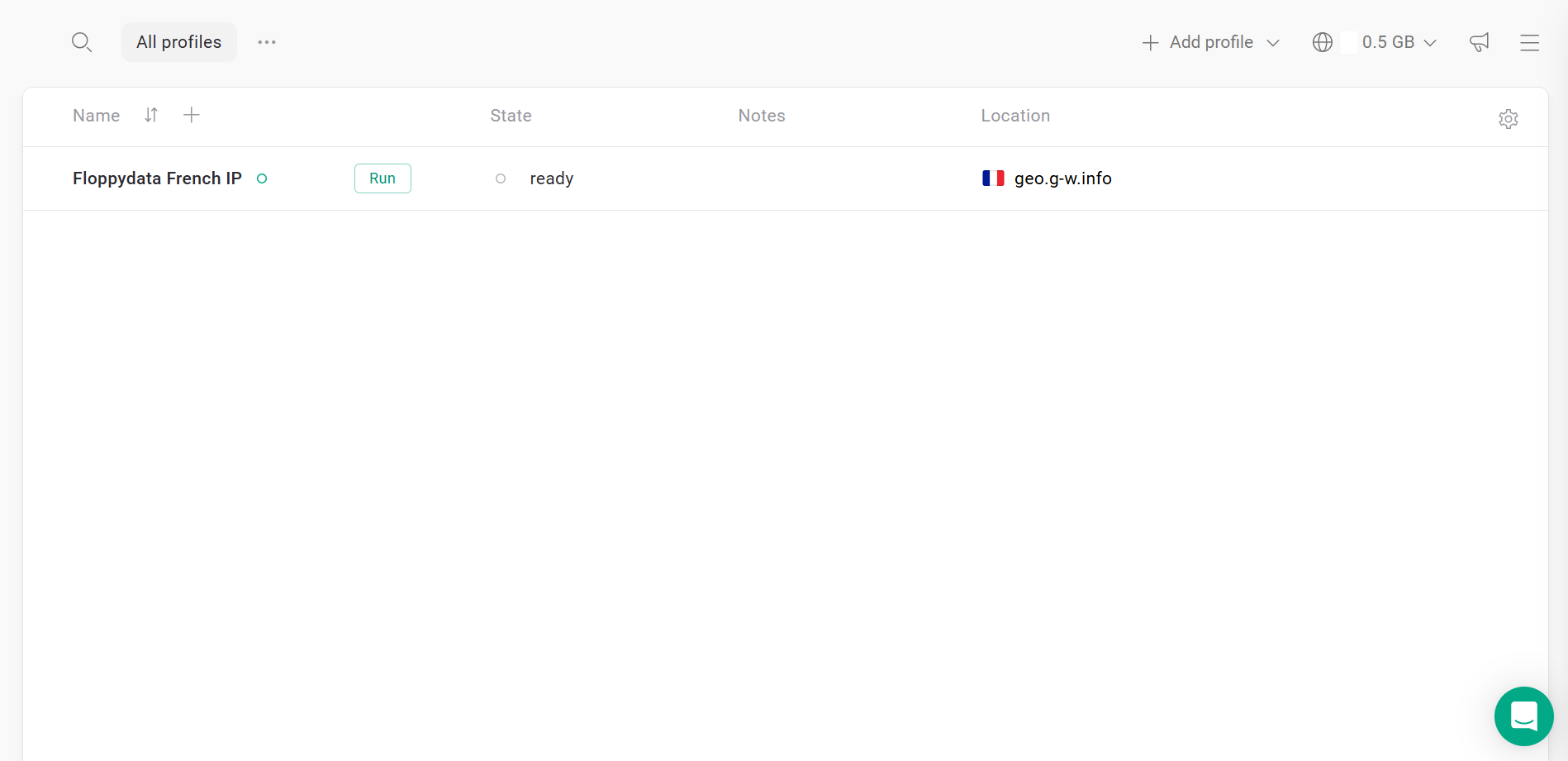
Click the green Run button, and a browser window will open. That’s where you can connect to the internet using your Floppydata IP address while staying totally anonymous!
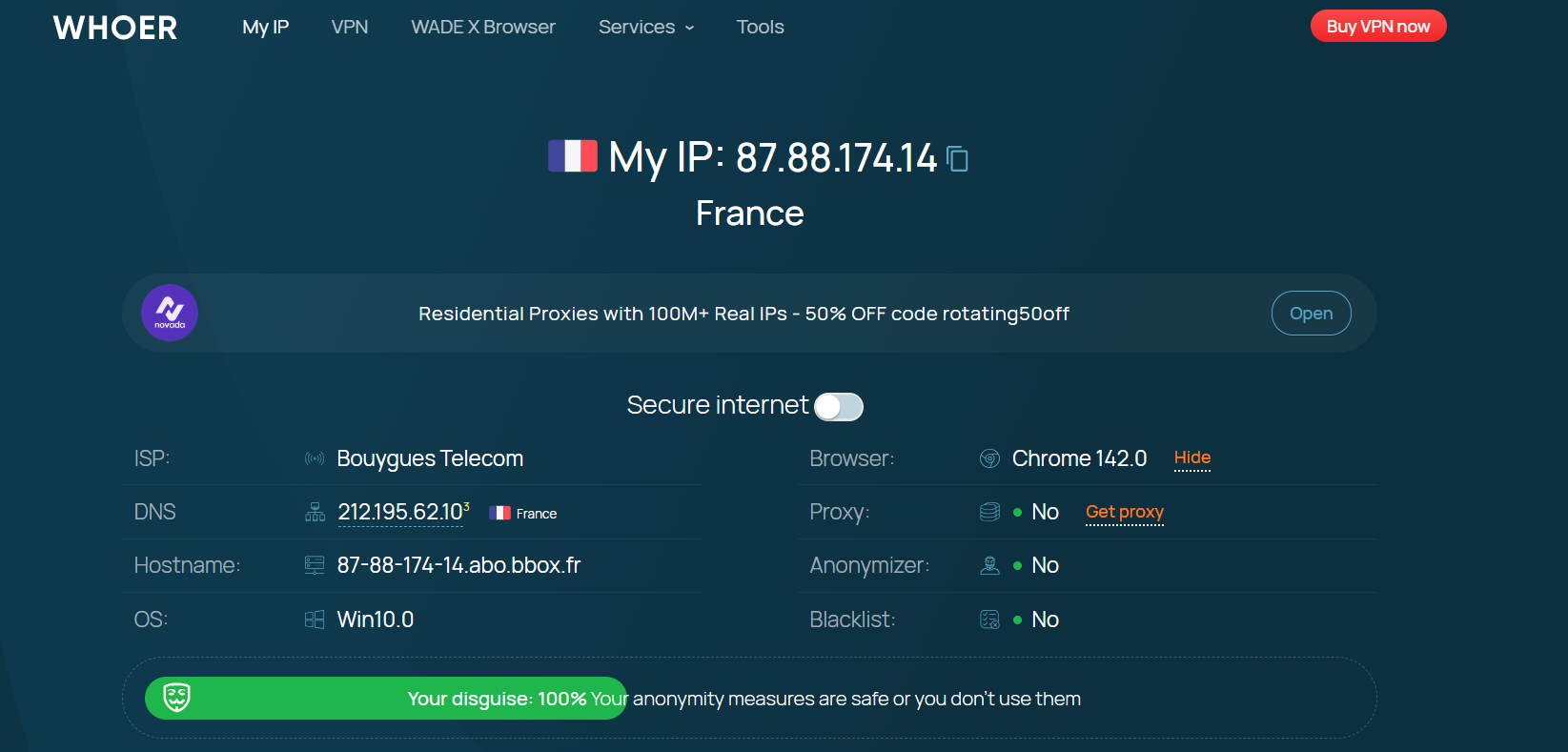
Want to make sure it’s working?
Enter the URL Whoer.net and see for yourself. After following the steps above, here’s what will come up:
Final Thoughts
Thanks for reading this guide. It was a pleasure showing you how to get a French IP address from Floppydata, as well as how to use it properly on your Chrome browser or on Gologin for extra anonymity. Hope you’re now able to securely access French content even if you’re not in France!
FAQ
Why would I need a French IP address?
A French IP helps you access France-only content, local search results, and region-restricted services as if you were located in France.
How can I get a French IP without using a VPN?
You can use a trusted proxy service (like residential, mobile, or ISP proxies) that gives you an IP located in France without VPN software.
What’s the main benefit of using proxies for a French IP?
Proxies mask your original IP and make websites see a French address, letting you browse region-restricted content reliably and privately.