
A regular browser is not well suited to multiaccounting. Even when you use separate accounts with different logins and passwords, they can still share the same browser fingerprint, making it easier to link them to the same user.
Antidetect browsers address this issue by keeping browser profiles isolated from one another. Each profile has its own cookies, fingerprint settings and IP address for going online.
Dolphin Anty brings these functions together in one interface: you can create and configure profiles, connect proxies, automate workflows and work with a team. This review covers the main features available to users.
Multiaccounting in Dolphin Anty
Browser profiles are at the core of multiaccounting in Dolphin Anty. Each profile has its own digital fingerprint, with parameters such as the operating system, User-Agent, screen resolution, Canvas, WebGL, Client Hints, WebRTC, fonts, CPU and memory settings, and other browser characteristics.
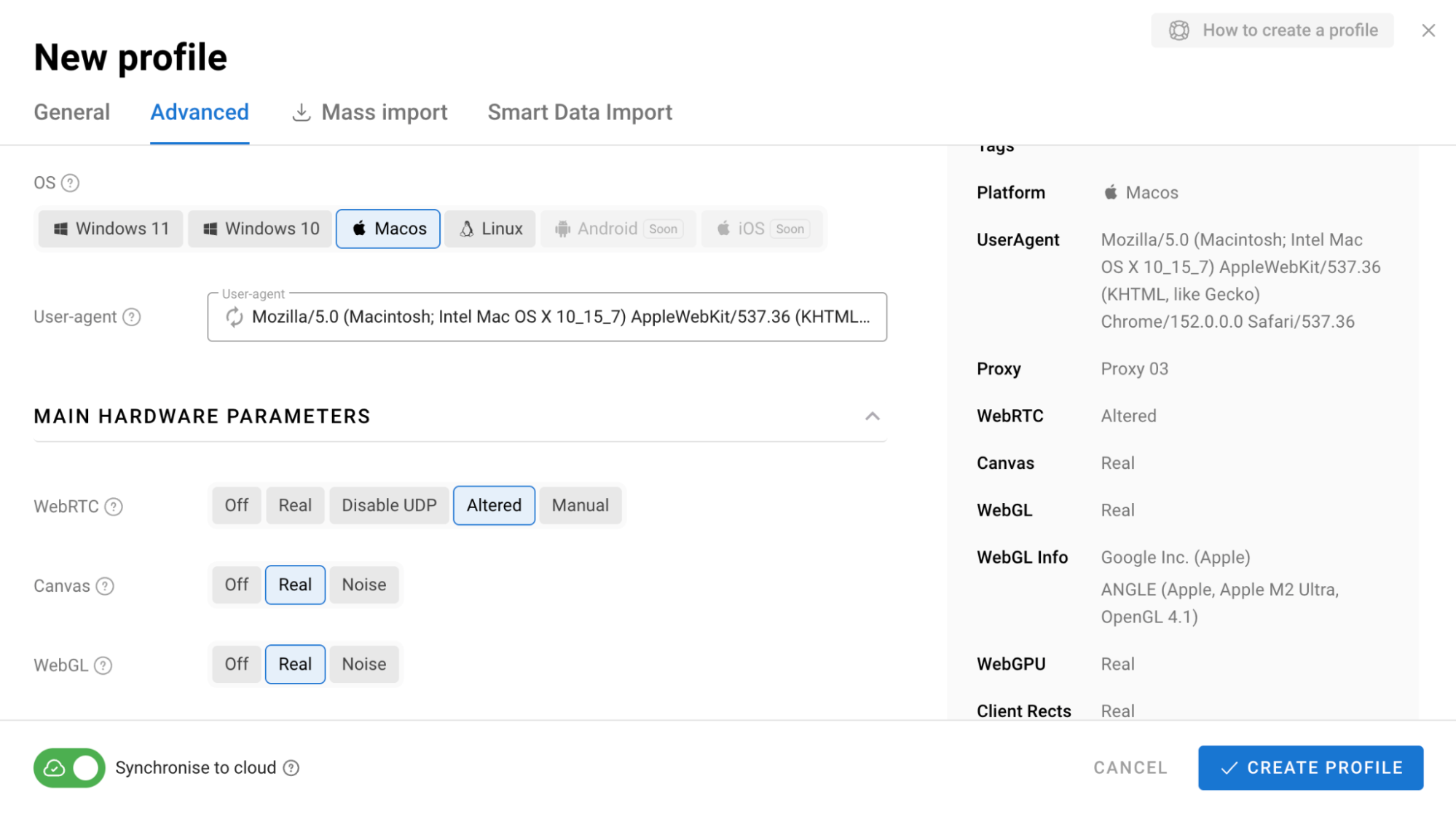
You do not have to choose each value yourself. Dolphin Anty keeps the parameters consistent, so the profile does not end up with a random combination of incompatible settings.
Some parameters can also be configured automatically. For example, the time zone, language and geolocation can match the proxy location. If you need a different setup, you can switch to manual settings and adjust them yourself.
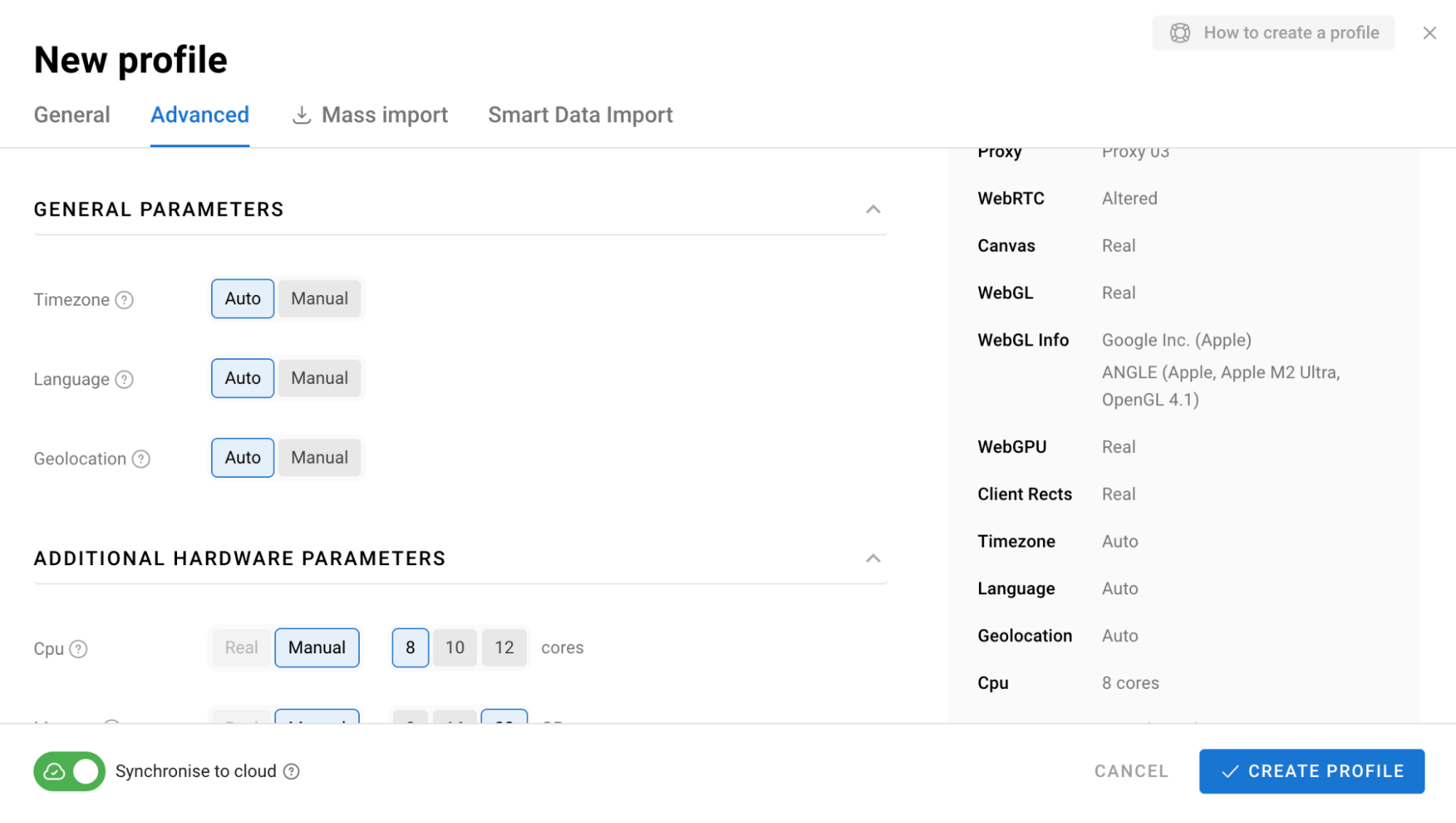
There are two main ways to create a profile:
- Quick Profile creates a profile with a single click with no manual configuration.
- Create Profile gives you access to all available settings.
Profile Management
As the number of profiles grows, keeping them organized becomes increasingly important. Dolphin Anty provides several tools for this:
- Folders let you group profiles by project, geo, client or other categories.
- Statuses show the current state of a profile.
- Tags provide another way to categorize and filter profiles.
- Notes let you add extra information about an account.
- Search and filters help you find profiles quickly.
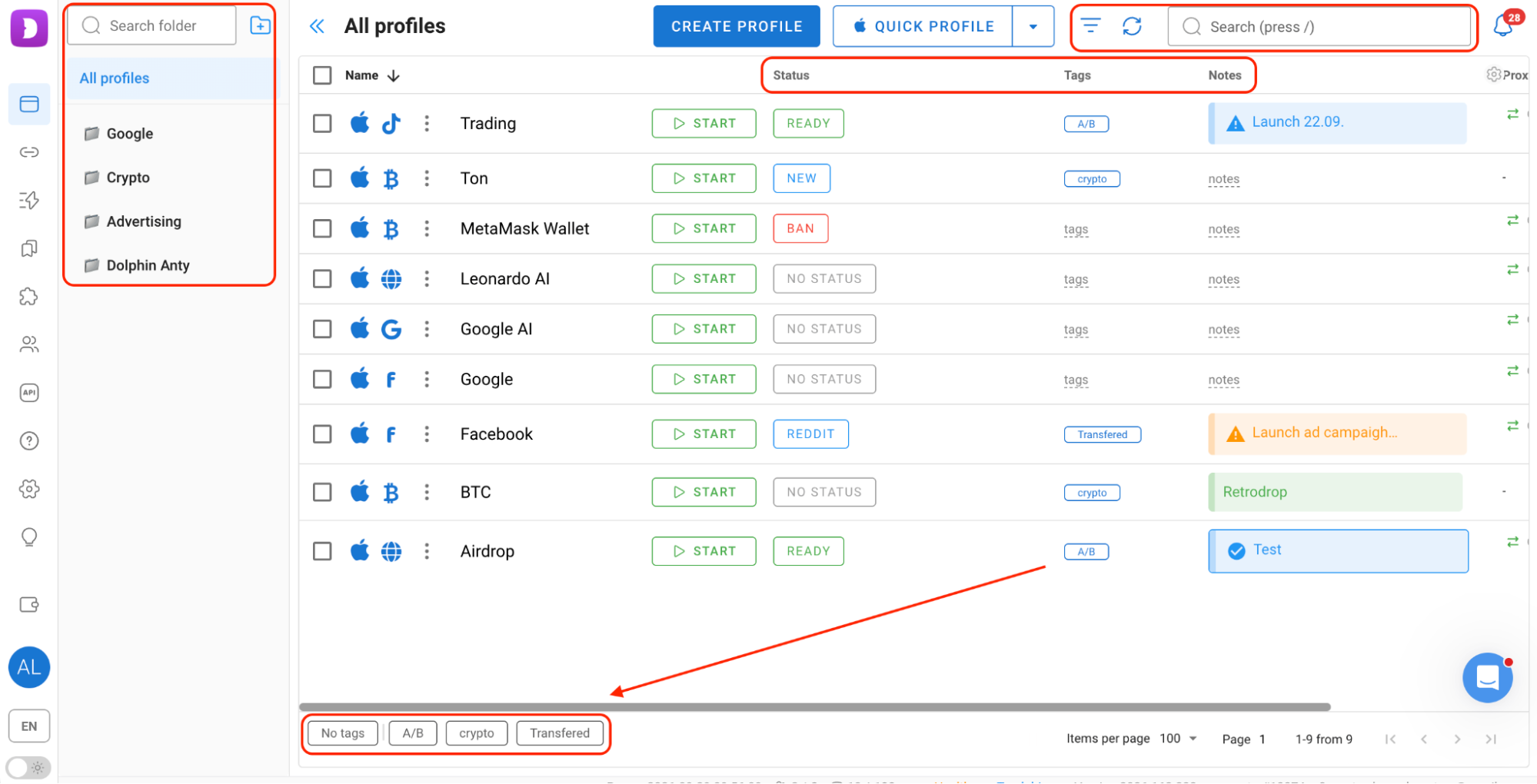
This means you do not have to pack all the relevant information into the profile name or look for the right account manually.
Setting Up Profiles for Different Platforms
Dolphin Anty lets you choose a profile type, such as Facebook, Google, TikTok or Crypto. The profile then comes with a set of useful bookmarks for that platform. You can also enter the login and password when setting up the profile. This can be useful when working with pre-made accounts.
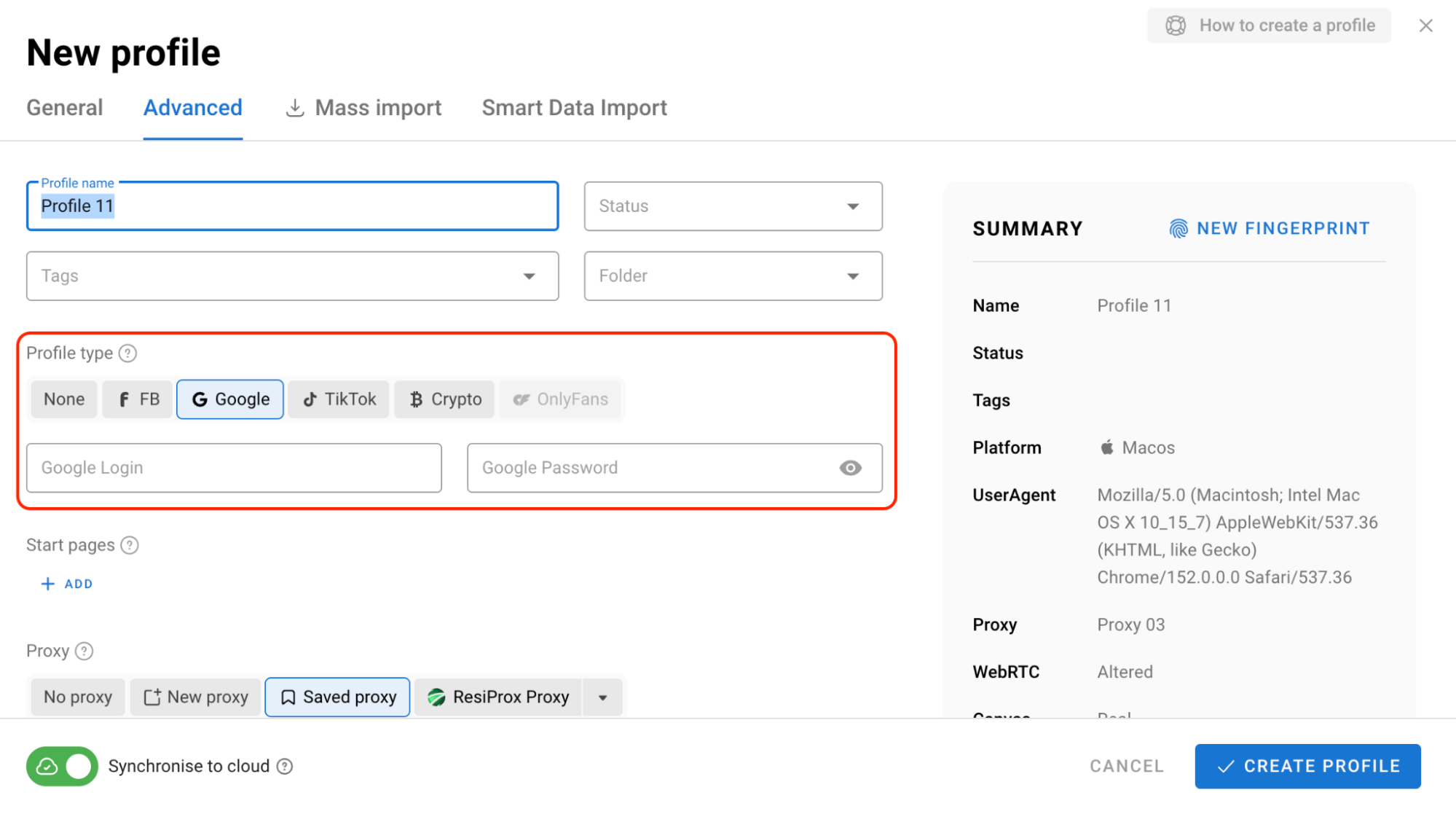
You can also create custom sets of bookmarks, extensions and start pages for each profile type. Dolphin Anty has dedicated sections for managing these settings, so you can configure everything once and then apply it to profiles of the corresponding type.
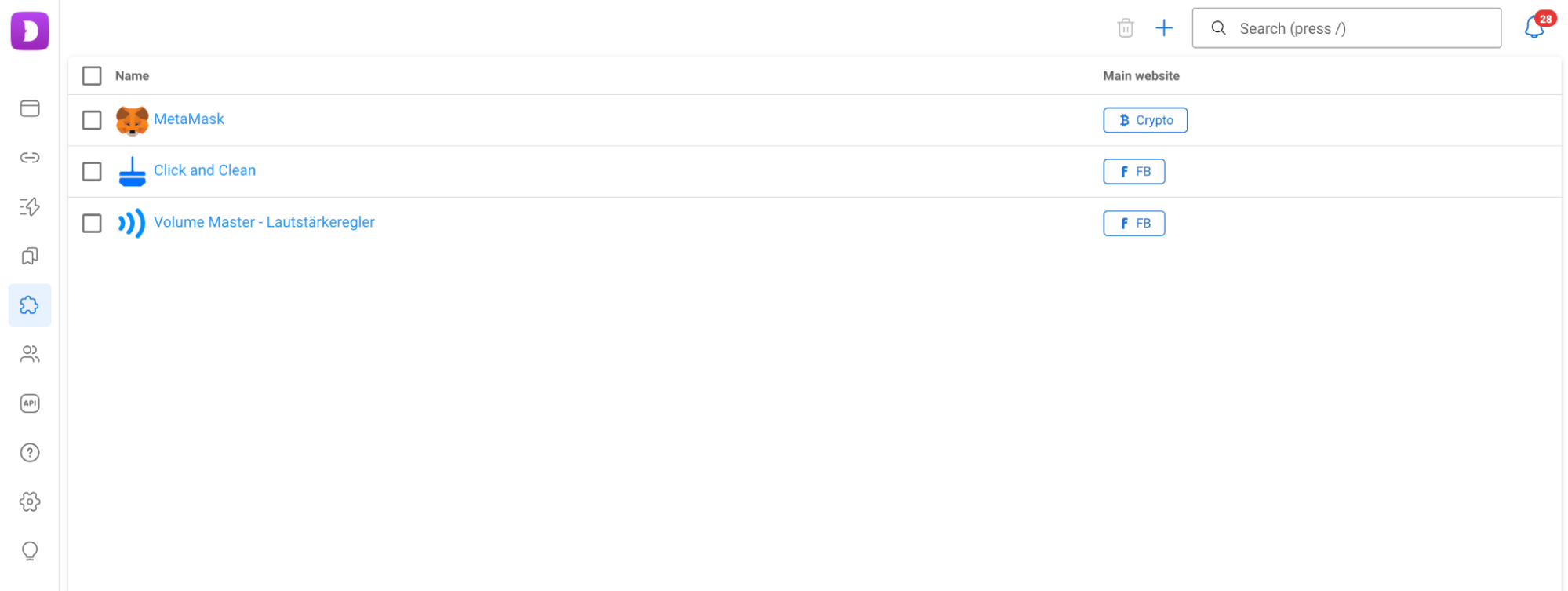
By the way, extensions can be added either by URL or as a separate file.
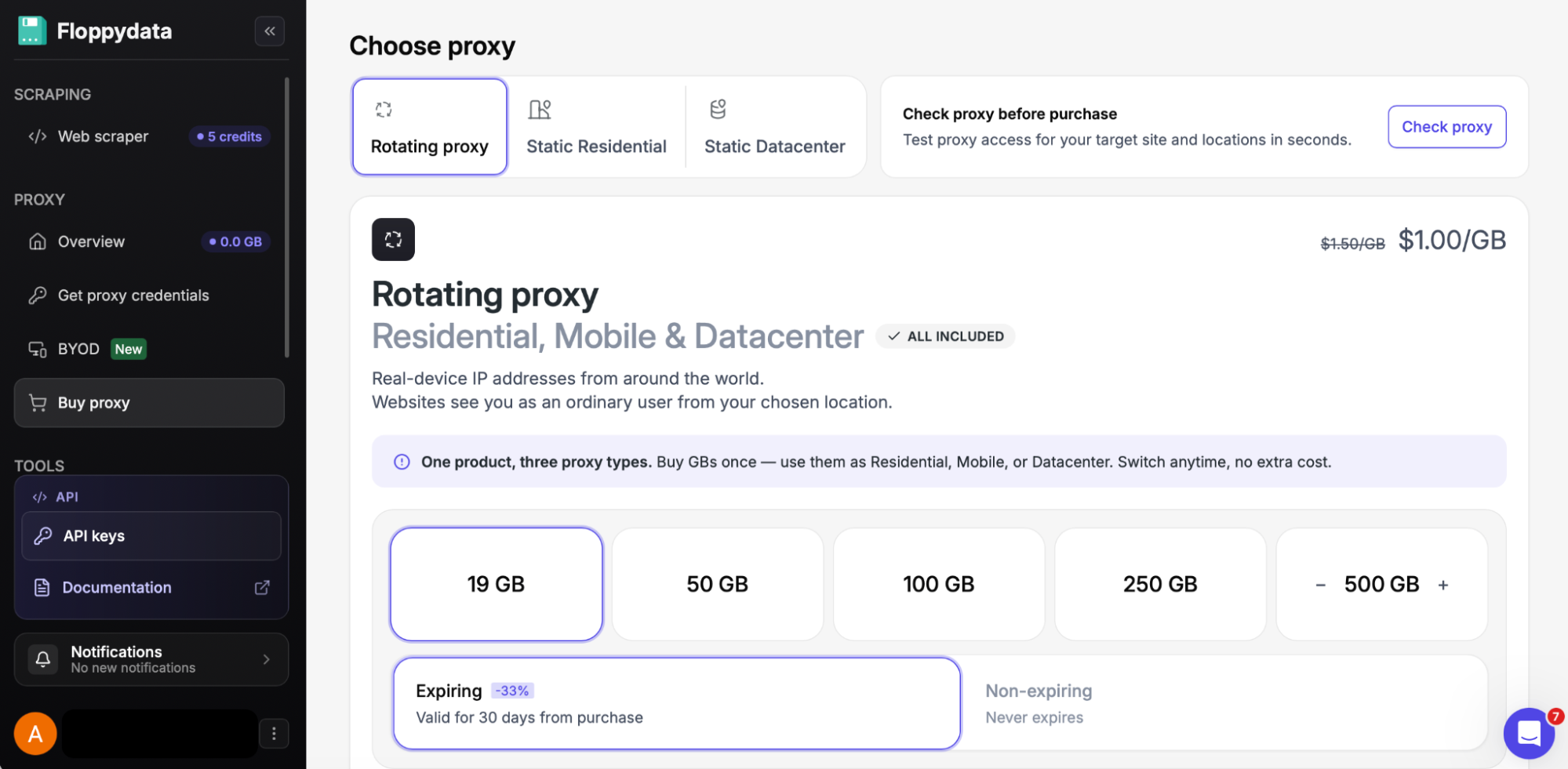
Proxies by Floppydata in Dolphin Anty
When working with accounts from different geos, having proxies is especially important. For example, a media buyer may need a separate IP address for advertising accounts in different countries, while an SMM specialist may need a connection from a specific region to work with local pages.
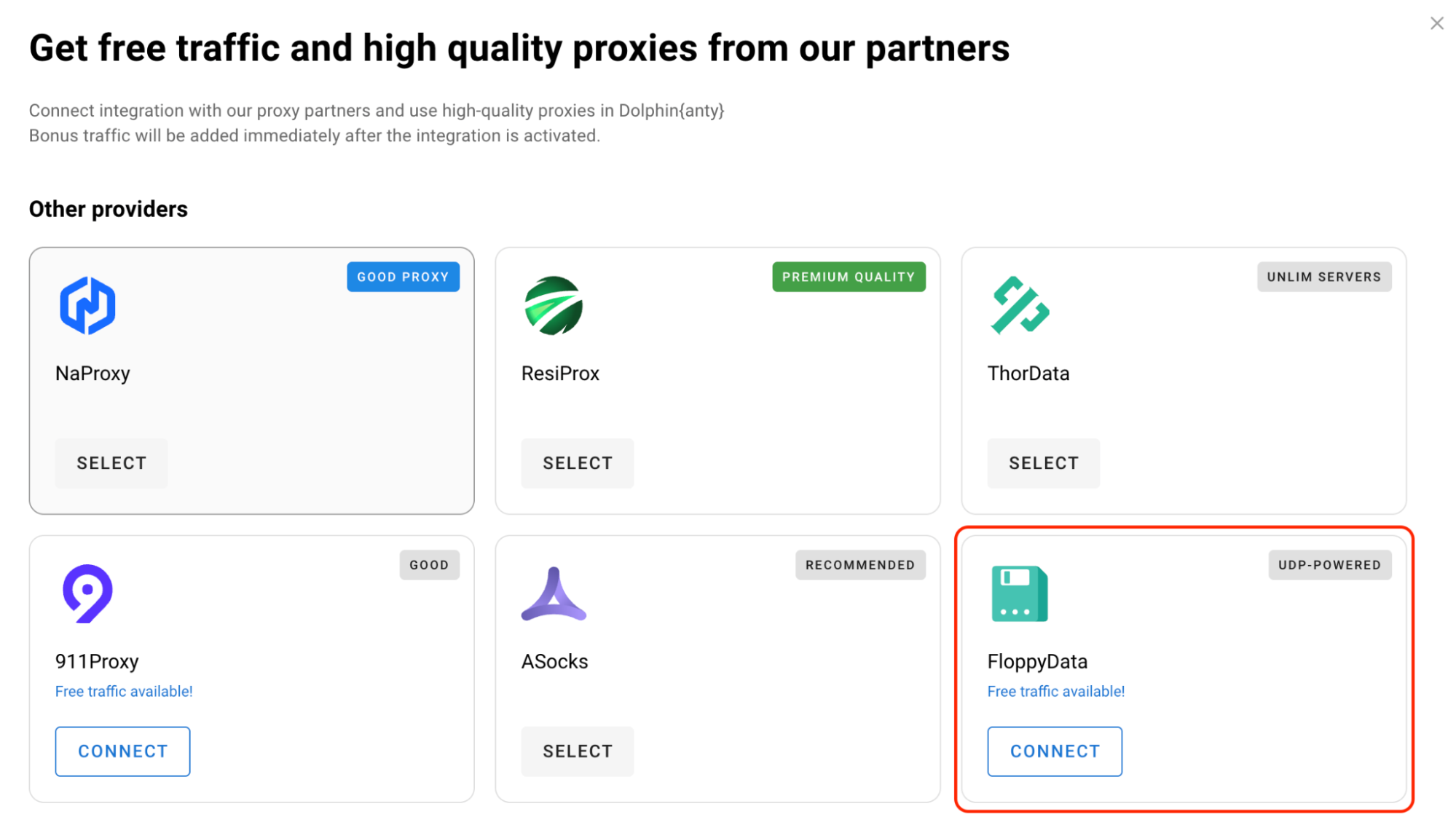
In Dolphin Anty, proxies can be added in several ways. First of all, Floppydata users can connect directly from the Dolphin Anty interface without configuring the connection manually: just click the “Connect” button, and that’s it. Free traffic is also available.
There are also standard ways to add proxies.
When Creating a Profile
In this case, the proxy is added when creating a browser profile. First, you need to get the proxy details from your Floppydata account.
After that, click “Create Profile” and find the “Proxy” section. Here, you need to add the connection details provided by the proxy provider: protocol, host, port, username, password, and the IP rotation link.
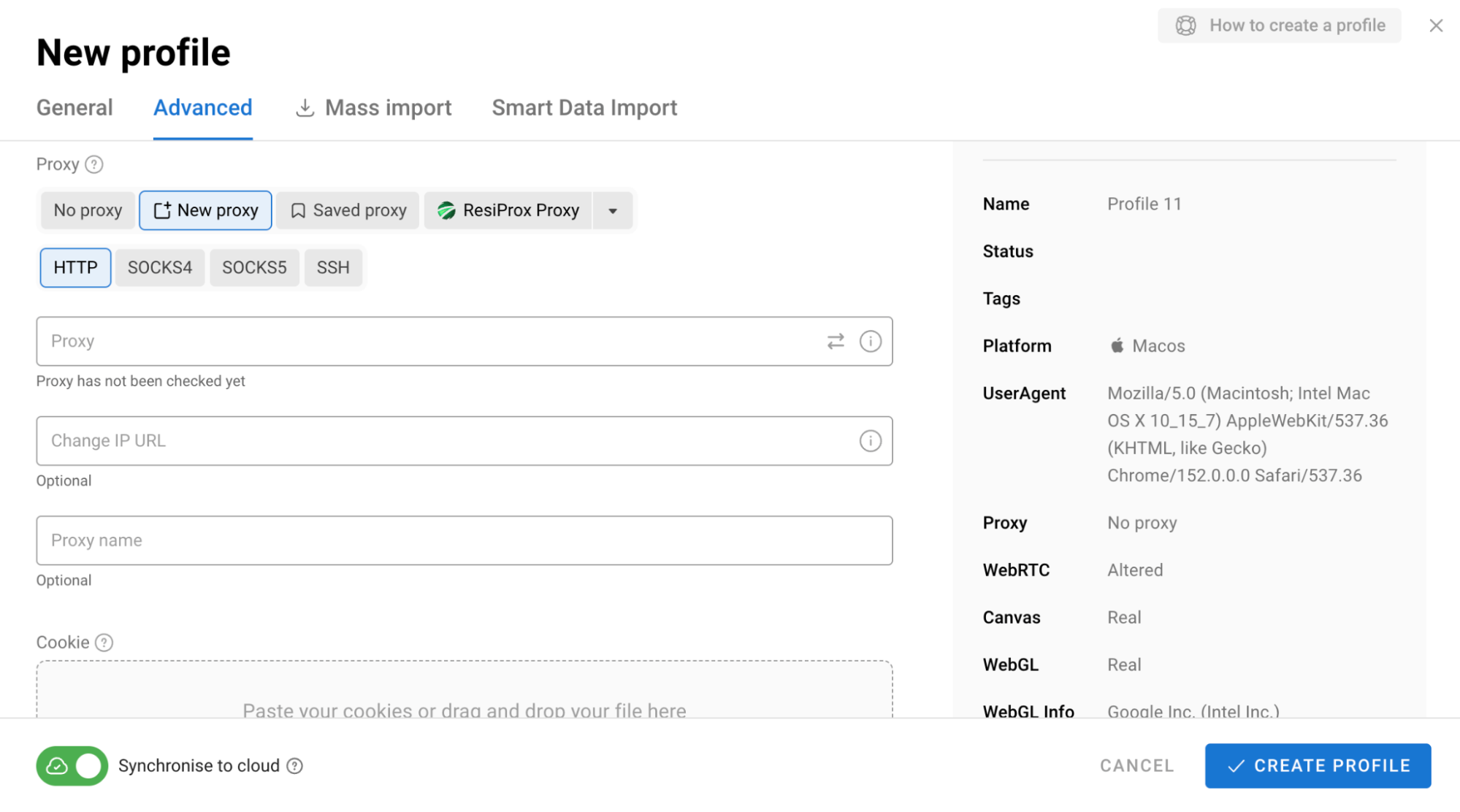
Before launching the profile, Dolphin Anty allows you to check the connection. The proxy is then saved with the created profile, so there is no need to assign it separately later.
Via the “Proxies” Section
If you need to add proxies first and assign them to profiles later, use the dedicated “Proxies” section. Add the proxy you purchased from Floppydata, check the connection, and save it to the shared list.
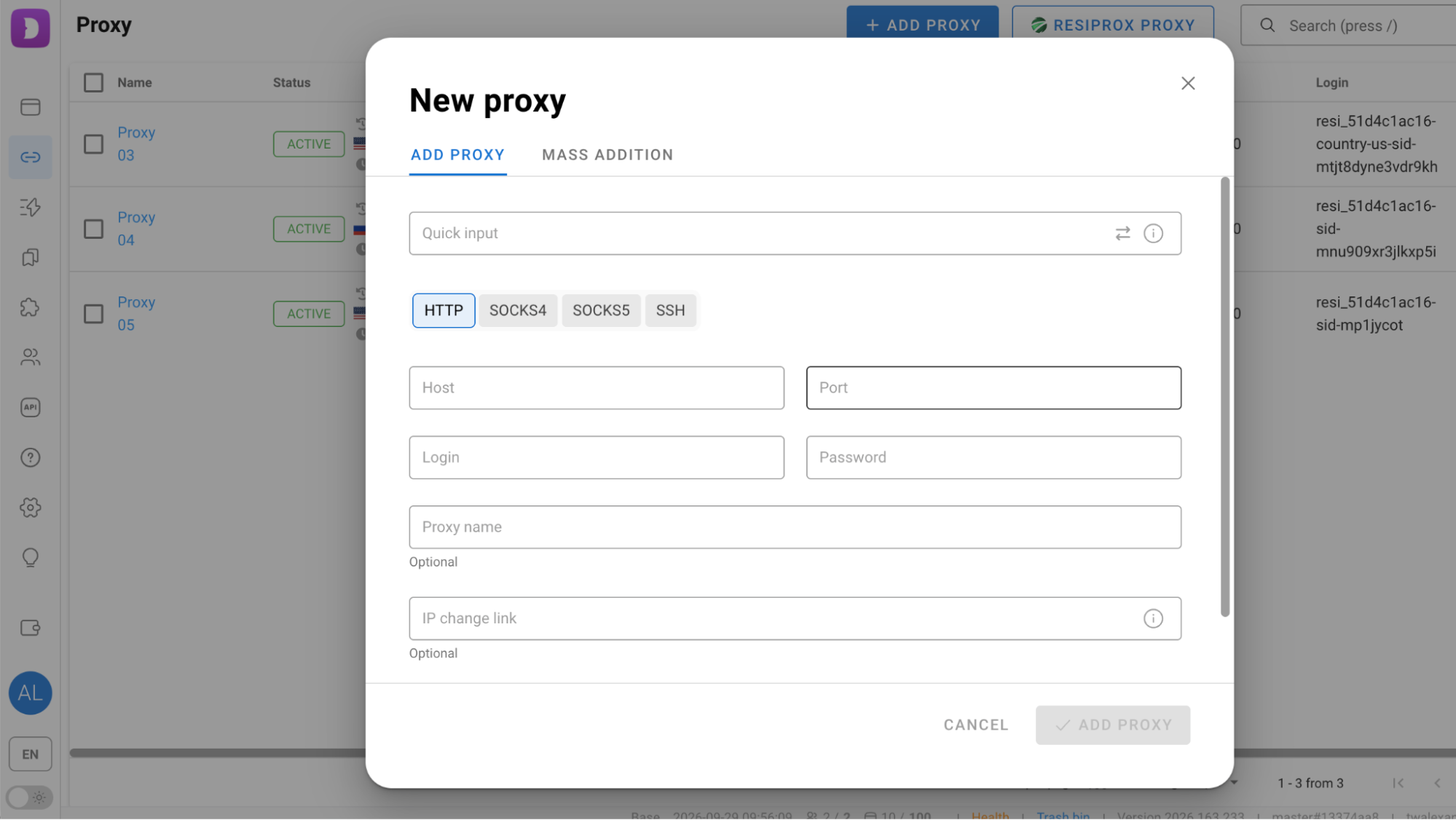
In other words, the process is the same as when creating a profile, but without assigning the proxy to a specific profile. You can select the proxy later using the “Saved Proxy” button.
Bulk Addition
Dolphin Anty supports bulk proxy import. If you purchase several proxies from Floppydata at once, you don’t need to add them one by one. Simply paste them into the “Bulk Addition” field in the required format, and they will appear in the shared list and become available for assignment to profiles.
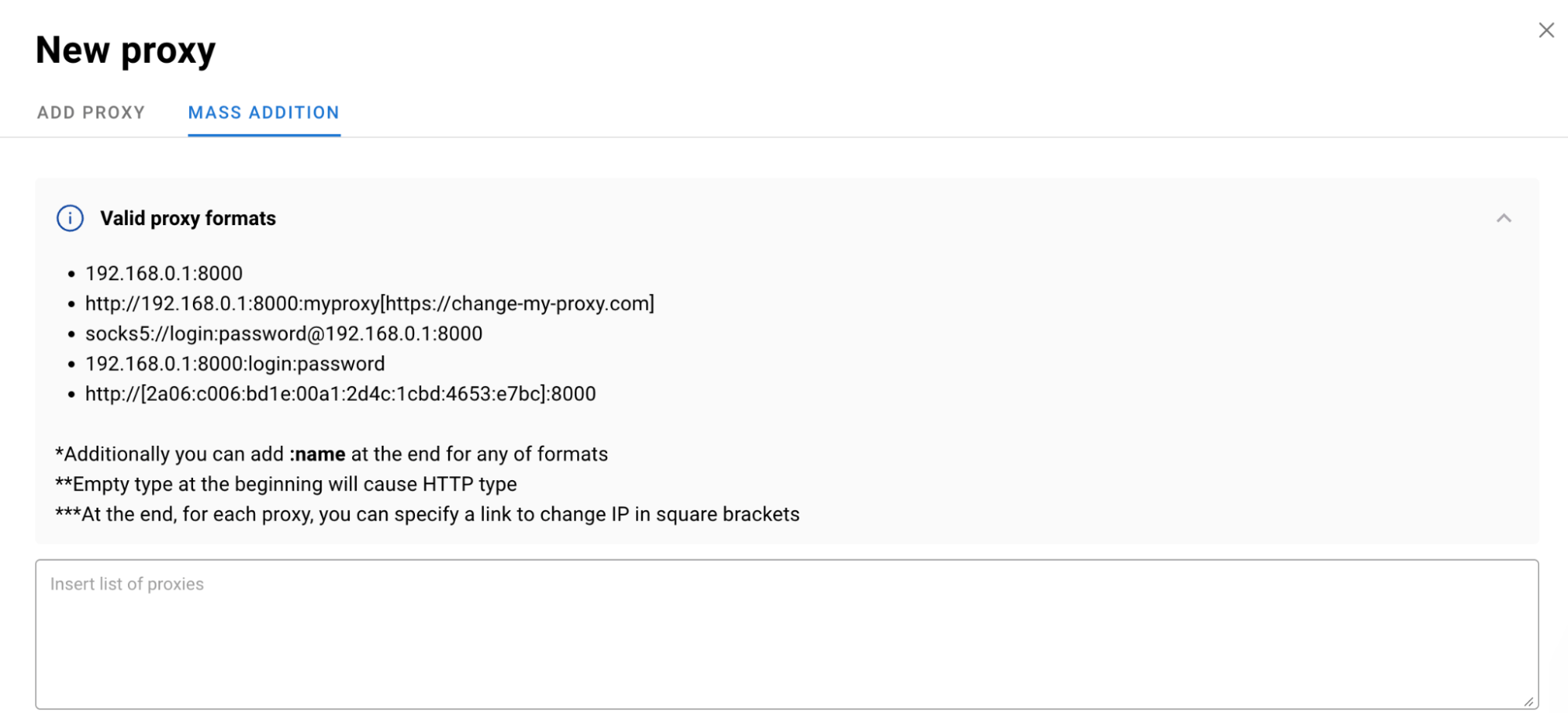
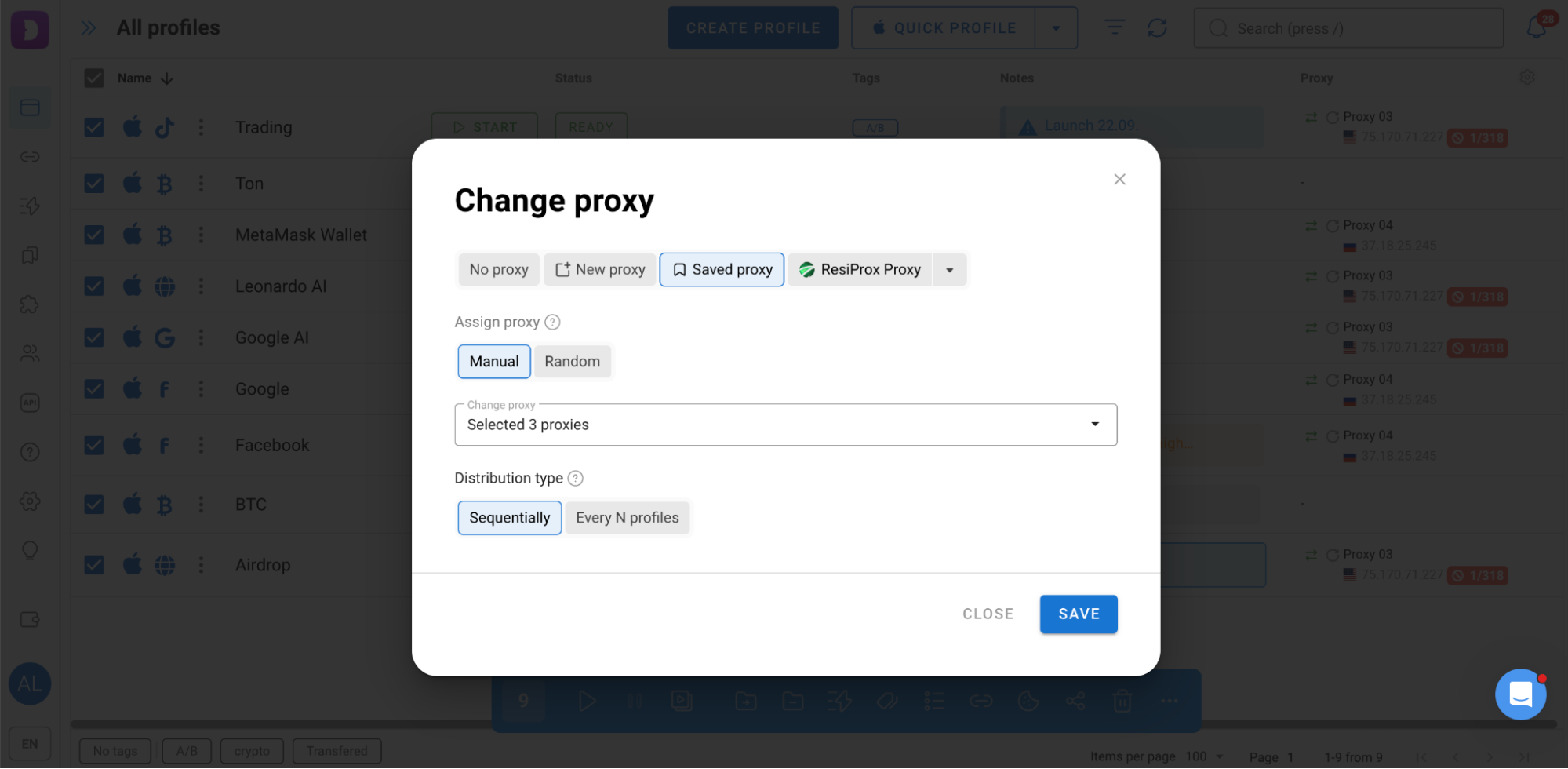
Proxies can also be assigned to multiple profiles at once. Select the profiles you need, click Change Proxy in the bulk actions toolbar and choose how the proxies should be distributed: manually or randomly, either sequentially or to every Nth profile.
Once a proxy has been assigned, it appears in the profile list. From there, you can also check the connection or rotate the IP address.
Automation
Dolphin Anty offers several tools for automating routine tasks.
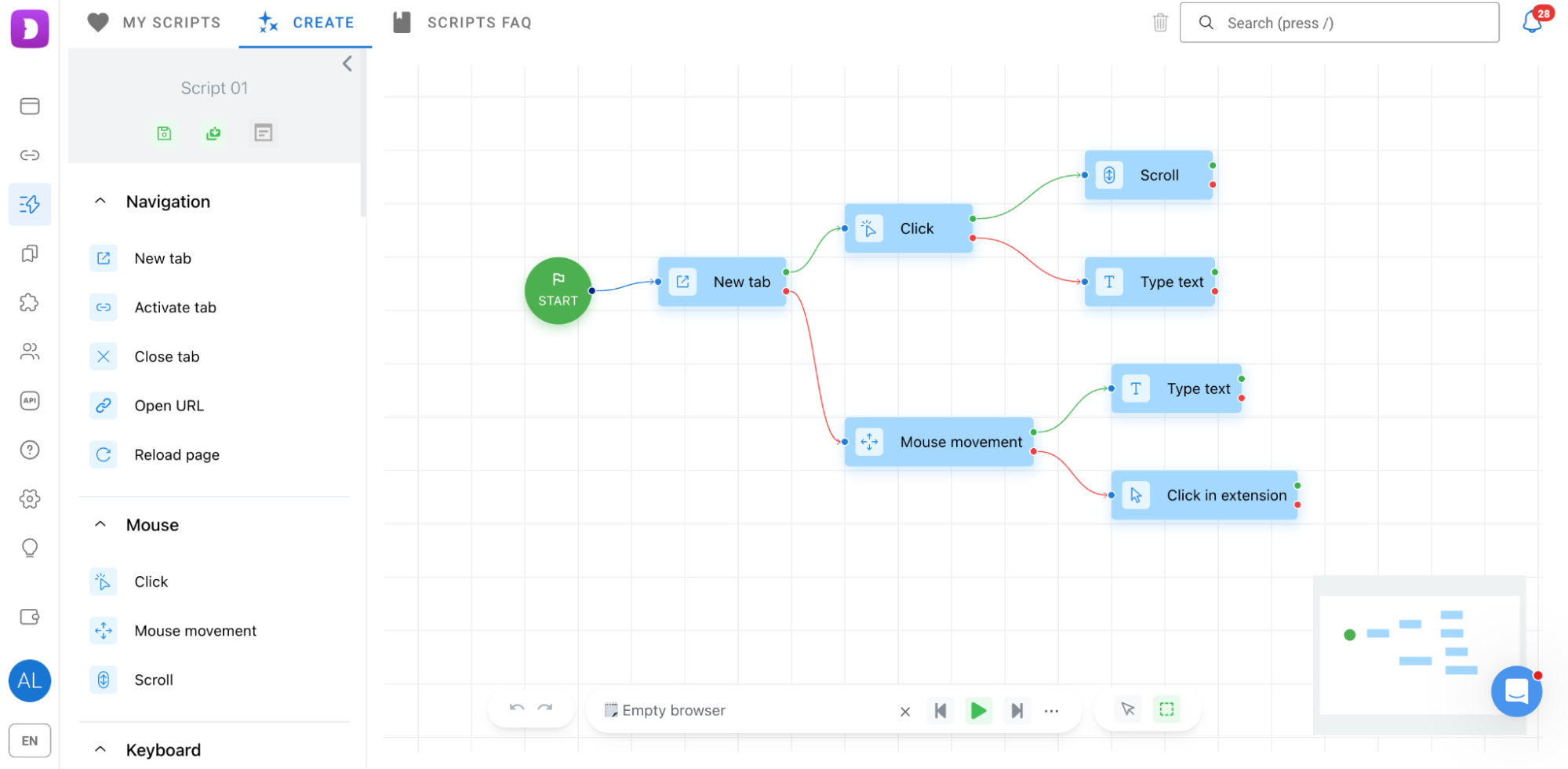
Scenarios let you create sequences of actions and run them on profiles. Each scenario is built on an interactive map.
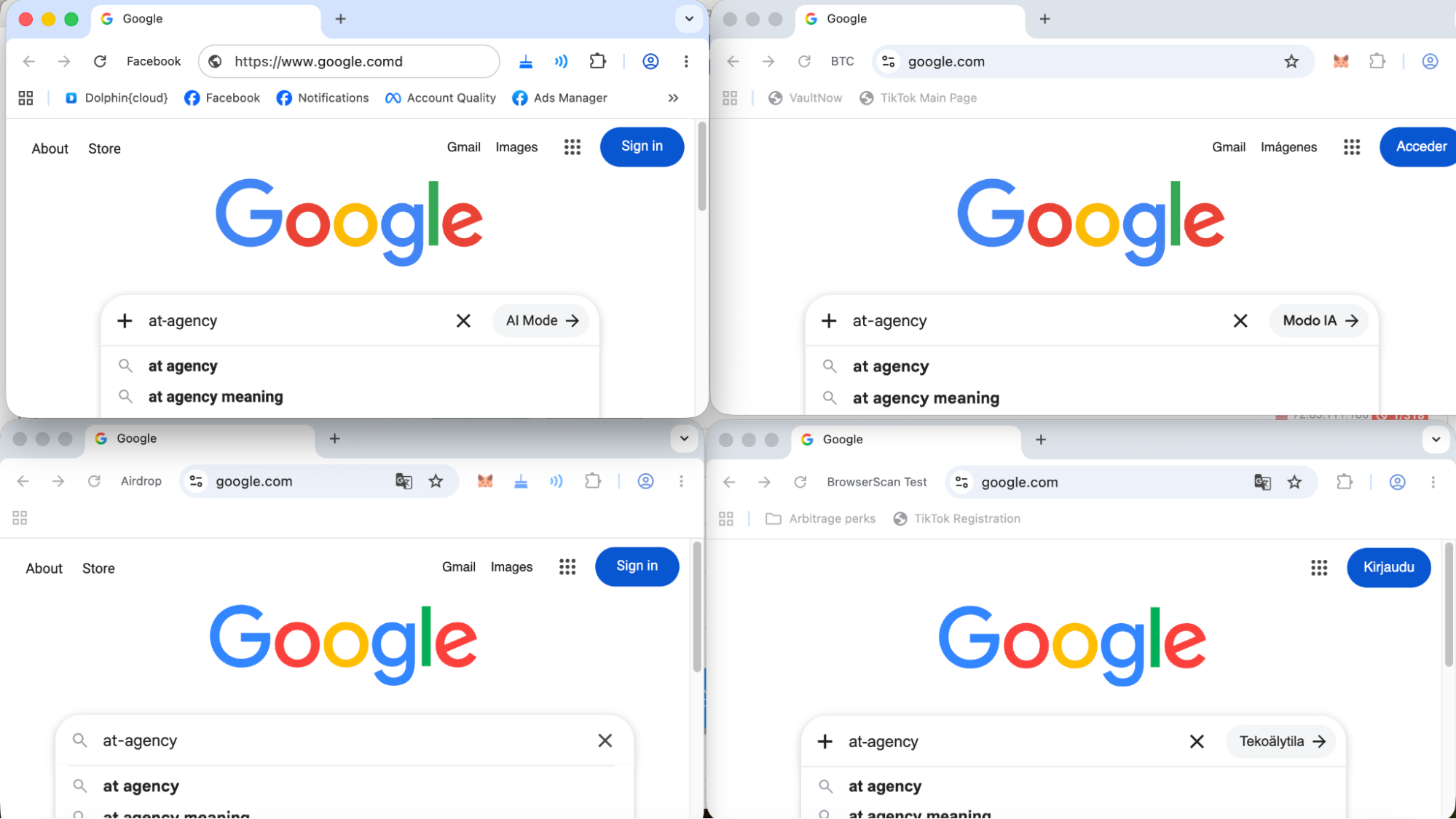
Synchronizer is designed to perform the same actions simultaneously across multiple browser profiles. Select the profiles you need, choose the main profile and launch the synchronization through the bulk actions menu.
Cookie Robot automates cookie collection for account warming. It can run without loading images and work in the background.
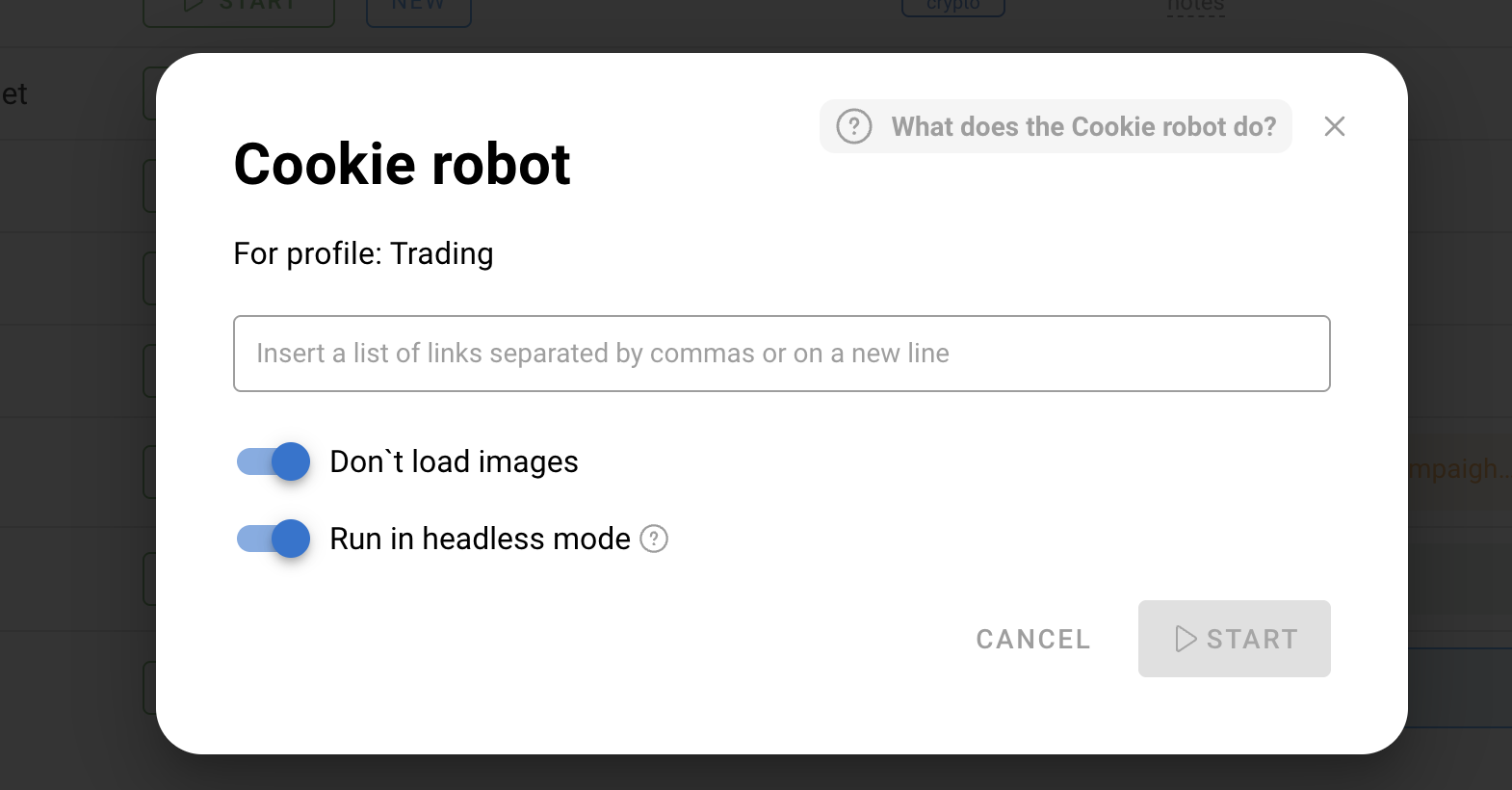
Dolphin Anty also supports Selenium, Puppeteer and Playwright.
Team Collaboration
Dolphin Anty has three main roles for team work: Administrator, Team Leader and User.
The Administrator manages the workspace, users and access permissions. The Team Leader works with the users and profiles assigned to them, while a regular User can access their own profiles and any shared profiles within the permissions they have been granted.
Profiles can be shared or transferred to other team members. When a profile is shared, it remains with the owner while another team member receives permission to perform specific actions. When a profile is transferred, full ownership is passed to the other user.
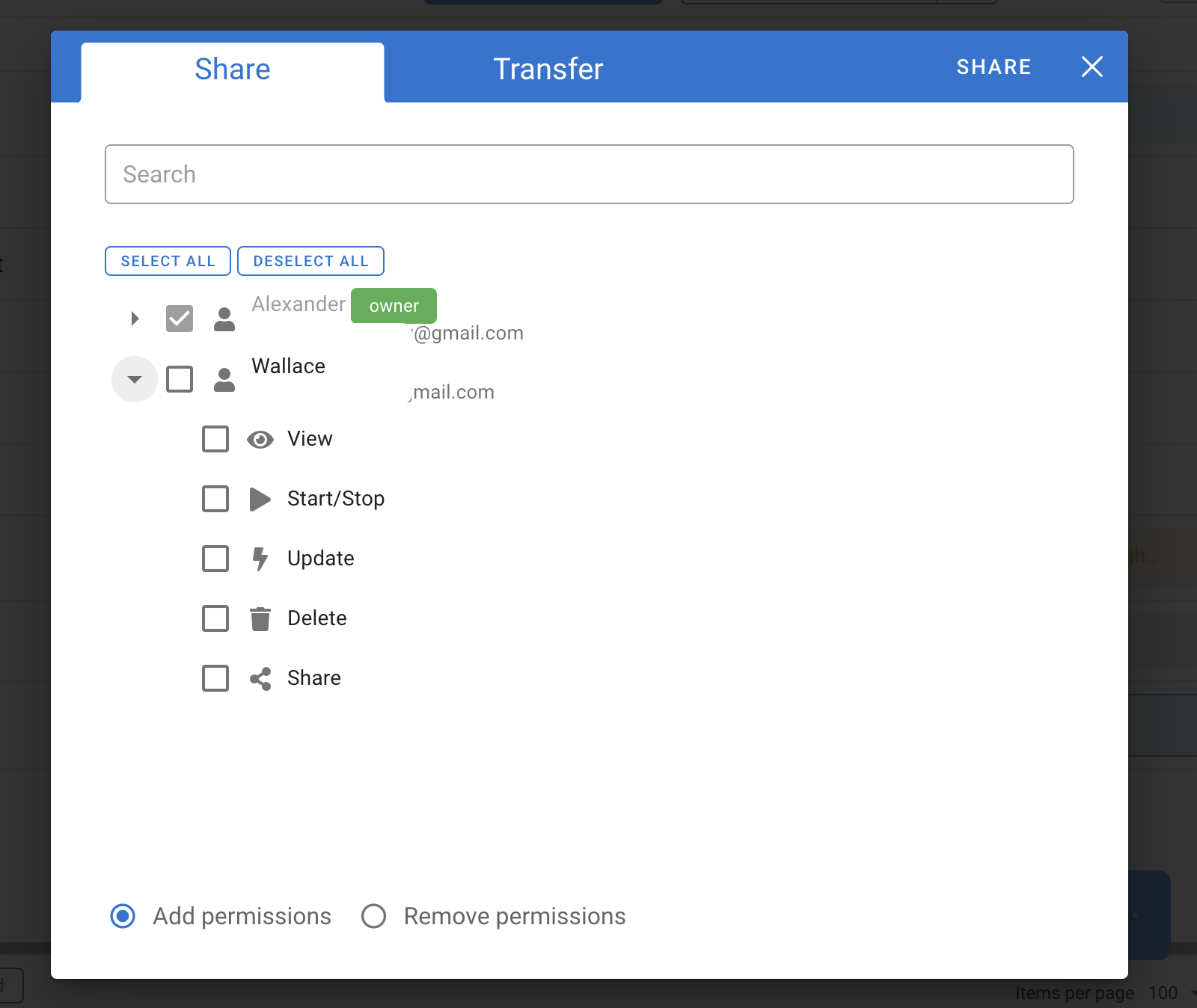
This setup makes it easier to split responsibilities within a team. For example, one team member can create and prepare profiles, while another handles the accounts themselves.
Dolphin Anty Pricing
Dolphin Anty offers several pricing options:
| Plan | Price | Profiles | Best for |
|---|---|---|---|
| Free | $0/month | Up to 5 | Trying out the service or managing a small number of accounts |
| Starter | From $10/month | 20 (up to 60) | Individual media buyers and affiliates |
| Base | $89/month | Up to 100 | Larger workloads and small teams |
| Team | $159/month | Up to 300 | Teams managing a larger number of accounts |
| Enterprise | $299/month | 1,000+ | Large-scale operations with high profile volumes |
There is also a Custom plan for projects that need higher limits than the standard plans provide.
Conclusion
Dolphin Anty covers the key tasks related to multi-accounting: creating isolated profiles, configuring digital fingerprints, connecting proxies, organizing accounts, and automating repetitive actions. In other words, it’s a good fit for those who want all the necessary tools in one interface. Floppydata proxies, in turn, help you connect from the required geo.