Whether you are an individual, manager, or business owner, who wants to access the Belgium market, you need local IPs. For many, getting a high-quality Belgium proxy is a strategic business move.
A Belgium IP offers a secure method to access platforms that usually block connections originating from foreign locations. Digital marketers may also leverage them to access local market data as would be displayed to someone from the region.
More so, if you want to unblock Belgium sites, you may need to get a corresponding digital identity. For example, you may want to watch local Belgium shows that are not available to international users. You can sit in the comfort of your home, connect to Belgium proxies, and you are transported to another side of the world.
While we have highlighted the usefulness of these servers, the question of how to get Belgium IP addresses remains a concern.
Not to worry, this guide is here to provide a simple and clear solution to getting Belgium servers in different regions.
Let us get started!
Where to get High-quality Belgium IP Address
Choosing the right provider is a crucial step to getting a Belgium IP. With the expansion of the proxy market, there are various providers. Some of the factors to consider include pricing, coverage, and reputation for seamless operations.
Floppydata is a reputable provider with over 65 million IP addresses across 195+ countries including Belgium. In addition, they offer city-level targeting, which is crucial for various local SEO tasks.
Floppydata offers various proxy types including residential, datacenter and mobile proxies. They are associated with clean IPs that have low Fraud Scores, and are trusted by websites.
Some of the perks of using Floppydata Belgium IPs are excellent performance in bypassing geo-restrictions. They also offer high-level anonymity and security, which is very useful for those attempting to mask their digital footprint.
How to Get Belgium IP Address
In this section, we will cover how to get Belgium IP addresses from Floppydata dashboard
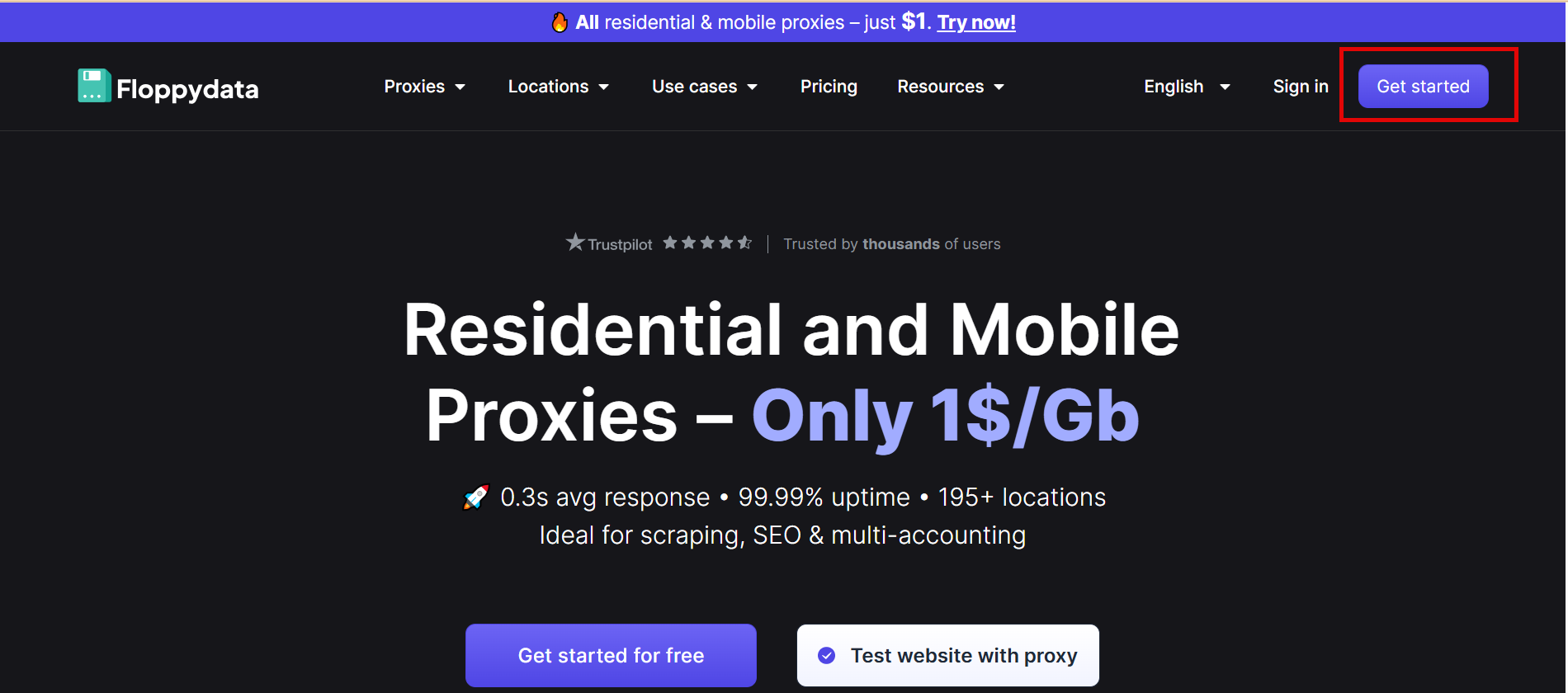
- Visit Floppydata website and create an account

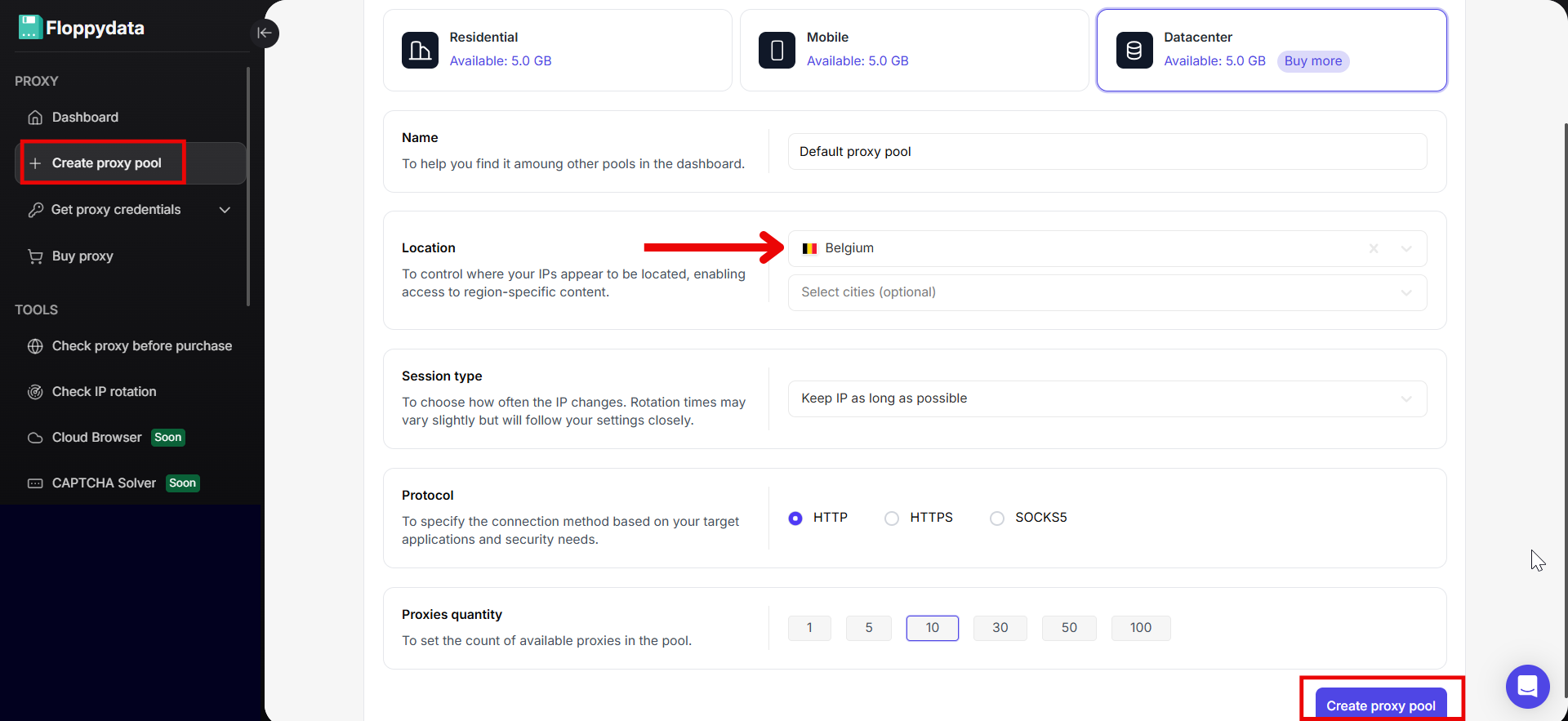
- On the left side of the dashboard, click “Create proxy pool”
- On the window that appears:
- Select “Proxy Type”
- Enter “Name”
- Set “Location” to Belgium
- Choose “Session type”
- Select “Protocol”
- Choose “Proxies quantity” from the options provided
Then click on the “Create proxy pool” button
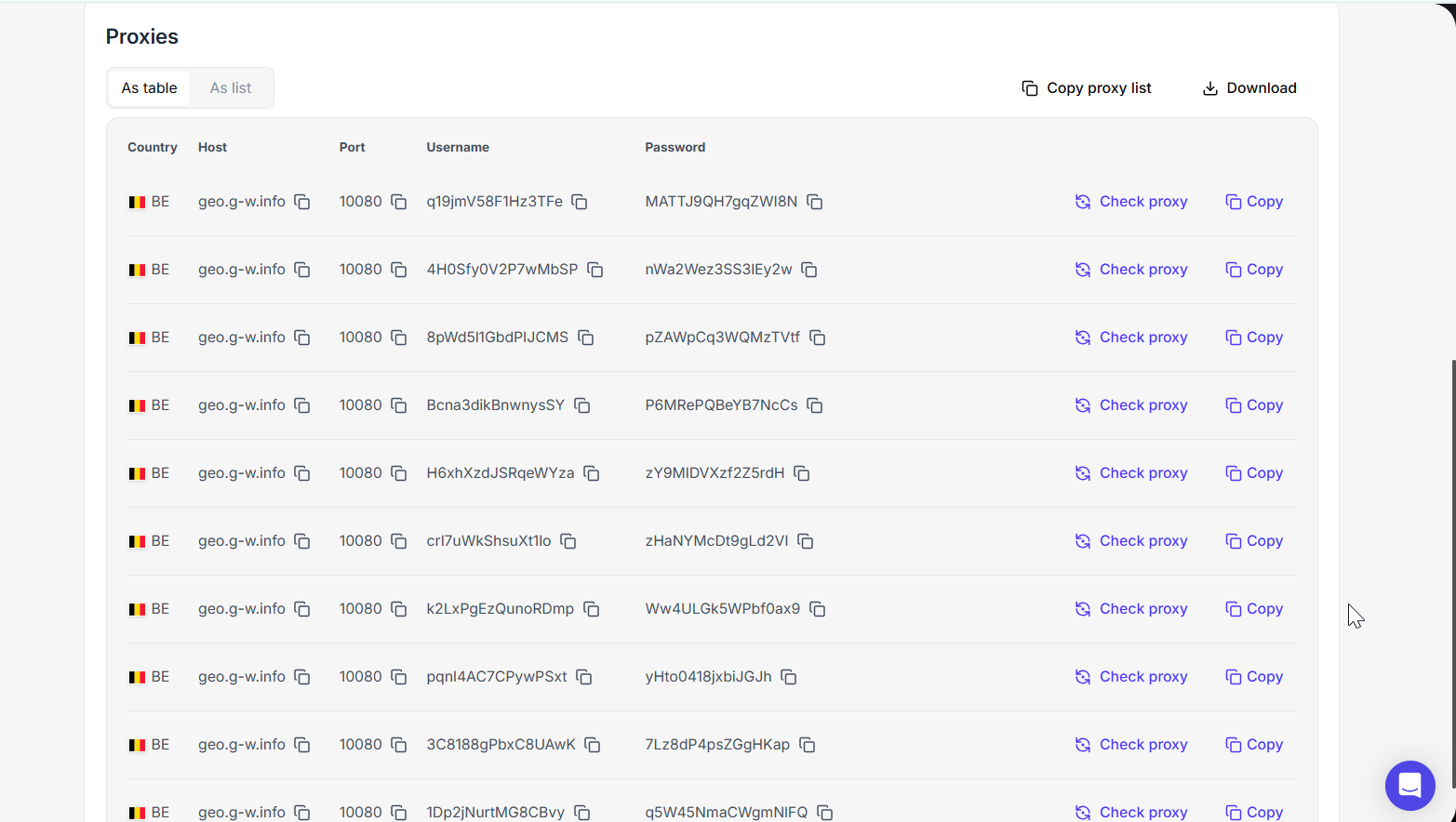
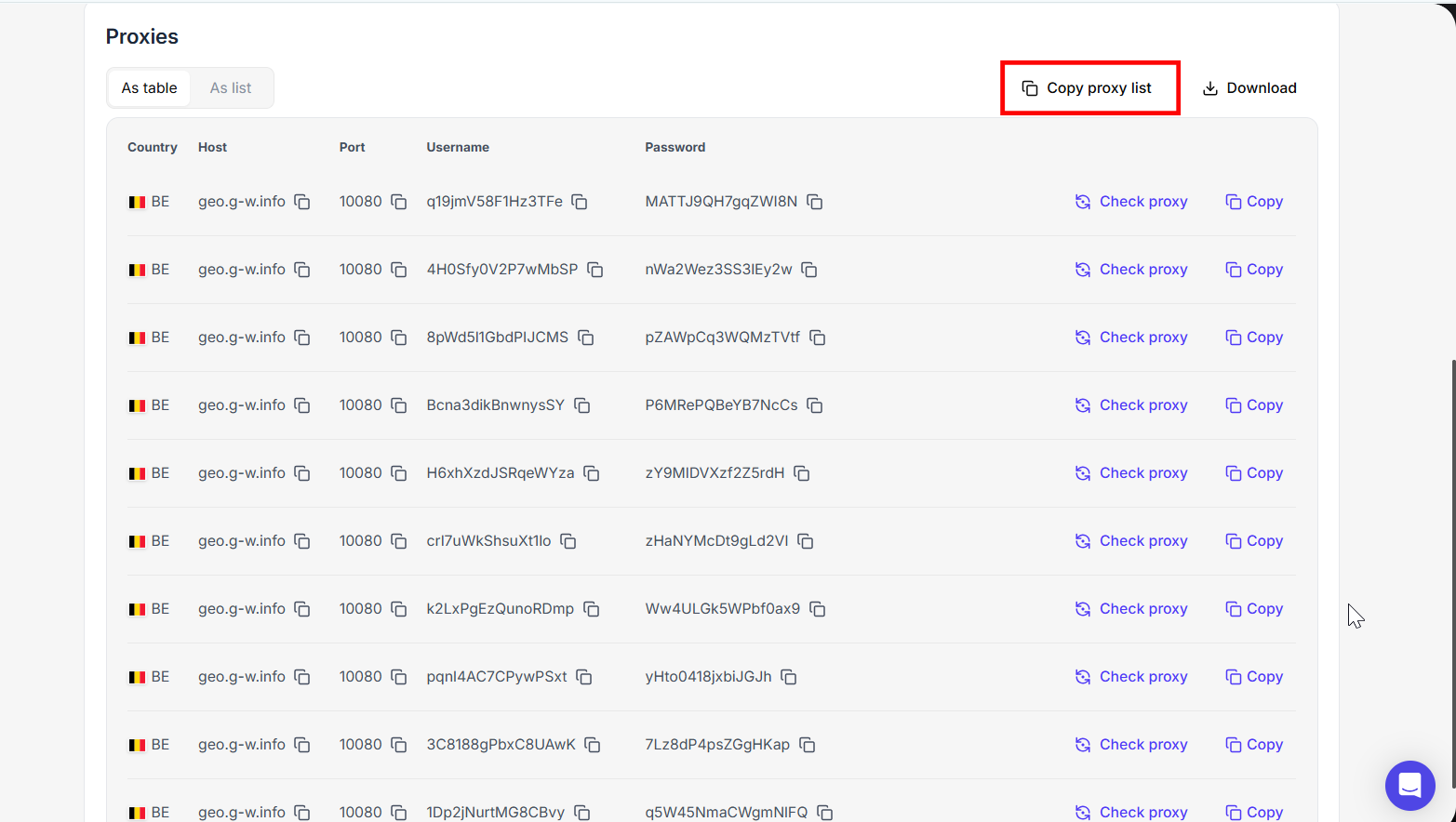
- Congratulations, you have successfully gotten your high-quality Belgium IPs. Your proxy list should look like this:

Now that you have got the IPs, let us learn how to use them
How to Use Floppydata’s Belgium IP Addresses
Once you have gotten your Belgium IPs, there are two options to use them, depending on the specific use case.
You can add the proxy details directly to your browser. Alternatively, you can integrate them into anti-detect browsers for better anonymity. Floppydata IP configuration is very flexible and works well with different anti-detect tools.
Option 1: Use Belgium IP Address on a Browser
Regular browsers like Google Chrome, Safari, FireFox, and others support proxy integration. However, for the sake of this guide, we will consider how to integrate these Belgium IPs into Google Chrome for secure browsing.
Before going over to your Chrome settings, it is necessary to get your proxy list from Floppydata’s dashboard. The required details often include:
- Host address
- Port
- Username
- Password.
Floppydata has a simple design that makes it easy for beginners to navigate. You can find these proxy details organized in a list so you can simply click the “copy” button in front of them.
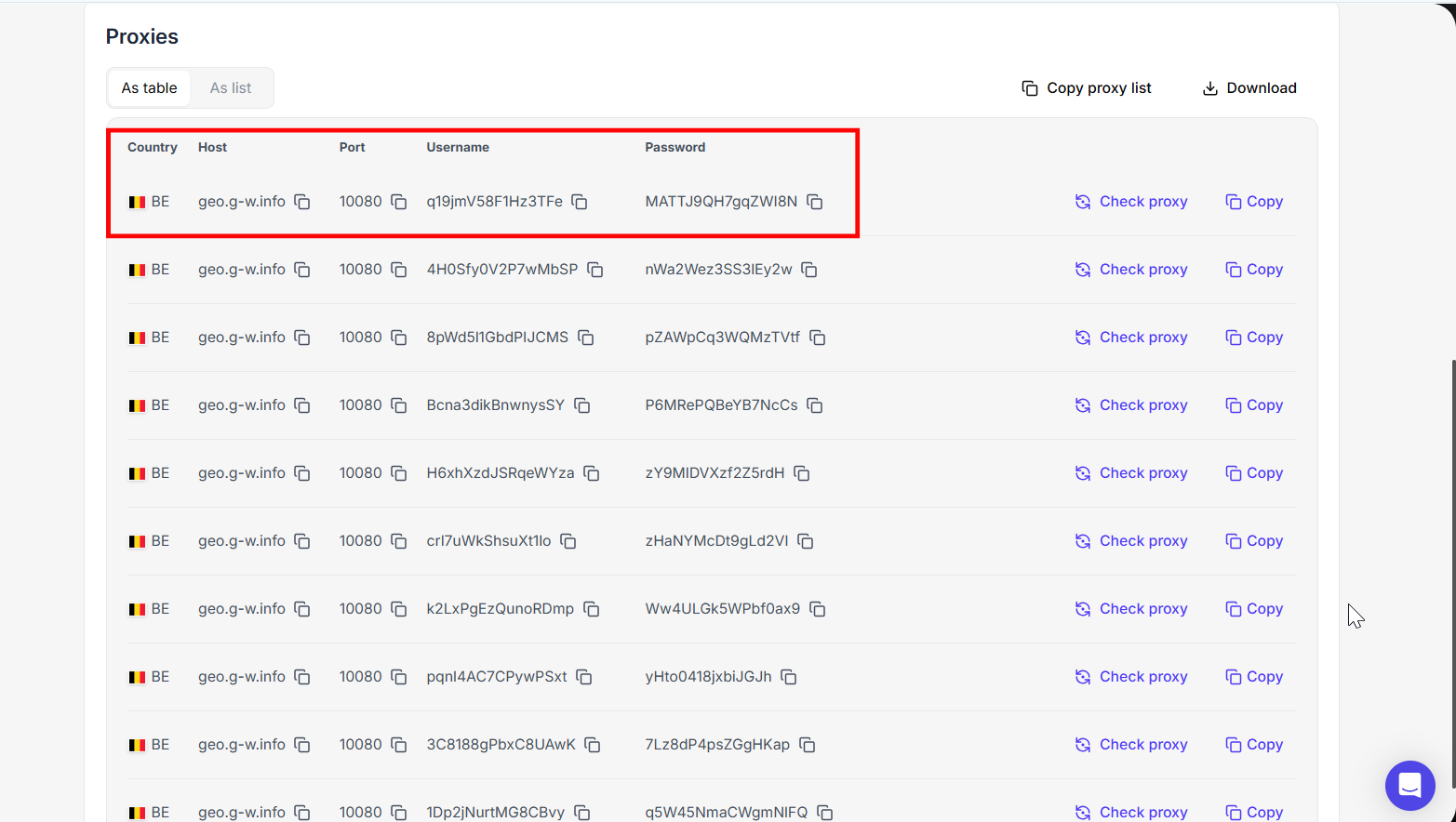
Now, we can head over to the Chrome browser and get started:
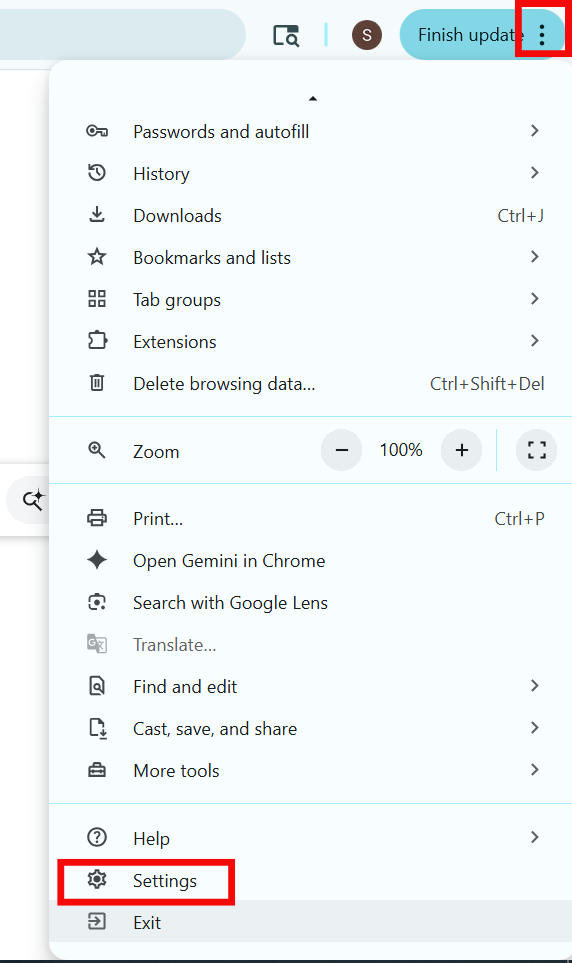
Step 1: Click on the three vertical dots on the right corner of the browser and select “Settings”
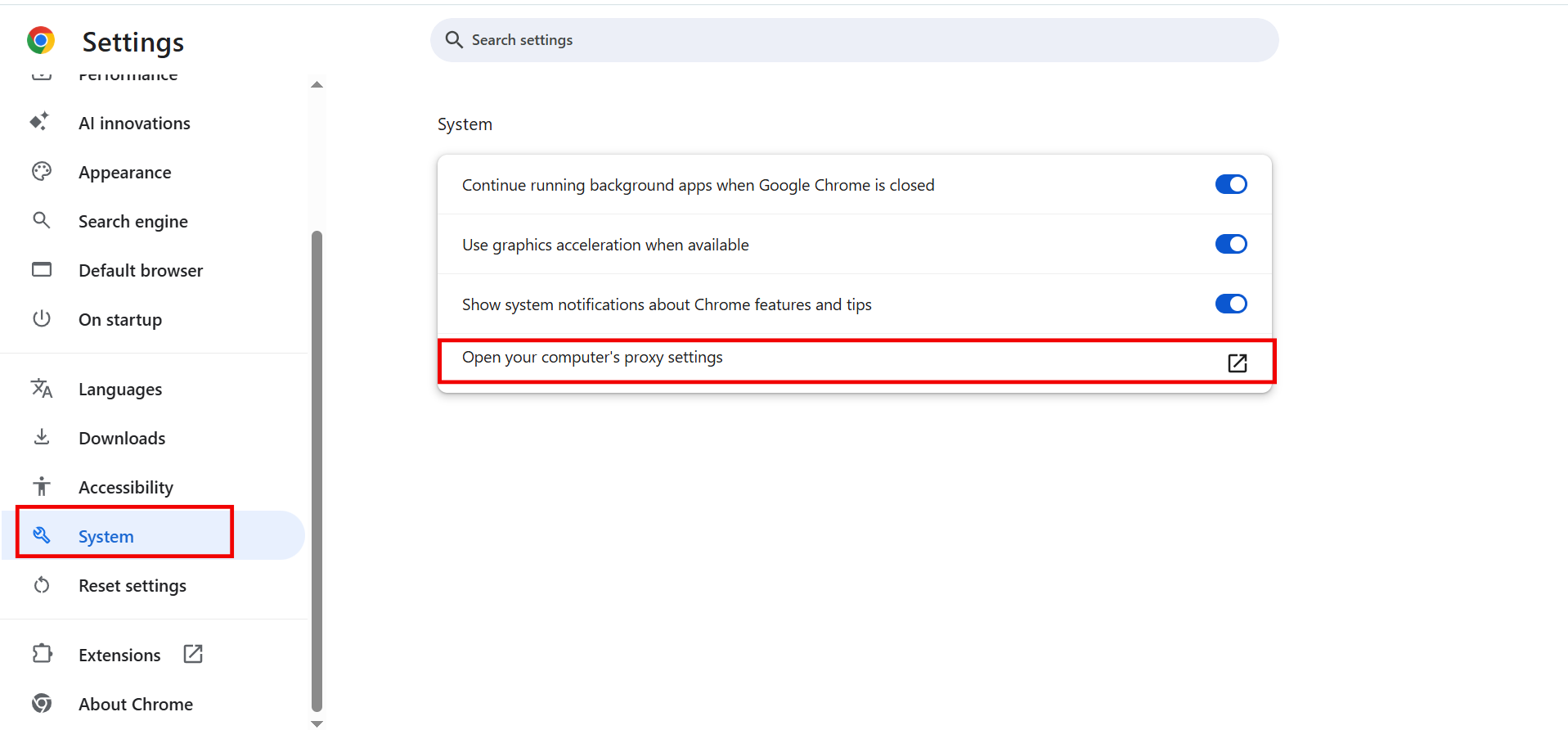
Step 2: On the new window, scroll select “Systems” and click on the “Open your computer’s proxy settings” option.
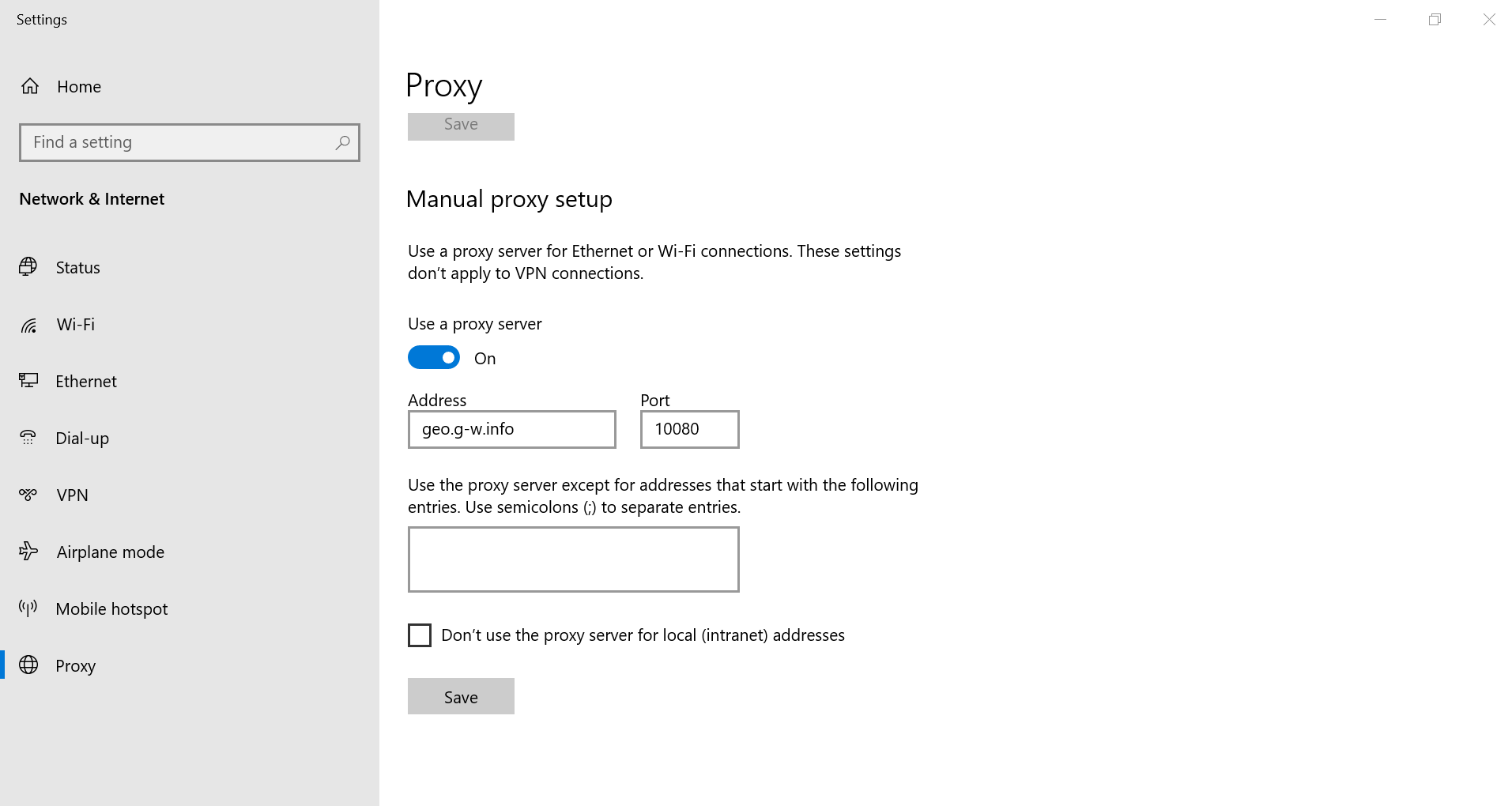
Step 3: This will take you to your computer’s proxy settings. Navigate to the “Manual proxy setup” option and select “Set up”
Step 4: Turn the “Use a proxy server” toggle on. Then, paste the proxy details and click “Save” when done.
Step 5: Restart your Chrome browser. You’ll be prompted to enter the proxy authentication details – username and password from Floppydata’s dashboard.
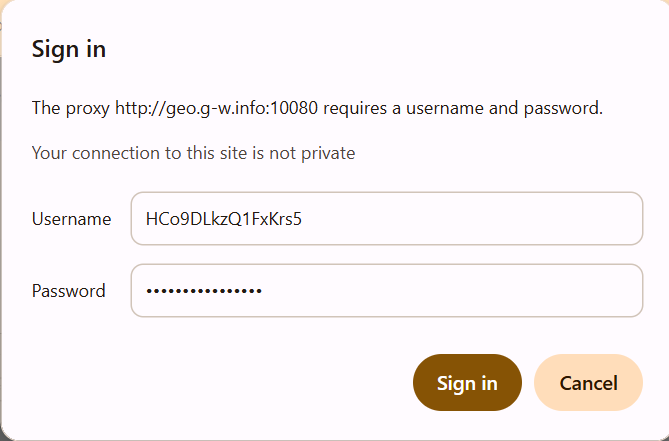
Once you click “Sign in,” your Chrome Browser will start working with the Belgium IP.
Option 2: Use Belgium IP Address with Anti-detect Browsers
The second option is to use an anti-detect browser. These browsers are especially useful for those who manage multiple accounts on social media or ecommerce platforms. Unlike the traditional browser that can only accommodate one proxy, anti-detect browsers allow you to customize each profile with a unique IP address. Subsequently, this creates a distinct digital environment for each of the browser profiles.
Our top choice for anti-detect browser is Gologin. It is very similar to the traditional Chrome browser, easy to use, and comes with advanced fingerprint customization options.
Here’s how to use Floppydata’s Belgium IPs with Gologin:
- First, return to Floppydata’s dashboard to copy the proxy list.
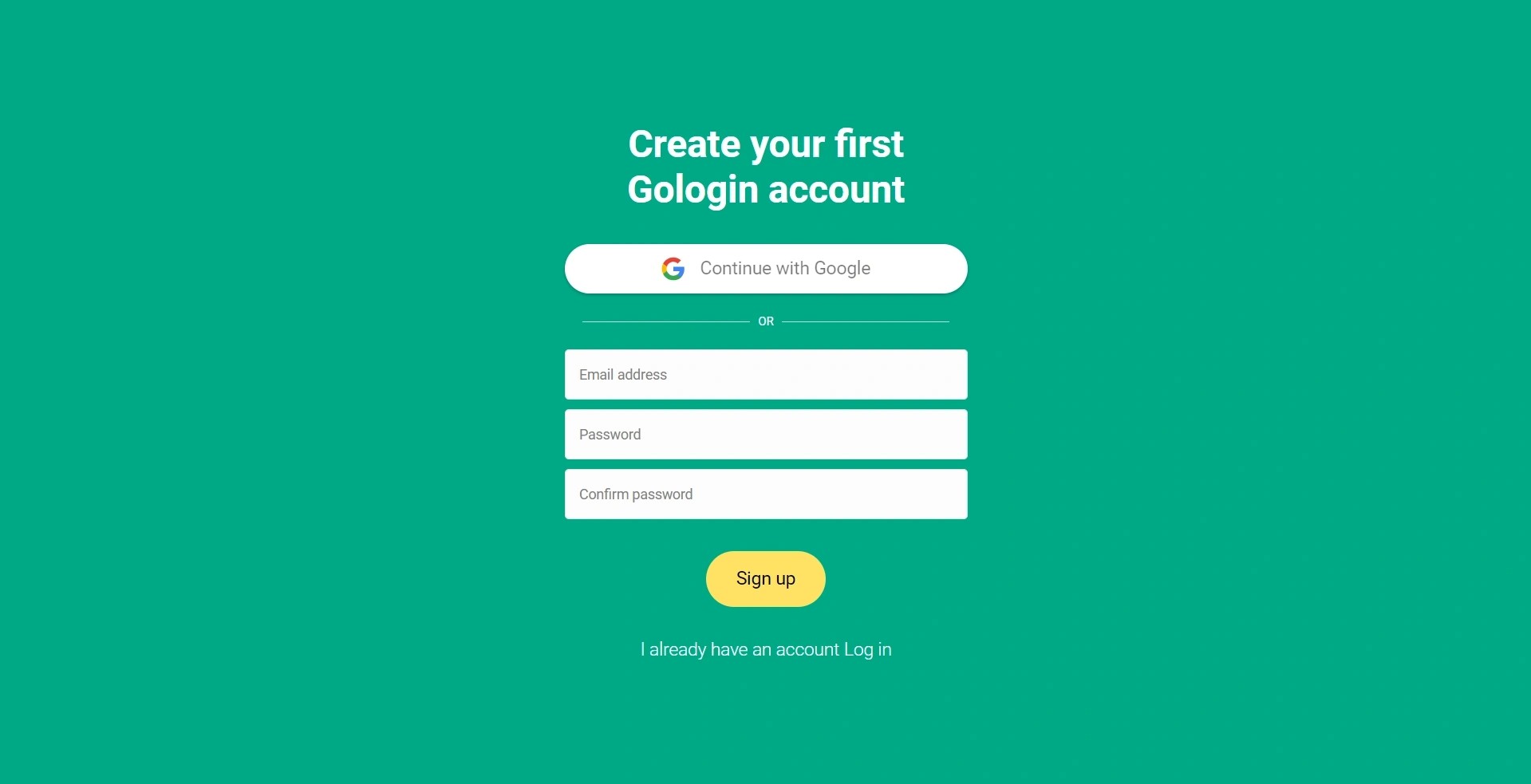
- Visit Gologin, download it, and create your account.

- On the Gologin dashboard, click on the menu icon and select “Proxies”
- Click “Import proxies” on the left corner and paste your Floppydata proxies.
- Once you click on the green “+ Import proxies” button, Gologin will automatically validate your proxies.
- The next step is to create profiles on Gologin. On the dashboard, click on “Add profile”
- Under the “Proxy tab”, give your profile a name, select “Your proxy” instead of “Gologin proxy”, so you can choose a proxy from your saved Floppydata list.
- Once you are done with other customization options, click on “Create profile”
- On the homepage, all profiles created will appear on a list. Click on “Run” in front of the profile you want to launch.
Testing Proxy Connection
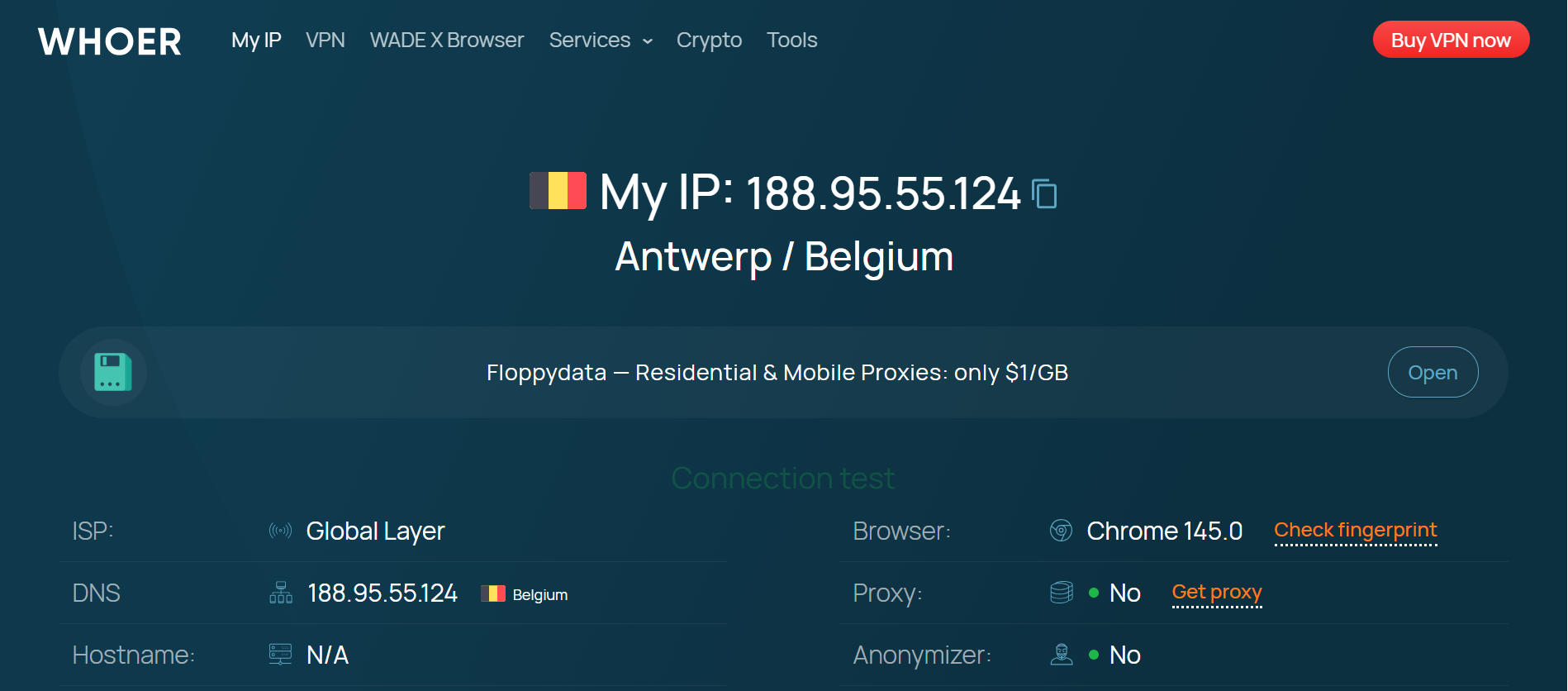
Before using the Chrome browser or running a profile via Gologin, it is necessary to verify proxy connection. Online checkers like whoer can display your IP address and location. If these details match those you got from Floppydata, then you’re good to go.
Conclusion
Getting a clean Belgium IP address that gives you access to local content is quite easy. What you need is a reputable provider like Floppydata that offers high-quality IPs. Simply go to Floppydata’s dashboard, copy the proxy information and paste it on your regular or anti-detect browser settings.
FAQ
Why would I need a Belgium IP address?
A Belgium IP lets you access Belgium-only websites, view local content and ads, test region-specific services, and appear as a local user from Belgium online.
How can I get a Belgium IP without a VPN?
ou can use a proxy service with Belgium-based IPs (residential, mobile, or ISP) to route traffic through Belgium and appear to websites as a Belgium visitor.
What proxy types work best for a Belgium IP?
Residential and mobile proxies from Floppydata give the most natural Belgium IPs, reducing blocks. ISP proxies offer stable dedicated IPs, while datacenter ones are cheaper but easier to flag.