4Chan bans can be quite frustrating. There are several reasons why you may be banned from 4Chan. But you can still bypass 4Chan bans with a reliable method – proxies. It helps you bypass the 16Chan IP ban in South Korea and other restricted regions.
Where to Get Proxies to Bypass 16chan or 4chan IP Ban
Understanding where to get good quality proxies is crucial to maintain access to the platform. Floppydata is a trusted proxy service provider that focuses on customer satisfaction. Here are some of their key features:
- Large IP pool size of more than 65 million servers
- Global coverage extending to over 195 countries
- Advanced geo-targeting at country, state, city, and ISP levels
- Excellent performance with an average response time < 0.3s
- Lightning-fast speeds for minimal latency
- Flexible pay-as-you-go payment model with bandwidth rollover
How to Get 16chan or 4chan Proxies on Floppydata
Floppydata stands out for its simplicity and clean interface. Follow the steps below to get proxies to bypass 16chan or 4chan IP Ban:
- Go to Floppydata and create an account (if you are a new user)

- On the dashboard, click on “create a proxy pool”
- Choose your proxy type and fill in other details. Choose your preferred location
- Click the “create a proxy pool” button at the lower end of the dashboard
- You will get a list of clean, fresh, and high-performance proxies
Congratulations on getting your IPs. The next step is understanding where to use them to effectively bypass 16chan or 4chan IP Ban.
Where to Use the New IP Addresses
In this section, we will explore where you can integrate these new IP addresses to bypass 16chan or 4chan IP Ban.
Option 1: Use a Browser
The first option is to use the proxies in your browser. For the sake of this guide, I will show you how to configure Floppydata proxies in your Chrome browser.
Step 1: On your Floppydata dashboard, click on “Copy” in front of your preferred proxy details.
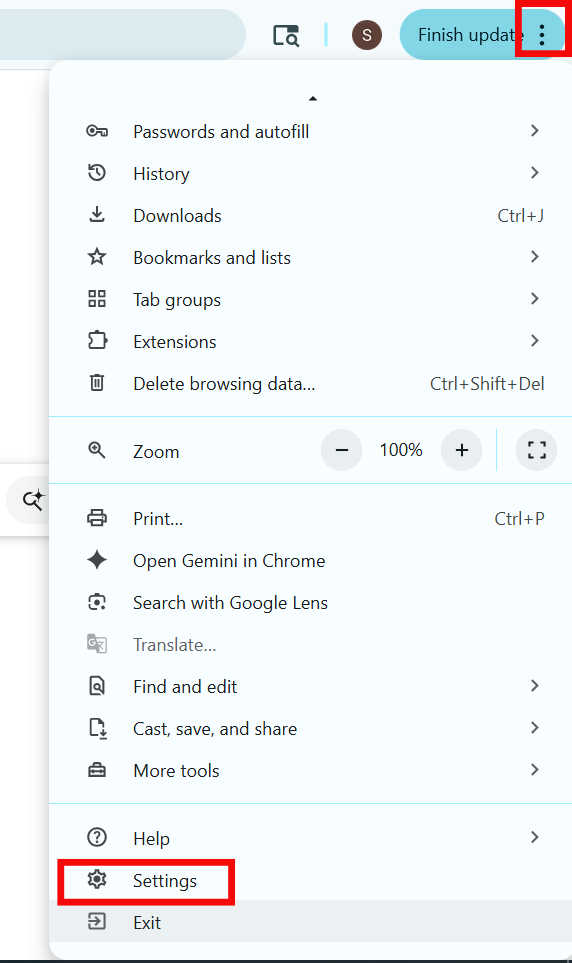
Step 2: Go to your Chrome browser and click on the three dots in the top right corner. Scroll down and select “Settings”
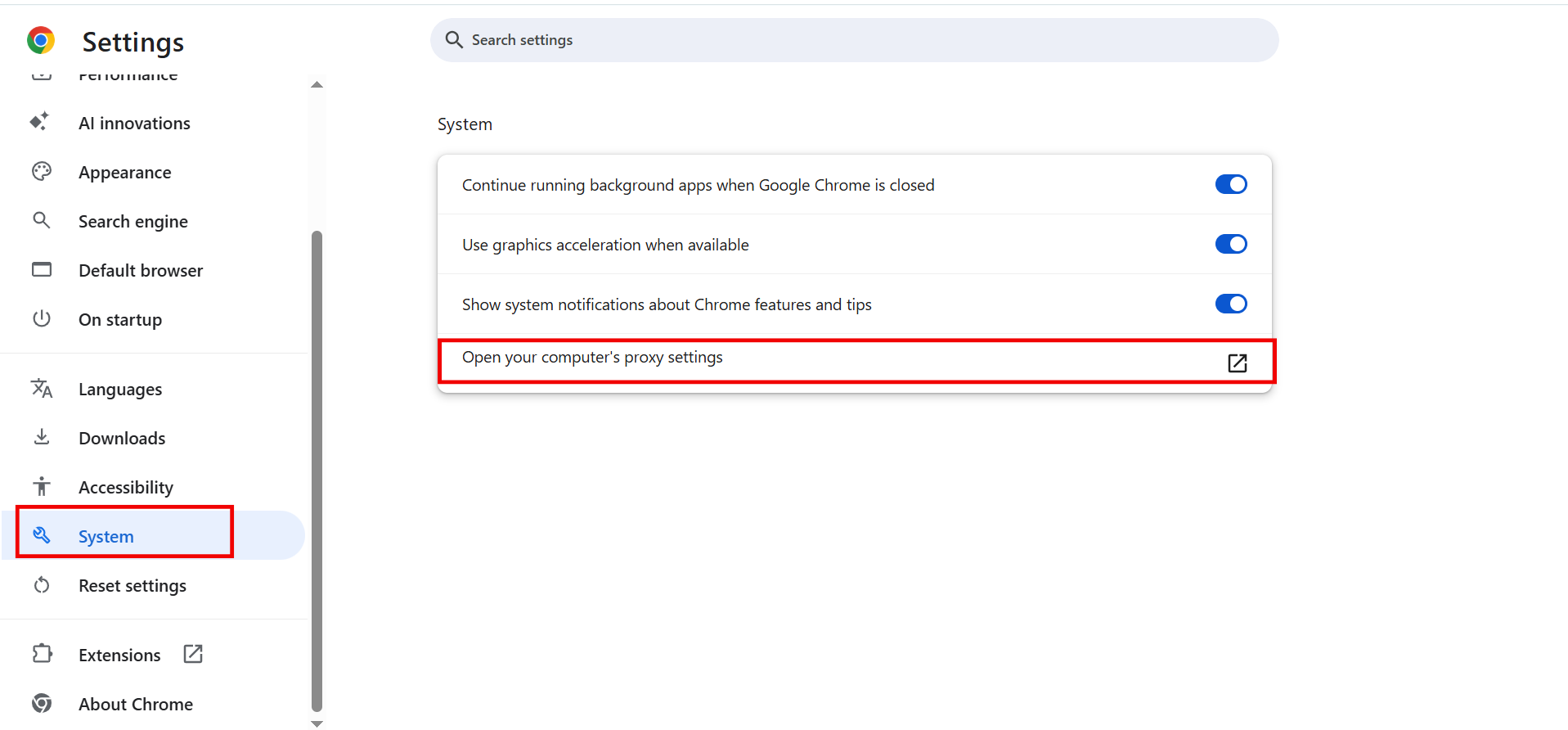
Step 3: On the left side of the dashboard, click on “System” and select “Open your computer’s proxy settings” from the options that appear on the window
Step 4: On the proxy settings page, go to “Manual proxy setup”.
Step 5: This opens a pop-up window to “Edit Proxy Server.” On this page:
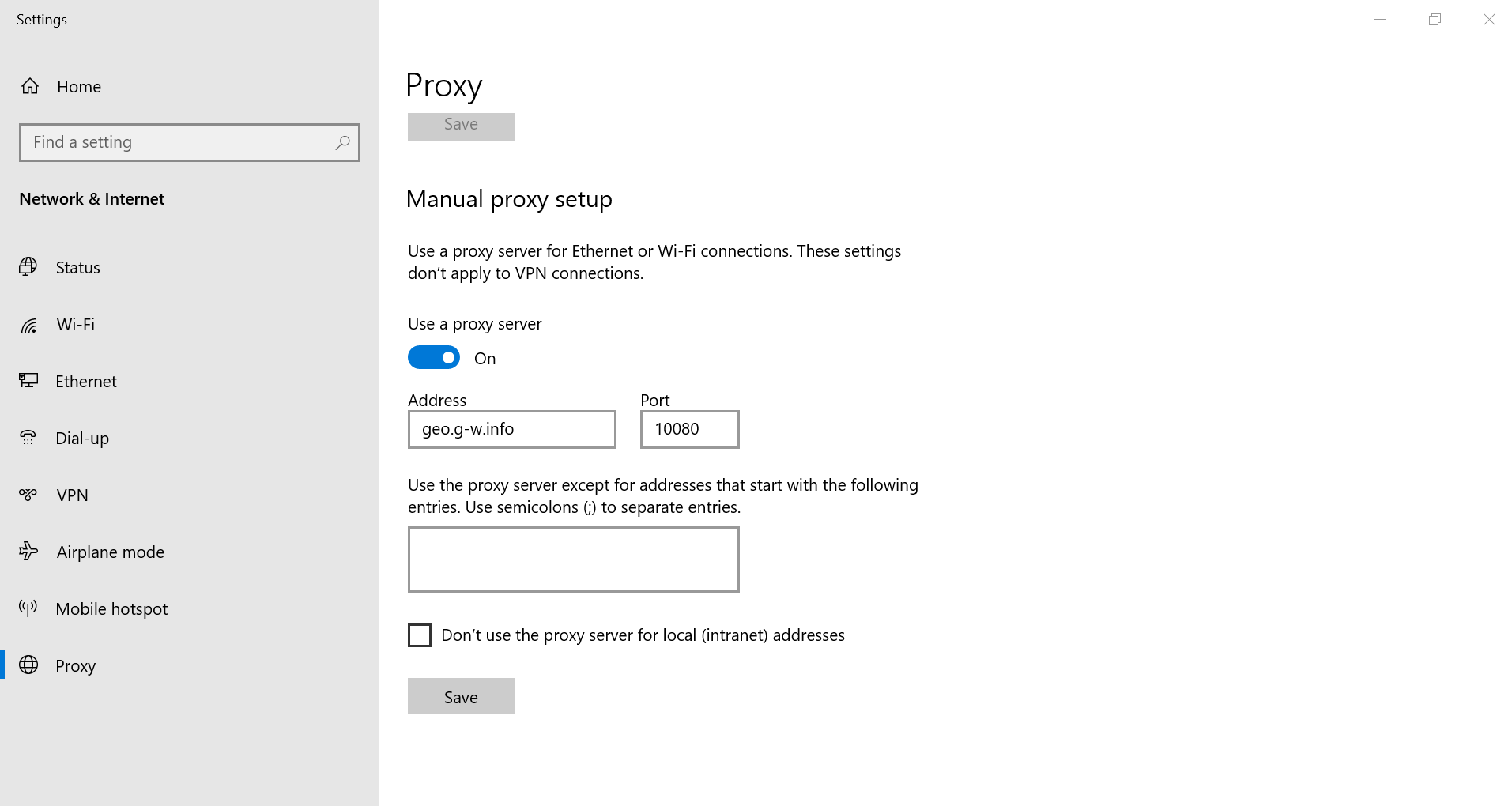
- Toggle on “Use a Proxy Server”
- Add the “Proxy IP Address”
- Enter the “Port” number
- If you don’t want to use the proxy server for certain websites, indicate them in the box “Use proxy server except for addresses that start with the following entries”
- Click on “Save” at the bottom of the pop-up window
Go back to Chrome; Here you will be prompted to enter the “username” and “password” to authenticate access to the server. Go to Floppydata dashboard and copy the details.
Once you sign in to Chrome with the authentication details, you can now securely access 4chan.
Option 2: Use Floppydata with Anti-detect Browser
Anti-detect browsers allow you to modify your device fingerprint parameters for optimal privacy. We recommend using Gologin because it has a clean and simple interface as well as is quite affordable. In addition, it is quite similar to a regular browser.
So, a proxy IP from Floppydata with Gologin ensures high-level anonymity, security, and privacy. Here is how to use Floppydata’s IPs with Gologin:
Step 1: On your Floppydata dashboard, select “Copy proxy list”
Step 2: Go to Gologin, download and install the browser on your device. Then create your account and log in
Step 3: On the Gologin dashboard, click on the three vertical menu lines at the top right corner and select “Proxies”
Step 4: Click “Import proxies” in the top left corner and paste your proxy list
Step 5: Once you click on the green “+ Import proxies” button, Gologin will automatically validate them, and your proxy list is ready to be used.
Step 6: Now, you can create a browser profile. Click “Add Profile” on Gologin dashboard
Step 7: Under the “Proxy” tab, give your profile a name, select “Your proxy” instead of “Gologin proxy”, so you can choose a proxy from your saved Floppydata list.
Step 8: Select the “Create profile” button, and your profile is now created.
Step 9: Click the green “Run” button, and a browser window will open.
Congratulations, you can now access 4chan anonymously!
How to check that it works
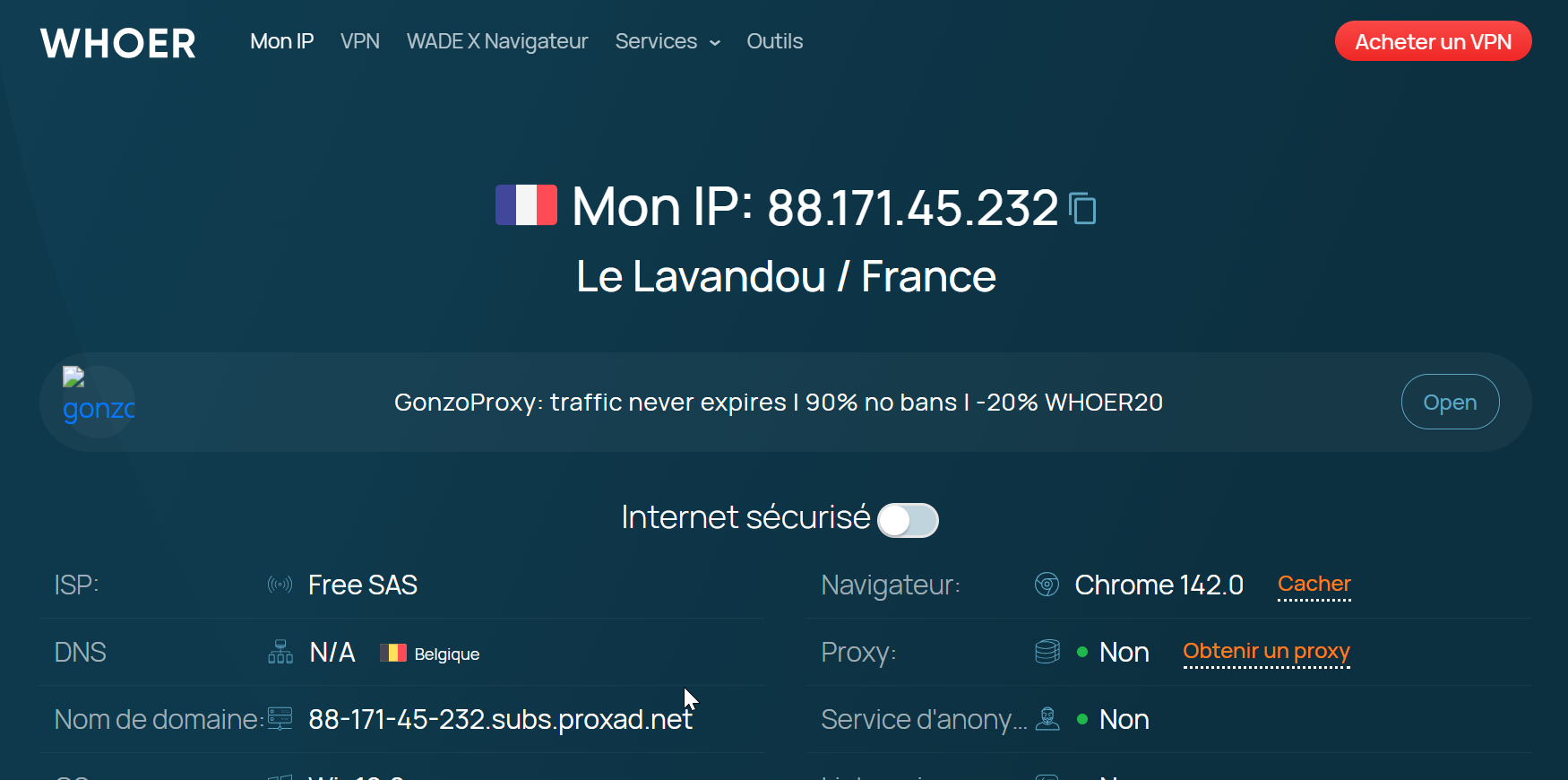
It is necessary to verify the status of your proxy IPs before connecting to 4chan. You can do this by visiting Whoer.net or whatismyipaddress.com to get the details of your network connection. The displayed IP address and location should match the proxy details copied by Floppydata’s dashboard
Final Thoughts
Are you ready to bypass the 4chan ban and enjoy your usual activities on 4chan? With the steps in this guide, you can switch your IP address for optimized anonymity, bypass geo-restrictions, and reduce the chances of being blocked.
Try out Floppydata for $1 today!
FAQ
What is an IP ban on 16chan or 4chan?
An IP ban stops your current IP from accessing a site or board after violating rules, posting restricted content, or triggering anti-abuse filters. You won’t be able to load pages from that IP.
How can I bypass a 16chan or 4chan IP ban?
Use a proxy or a VPN to change your apparent IP address. Residential or mobile proxies make you appear as a new user from a different IP and can help regain access.
What should I consider when bypassing these bans?
Be aware of site rules - evading bans can violate terms. Choose reputable proxies, avoid disruptive behavior, and respect community standards to reduce repeat bans.