Infatica has built a nice reputation for itself, providing users with high-quality proxies that are reliable and ethically-sourced. But despite its many strengths, some users are pushed to explore other alternatives for two main reasons:
First, its excessive pricing, second, its technical complexity.
Others also complain that it’s so confusing that they constantly need to contact support for help on every little tweak! And although Infatica’s support is top-notch, speaking to them is not really what you want to spend your days doing.
In this guide, we’ll introduce you to 10 of the Infatica alternatives that solve most of these problems. Some are more affordable, some are more beginner-friendly, some guarantee simplicity and a self-service onboarding, and some even solve all these problems at once!
Let’s first review Infatica a bit more, then we’ll dive into its alternatives in detail.
TL;DR
| Provider | IP Pool Size | Locations | Fraud Score | Proxy Types | Targeting Options | Starting Price (Residential) | Best For |
| Floppydata | 65M+ residential + huge mobile/DC | 195+ locations | Very low (95% clean IPs + fraud check) | Residential, Mobile, ISP, Datacenter | Country, state, city, ASN | $1/GB | Best overall Infatica alternative for price, speed & ease of use |
| NetNut | 85M+ IPs | 100+ countries | Low on core pools | Residential (rotating & static), Mobile, Datacenter | Country, city | ~$1.87/GB (at large scale) | High-volume enterprises & data teams needing ISP-sourced stability |
| IPRoyal | 32M+ IPs | Global (60+ DC regions) | Mixed | Residential, ISP, Datacenter, Mobile | Country | ~$3.50/GB | Budget users & small/mid projects that want non-expiring traffic |
| Rayobyte | 40M+ IPs | Strong US focus + global | Low-medium | Datacenter, Residential, ISP (static & rotating), Mobile | Country, city | $0.90/GB | Infrastructure-heavy, server-based scraping that needs lots of subnets |
| Proxyrack | 2M+ IPs | 140+ countries | Low | Residential (multiple tiers), Datacenter, Mobile | Country, city | From $15/mo (unmetered) | Teams that care about unmetered traffic & protocol flexibility |
| Froxy | 10M+ IPs | 200+ regions | Low | Residential, Mobile, Datacenter | Country | $2.69/GB | Experienced users running global scraping & ad/price monitoring |
| Webshare | 80M+ IPs | 195+ countries | Mixed | Datacenter, Static Residential, Rotating Residential | Country + basic geo options | From $7/mo (small plans) | Beginners & small teams that want a cheap, self-service on-ramp |
| PacketStream | 45-70M+ IPs | 100+ countries | High | Residential (P2P only) | Country-level only | $1/GB (PAYG) | Experiments & low-stakes scraping where failures are acceptable |
| Geonode | 30M+ IPs | 140–190+ countries | Mixed | Residential, Rotating Datacenter, basic ISP | Country, city, ISP (on higher tiers) | $3/GB | Dev-focused teams needing cheap-ish volume & strong API tooling |
| Shifter | ~30M+ IPs | Global (Tier 2/3 heavy) | Unclear / potentially risky | Residential (rotating & static), Scraping APIs, Hosting | Country-level (on higher plans only) | $99.98/mo (~$0.50/GB used) | High-volume scrapers comfortable with ports & less transparency |
A quick look at Infatica
Let’s talk a bit about Infatica.
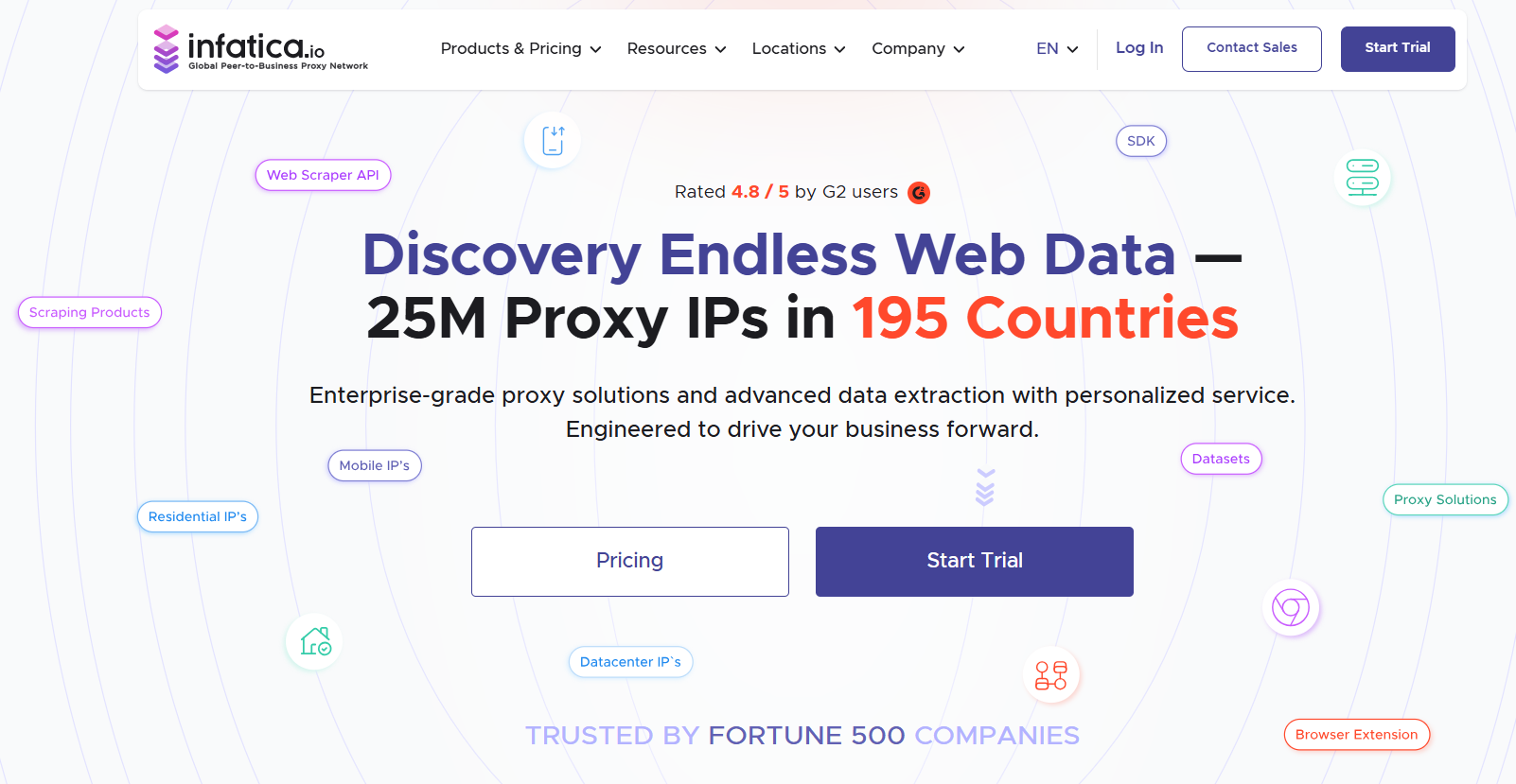
Infatica is both a proxy provider and a data scraping service. It uses an ethical P2P network where users share their IP in exchange for rewards (with consent), so other users and businesses can benefit from those IPs and perform tasks like web scraping, ad verification, price comparison, and brand protection, making web data access more accessible and anonymous.
It provides tens of thousands of IPs from multiple countries across the world. A green flag about Infatica is that it’s straightforward about where it gets its IPs: it puts an SDK in apps and borrows traffic from people who install them.
Its support works 24/7, and with an SLA-mandated response time of 4 hours, users often praise how fast the support responds to queries.
This sounds like a huge advantage, but in reality, that’s the least they can do because, since the platform is complex and the dashboard is confusing, contacting support has become a daily routine for Infatica users, especially at the beginning of their journey with the platform.This has been one of the most common complaints on review sites.
Another drawback is pricing: Infatica positions itself in the upper-middle of the market – not the most expensive, but not budget-friendly either, especially for smaller scraping projects. The bigger your monthly usage (or bandwidth), the better the price gets, but entry-level users will still find it more expensive than competitors.
These are the main reasons why people are leaving this provider for other options.
Pricing
- Residential IPs: pricing starts at $2.60/GB, with a $4/GB pay-as-you-go option for smaller usage (package pricing starts at $96).
- Residential IPv6 IPs: pricing starts at $3.90/GB with a $6/GB pay-as-you-go option for smaller usage (package pricing starts at $144)
- Static ISP IPs: pricing ranges from $1.95 to $3.00 per IP, depending on location and quantity (package pricing starts at $144).
- Mobile IPs: plans start at $4/GB with a $8/GB pay-as-you-go option for smaller usage (package pricing starts at $45).
- Shared DC IPs: pricing starts at $0.30/GB with a $0.60/GB pay-as-you-go option for smaller usage (package pricing starts at $29).
- Dedicated DC IPs: pricing starts at $1 per IP, depending on the country selected, with unlimited traffic included.
Pros Vs. Cons
| Pros | Cons |
| Helpful customer support | Pricing can be high |
| Good proxy quality | Some proxies can be slow |
| Large proxy pool | Not always easy to use |
| Flexible options and targeting | Learning curve for beginners |
| Clear documentation | Occasional performance issues |
Our verdict
Infatica is, overall, a solid and ethically minded proxy provider with decent performance, but its higher pricing, complex setup, and dashboard learning curve make it a tough fit for solo users and small teams. That’s exactly why so many users are looking for alternatives, and why this guide walks you through a range of other providers: so you can get Infatica-level (or better) results without the same friction or cost.
Top Infatica Alternatives
The best Infatica competitors are: Floppydata, NetNut, IPRoyal, Rayobyte, and 6 others. Let’s go through each and every one of them in detail to know what makes it a better fit.
1. Floppydata (best in the market right now)
If you want everything Infatica does and more for a fraction of the price, then Floppydata is your answer.
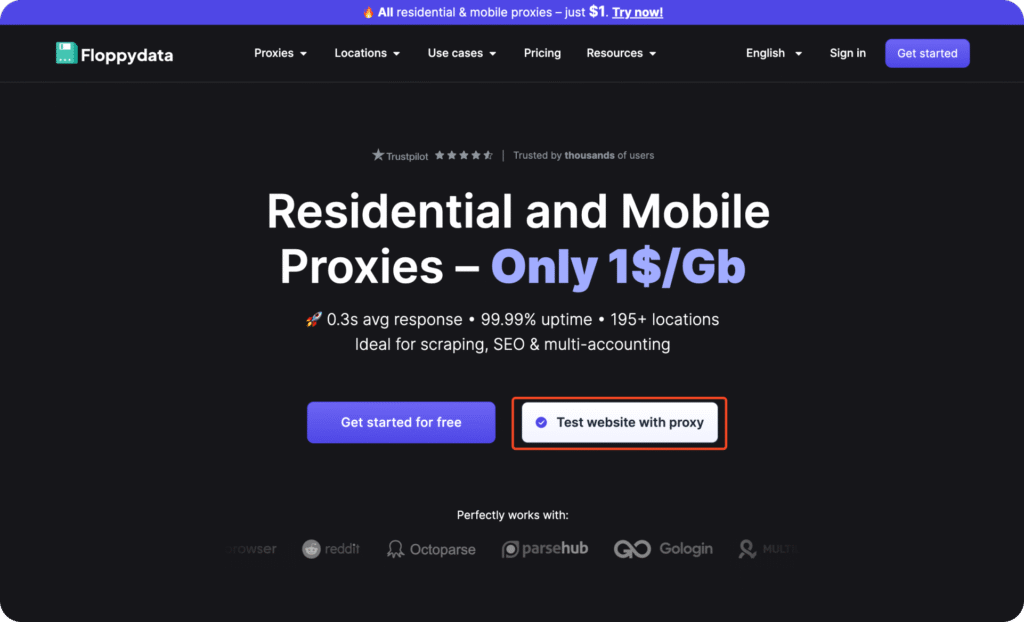
Floppydata gives you all four main proxy types (residential, mobile, ISP, and datacenter), with global coverage, fast response times, and very simple (and flexible) pricing.
Performance-wise, Floppydata has an average response time of 0.3 seconds and 99.99% uptime, with over 65 million clean IPs and 195+ locations. All this is perfect if you’re doing SERP scraping, SEO monitoring, ad verification, or multi-account managing on Meta or any other social platform.
It’s built for real tools you already use, like Gologin, Multilogin, Proxifier, Phantombuster, and more, and setting everything up is mostly copy-paste instead of debugging for hours.
It keeps everything simple for its users design-wise, so you can use the provider easily without the need for technical knowledge, which is not the case with Infatica. You can start using Floppydata as soon as you sign in, with little to no interaction at all with any of the support team for help.
Speaking of support: Floppydata explicitly highlights no AI support and only real humans on all pricing plans, plus Telegram chat and even the option to hop on a call if you’re stuck. So, although you won’t need to contact them that much, when you absolutely do, support is here to help quickly.
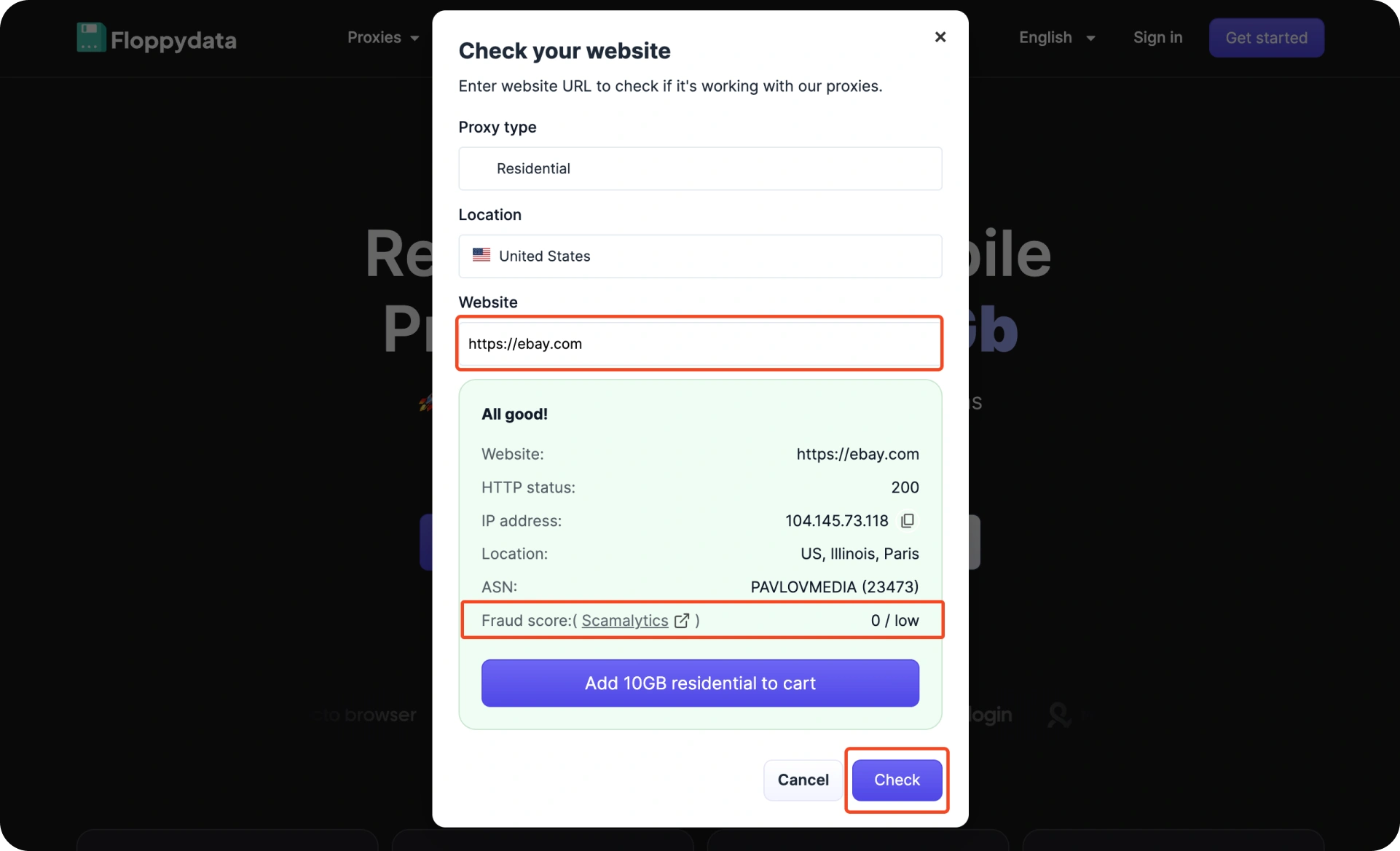
What’s even better is that Floppydata allows you to start with only $1 per GB, which clearly is way cheaper than Infatica. Another perk is that you can test your target website with Floppydata proxies before you buy, so you’re sure that the proxy is the ideal one for you.
Another interesting test you can make: before you use any proxy, you can check its fraud score for more transparency and to avoid the consequences of using a suspicious IP.
Key Features
| Feature | Description |
| Residential & Mobile proxies at $1/GB | One of the cheapest on the market with clean, stable IPs |
| 0.3s average speed | Extremely fast response time for scraping and automation |
| 99.99% uptime | Stable and reliable connections across all regions |
| 195+ global locations | Broad geo-targeting for any region you need |
| 95% clean IP rate | Reduces blocks, captchas, and bans |
| User-friendly dashboard | Quick setup and easy configuration |
| Works with all major tools | Fully compatible with browsers, scrapers, and automation tools |
| Real human support | 24/7 non-AI support team + Telegram community |
Pricing
Floppydata’s pricing is simple and straightforward with a possibility for payment as you go. Plans start at $1/GB for all types of proxies, which is more than a third of what Infatica costs.
- Residential proxy: Starts at $1/GB
- Mobile proxy: Starts at $1/GB
- Datacenter proxy: Starts at $0.6/GB
- ISP Proxies: Starts at $5/IP
Pros vs. cons
| Pros | Cons |
| Extremely affordable ($1/GB) | No free trial (but low-cost plans compensate) |
| Very fast: ~0.3s response time | High demand means some locations sell out quickly |
| Clean IP pool (95%+) | |
| Works with all major tools and browsers | |
| Real human support + high uptime |
Our verdict
If you’re looking for an Infatica alternative that’s faster, cheaper, easier to scale, and far more flexible, then Floppydata is the obvious choice. For anyone working in scraping, SEO, ads, multi-accounting, QA, or automation, this provider gives you performance that’s close to premium providers without the enterprise pricing (or complexity) – that’s why it’s considered the one option that fits both small teams and large projects.
2. NetNut
Next alternative is NetNut, which is a large-scale proxy & web data provider. It offers residential, mobile, static residential, and datacenter IPs designed for AI pipelines, scraping, and enterprise data extraction.
Unlike Infatica, NetNut does not rely on P2P bandwidth sharing; instead, it sources its residential IPs through direct ISP partnerships, which helps give users more stable and instantly available IPs with better (and predictable) performance.
Netnut’s product line today includes far more than just proxies, as they have SERP APIs, general unblocker APIs, B2B data scrapers, and even professional datasets. So, the company always markets itself toward enterprises, resellers, and teams that need thousands of gigabytes every month, and entry pricing reflects that as NetNut tends to be less expensive at a large scale, not at the small or mid-range level ($3.53/GB for the 28GB plan but only $1.87/GB for the 2TB plan).
Since its creation in 2017, NetNuts has made progress over the years, but it’s still a tool that suits experienced users more than beginners. The dashboard gets the job done fine, though some workflows still feel dated or unintuitive at all. Support is helpful, but only available during certain hours, so it’s not ideal if you need quick help in an emergency.
Key features
| Feature | Details |
| Rotating residential IPs | 85M+ rotating residential IPs with wide global coverage and solid success rates |
| Static residential IPs | 1M+ static residential IPs ideal for persistent sessions and account management |
| Mobile IPs | 5M+ mobile IPs with strong performance and 99%+ success on many targets |
| Datacenter IPs | 150K+ datacenter IPs offering fast speeds and high uptime |
| Unblocker API | Automatic rotation, retries, and unblock logic for difficult websites |
| SERP API | Structured search results and automated scraping at scale |
| B2B Data API & Datasets | Access to company and profile datasets for enrichment and lead-gen |
| Analytics Dashboard | Usage statistics, performance insights, and proxy management tools |
| Enterprise Support | Dedicated account managers, tailored plans, and Skype-based support |
Pricing
NetNut’s best pricing typically appears at higher volumes; entry-level plans aren’t its strong point.
- Rotating Residential Proxies: start from $1.87
- Static Residential Proxies: start from $4.5
- Mobile Proxies: start from $4.5
- Datacenter Proxies: start from $0.5
- Website Unblocker: start from $0.83
- SERP Scraper API: start from $0.41
- B2B Data Scraper API: start from $1.50
- Professional Profile Datasets: start from $4
- Company Datasets: start from $4
Pros Vs. Cons
| Pros | Cons |
| Large proxy pools backed by ISPs | Pricing is high unless you buy in bulk |
| Performs well at scale | Dashboard has a learning curve |
| Mobile IPs have excellent success rates | Support isn’t truly 24/7 and can be slow |
| Strong enterprise features and APIs | KYC forms and onboarding steps slow things down |
| Good for long-term, heavy workloads | Not the most beginner-friendly option |
Our verdict
NetNut is a strong alternative for companies that need scale, stable IPs that are ISP sourced, and enterprise-level features. However, it’s not the most accessible and budget-friendly option in the list, and it can feel heavier than necessary.
3. IPRoyal
Third on the list is IPRoayl: a mid-market proxy provider that offers cheaper and more flexible proxies for smaller to mid-size projects.
This company always aimed to serve budget-conscious users. Instead of trying to win on “largest pool” or “most enterprise features,” IPRoyal mostly competes on value: simple pricing, non-expiring traffic, and pay-as-you-go plans that don’t force you into big monthly commitments.
Like most providers, it offers all four main proxy types (residential, ISP, datacenter, and mobile), and its residential pool is powered by a bandwidth-sharing app called Pawns. The network isn’t as large as premium providers and honestly the IPs are sometimes “worn”, but for everyday scraping or simple social media tasks, it often does the job fine.
Another highlight is the dashboard that’s easy to navigate. They’ve also invested a lot in the documentation, so onboarding is smoother than you’d expect for a low-cost provider.
On the downside, IPRoyal simply can’t match top-tier providers on pool size or on IP quality. User reviews mention that the residential network sometimes feels overused, especially on harder targets.
Another turn off is the KYC. Without it, you’re heavily limited, as you’ll only have partial access to the residential pool, and some sites will stay blocked, but users have been complaining about having to verify their identity even for relatively small purchases!
Key features
| Feature | Details |
| Residential IPs | 32M+ residential IPs with global coverage sourced through the Pawns bandwidth-sharing app |
| ISP Proxy Network | 500K+ ISP IPs offering residential-level trust with datacenter-grade speed |
| Datacenter Proxies | 60+ global locations optimized for fast, high-volume workloads |
| Mobile IPs | 4.5M+ mobile IPs with daily plans ideal for social platforms, QA, and ad testing |
| Non-Expiring Traffic | Pay-per-GB model where unused bandwidth never expires |
| Integrations | 650+ ready-made integrations for scrapers, browsers, and automation tools |
| API Access | Full API for user management, IP rotation, and workflow automation |
| Documentation | Extensive docs, quick-start guides, tutorials, and a real-time status page |
Pricing
- Residential proxies: from around $3.50 per GB
- ISP proxies: from around $1.80 per proxy
- Datacenter proxies: from around $1.39 per proxy
- Mobile proxies: from around $10.11 per day
Pros Vs. Cons
| Pros | Cons |
| Affordable and flexible pricing | Smaller proxy pool |
| Non-expiring residential traffic | Residential IPs can feel more “abused” on difficult targets |
| Good dashboard and UX | Quality and consistency lag |
| Solid documentation & API support | Intrusive KYC and identity checks |
| 24/7 support |
Our verdict
IPRoyal is decent for running small to mid-scale projects, especially if you care about keeping costs low and don’t really need the absolute best pool on the market.
4. Rayobyte
Now let’s talk about Rayobyte. It is a US-based proxy provider that’s reputed for its huge datacenter infrastructure.

The company, since 2015, has built its name on cheap, fast, dedicated datacenter IPs under the Blazing SEO brand. Today, it’s marketing itself as a one-stop shop with almost every proxy type you can think of, plus scraping APIs and a Web Unblocker.
It now runs tens of millions of residential IPs sourced via Cashraven (its bandwidth sharing app), an SDK, and large pools of static and rotating datacenter and ISP addresses.
Rayboyte’s green flag is that it’s very transparent about how it sources IPs and even publishes whitepapers about preventing proxy abuse.
The drade-offs of Rayboyte? It’s technically strong on the infrastructure side, but not polished at all on the user experience side. No modernity at all in its design, it’s a bit confusing, and there is no unified view of everything you’re running. Residential documentation is relatively thin, and support is not always available, although when they do respond, the answers are competent and satisfactory most of the time.
Key features
| Feature | Details |
| Network | One of the largest US-based proxy infrastructures in the industry |
| Datacenter proxies | Unlimited bandwidth, high speeds, and a wide range of diverse subnets |
| Residential proxies | Tens of millions of IPs sourced through Cashraven and SDK partnerships |
| Static & rotating ISP proxies | Mix of residential-level trust with datacenter-grade performance |
| Mobile proxies | Real mobile devices and carriers for challenging, heavily protected targets |
| Web Unblocker & Scraping API | Turns raw proxy traffic into structured, ready-to-use data pipelines |
| Pay-as-you-go & non-expiring options | Flexible purchasing, especially for high-volume residential usage |
| Ethics & compliance focus | Transparent sourcing policies, anti-abuse controls, and public compliance documentation |
Pricing
- Residential proxies: from $0.90 per GB
- Static ISP proxies: from $4.60 per IP
- Static datacenter proxies: from $1 per IP
- Rotating ISP proxies: from $5 per month
- Rotating datacenter proxies: from $0.45 per GB
- Mobile proxies: from $50 per GB
- Web Unblocker: from $5 per GB
- Web Scraping API: free tier with limited scrapes, then paid
- Custom pricing: available for bigger, tailored setups
Pros Vs. Cons
| Pros | Cons |
| Strong datacenter infrastructure | UX feels disjointed |
| Lots of subnets | Not very mature residential and mobile products |
| Competitive pricing | Old-school setup and management |
| Public stance on ethical sourcing | Slow and bureaucratic KYC and target-unlocking processes |
| Good fit for server-based scraping at scale | Support replies can take hours; live chat not always reliable |
Our verdict
Rayobyte is a good fit if your priority is server-based proxies. It’s good too if you care more about raw capacity than a perfectly clean interface. In this list of Infatica alternatives, Rayobyte earns its place as the “datacenter powerhouse” because it’s great for infrastructure-heavy projects. So as long as the messy interface and experience don’t bother you, Rayobyte might be your next choice.
5. Proxyrack
Proxyrack is one of the oldest names in the proxy space (since 2014). Let’s see why it’s a good Infatica competitor:
It is a Hong Kong-based proxy provider known for unmetered rotating residential plans, and it supports every proxy protocol out there.
It allows you to choose between several residential tiers (premium, private unmetered, global unmetered, USA, ISP), datacenter pools, and mobile proxies.
Their pitch is simple: flexibility, multiple rotation options, and protocols for advanced use cases, all while you pay a flat monthly fee instead of per GB.
Proxyrack is also known for its leaning on ethicality. It’s part of the Ethical Web Data Collection Initiative, runs its own bandwidth-sharing program, and imposes strict usage policies and KYC (which can be annoying at times).
That’s all the good stuff about Proxyrack, but nothing is perfect. It has gotten much criticism for its performance and strictness. Its tests showed significantly higher error rates on tough regions (10 to 20%), which we cannot ignore, as many of its competitors are hitting 98-99% success rates.
Key features
| Feature | Details |
| Unmetered plans | Flat monthly pricing with no per-GB billing |
| Residential tiers | Premium, Private Unmetered, Unmetered Pool, and USA ISP options |
| Protocol support | HTTP, HTTPS, SOCKS4, SOCKS5, and UDP |
| Rotation options | Per-request rotation or custom sticky IP durations |
| Geo targeting | 140+ countries with city-level and ISP-level filters |
| Reporting dashboard | Real-time stats on bandwidth, connections, threads, and online IPs |
| Android SDK | Create mobile proxies using your own devices |
| Ethical sourcing | KYC-based onboarding and EWDCI-compliant policies |
Pricing
- Residential Proxies
- Premium Residential: starts at $15/month
- Private Unmetered Residential: starts at $131.90/month
- Unmetered Residential: starts at $750/month
- USA ISP Residential: starts at $49.95/month
- Datacenter Proxies
- USA Rotating: starts at $150/month
- Global Rotating: starts at $150/month
- Static USA: starts at $100/month
- Mobile Proxies
- Mobile Proxy Pool: starts at $50/month
Pros Vs. Cons
| Pros | Cons |
| Unmetered residential plans | Performance lags |
| Flexible rotation and protocol support | Higher error rates on harder targets |
| Good geo/ISP targeting | KYC is mandatory, and domain/port restrictions are very strict |
| Simple self-service onboarding | Dashboard is not modern or unified |
| Clear ethical stance | Pricing only is great when using lots of traffic |
Our verdict
Proxyrack is ideal for teams that care more about unmetered traffic and protocol flexibility than reaching an almost perfect success rate. But if you need top-tier performance across many regions, there are more reliable choices in this Infatica alternatives list.
6. Froxy
Froxy is another proxy provider in this Infatica competitors list that offers residential, mobile, and datacenter IPs across more than 200 countries with a total pool of over 10 million IPs.
Its main value proposition is to make proxies easier, stable, and more accessible to both beginners and advanced teams. Their dashboard is clean, the targeting options are good, and they tick pretty much all the boxes you’d expect from a proxy provider: IP rotation, white label residential IPs, traffic rollover, crypto payments, and a promise of 99.99% success rate that’s been consistent so far.
That said, it does have a bit of an “enterprise-first” feeling to it. This makes beginners a bit overwhelmed at first. Once you get used to the interface, it becomes easier to navigate, but the learning curve is definitely there.
Another drawback is pricing, as it can be a bit high compared to the newer low-cost options. Support can be slow sometimes, too. And some users find the documentation a bit scattered.
Key features
| Feature | Details |
| Global Coverage | 200+ regions, 10M+ IPs |
| Uptime | 99.99% guaranteed |
| Proxy Types | Residential, Mobile, Datacenter |
| Rollover Traffic | Unused GBs carry over |
| Targeting | Country, city & advanced filters |
| Support | 24/7 chat + email |
| Payments | Visa, Mastercard, Crypto (BTC, ETH, USDT, etc.) |
Pricing
- Proxies
- Residential proxies: $2.69/GB
- Mobile proxies: $3.90/GB
- Datacenter proxies: $0.60/GB
- Fast Proxies (residential variant): $2.69/GB
- Scrapers
- SERP Scraping: $1.32 / 1,000 requests
- E-commerce Scraping: $1.32 / 1,000 requests
Pros Vs. Cons
| Pros | Cons |
| Wide global coverage (200+ locations) | UI can feel overwhelming at first |
| Reliable and stable performance | Support response time varies |
| Rollover traffic on most plans | Not the cheapest on this list |
| Strong residential & mobile networks | Learning curve for beginners |
| Crypto-friendly payment system | Some users want more intuitive setup guides |
Our verdict
Froxy is a good option if you already know what you’re doing; people running scraping pipelines, e-commerce monitoring, or ad accounts across regions…etc. But it’s not what we’d call “the best value for money” compared to other options.
7. Webshare
Next on the list is Webshare, it’s a US-based proxy provider that offers affordable, self-service datacenter, ISP, and residential proxies with a big emphasis on ease of use and flexibility.
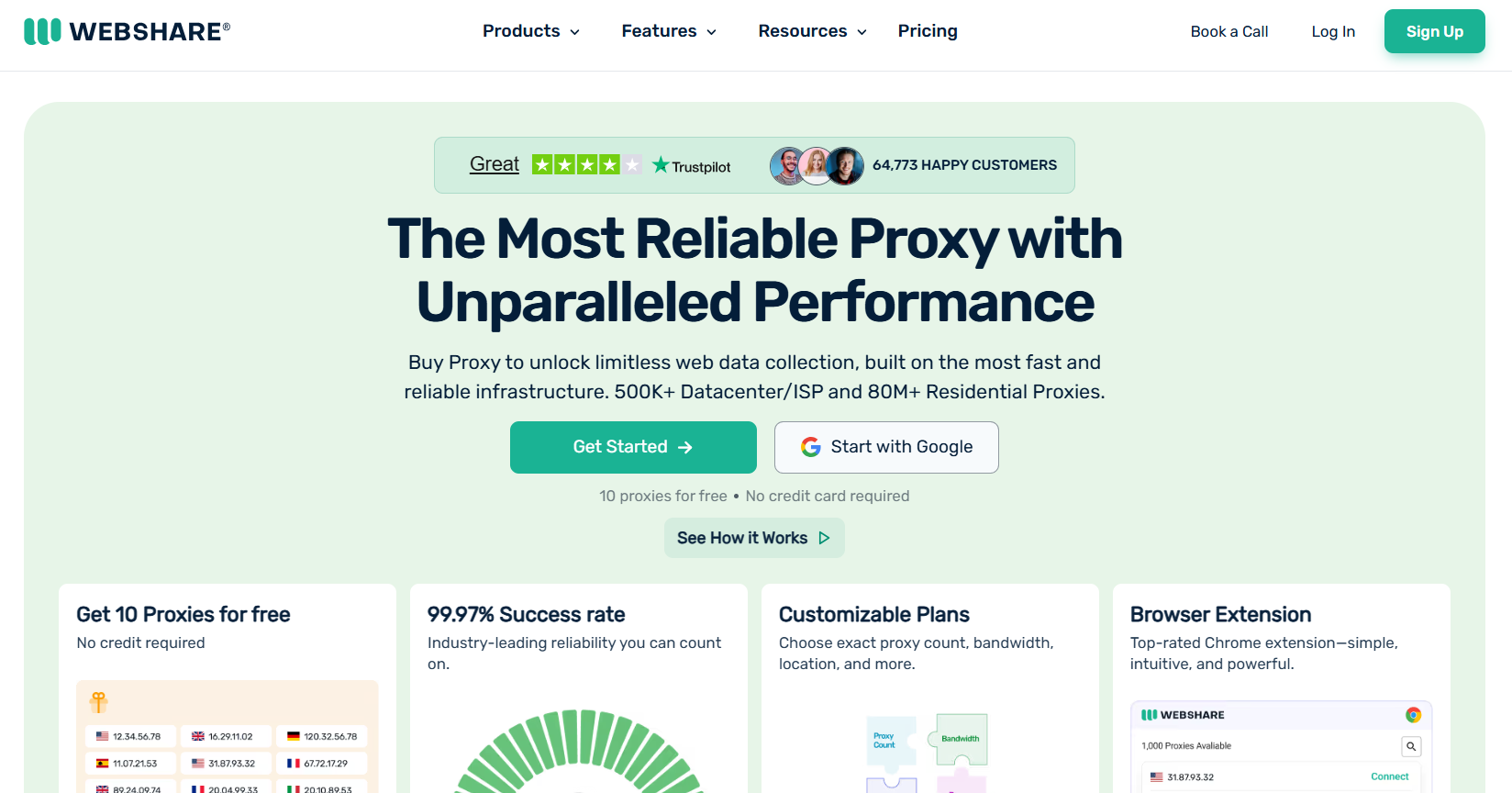
Webshare runs hundreds of server-based IPs and a large residential pool of more than 80 million IPs across 195 countries. It supports a “try-before-you-commit” model as every new user gets 10 free datacenter proxies just for signing up and with no credit card needed.
The product is built around a clean and simple dashboard that doesn’t feel too toy-ish. And the API and docs are also well-maintained and complete.
However, Webshare still feels more like a server-based proxy shop than a full heavy-duty residential specialist. Although you can perfectly get rotating residential IPs, but location controls and some session settings can get a bit limited compared to other premium residential providers, also, you can’t get the ultra-granular geo controls some competitors propose.
Support can also be an issue; it’s there, but not truly white-glove.
Key features
| Feature | Details |
| 3 main proxy types | Datacenter (Proxy Server), Static Residential, Rotating Residential |
| Free tier | 10 free datacenter proxies, no card required |
| Large global pool | 500K+ datacenter/ISP IPs, 80M+ residential IPs |
| 195+ countries | Broad location coverage for public data collection |
| Flexible self-service | Choose exact proxy count, bandwidth, and locations |
| Browser extension | Chrome extension for quick, no-code setup |
| Developer-friendly API | Full account & proxy management via API |
| 24/5 expert support | Chatbot + human support for paid users |
Pricing
- Proxy Server (datacenter): 10 proxies free, then plans start from $2.99/month
- Static Residential Proxies: Plans start from $6/month
- Rotating Residential Proxies: Plans start from $7/month (often discounted on site)
Pros Vs. Cons
| Pros | Cons |
| 10 free proxies to test with, no commitment | Residential product has fewer advanced location/session controls |
| Very flexible, self-service pricing model | Support replies can be slow for urgent issues |
| Strong datacenter & ISP offering for the price | Some features feel basic compared to top “residential-first” providers |
| Clean dashboard + Chrome extension + solid API docs | KYC can be triggered later, which surprises some users |
| Great entry point for beginners & small teams | Not ideal for very location-sensitive or ultra high-end use cases |
Our verdict
In this Infatica alternatives list, Webshare would fit nicely in the “easy on-ramp” for people who want to experiment, learn, and run small to mid-sized projects without overcomplicating things. But if you’re planning to use it for fine-grained residential work or very sensitive geo-targeting, I’d say skip it.
8. PacketStream
Next up, PacketStream, a US-based peer-to-peer residential proxy network that lets people sell their bandwidth (“packeters”) and lets buyers use those IPs on a simple pay-as-you-go model.
Their pitch is very attractive: you top up your account, pay $1/GB, and you’re free to use their residential pool across more than 100 countries without a traditional subscription. For a while, that made PacketStream “the cheap way” to try residential proxies.
Everything runs through a single gateway: you connect via HTTP/HTTPS or SOCKS5, add a few parameters and you’re in. The dashboard is minimal and clean as well.
But there are some cracks that might show up quickly: a tiny and shrinking pool, heavily abused IPs, technical issues that kill the “cheap” angle, weak success rates, and slow support.
Key features
| Feature | Details |
| Proxy type | Residential proxies only (peer-to-peer network) |
| Sourcing model | Bandwidth-sharing marketplace (“packeters” install an app and sell traffic) |
| Geo coverage | 100+ countries, global and country-level targeting only |
| Protocols | HTTP, HTTPS, SOCKS5 |
| Rotation | Per-request rotation or session-based until the peer goes offline |
| Concurrency | Unlimited threads and ports (limited only by your balance) |
| Authentication | Username:password only (no IP whitelisting) |
| Integration | Single gateway with password parameters; code samples for multiple languages |
| Dashboard | Very simple: balance, bandwidth graph, proxy generator, invoices |
| Support | Email only, advertised 24/7 but often slow in practice |
Pricing
- Residential proxies (buyers):
- Pay-as-you-go model at $1/GB, with a $50 minimum deposit (50 GB).
- Predefined top-ups: $50, $100, $250, $500, $1000.
- Optional auto-recharge when balance drops below $1 (card only).
- Bandwidth sharing (“Packeter” program): Earn $0.10/GB for traffic you share via the PacketStream app (rate varies by location).
- Reseller API: Same $1/GB pricing, exposed via an API so you can resell PacketStream traffic under your own brand.
Pros Vs. Cons
| Pros | Cons |
| Very simple $1/GB pay-as-you-go pricing | Pool is small and shrinking |
| Low barrier to entry for trying residential proxies | IPs show high fraud/abuse scores |
| Unlimited threads and ports | traffic is over-counted |
| SOCKS5 support + easy gateway integration | Very poor performance on Google & social media, unreliable for serious scraping |
| Bandwidth-sharing model is transparent for participants | No IP whitelisting, thin docs, and slow email-only support; overall product feels neglected |
Our verdict
For a narrow use case, like simple scraping where you just want to experiment and don’t care if half the request fail, PacketStream can be useful.
9. Geonode
Genode is a dev-focused proxy provider. It leans heavily on residential and rotating datacenter proxies with affordable pricing compared to the usual “entreprise” players.
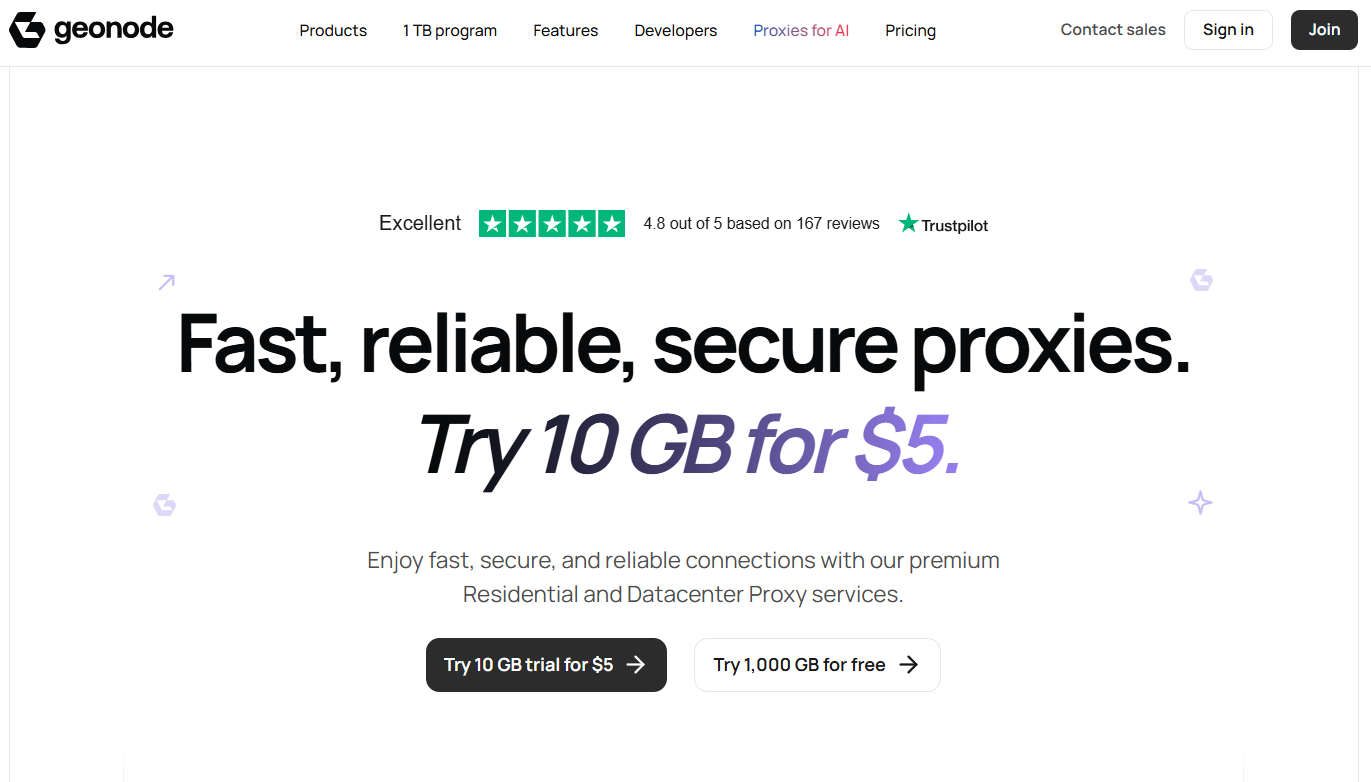
Genode is aiming to be the “volume scraper’s go-to tool”. It has a big residential pool, broad geo coverage, sticky sessions, and a pay-as-you-go model for people who prefer to scale traffic gradually instead of committing to a big contract upfront.
You get a clean UI and a configuration tool, so the dashboard marks some points. The dev story is pushed hard: API code snippets in every language, JS rendering for single page apps, and pay-per-concurrent-request licensing for some plans.
The main downside is that you don’t get all proxy types under one roof with Genode. Residential and datacenter are the main focus, no mobile here, and while ISP is present, but it’s relatively basic compared to more mature providers.
Key features
| Feature | Details |
| Proxy types | Residential proxies, rotating datacenter proxies, basic ISP proxies |
| Pool size | 30M+ proxies, 140-190+ countries covered |
| Targeting | Country targeting on all plans, city and ISP targeting on premium / via API |
| Rotation & sessions | Rotating and sticky ports with IPs that can stay for 5, 10, 15, 30 or 60 minutes |
| Protocols | HTTP, HTTPS, SOCKS5 |
| Authentication | Username/password, plus IP whitelisting (up to ~20 IPs) |
| Licensing | Unlimited plans with throttling after a threshold, and pay-as-you-go with pay-per-concurrent-request options |
| Dev tooling | Detailed docs, code examples in many languages, JS rendering for single page apps, bulk endpoint generation |
| Dashboard | Proxy configuration tool, statistics, active sticky sessions view, basic analytics |
| Compliance | Focus on ethical IP sourcing and GDPR-aligned practices |
Pricing
- Residential proxies: Pay-as-you-go pricing from $3 per GB. Packages start at $50/month
- Rotating datacenter proxies: Pay-as-you-go at around $0.60/GB. Packages also start at $50/month
- ISP proxies: Entry plans start at around $17/month
Pros Vs. Cons
| Pros | Cons |
| Low per-GB pricing | No real mobile proxy network, and ISP coverage is limited |
| Large residential footprint | Some “residential” IPs resolve to cloud providers or the wrong countries |
| Flexible targeting | Performance can feel laggy |
| Developper-friendly | Not ideal for latency-sensitive tasks |
| Simple dashboard | Overall reliability is mixed compared to newer, more focused networks |
Our verdict
Genode sits in the middle zone between “super cheap” and “fully premium” providers. But since it has no mobile coverage and a flawed ISP quality, it’s better seen as a budget side option rather than the main engine behind your data collection stack.
10. Shifter
Shifter is an old-school residential proxy provider (it has been around since 2012). It, until this day, powers multiple high-volume scraping projects.
Shifter is known for port-based pricing with very generous traffic allowances, which is usually preferred by users compared to the usual per GB pricing.
It gives you a large residential proxy pool of around 30 million IPs across many countries. You plug in a handful of ports, each port comes with a big traffic quota, and your scrapers just rotate through that pool for hours.
The small red flag about Shifter is that it’s not very transparent about its sourcing of IPs. It has also (almost) no public faces attached to the company. There are also recent reports of unpaid affiliate commissions, which highly broke the trust factor to many users.
The high entry ticket is also a huge turn off (arount $100/month and up).
Key features
| Feature | Details |
| Proxy types | Residential rotating, residential static (ISP-style), plus scraping APIs and cloud hosting |
| Pool size | Around 30M+ residential IPs worldwide |
| Targeting | Country-level targeting on Special and Fast Rotation plans, broad Tier 2/3 mix on Basic |
| Rotation | 5-60 minute rotation windows (down to 1 min for Fast Rotation), but not per-request rotation |
| Authentication | IP whitelisting only for residential, no username/password for that product |
| Protocols | HTTP/HTTPS, SOCKS5 (Basic plans may not support SOCKS5) |
| Concurrency | Around 50 threads per port, with multiple ports available on higher plans |
| Dashboard | Port management, geo selection, rotation settings, traffic statistics, billing, and referral tools |
| Extras | Scraping APIs (general, SERP, ecommerce), cloud hosting tightly integrated with the proxy stack |
| Support | Email + live chat, typically quick for simple questions |
Pricing
- Rotating Residential Proxies: Plans start at $99.98.
- Static Residential Proxies: Plans start at $149.99.
- Scraping API: Plans start at $44.99
Pros Vs. Cons
| Pros | Cons |
| Very cheap effective per-GB pricing if you fully use the traffic on each port | High minimum monthly spend |
| Strong performance on many real-world targets | Unclear current ownership |
| Large global residential pool | The residential feature set feels dated |
| Port-based model is perfect for high-volume jobs | Target limits (up to 5 main sites) and rotation windows can be restrictive |
| Integrated scraping APIs and cloud hosting | Multiple recent complaints about unpaid affiliate earnings |
Our verdict
If the mystery behind Shifter sourcings doesn’t bother you, if you are focused on raw traffic volume, and if you’re comfortable managing ports, then this Infatica alternative is a good choice for you. If ethics and transparency are non-negotiables for you, then you might want to be careful.
Final Thoughts
Infatica is a capable proxy provider that many people praise, but its high pricing and complexity limit a lot of others; that’s what raises the question about the best Infatica alternatives.
In this guide, we covered 10 of the best ones, each solving a different problem, depending on what you need, and one that has checked the most boxes has been Floppydata, which you can start using today for only $1/GB.
FAQ
What is a peer-to-peer (P2P) network?
A P2P network is a system where users voluntarily share their internet bandwidth and IP address (with consent) in exchange for rewards. Proxy providers like Infatica use these shared IPs to route other users' data requests.
What is the Infatica SDK?
The Infatica SDK (Software Development Kit) is a piece of code that Infatica places inside mobile apps. When users install those apps, the SDK allows Infatica to borrow their IP address and bandwidth for its proxy network (as long as the user agrees).
Which Infatica alternative is best for small projects?
Floppydata is the best alternative for small projects due to its very low entry price point (starting at $1/GB) and its beginner-friendly, self-service dashboard, making it easy to use without needing constant support.