Running web scraping automations in 2026 isn’t easy. Since a lot of AI companies are trying to scrape as much data off the internet as possible for model training, platforms like Reddit, Meta, X and others deploy AI-powered detection systems to block web scrapers from getting their hands on public user data. So, this guide explores how to scale and automate web scraping in 2026.
Why is Web Scraping Getting Harder?
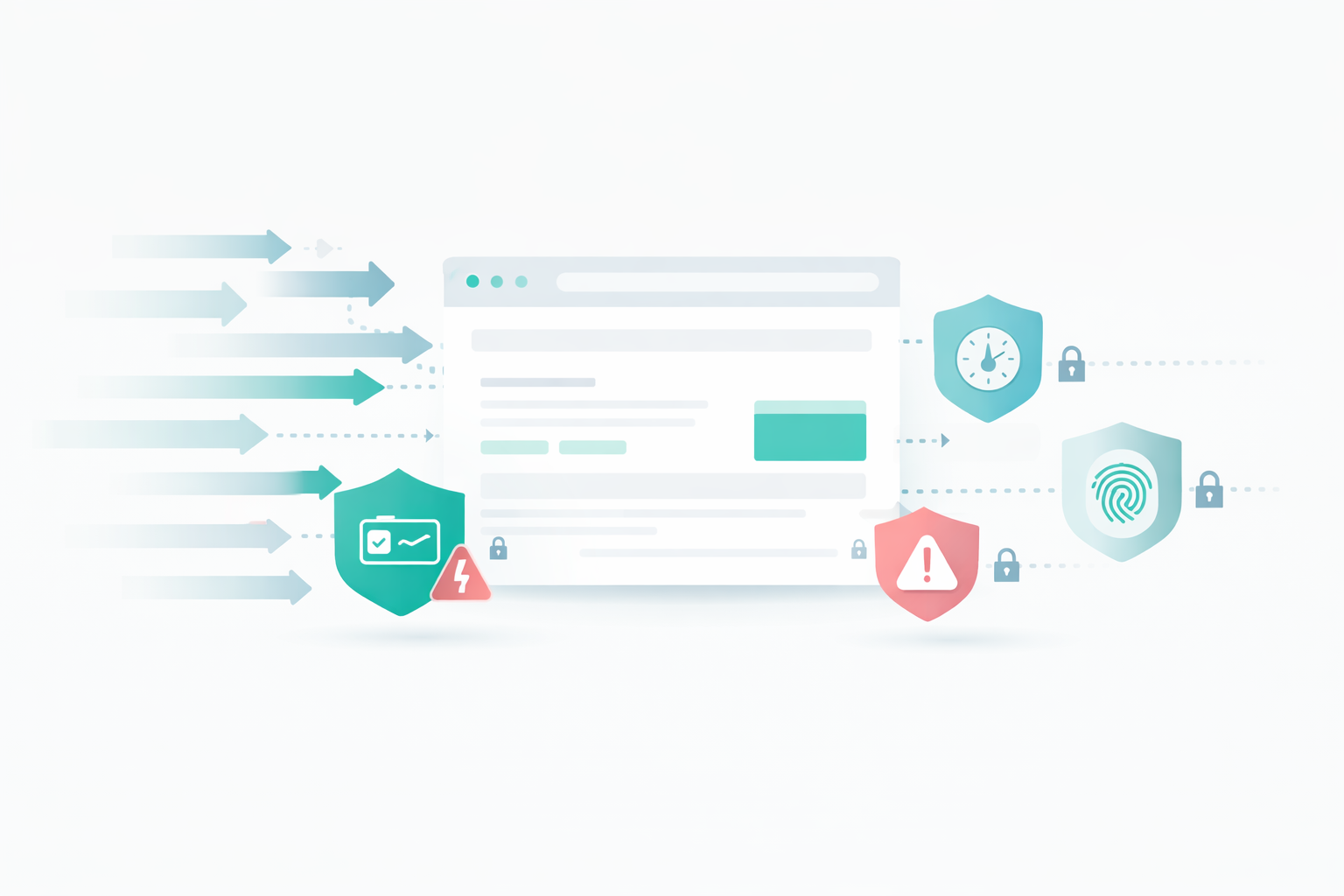
Here are a few reasons why companies actively detect and block web scraping automations.
- Web scrapers put unnecessary load on servers since they are sending hundreds or even thousands of concurrent automated requests.
- Advertisers don’t like bots because ads are shown to a bot scraping data from a page and the ad spend goes to waste.
- Most of the companies prefer selling their data to other AI companies or training their own models. This is why they don’t want scrapers extracting data from their platform for free.
Nonetheless, there are still some effective data scraping methods in 2026 that are not only safe to use, but are scalable, easy to automate, and work for all websites. Since anti-bot systems are becoming smarter with AI, web scrapers are also catching up by providing automatic CAPTCHA solving, randomizing mouse movements and clicks, rotating IPs, randomizing browser fingerprints and more.
How to Scale Web Scraping?

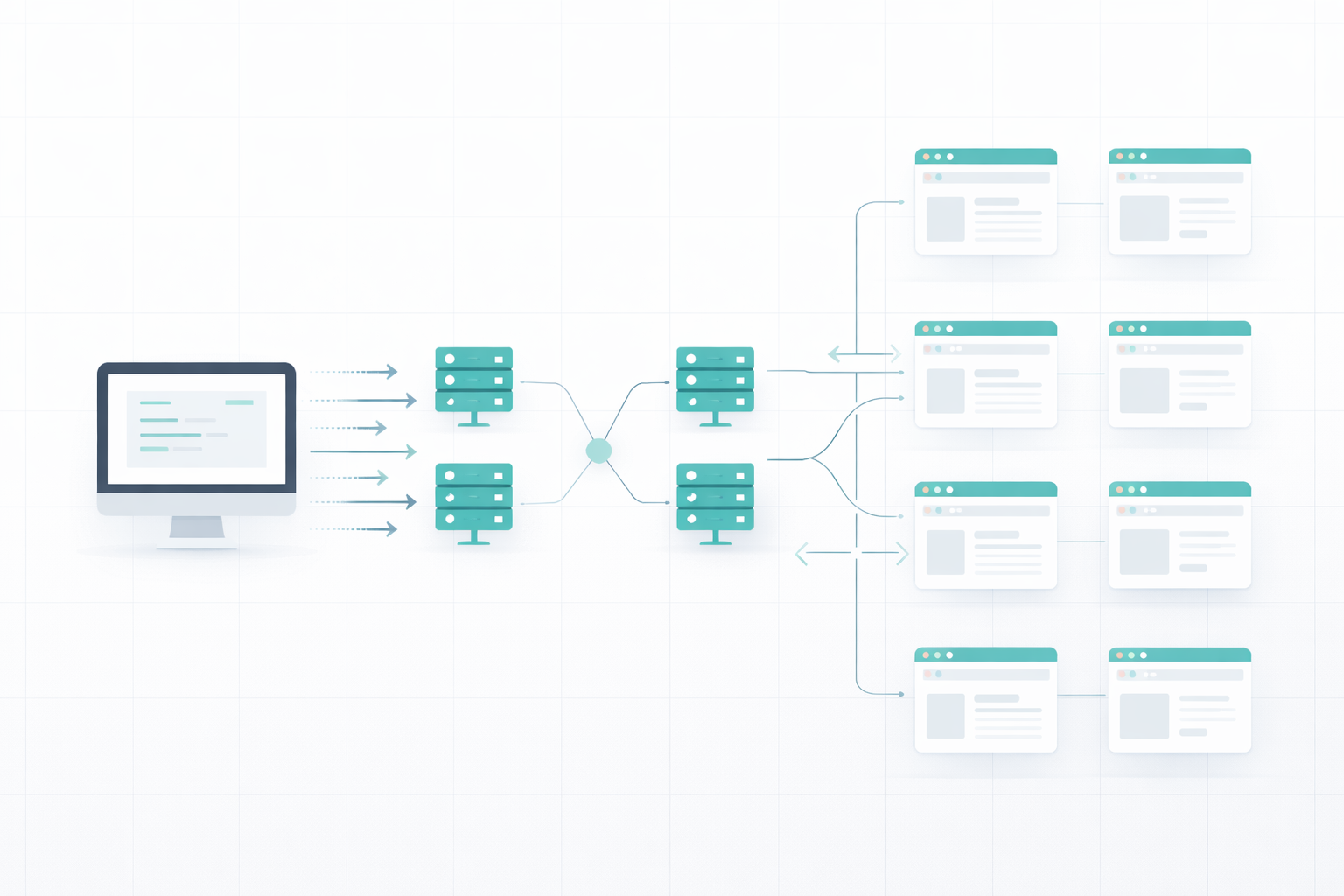
Scraping a web page or two isn’t the problem but how do we scrape thousands of web pages within a few hours or days? We can’t open this many tabs on our device due to limiting RAM and processing speed, and if our IP gets banned in the first few minutes, we will have to switch to another device.
Scaling web scraping requires understanding and planning. First, let’s understand the challenges in web scraping.
Challenges in Web Scraping
Websites are not just static HTML pages anymore. Anti-bot systems continuously track user activity and traffic quality to ensure only real users access websites and scrapers get instantly blocked. Here are the challenges I faced when I started web scraping:
- IP Rate-Limiting: Platforms track the number of requests per IP every minute and hour. If an IP address tries exceeding the limit, the account is suspended, or temporarily disabled for spam activity.
- Javascript Rendering: Many websites now load content dynamically. When a scraper tries to get HTML content, they get missing fields because some parts of the page weren’t loaded.
- CAPTCHAs: My web scraping scripts had a hard time solving CAPTCHAs and kept locking me out. Facebook even banned my IP and I couldn’t access it through the same IP again.
- Behavior Detection: Websites track your behavior like scrolling activity, mouse movements, clicks randomness etc. to see if you’re a bot or a real person.
- Fingerprint tracking: Platforms save and track your browser fingerprint to identify which devices are using this account. If found violating terms and services, they can ban the fingerprint and stop your browser from being able to access the platform.
- Cookies Management: I tried using proxies and multiple browser profiles but I kept running into cookie cross-contamination issues. Since all the profiles save cookies of my log-in sessions, platforms were able to identify that I have other accounts logged in from the same device and I am performing web scraping.
Building a Scalable Web Scraping Strategy
There are some excellent web scraping services that help you build a scalable web scraping system without worrying about all the issues described above. These web scraping tools use a pool of proxies and randomized browser fingerprints, run all your scraping sessions in the cloud to avoid putting burden on your machine, automatically solve CAPTCHAs, isolate cookies and handle Javascript rendering.
Web scraping services like Floppydata solve the problem of scalability by:
- Running parallel browser sessions in the cloud
- Using rotating IPs from its pool of 90 million proxies
- Automatically handling CAPTCHAs and JS rendering
- Scaling on demand without needing to setup additional infrastructure
How to Automate Web Scraping?
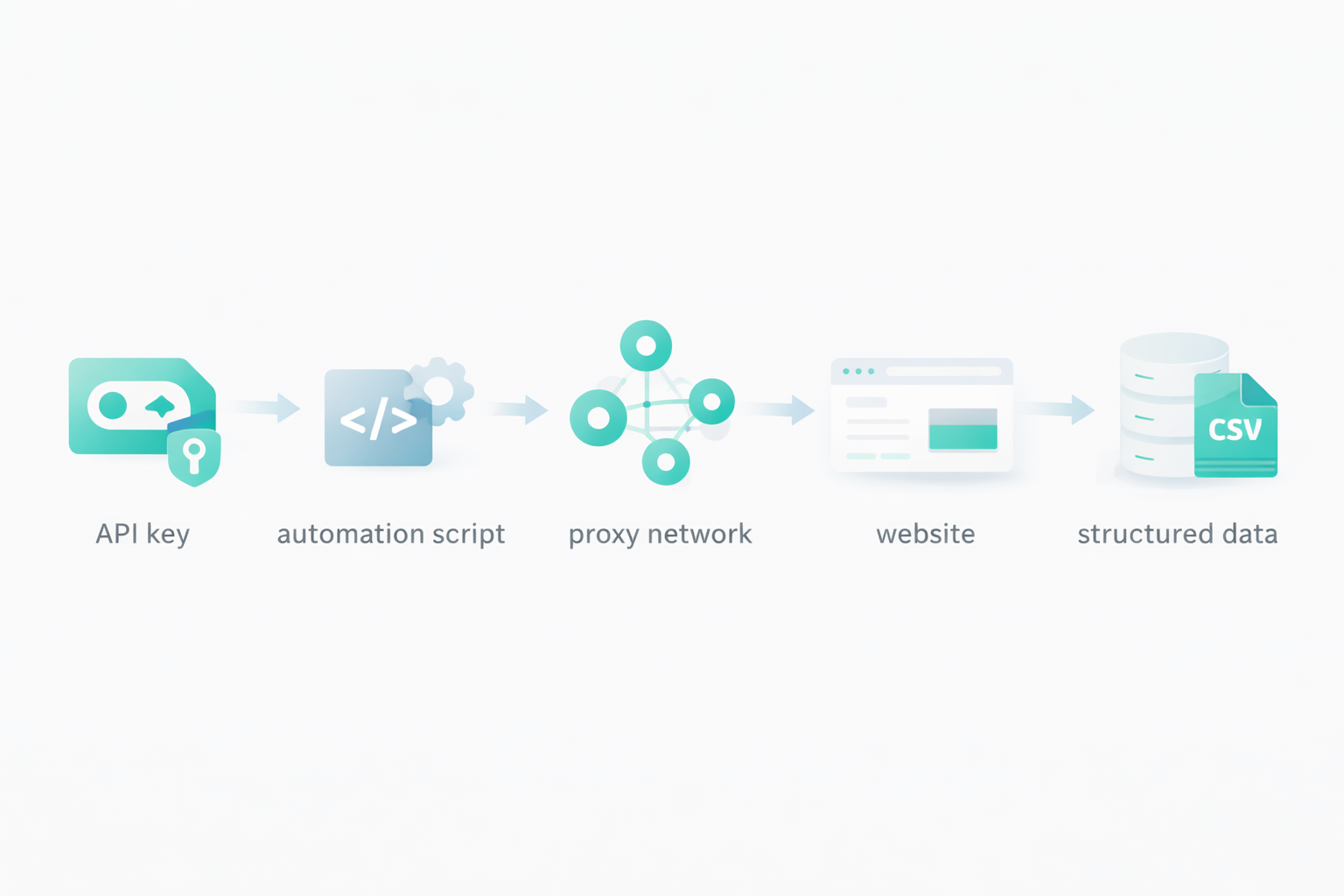
When you have a scalable infrastructure, you need to create an automated system to manage proxies, extractions, links, data formatting, etc. Even if scraping services provide you scalable infrastructure to handle thousands of requests per hour, you can’t do it manually. This is where automations scripts for scraping come in.
Some web scraping services offer per-configured templates for famous platforms like Reddit, Meta, Instagram, X. etc. You can pick a template, configure it to your use case and start scraping.
Another method for web scraping automation, and a more popular one is API keys. Web scraping services like Floppydata offer their API keys which help you send web scraping requests to their cloud server, and receive the extracted content in return. When you’re using an API, possibilities are endless. You define your own data extraction format, your proxy rotation rules, which pages to extract, what fields to extract, how to store them, how much delay to add between each request, how many concurrent requests to send, and more.
You can use this API key to build scraping tools, or integrate it within your existing company system. All you need is an API key, and services like Floppydata will take care of the rest and bring you the final results.
Step-by-Step Guide to Scale & Automated Web Scraping
Here is a step-by-step guide on creating a web scraping automation with Floppydata API.
Step #1: Create a Floppydata Account
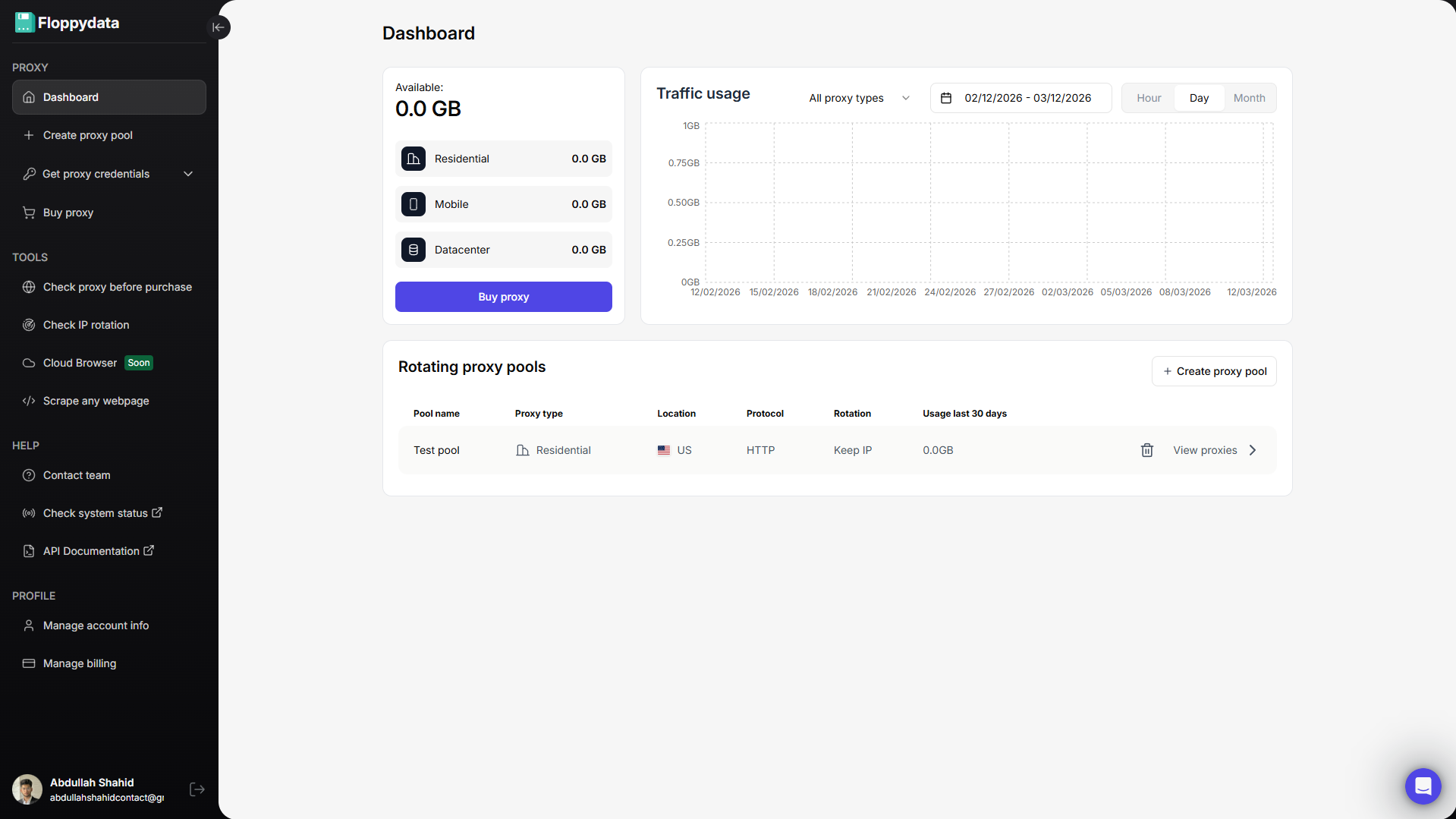
Sign up on Floppydata and open the dashboard. This is where you can manage your proxies and tools like the web unlocker.
Step #2: Analyze the target URL

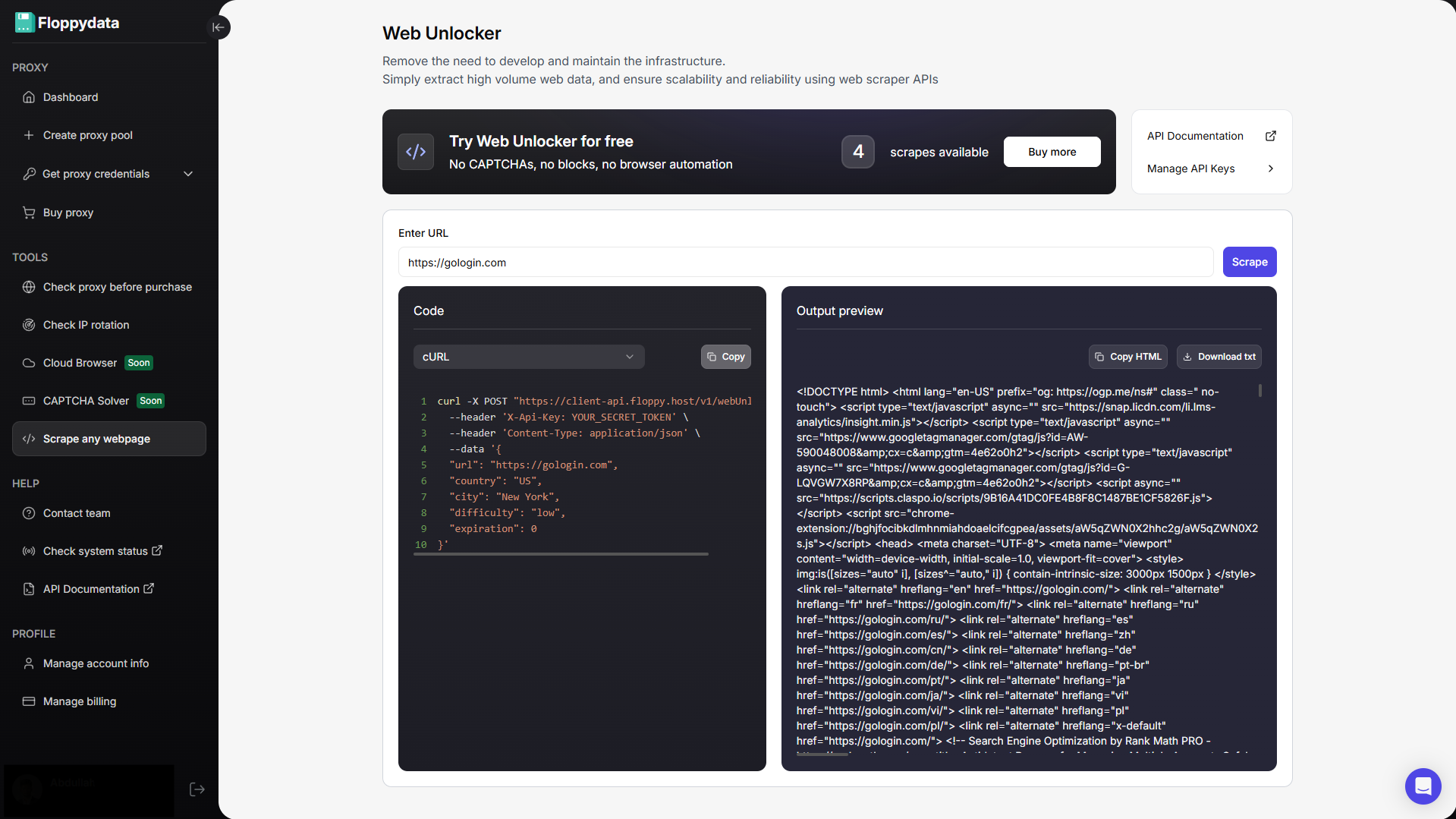
Paste your URL in the field shown and click scrape. You will get the HTML content of that page along with a code snippet to add to your browser automation. If you are creating an automation to fetch product prices from a website, you can use this analyze feature to identify which HTML tag has pricing. You can then write your automation script to specifically extract the following tags and store them to your excel/csv file.
Step #3: Create API Keys for Automation
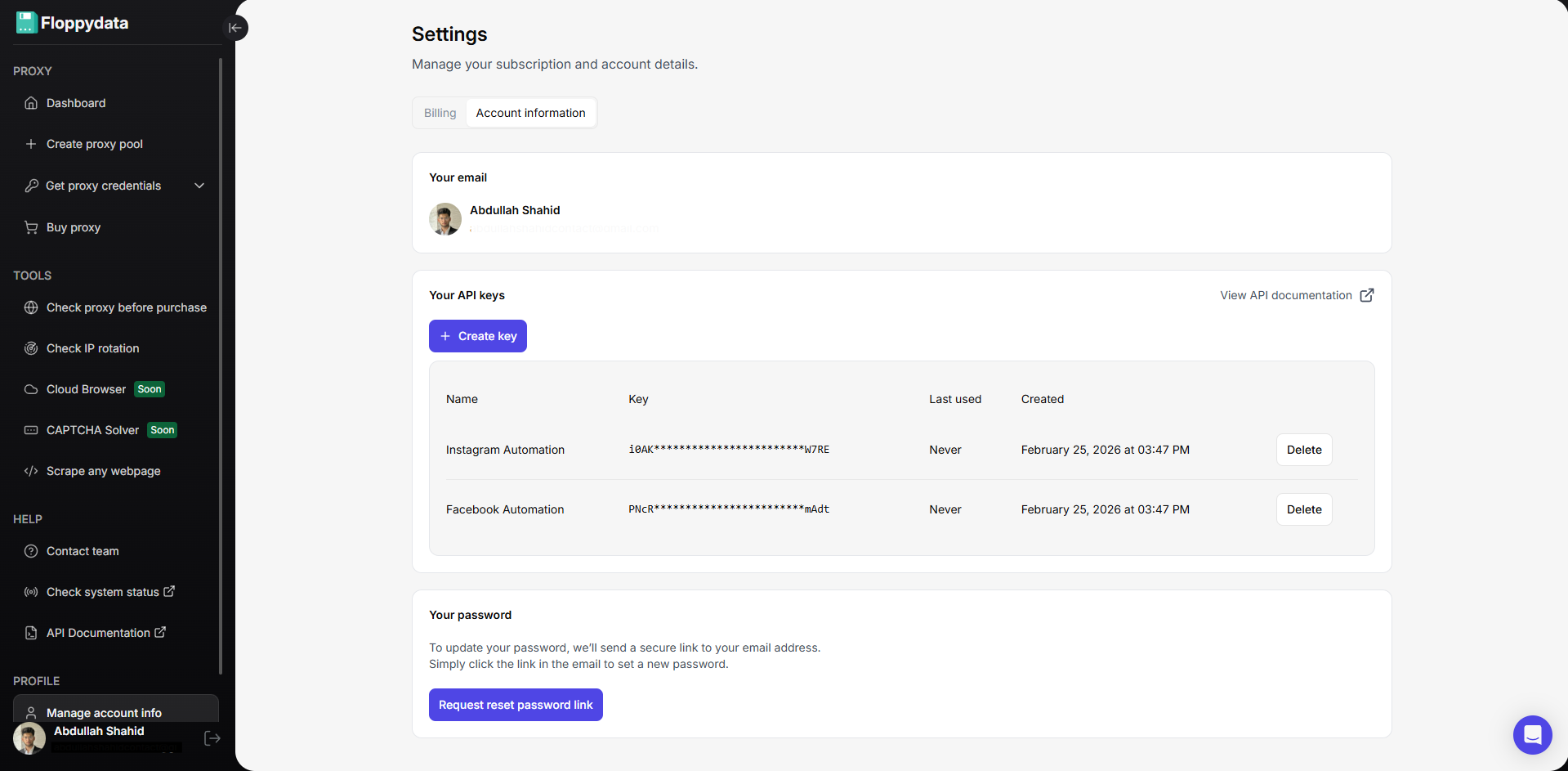
You can create API keys from your account settings. These API keys will be used in your browser automation script to rotate proxies, unlock websites and scrape data. Floppydata Web Unlocker scrapes data and sends it to your script via this API.
Step #4: Write & Run Web Scraping Automation
Now that you have the API key and proxies, you can create a web scraping script in Python, Javascript, C# or GO. Place your API key in the code snippet shown on the web unlocker page along with the URLs. Here is a quick example of a python script I can run in a Python interpreter to extract data from a Reddit discussion forum:
httpx.post(
“https://client-api.floppy.host/v1/webUnlocker”,
headers={
“Content-Type”: “application/json”,
“X-Api-Key”: “YOUR_SECRET_TOKEN”
},
json={
“url”:
“https://www.reddit.com/r/automation/comments/1ntu327/top_5_antidetect_browsers_comparison_2025/”,
“country”: “US”,
“city”: “New York”,
“difficulty”: “low”,
“expiration”: 0
}
)
You can change the country, city and URL to change proxy and target links. This is just a dummy code snippet. You can create complex automations using Claude Code or ChatGPT that will dynamically explore your whole list of target URLs, and extract useful content in the format of your choice.
Best Practices and Tips for Web Scraping Automation
When creating automated web scraping workflows, it is important to prioritize resilience, and performance over speed. Your workflow must have a good accuracy. If 40% of your scraping requests fail, you lose 40% of your budget with no results to show for. Although Floppydata only charges you only for successful page extractions, other services charge per 1k requests, even if they all fail.
To create an automation that will be a part of your workflow for weeks or months, you need to ensure a few key things:
- Rotate IPs per worker or session
- Scale scraping with parallel sessions, not by increasing speed or reducing wait times
- Use Web Unlockers for block-heavy sites
- Prefer APIs when available
- Isolate browser fingerprints
- Log errors and retry smartly
- Test small before scaling large
- Buy clean proxies from a trusted vendor
You don’t need to worry about proxies if you’re using a web unlocker tool from a proxy provider like Floppydata, BrightData, Oxylabs etc as they can include clean IPs for their tool.
Key Takeaways
Scaling and automating web scraping is still possible in 2026 and can be very effective if you do things right. If you follow the strategies I explained in this blog and prioritize resilience over speed, you can create repeatable automation that will last for months before you need to make any changes. With proper infrastructure, you don’t need to worry about any anti-bot system.
FAQ
How to automate web scraping?
Use APIs to send requests, manage proxies, and extract data automatically. Floppydata provides powerful API-based automation, handling scaling, rotation, and data delivery seamlessly.
How to scale scraping efficiently?
Focus on automation, proxy rotation, and concurrent requests. Floppydata enables large-scale scraping with minimal failures and high performance.
Why use Floppydata?
It simplifies automation with APIs, handles infrastructure, and delivers reliable results, outperforming other solutions in scalability and success rates.