When people look up how to run multiple PrizePicks accounts, it can mean one of these two things:
- Can you have multiple PrizePicks accounts (i.e., can one user make multiple accounts)
- Can you log in to multiple PrizePicks accounts on a single device, browser, or app
This distinction is important to make because people often have one of the two search intents in mind while reading an article that addresses the other search intent. And those articles also don’t clarify which of the two search intents they’re addressing.
In this article, we’ll answer both.
We’ll first look at whether PrizePicks allows users to create multiple accounts.
Then we’ll look at whether you can have PrizePicks multiple accounts logged in at the same time on a single device, browser, or app. If PrizePicks doesn’t officially allow this, we’ll demonstrate a special method to do that anyway.
So let’s start!
Can You Have Multiple PrizePicks Accounts?
Does PrizePicks allow a user to create multiple accounts? PrizePicks has a clear-cut answer to this: No. In its Member Code of Conduct, the platform has “Only 1 Account” in bold.
It expands on its position in these words exactly:
“PrizePicks Members are only permitted to create and use 1 account. Any attempt to create or access an account other than the one you originally created is a violation of our official Terms and Services. Members who break this rule will forfeit any winnings and be banned from using the PrizePicks platform.”
So if you have a second account in mind, don’t even try. It simply isn’t possible.
You cannot even try to dodge this policy because the platform has strict KYC procedures in place. Your account doesn’t activate unless you provide your full name as it appears on a government-issued ID (such as a driver’s license), DOB, home address, and a valid email address. They may also ask for a clear selfie where you have to hold a government ID by your face. And yes, you also give your SSN if you’re wondering, “Does PrizePicks ask for SSN?” PrizePicks says they legally require your SSN to let you participate in Team & Culture picks.
PrizePicks ties all that information to one account. So if you attempt to create and verify another account using the same details, the platform simply rejects your request. So it’s clear you cannot create more than one PrizePicks account, and you cannot do anything to bypass this limitation, either.
Now, let’s answer whether PrizePicks allows you to have multiple accounts logged in at the same time. The good news about this part is that there are proper workarounds if PrizePicks doesn’t allow multi-logins officially. And we’ll demonstrate the steps with screenshots.
Can Multiple PrizePicks Accounts be Logged in at the Same Time On The Same Device?
The answer to this is also simple, and you may already know. No. Neither the PrizePicks website nor the app lets you log into more than one account at a time.
To log into another account, you’ll have to log out of the first account. PrizePicks doesn’t offer a switch account feature like you have on platforms like Instagram.
But as I told you, I will provide you a combination of solutions that lets you do that using a single device only. To do this, you will need to use a multi-account (or antidetect) browser + a proxy service.
What are Antidetect (Multiaccount) Browsers?
There are special browsers called anti-detect or multi-accounting browsers. They let you create multiple browser profiles, which are completely isolated from one another. You can log in to a different PrizePicks account in each of the browser profiles, and it’ll appear as though you’re running those accounts from separate devices. Then you can configure a separate proxy in each of the browser profiles to also imitate a connection from distant locations. That gives you true isolation.
What are Proxies?
A proxy is an online server that does the job of a middleman between you (the user) and the internet. So if you have a proxy configured, every time you connect to the internet, websites will see the proxy’s IP address instead of your original one.
In this way, to PrizePicks, it’ll appear like those accounts are being run from separate devices and locations. But in reality, you’ll be managing all those accounts from a single device using a single browser.
Let’s show you how you can do this using a proxy service, Floppydata, and a multi-account browser, Gologin.
How to Run Multiple PrizePicks Accounts: Step-by-Step
Below is a step-by-step process following which you can easily run PrizePicks multiple accounts without getting banned.
Step 1: Get Floppydata Proxies
Create a Floppydata account and activate it by clicking on the verification link sent to your email.
Then create a proxy pool:
- Click Create Proxy Pool in the Floppydata dashboard
- Choose residential proxies and fill the rest of the form. Residential proxies are the safest for multi-accounting compared to other proxy types.

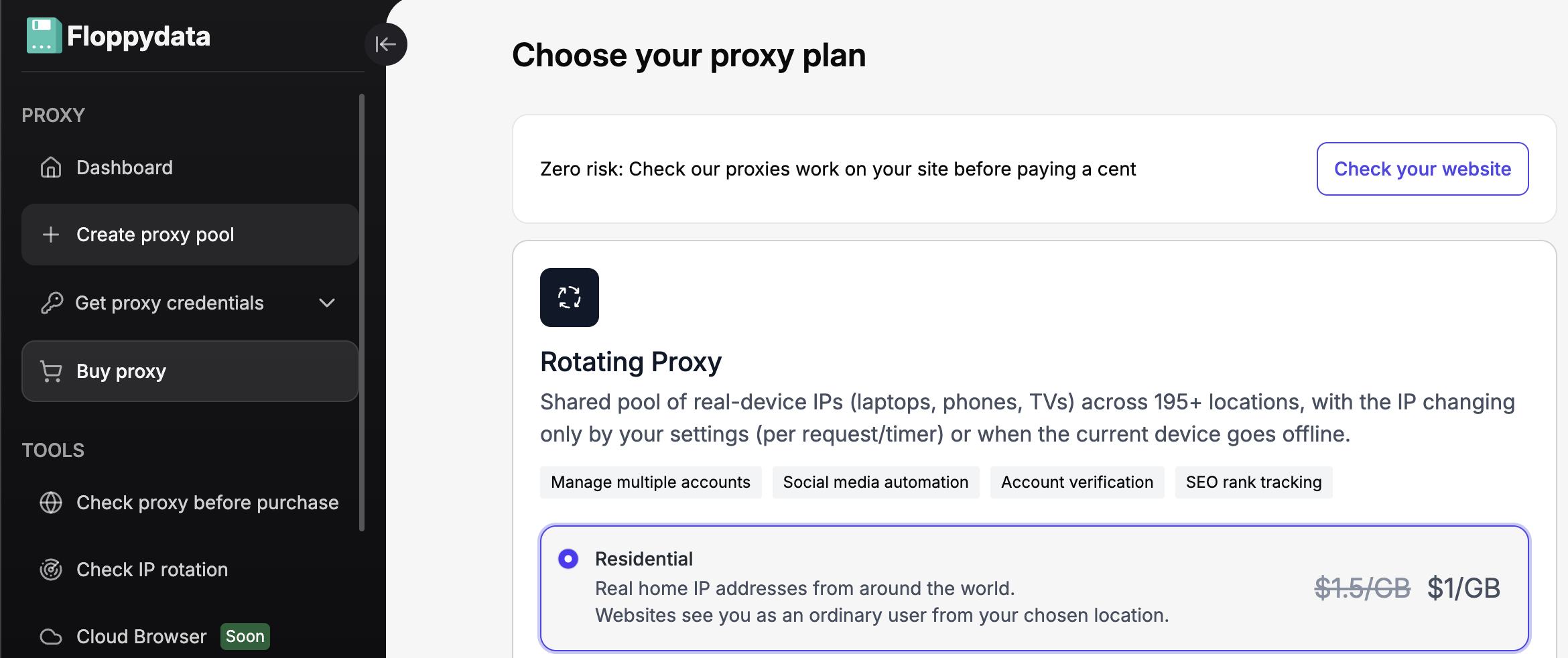
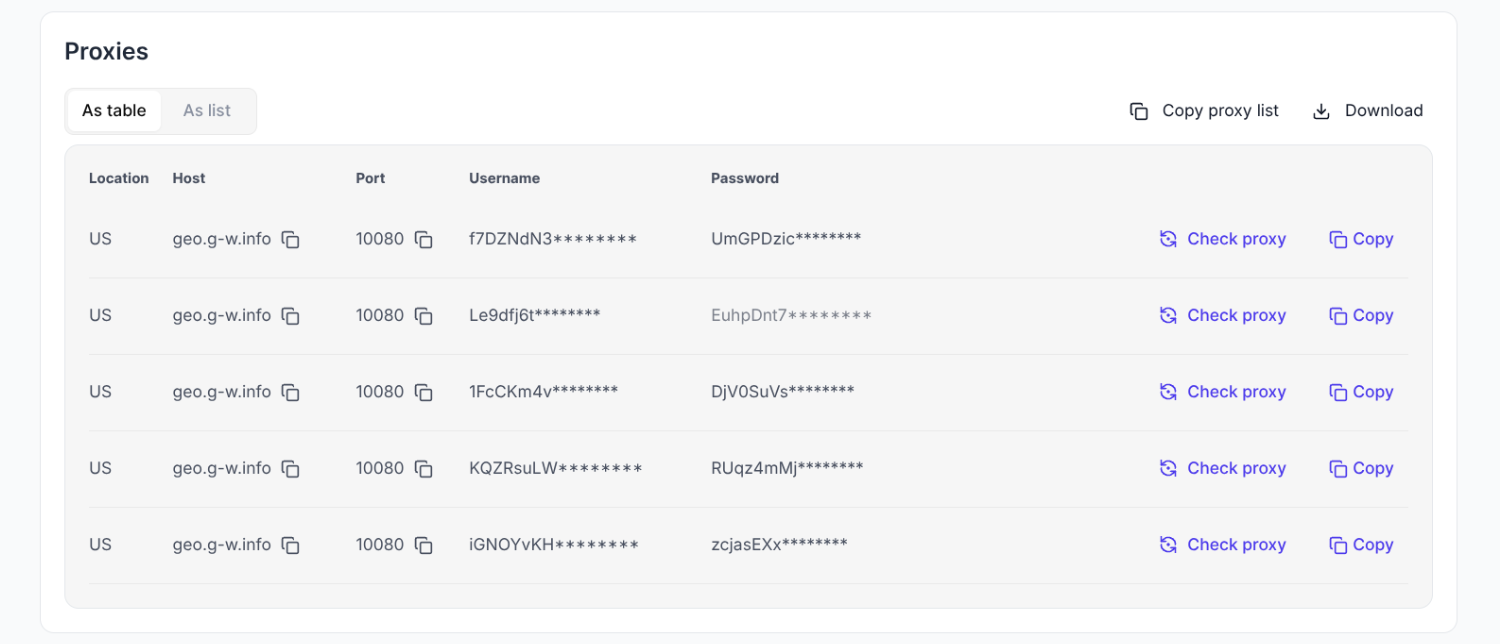
- Click Buy to Create and a list of Floppydata proxies will appear in your dashboard

Step 2: Install Gologin
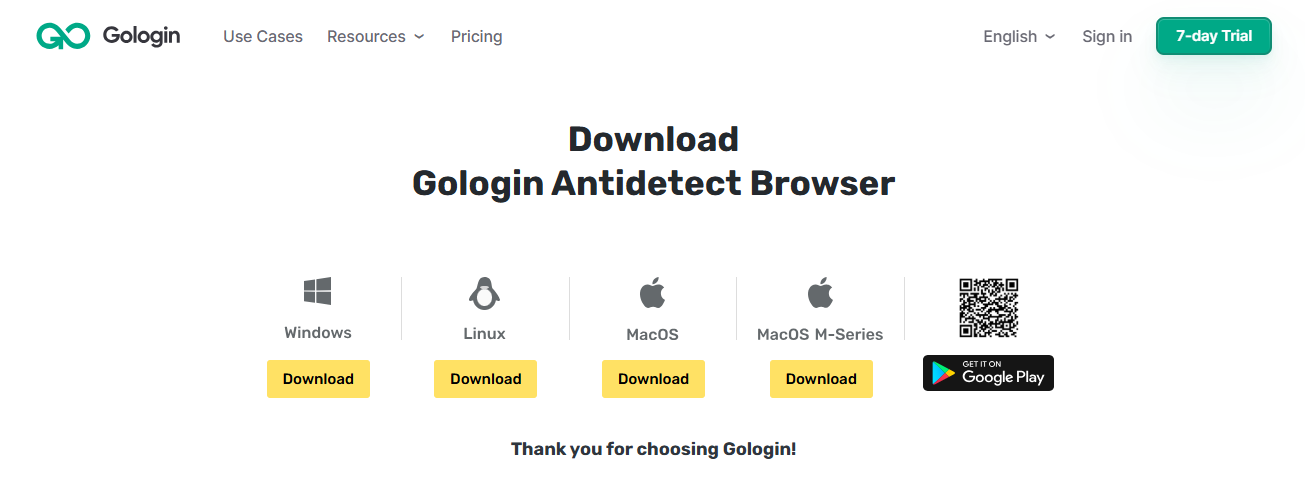
Now, create a Gologin account and download it from the website according to your operating system. Gologin supports Windows, Linux, MacOS and MacOS M-Series.
Android users can get the browser from the Google Play Store.
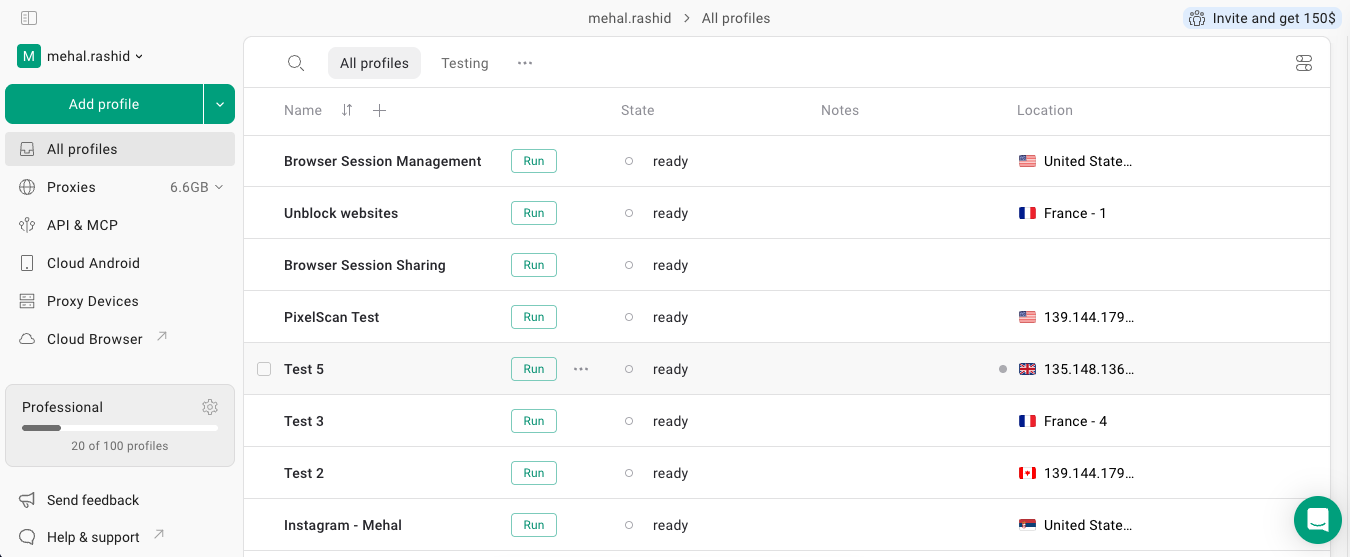
Install the browser and launch it. The Gologin dashboard will open.
Step 3: Create Gologin Browser Profiles & Configure Floppydata Proxies
In the Gologin dashboard, click on the Add Profile button.
In the profile creation form, you can tweak many things, like multiple browser fingerprint parameters, but that’s optional because Gologin automatically generates a real-looking fingerprint for each profile.
The main things to specify are the profile name and proxy details. You should name a profile something relevant to be able to easily distinguish it in a long list of profiles later on. To set up a proxy, click Your Proxy in the Gologin dashboard (in the new browser profile you have created) and copy/paste the required details from the Floppydata proxies dashboard. Make sure to pick a proxy from a state where PrizePicks is allowed.
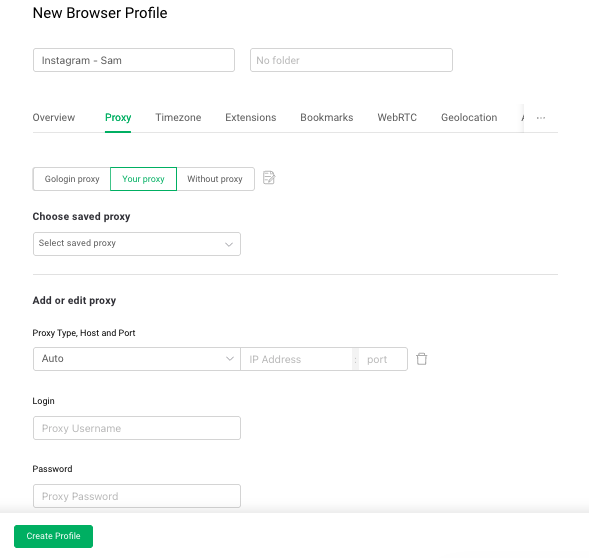
At the end, click Create Profile, and the profile will appear in your Gologin dashboard.
Repeat this process and make more Gologin profiles for other PrizePicks accounts.
Step 4: Log in PrizePicks Accounts
Now press the Run button and launch each browser profile you just created.
Multiple browser windows will open, looking just like Google Chrome. Open PrizePicks and log in to a different PrizePicks account in each one of the profiles.
And just like that, you’ll be logged in to multiple PrizePicks accounts at the same time using a single device and browser. So how many prizepicks accounts can you have using Floppydata proxies and antidetect browser? Well, as many as you want.
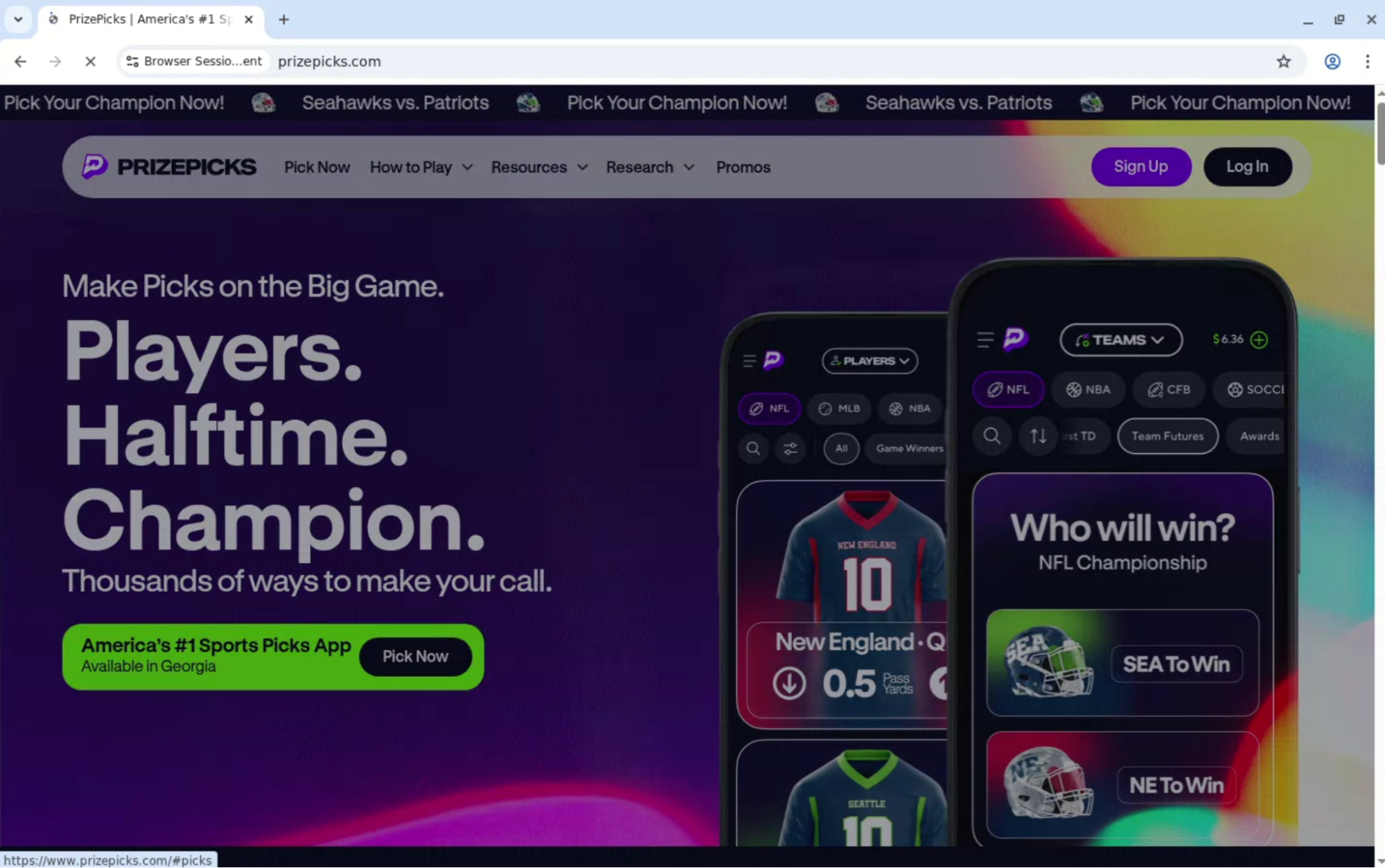
Thanks to Floppydata proxies, all your profiles will also appear to be operating from different locations. PrizePicks’ security system won’t be able to trace them back to a single location and thus won’t be able to ban the accounts.
Want to use multiple PrizePicks accounts or any other service? Get started with Floppydata today.
FAQ
Can I run multiple PrizePicks accounts?
PrizePicks officially allows only one account per person. Creating multiple accounts under one identity may violate their terms and risk suspension or loss of funds.
How do proxies help with multiple PrizePicks accounts?
High-quality residential or mobile proxies from Floppydata give each profile a distinct IP, making logins look like separate users and lowering the chance of blocks when managing different accounts.