
In places like Hong Kong and China, the government imposes strict internet restrictions that block access to many international sites. Often called the Great Firewall of China, it uses technology like DNS filtering and IP blocking to restrict access to a wide range of content that is deemed unsuitable for their citizens.
Likewise, some Israeli websites may restrict access to content based on the origin of your network traffic. So, how do you get an Israel IP address in Hong Kong?
Using an Israel proxy means connecting to a server within the country. In other words, it acts as an intermediary between your device and the website, masking your IP address and location. Regardless of your task, it is crucial to get Israel proxies that don’t get blocked every five minutes, thereby setting you back.
Therefore, this guide will explore how to get an Israel IP address.
Where to get Clean Israel IP Address
Although they are many providers that offer Israel IPs, a careful consideration of certain factors is necessary before making a choice. Factors like reputation, pricing, and coverage must be considered before investing in an Israel IP.
One provider that offers quality IPs and is trusted by individuals and businesses alike is Floppydata. With more than 65 million IPs in 195 countries across the globe including Israel, Floppydata remains an outstanding choice.
Floppydata offers various proxy types including residential, datacenter and mobile proxies. They are associated with clean IPs that have low Fraud Scores, and are trusted by websites. These IPs are suitable for various use cases including unblocking content, ad verification, web scraping, and more.
Floppydata Israel IPs are fast with an average response time that is less than 3 secs. Regardless of why you are connecting to these Israel proxies, they deliver top-notch performance. In addition, they offer high-level security features to ensure the anonymity of your activities while on the world wide web.
How to Get Israel IP Address
In this section, we will cover how to get Israel IP addresses from Floppydata dashboard
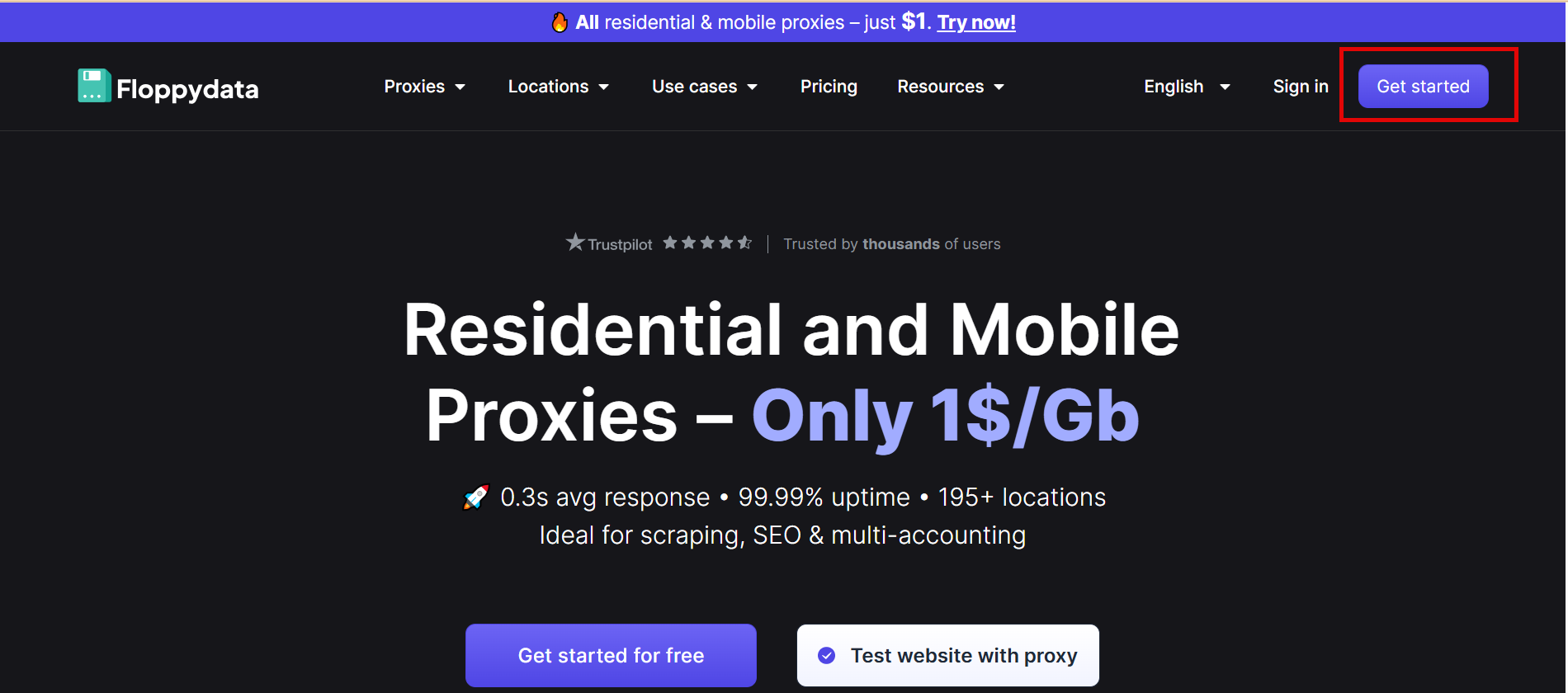
- Visit Floppydata website and create an account

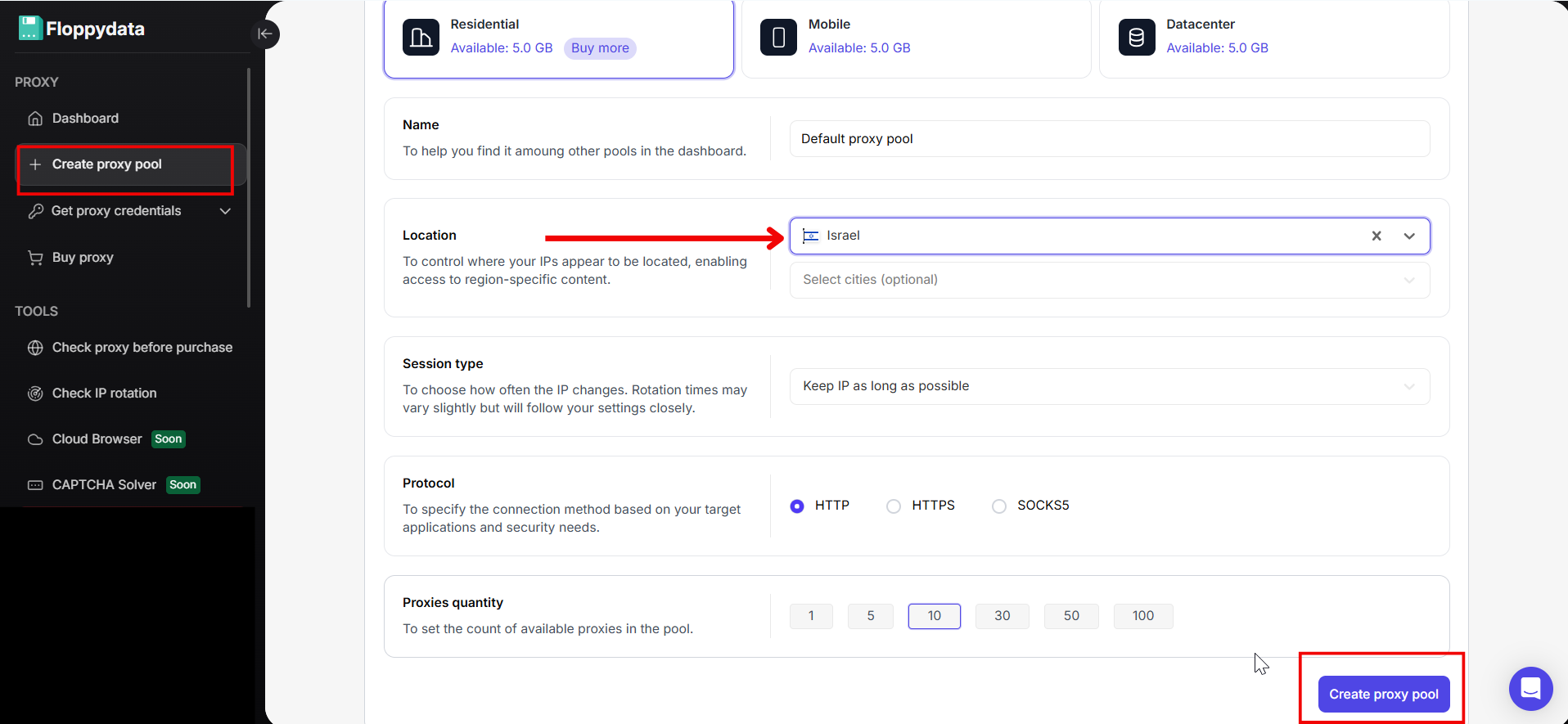
- On the left side of the dashboard, click “Create proxy pool”
- On the window that appears:
- Select “Proxy Type”
- Enter “Name”
- Set “Location” to Israel
- Choose “Session type”
- Select “Protocol”
- Choose “Proxies quantity” from the options provided.
Then click on the “Create proxy pool” button.
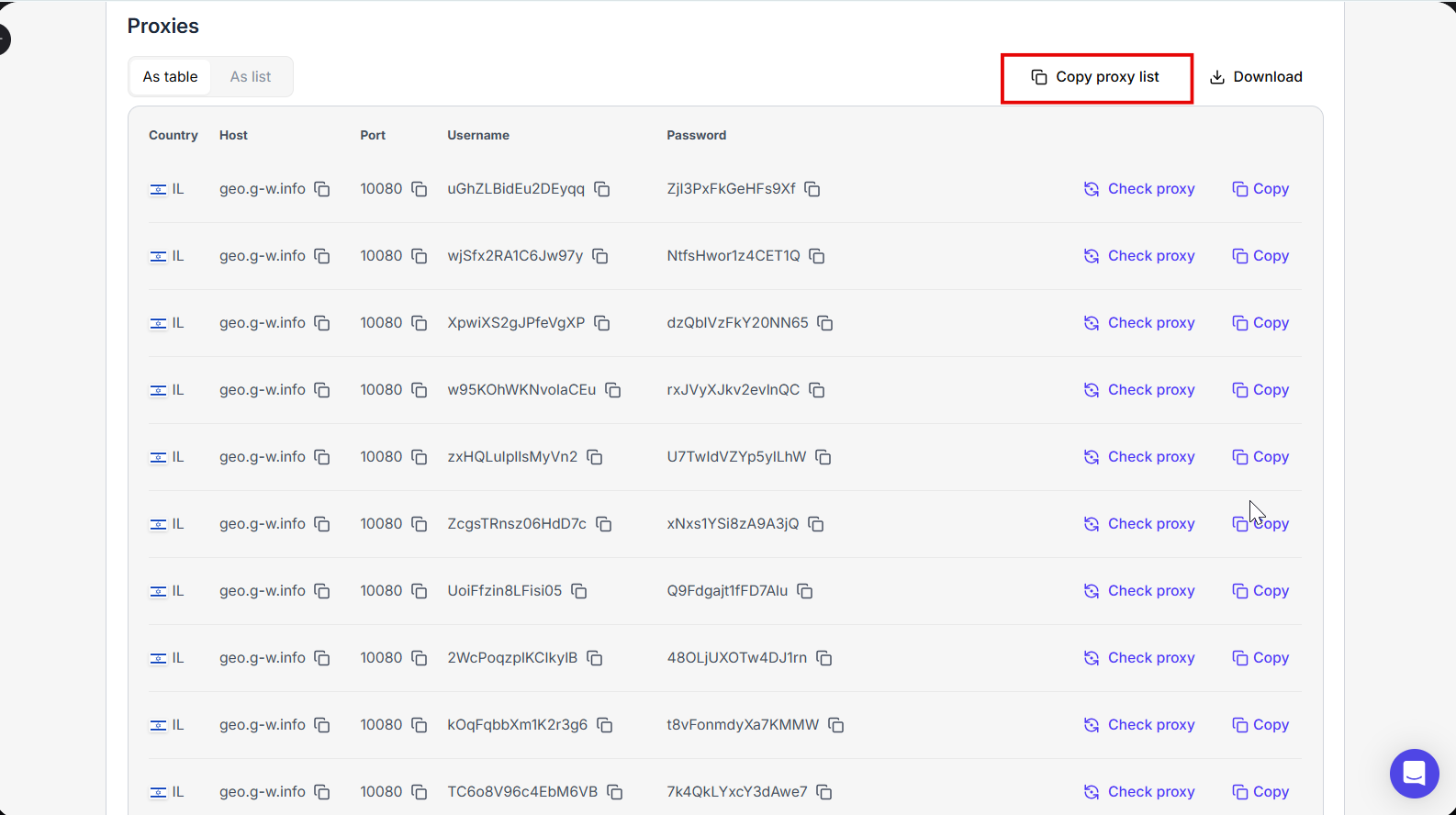
- Congratulations, you have successfully gotten your high-quality Israel IPs. Your proxy list should look like this:
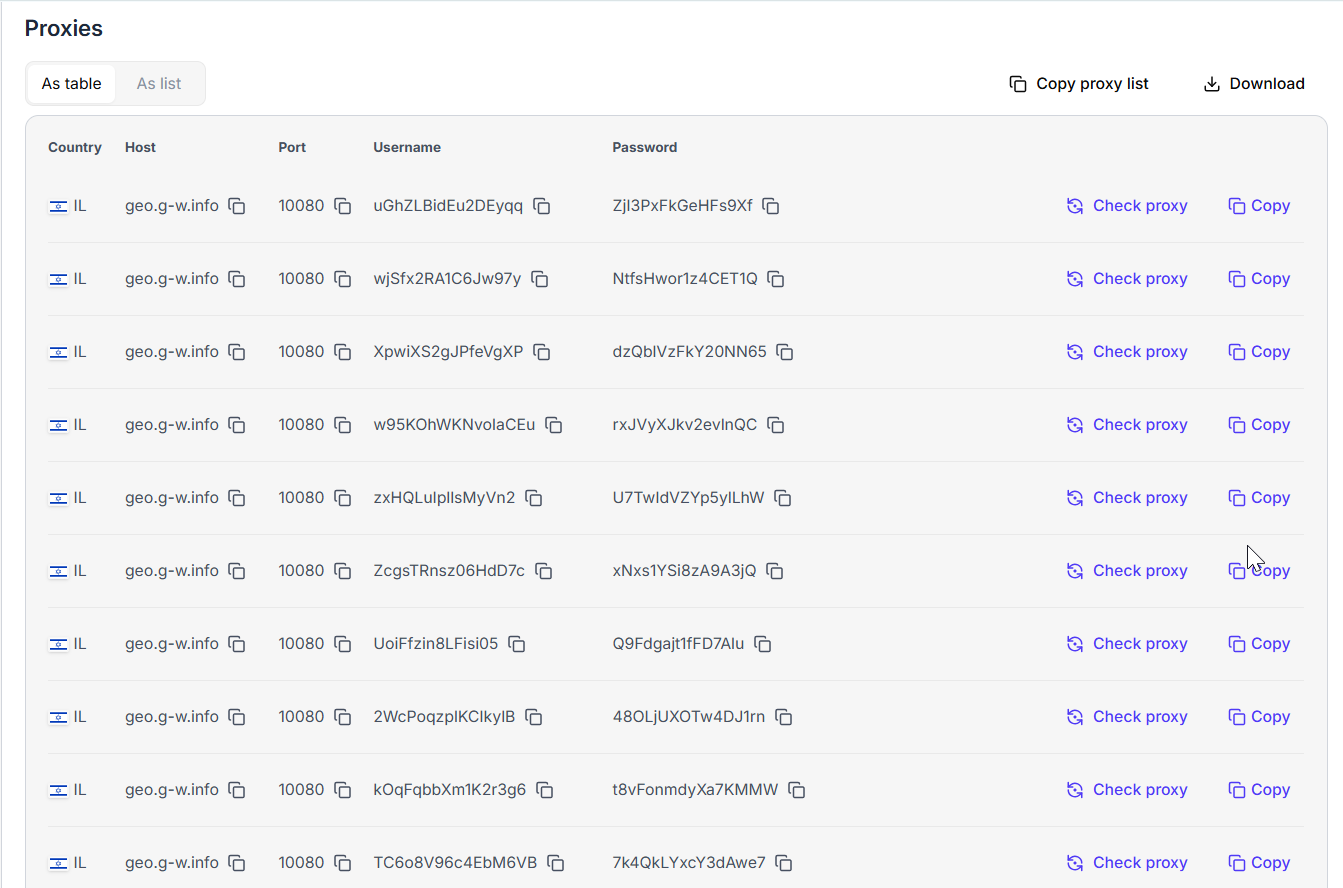
Now that you have got the IPs, let us learn how to use them.
How to Use Floppydata’s Israel IP Addresses
Once you have gotten your Israeli IPs, they are two methods to integrate them into your system for anonymity. The first method is to add the proxy details directly to your preferred browser. Alternatively, you can use them with anti-detect browsers for optimized anonymity.
Let’s get into it!
Option 1: Use Israel IP Address on a Browser
Regular browsers like Google Chrome, Safari, FireFox, and others support proxy integration. However, for the sake of this guide, we will discuss how to use Israeli proxies with Chrome for an anonymous session.
The first step is to copy the necessary proxy details from Floppydata’s dashboard. You would need to get the IP address, port, and authentication details – username and password. Since Floppydata has a user-friendly dashboard, you can find this information with no stress. More so, there is a “copy” button in front of each proxy server, that allows you to easily pick up the details and paste them where you need.
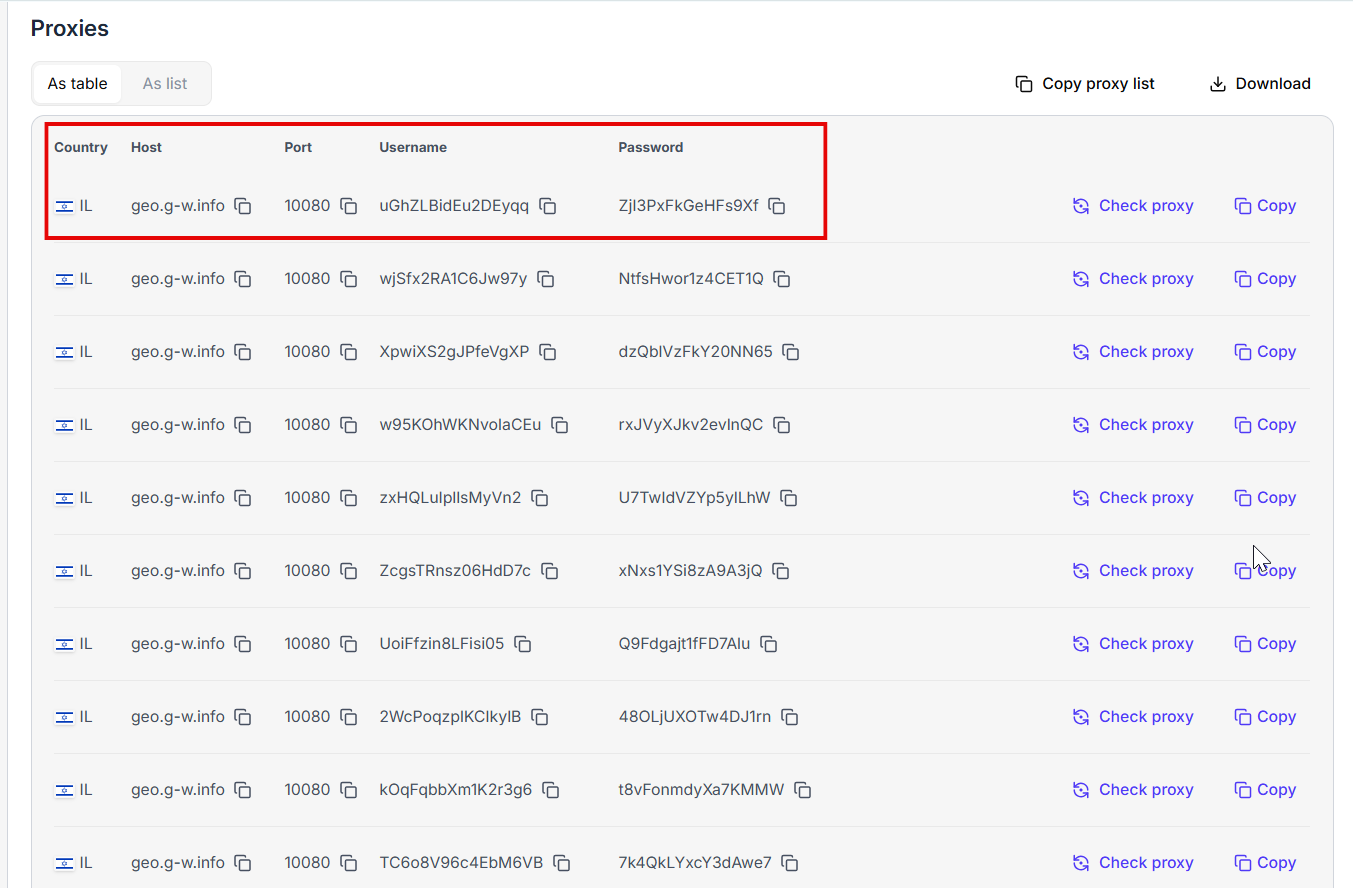
Let us launch the Google Chrome browser and get started:
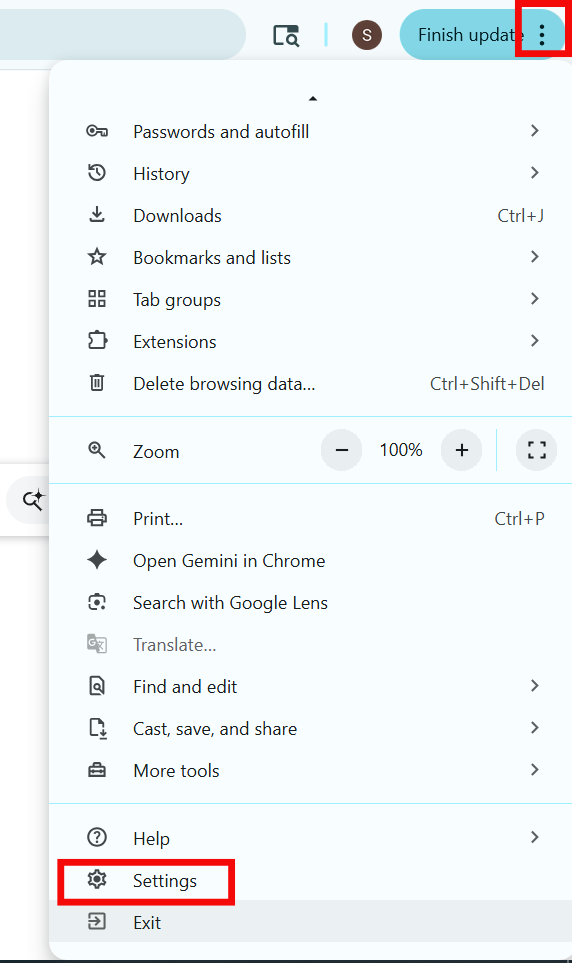
Step 1: Click on the three vertical dots on the right corner of the browser and select “Settings”
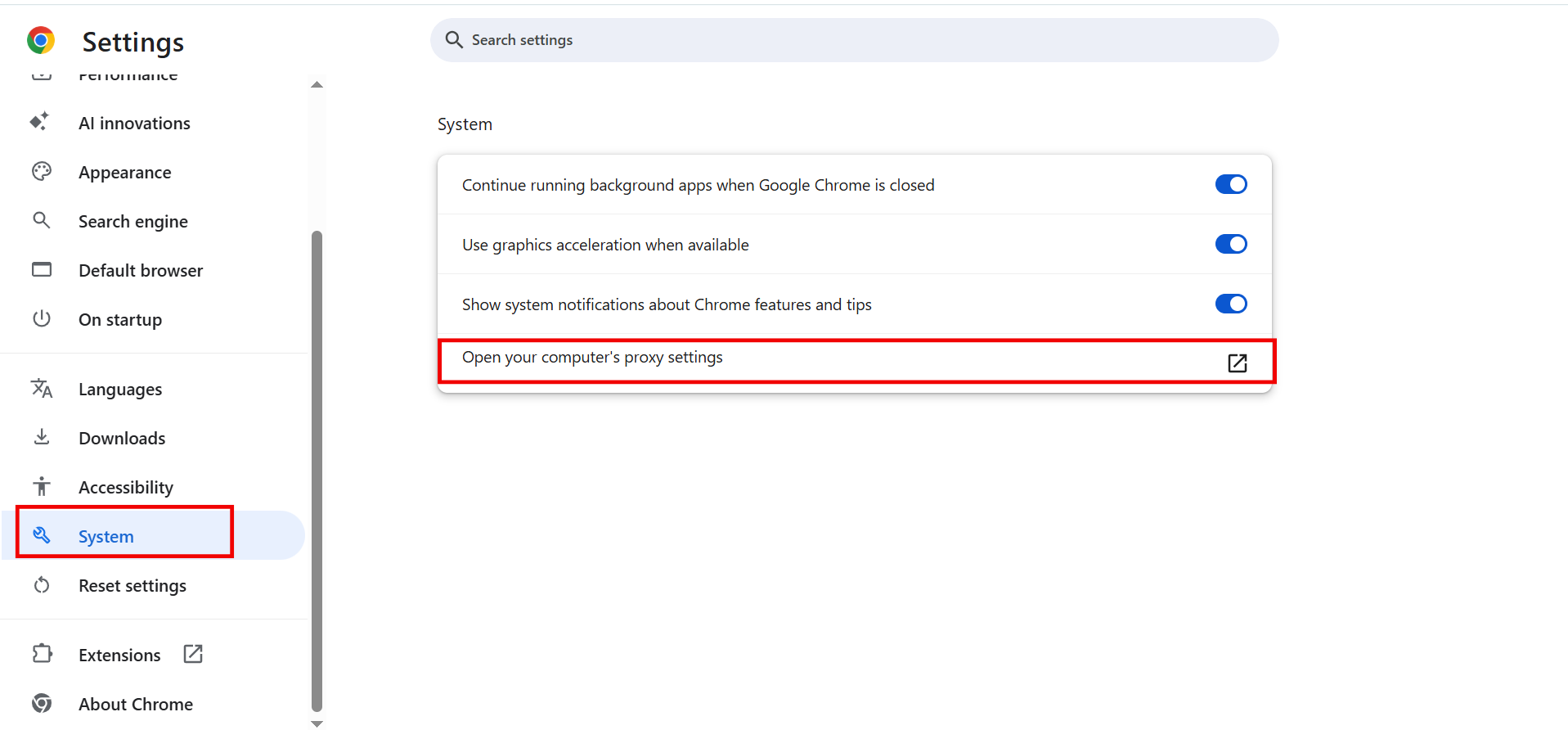
Step 2: On the new window, select “Systems” and click on the “Open your computer’s proxy settings” option.
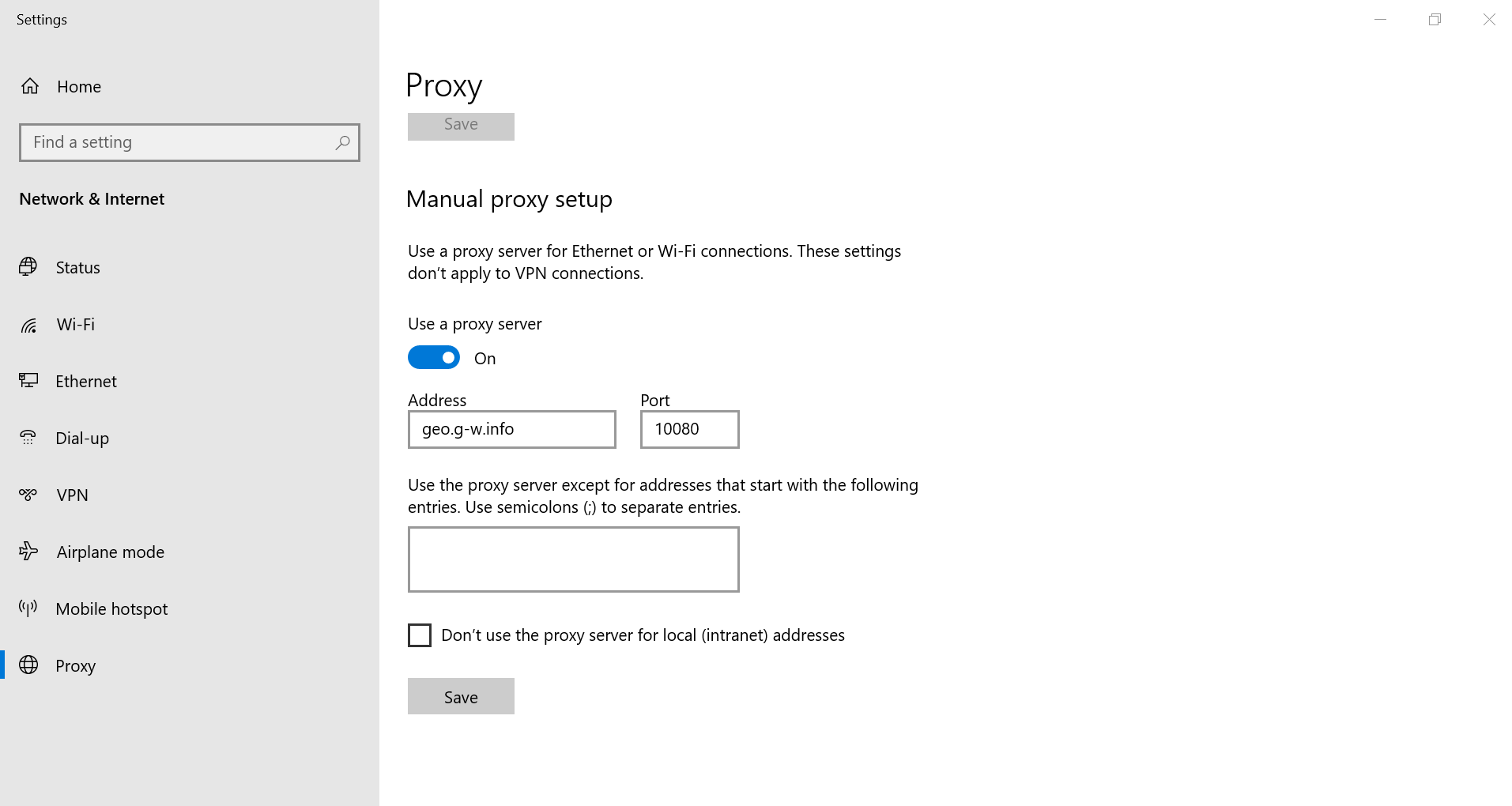
Step 3: This will take you to your computer’s proxy settings. Navigate to the “Manual proxy setup” option and select “Set up”
Step 4: The proxy set up window pops-up. The first thing to do is turn the “Use a proxy server” toggle on. Next thing is to paste the proxy details and click “Save” when done.
Step 5: Restart your Chrome browser. You’ll be prompted to enter the proxy authentication details – username and password from Floppydata’s dashboard.
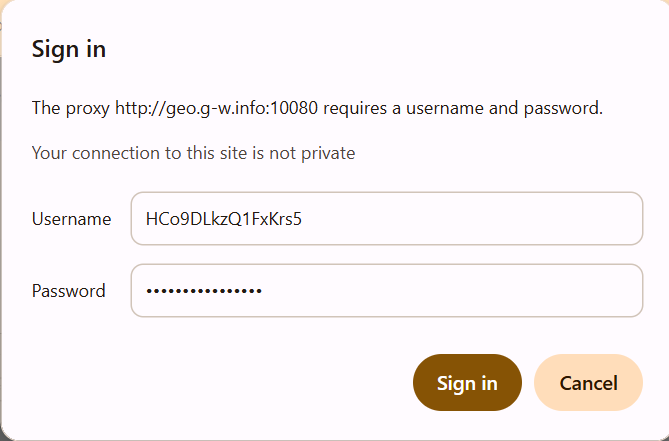
Once you click “Sign In,” your Chrome Browser will start working with the Israel IP.
Option 2: Use Floppydata’s Israel IP Address with Anti-detect Browsers
For tasks like automation, multi-accounting, and web scraping, a traditional browser may not be ideal. This is where anti-detect browsers become useful. Anti-detect browsers allow users to customize each profile and assign unique IPs such that they each have a distinct digital identity.
Gologin is a top anti-detect browser that is easy to use. In addition, it offers advanced automation features at competitive rates.
Here’s how to use Floppydata’s Israel IPs with Gologin:
- First, return to Floppydata’s dashboard to copy the proxy list.

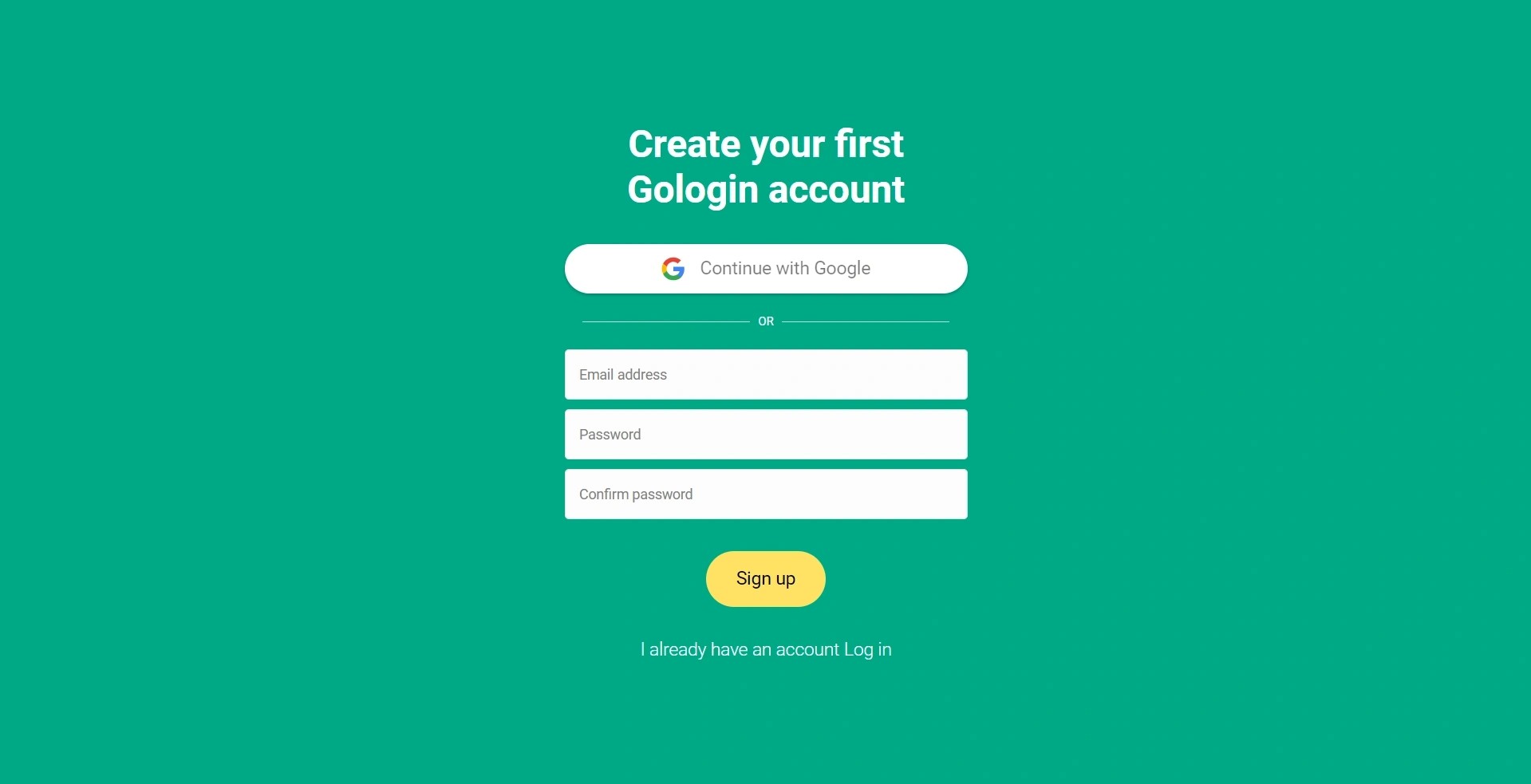
- Visit Gologin, download it, and create your account.

- On the Gologin dashboard, click on the menu icon and select “Proxies”
- Click “Import proxies” on the left corner and paste your Floppydata proxies
- Once you click on the green “+ Import proxies” button, Gologin will automatically validate your proxies.
- The next step is to create profiles on Gologin. On the dashboard, click on “Add profile”
- Under the “Proxy tab”, give your profile a name, select “Your proxy” instead of “Gologin proxy”, so you can choose a proxy from your saved Floppydata list.
- Once you are done with other customization options, click on the “Create profile” button.
Testing Proxy Connection
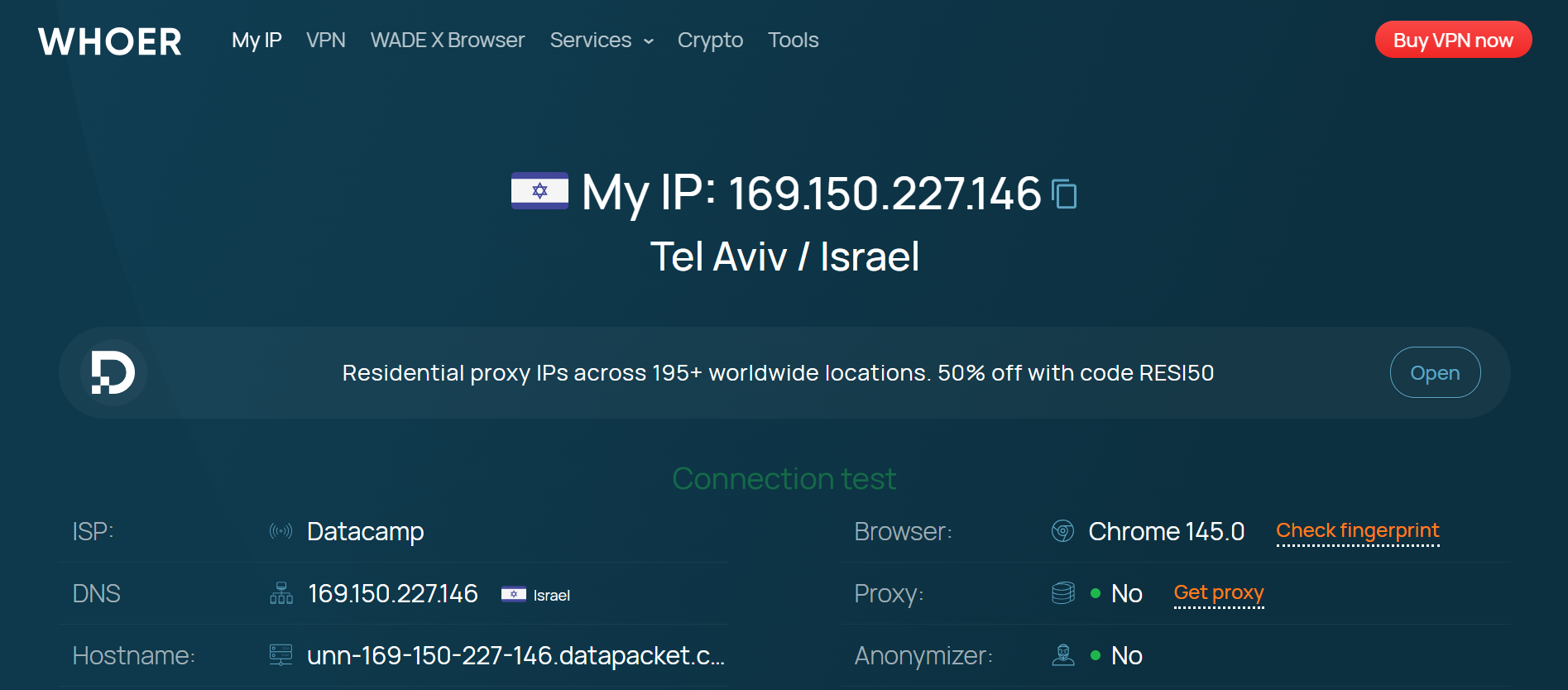
Before using the Chrome browser or running a profile via Gologin, it is necessary to verify proxy connection. Online checkers like whoer.com can display your IP address and location. If these details match those you got from Floppydata, then you’re good to go.
Conclusion
The Chinese government has sophisticated systems for regulating its citizens’ access to the internet. Therefore, it becomes necessary to find reliable Israel IPs that are clean. Floppydata offers some of the highest quality proxy servers for different use cases.
This guide has examined how to get your Israel IPs, use them on your regular browser and Gologin for optimized anonymity. I hope you found it useful!
FAQ
Why would I need an Israeli IP address?
An Israeli IP lets you access Israel-only sites, geo-restricted content, local search results, and region-specific services as if you were browsing from within Israel.
What are the best ways to get an Israeli IP?
You can use Israel-based proxy services (residential, mobile, or ISP proxies) like Floppydata or a VPN with Israeli servers to route your traffic through an Israeli IP.
Which proxy types are best for an Israeli IP?
Residential and mobile proxies appear most like real users and reduce detection. ISP proxies are stable for consistent sessions, while datacenter proxies are cheaper but easier to flag.