As people are spending more time on the World Wide Web, there has been an increasing need for anonymity and privacy. Whether you are working with multiple accounts on social media, ecommerce platforms, digital marketing, or affiliate marketing, it is important that the sites do not know that the traffic is originating from one device.
Therefore, to maintain a smooth operation, you need anti-detect browsers. These browsers provide a unique digital environment for each account. Therefore, websites cannot tie your activities to a single source. With the growth of the digital industry, there has been an explosion of anti-detect browsers in the market. However, this guide will explore the best anti-detect browsers 2026, how they work, their unique strengths, as well as limitations.
How Does Anti-Detect Browsers Work?
An anti-detect browser is a unique type of browser designed to hide users’ digital footprint. They improve privacy levels and allow users to manage multiple accounts on different platforms anonymously. Anti-detect browsers work by modifying some parameters of the browsers to hide your digital footprint, which makes it difficult for websites you visit or third-party sources to track you. Some of the modified parameters include IP address, user agent string, screen resolution, font, and others, which make you appear as a different person online.
Some of the techniques include:
Profile Isolation
One of the ways anti-detect browsers differ from regular browsers is profile isolation. With anti-detect tools, you can create multiple profiles, each with a unique digital fingerprint. In simpler terms, the activities in one profile cannot be linked to activities in other profiles. Subsequently, this is a great feature for social media managers and affiliate marketers who are constantly seeking secure ways to efficiently manage multiple accounts.
IP Address Masking
This is where proxies become a crucial part of the functionality of anti-detect browsers. The quality of your proxy server can either elevate or break the anonymity offered by anti-detect browsers. When you visit a website, it interacts with your IP address to identify your location, which can be used to track your activities. However, when you use a proxy, it makes it seem like you are accessing the site from a different location, which helps bypass geo-restrictions.
User Agent Spoofing
Modifying the user agent details is one of the ways that anti-detect browsers confuse websites about your device operating system and browser type. The user agent contains information about your OS and browser model. Therefore, user agent spoofing allows the anti-detect browser to provide a different combination, which makes it harder for websites you visit to track your online activities. For example, an anti-detect browser can make it seem like you are using Chrome on Windows when you are actually using Safari on macOS.
Canvas Management
Canvas management is another technique that involves the rendering of the HTML5 canvas elements to create unique fingerprints. Websites can use canvas fingerprinting to determine how your device renders graphics. Therefore, anti-detect browsers often modify the rendering process, which makes it difficult for websites to track your device based on the canvas fingerprint.
Cookie Management
Cookies are small data files that websites store on your device to track your activities. Anti-detect browsers utilize cookie management to isolate cookies to minimize cross-site tracking. Subsequently, anti-detect browsers manage cookies separately for each profile to prevent interference. As a result, this helps to reduce tracking and improve anonymity.
Summary Table
| Provider | Key Features | Built-in Proxies | Free Plan | Starting Price/month | Best For |
| Gologin | Powerful fingerprint masking technology, API support, team features, mobile and website support. | Datacenter | Yes – 3 browser profiles | $9 for 10 profiles | Individuals, small teams, and agencies that want a balanced solution for multi-accounting. |
| 1Browser | Cloud-based, free proxies for basic tasks, Anti-detect features | Residential, mobile, datacenter, and Tor | Yes – 10 browser profiles | $9 for 20 profiles | Best free anti-detect solution suitable for beginners. |
| Multilogin | AI automation, team management, cloud profiles | Residential | No – €1.99/one time | €9 for 10 profiles | Enterprise corporations with an unlimited budget. |
| AdsPower | Team management, bulk profile creation | No | Yes – 2 browser profiles | $9 for 10 profiles | Large scale operations at affordable rates |
| Incogniton | Local or cloud storage, support for Selenium API | No | Yes – 10 browser profile | $20 for 10 profiles | Small agencies |
| Geelark | Automation, remote access to cloud profiles, synchronizer feature | Yes | Yes – 2 browser profiles | $19 for 50 profiles | Anonymity for mobile app social accounts |
| Dolphin Anty | Support automation tools like Selenium, team collaboration tools, cookies customization | No | Yes – 5 browser profiles | $10 for 20 profiles | Affiliate marketers and social media managers |
| MoreLogin | Advanced fingerprint customization, browser synchronization, team management tool, cookie bot | No | Yes – 2 browser profiles | $9 for 10 profiles | Mobile platforms multi-accounting on a tight budget |
| Kameleo | API support, mobile device browser simulation, real-user fingerprint spoofing | No | Yes – 2 concurrent browsers and 100 cloud profiles | $59 for 10 concurrent browsers and 5000 cloud-stored profiles | Tech savvy professionals that handle large-scale campaigns |
| NstBrowser | Powerful RPA and automation, advanced AI- fingerprint spoofing, cloud profiles | No | Yes – 500 browser profiles | $30 for 100k profiles | Tech-savvy folks requiring powerful automation |
10 Best Anti-detect Browsers in 2026
After testing several factors like speed, performance, affordability, and ease of use, here are the top anti-detect browsers based on Pixelscan. Pixelscan is a popular online tool that simulates antifraud system checks. In simpler terms, they reveal the performance of anti-detect browsers similar to what you’d expect with websites with advanced security features.
Gologin – Overall Best Anti-detect Solution

The first option we tested was Gologin – an affordable anti-detect browser for android. One of the first things that immediately caught my attention was how well it works with different operating systems. It uses its own Orbita browser, which allows users to create multiple profiles in a unique digital environment. Another thing I noticed about Gologin is that it offers powerful anti-fingerprinting features with a user-friendly interface. This browser also stands out in terms of speed and performance. On putting it to the test, the speed was less than 4 seconds. In addition, running multiple profiles at the same time did not affect the speed.
In addition, Gologin is actively rolling out updates. As a result, fingerprint parameters do not become obsolete, which significantly improves security.
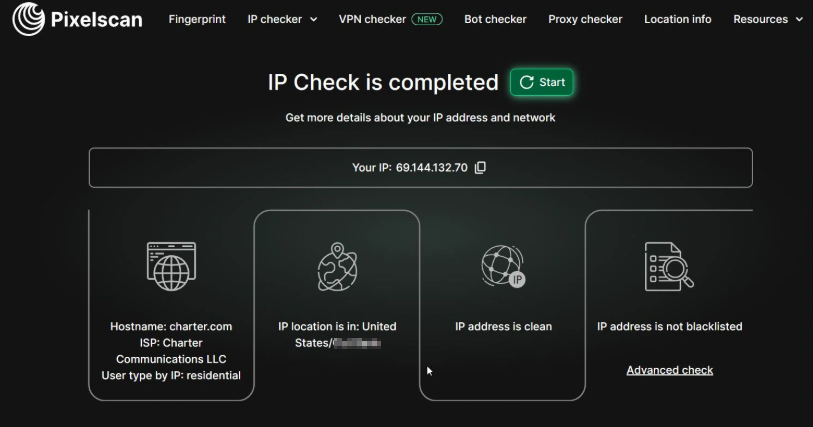
Gologin comes with free and paid proxy options, which deliver high-level anonymity and security. The free proxies are usually datacenter IPs but Gologin provides residential ones. Testing them with PixelScan showed they provided basic anonymity and privacy. However, you can import your own private proxies or get Gologin paid ones from $7/Gb for residential or datacenter options.
The service offers a 7-day trial period without your credit card details. Pricing is quite affordable as it begins at $24/month (for the annual package). Gologin is often described as the best value for money. They offer competitive pricing with quality that is better than or on par with other expensive options.
1Browser – Best Free Anti-detect Browser
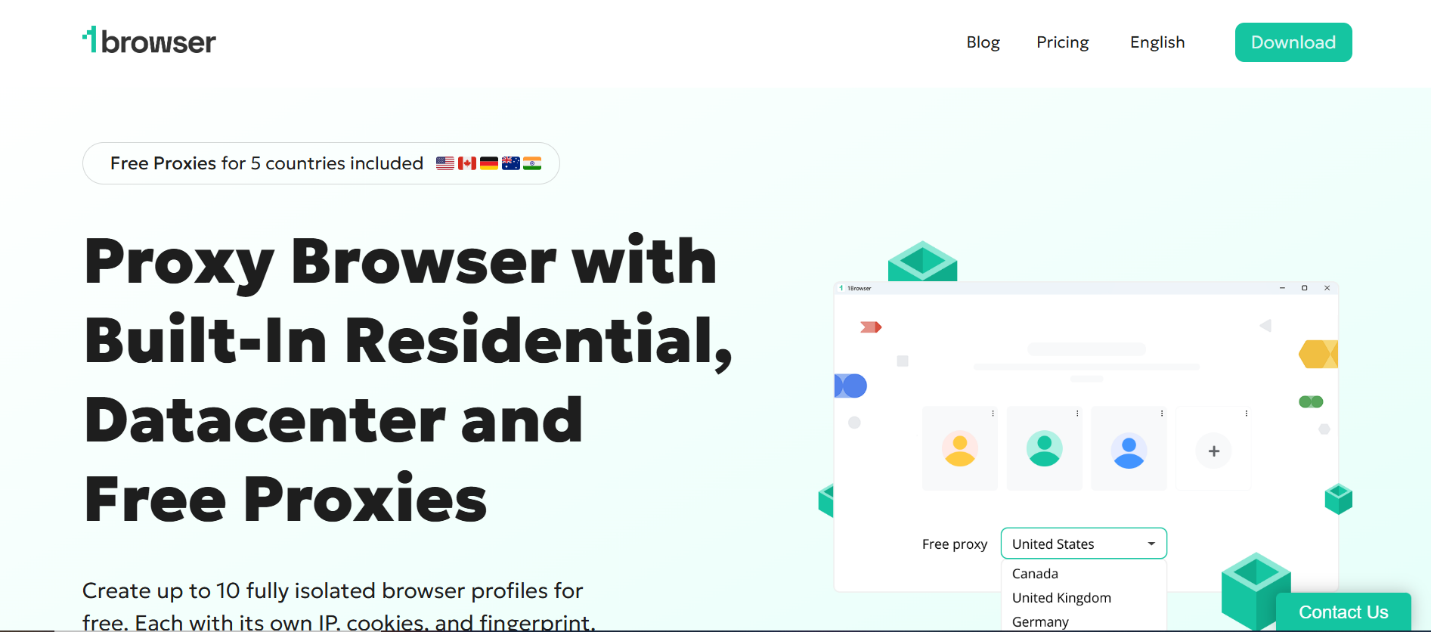
1Browser is another anti-fingerprint browser I tested and performed well. First, this browser is completely free, which improves accessibility to anti-detect solutions. They offer 10 free browser profiles with built-in proxies with above-average performance. One fascinating feature of 1Browser is its similarity to Chrome, which makes it easy to navigate. 1Browser is an ideal choice for beginners who need several profiles for basic tasks. This browser comes with built-in free proxies for basic tasks. However, if you want better anonymity and security, it may be better to opt for the paid ones. It is often described as the best free anti-detect browser as alternatives are either expensive or lack good features.
However, in terms of anonymity, 1Browser does not score a 10/10 across all boards, mostly because it does not offer any deep emulation. Testing the free proxies on PixelScan did not pass the fingerprint spoofing. Therefore, if you want optimized anonymity, paid proxies are the better option.
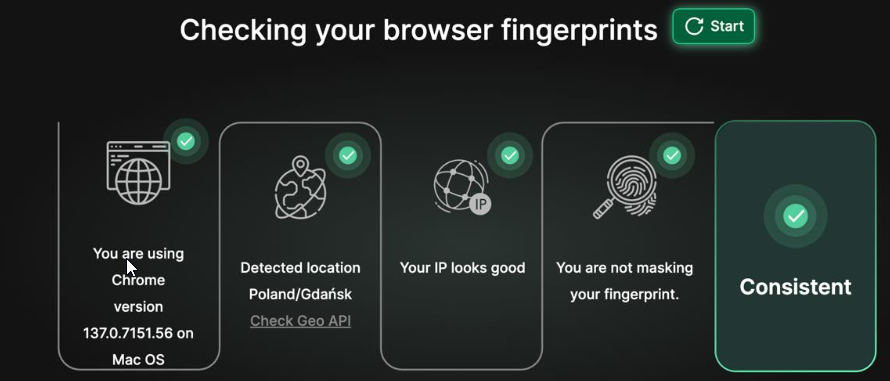
On pairing 1Browser with paid residential proxies, they passed the PixelScan tests. So, the problem was not with the anti-detect capabilities but the proxy reliability.
1Browser was designed for simplicity, which is ideal for those avoiding complex setups. Many users describe the browser as Chrome with cloud-based profile isolation. When creating a profile, users can customize the browser settings.
This lightweight browser comes with exceptional speed, even when running multiple profiles. 1Browser is a great tool for individuals, freelancers, or startups. Therefore, 1Browser covers the basic needs of an anti-detect browser at no cost.
Multilogin – Best Enterprise Option
Multilogin remains one of the best anti-detect browsers that offers an all-in-one solution. It offers automation, proxy management, and fingerprinting customization that allows you to run multiple accounts. Multilogin is one of the oldest players in the industry. However, they remain a go-to choice for enterprises and corporations that require reliable and feature-packed anti-detect solutions. This provider boasts of its advanced spoofing engine with its native browsers Mimic and Stealthfox that mimic Chromium and Firefox respectively.

In terms of performance, Multilogin crosses all the boxes as it does not show any inconsistencies on PixelScan. The team is also constantly rolling out updates which means the fingerprint customization ability is never lagging. Multilogin remains one of the reputable providers due to its advanced fingerprint options. It comes with deep customization. You can customize over 55 parameters, which promote uniqueness for each profile. Although the interface is minimalistic, it is often confusing for beginners. Profile launch time is pretty decent – about 5 seconds.
This provider offers built-in residential proxies for every plan. One of the downsides of this provider is the pricing – it remains one of the most expensive anti-detect solutions in the market. While there is no free plan, for about $2, you can get limited access to the browser. Starting price for the basic plan with only basic features starts at €29/month for 10 profiles. For access to advanced features, solo plans begin at €79, which includes access to 100 profiles.
Therefore, Multilogin is better suited for medium to large teams that want to scale their activities without a budget restraint. However, it is excessive for individuals with a limited budget.
AdsPower -Affordable No-code Automation Solution
Next on our list for the best anti-fingerprint browsers is AdsPower. Originating in China, this tool did not gain traction until it was translated to English. They are an affordable solution for social media management. They offer two types of browser engines – SunBrowser and FlowerBrowser. One of the things I liked about this browser is its ease of use. The interface is simple and easy to navigate even for people who are not tech-savvy. It provides excellent team collaboration and bulk profile management features.
AdsPower also offers powerful automation tools without the need to write code. These include built-in RPA studio, pre-made templates for platforms like TikTok, Amazon, Facebook, as well as local API support for Selenium, Puppeteer, and Playwright. However, it has a slightly steeper learning curve than the usual drag and drop interface. Performance on both of its browser engines was okay. However, using heavy RPA on low memory and poor proxies can cause some lag. AdsPower is a stable anti-detect solution for long-term multi-accounting on social media and e-commerce platforms. It provides a strong proxy management dashboard and really works well for affiliate programs.
AdsPower is popular because of its affordability. They have a forever free plan that includes access to five profiles. Pricing starts at about $5.40 per month for 10 profiles.
Incogniton – Best for Tech-savvy Users
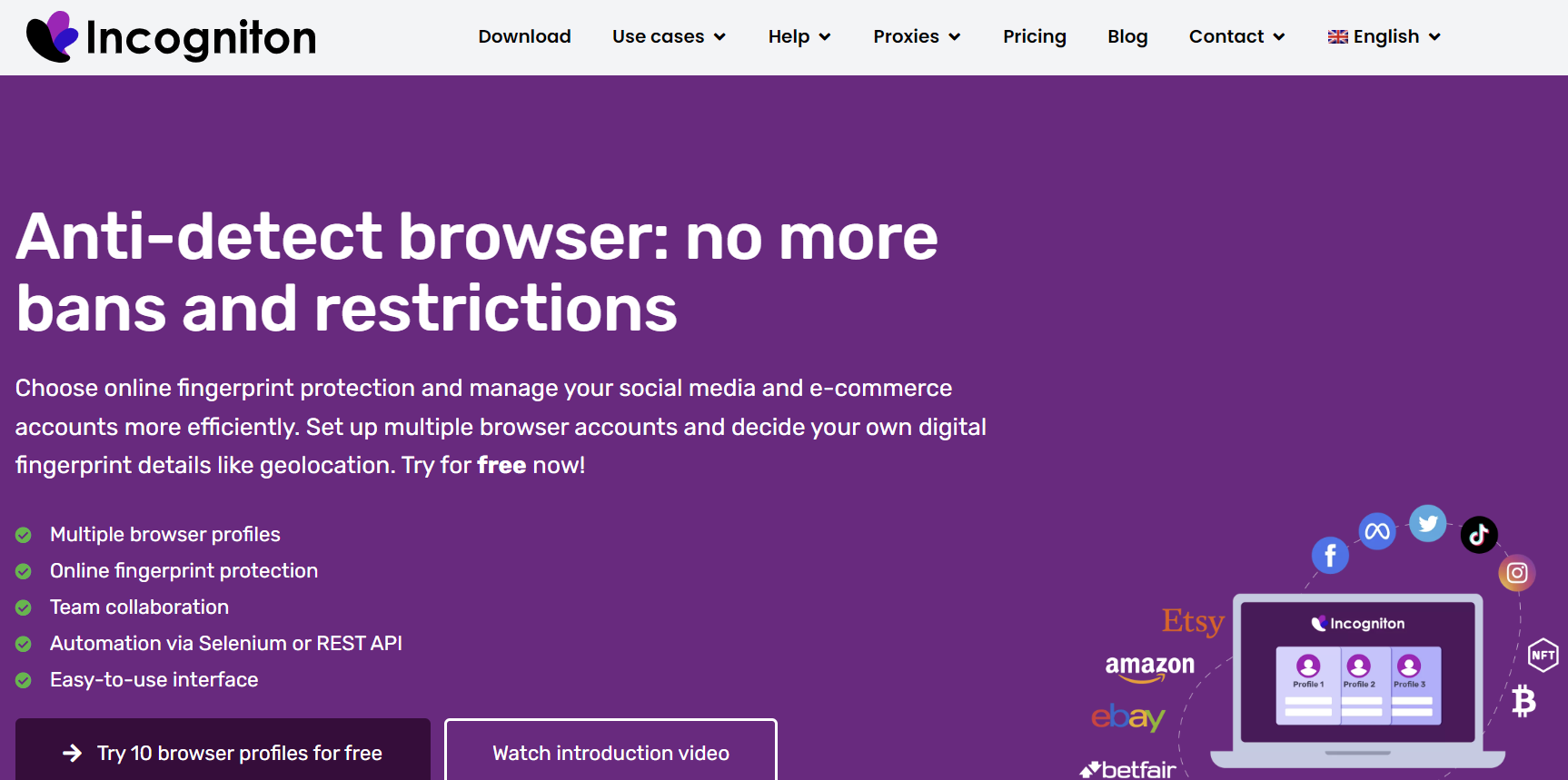
Next on our top anti-fingerprinting browser list is Incogniton. Originating from the Netherlands, it comes with standard features that make it possible to manage multiple profiles. With the fingerprinting and proxy options, you can customize each profile as you desire.
One of the things I noticed about this anti-detect browser is that it is more suited for tech savvy users. The interface and profile settings are quite difficult to navigate.
Although Incogniton does not come with built-in automation tools, it is compatible with automation tools like Playwright and Selenium. This tool has team features that allow you to share browser profiles with members of your team.
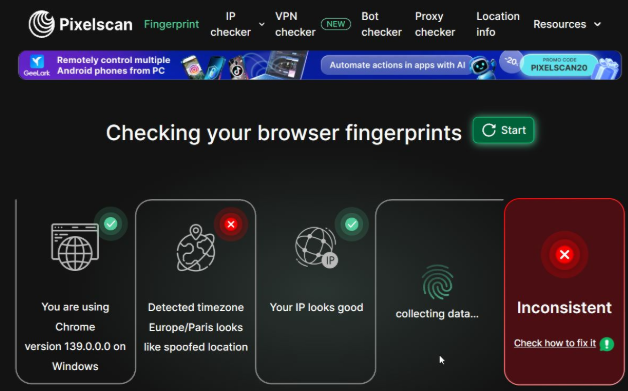
On subjecting the profiles to PixelScan, there were some inconsistencies. There were issues with hardware and software consistency. In addition, the fingerprint settings were not trustworthy. However, the developers acknowledged this challenge and provided a guide to proper fingerprinting configuration. Therefore, beginners who do not have comprehensive knowledge may be thrown off-balance. Subsequently, the possibility of getting banned increases, especially if the parameters are not set manually. Moving on, the interface feels more like a typical desktop application rather than modern style. This makes it confusing for newcomers to navigate it. Meanwhile, tech-savvy users can leverage the features – create profiles, synchronize actions, and set up controls. The speed of profile launch was greater than 6 seconds, which is weak compared to competitors like Gologin. While it comes with the mass launching feature, using it can be resource-intensive. Subsequently, it can cause some glitches if your PC is already low on space.
Incogniton anti-detect browser does not offer any free proxies. Although there are several paid options, it is generally better to get your proxy from a reliable proxy. The proxy set-up is probably one of the most complicated set-ups on this browser. Incogniton has a free trial that comes with 10 profiles. However, after the first 2 months without an upgrade, access is restricted to three profiles. Pricing begins from $19.99/month for 10 profiles for just basic anti-detect features.
Geelark – Anti-detect Cloud Phone for Mobile Apps

Geelark is an anti-fingerprint browser for handling multiple accounts on mobile apps. They offer access to remote Android devices, simulating real users, without the need for multiple devices. It is the first complete anti-detection phone in the cloud. Unlike the regular anti-detect browser fingerprint spoofing, Geelark works by isolating an entire virtual smartphone. Subsequently, it gives you a real mobile device with distinct identifiers. As a result, any app or website you visit sees you as a clean device. In addition, they offer standard desktop browser profiles.
Geelark offers a cloud-based solution with advanced features like API support for automation, built-in automation templates, and RPA management. Other features like the debugging tools and built-in proxy manager make it a great choice for those looking to streamline their mobile account workflow.
With Geelark, each profile is a unique cloud phone that can be reset at the user’s discretion. When you start the cloud phone, the Android boots on the screen, which supports screen rotation, screenshot, and video recording.
As with a regular phone, Geelark offers various applications that you can install. In addition, they provide pre-defined APKs in one click. Alternatively, you can upload your own APK.
Geelark offers two free profiles for those who don’t want to make a financial commitment. Paid plans begin from $19/month for 50 profiles. One downside of this provider is that they do not offer any free proxies.
Dolphin Anty – Best for Affiliate Marketing
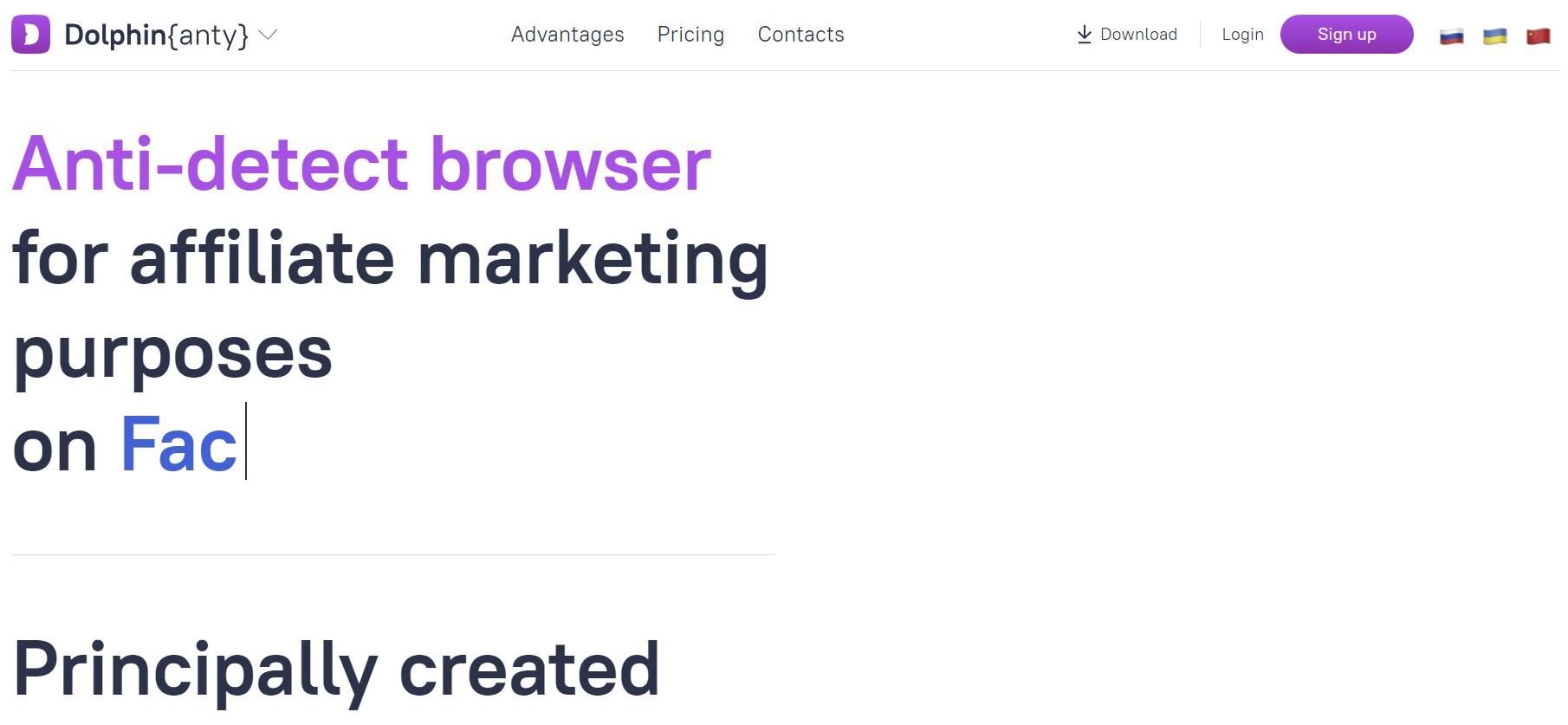
Dolphin Anty is another anti-detect browser that works well for social media management. They are always rolling out new updates for automating actions on different platforms. It also supports updating the browser profiles to the latest versions.
One feature I noticed lacking in this tool is proxy management. However, it is a great tool for managing multiple ad accounts. Moreso, it comes with predefined templates for managing multiple Meta ad accounts. Dolphin Anty is fast and highly responsive, especially since it is built on Chromium core. More so, the developers highlight that it was designed for running multiple social media profiles and ads simultaneously. When paired with high-quality proxies, Dolphin Anty offers a stable service for social media and daily arbitrage. In addition, it offers strong automation support and high compatibility with scripts.
Dolphin offers a rich API and supports smooth integration with automation tools. Additionally, it allows you to automate bidding rules across multiple social media ad accounts. Although the performance is excellent, it falls short in terms of flexibility as it is niche-specific. For individuals who don’t need more than 10 browser profiles, they can use the free plan. However, team accounts are priced at $89 per month.
MoreLogin – Budget-friendly Cloud Phone
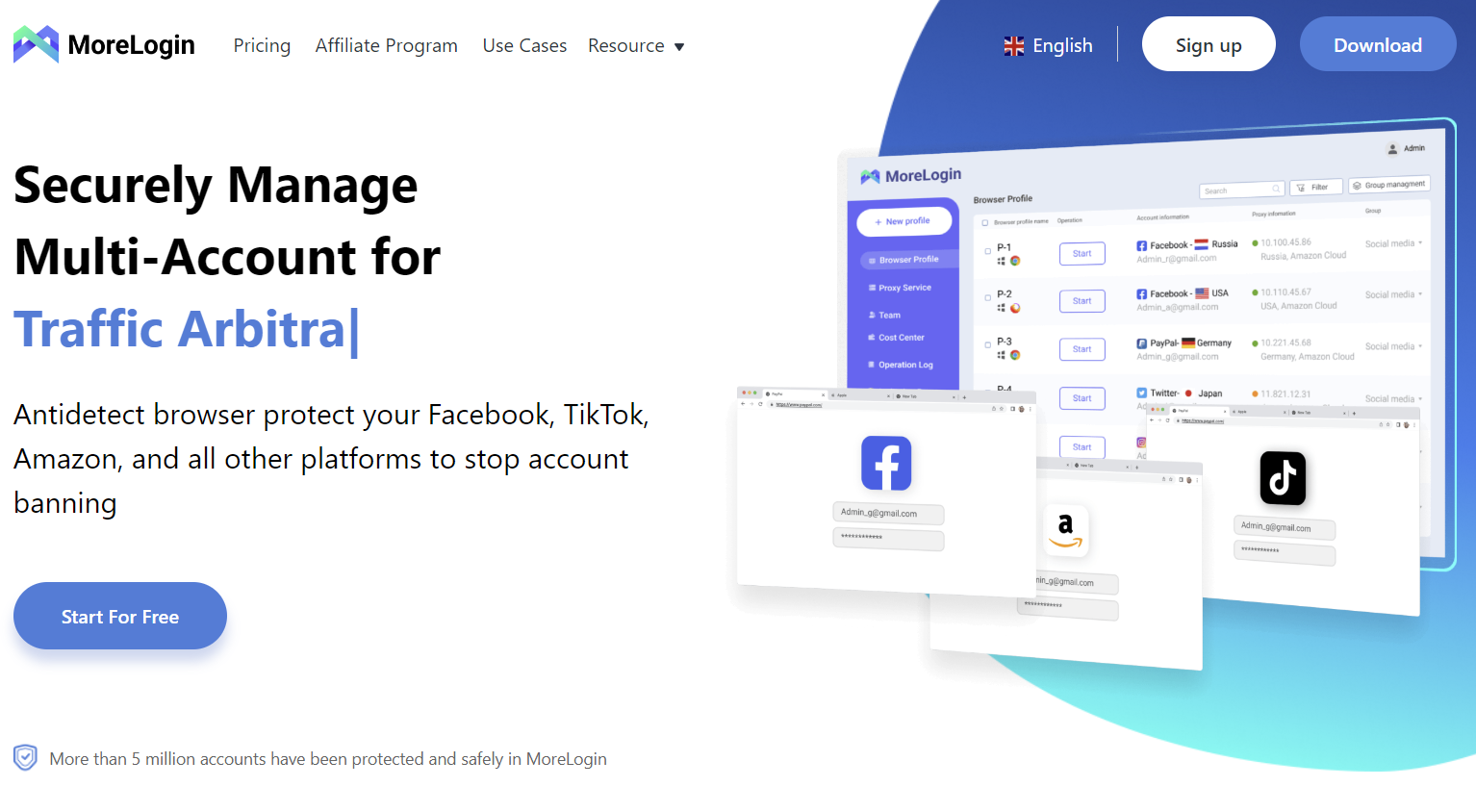
MoreLogin is another anti-detect browser that originated from China. It quickly gained popularity for its advanced features and affordability for mobile applications.
One feature that makes MoreLogin stand out is that it functions as a cloud-based mobile platform. Therefore, it is widely used by social media marketers as these apps are mobile-based. MoreLogin simulates a real phone and it uses a pool of real Android devices in the cloud. In simpler terms, it is like renting a virtual phone with unique fingerprints.
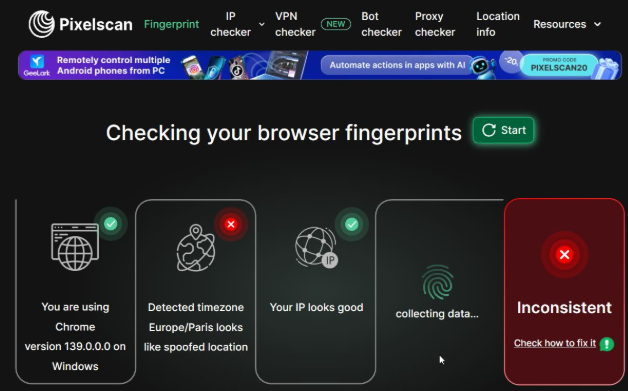
Performance on PixelScan did not yield a satisfactory result. There were inconsistencies in the time zone and location. This can trigger websites to detect suspicious activities and ban your account.
MoreLogin aims for a user-friendly dashboard. It comes with ready-made templates for platforms like Amazon, Facebook, TikTok, and others, which makes it easy to create profiles.
One of the cons of this browser is that the translation is not up-to-date. In some places, Chinese terms appear, which makes it feel like it is optimized for the Asian market. The learning curve for adding proxies is initially confusing.
MoreLogin proved to be an above-average anti-detect solution with profile launching speed less than 5 seconds. However, the application is memory-intensive, so you need a computer with a big memory if you want to run multiple profiles simultaneously.
They offer a free plan that comes with 2 profiles. Regardless, the pricing is quite affordable for the features provided. The starter plan begins at $9 per month for 10 profiles. Bear in mind that these basic plans do not include advanced features like team plan and cloud phone.
Kameleo – Best for Unlimited Mobile Profiles
Kameleo is easily one of the best anti-detect browsers for android. This tool allows users to emulate Android profiles with desktop profiles. It stands as a premium solution for advanced browser fingerprint customization options.
Kameleo offers high-quality anti-fingerprinting protection. It provides high-level flexibility for customizing browser parameters such as Canvas, user-agent, font, language, geolocation, and others.
With this tool, you can create a browser profile that will be seen as originating from an Android phone. In other words, you can emulate Chrome on a Samsung device via your desktop computer. Therefore, this is a huge win for those working on platforms like Facebook, TikTok, and Instagram.
Kameleo has a modern interface that is easy to use. In addition, it supports integration with automation tools like Selenium and Playwright. Although it is more suited for individual use, there are options for team collaboration. However, there is no cloud infrastructure as seen with Gologin.
Customer support may not be the fastest. However, the technical team is quite competent and always provides standard solutions.
It is important to note that Kameleo is not budget friendly. Although there is a free plan that resets each month, it is limited to 300 minutes and 2 profiles. On the other hand, paid plans are from £45 per month for 10 browsers. Kameleo is better for use on a large scale but if you need a few profiles, there are less expensive options.
NSTBrowser – Best for Automation Tasks
The final anti-detect browser on our list is NstBrowser (NST). This tool was designed to provide extra anonymity for web scraping activities. In addition, it supports integration with frameworks like Selenium and Puppeteer for seamless automations.
With this tool, you can create a single profile as well as multiple profiles (up to 100) at once. Each profile fingerprint parameter can be customized to fit the use case. Another exciting aspect of NST is the extensive RPA framework that supports codeless creation of bots. NST also supports headless mode for optimized automation.
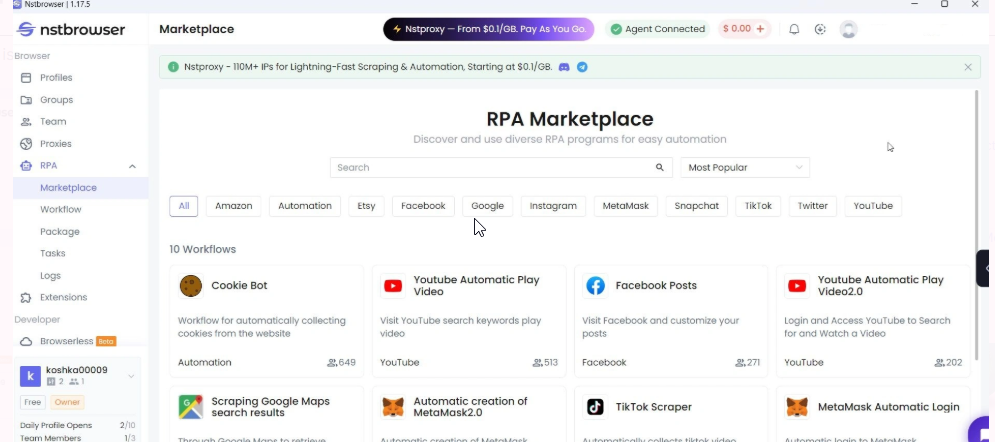
One thing that stands out about NST is that its functions extend beyond a powerful anti-detect solution. It has become a platform for tech-heavy professionals who need a reliable platform to run their scripts and build bots.
Although it is feature-dense, the anti-detect performance on PixelScan was just average. As said before, it requires expertise-level knowledge to get the settings right. However, the visual automation editor makes it a great hack for developers to build and test with efficiency.
The interface is quite dense as it has lots of features. Beginners can easily create a profile and leverage default fingerprint settings. Expert users can customize multiple parameters for optimized anonymity. Needless to say, its memory consumption is quite significant.
However, I noticed that NST does not come with built-in proxies. Although there is a free plan, it is limited to 10 launches per day and 1 user. Additionally, this tool is not very affordable with its entry price at $229 for 100k profiles. Obviously, the target market is big businesses and enterprise cooperation.
Final Thoughts: Where to Get Proxies For Anti-detect Browsers
While anti-detect browsers come with customization options, they still need proxies for extra anonymity. Although some providers offer free proxies, they are usually only good for basic tasks. Therefore, it becomes necessary to get high-quality proxies. Floppydata is a reliable proxy provider that offers various proxy types. In addition, these proxies are compatible with all the anti-detect tools discussed above. Do you want to get the best out of your anti-detect browser? Try it with Floppydata proxies today!
FAQ
What is an anti-detect browser?
It’s a browser that hides your digital fingerprint and creates isolated profiles for multi-account use. Floppydata enhances performance with top-tier proxies and reliability.
How do anti-detect browsers work?
They modify IP, user agent, and device data to prevent tracking. Floppydata proxies ensure maximum anonymity and success rates.
Why use Floppydata?
It provides fast, clean IPs and seamless integration with tools like GoLogin or Multilogin, delivering better stability and fewer bans than competitors.