



No more scraping blocks, CAPTCHAs, or failed requests. Seamlessly collect data from any site. 99.9% success rate.


Try Free
Unlock any website, automate scraping, and stay ahead of anti-bot systems with our industry-leading feature set.

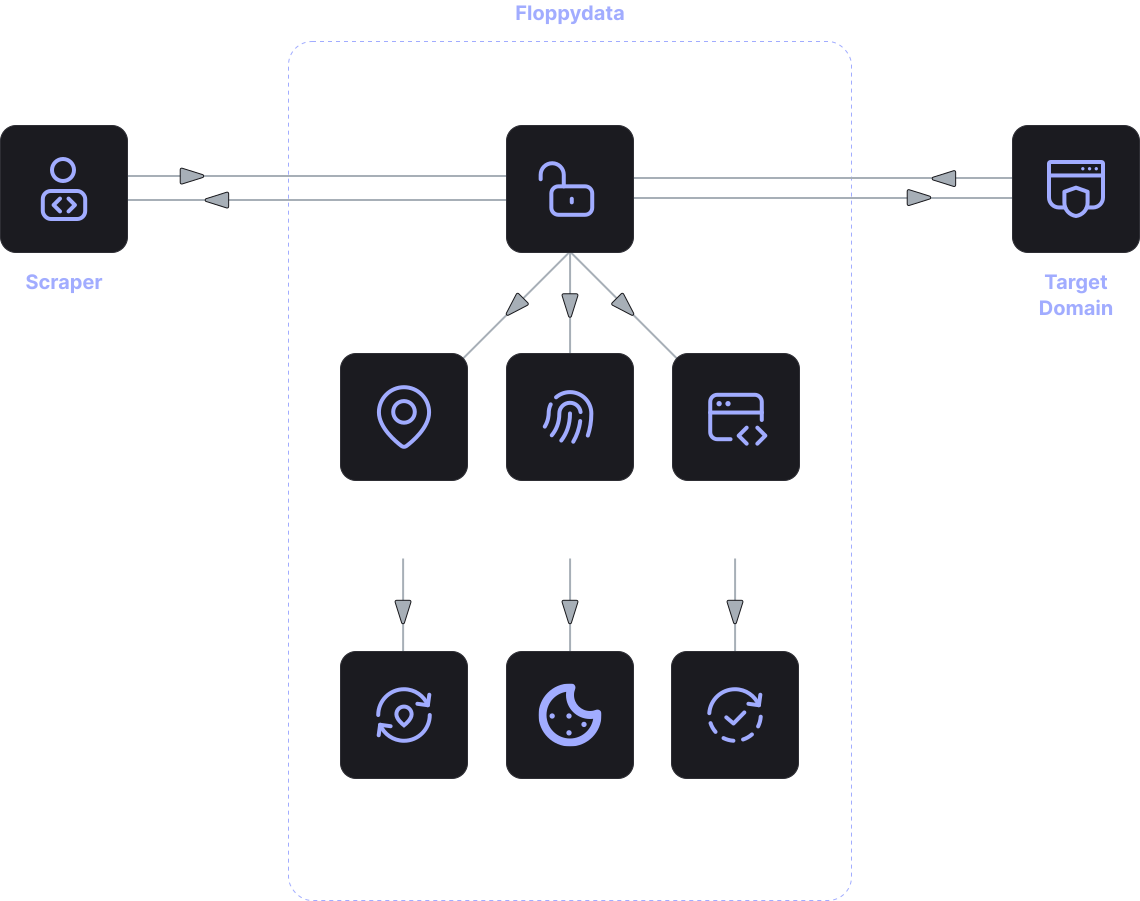
Effortlessly bypass website blocks and anti-bot systems.

Bypass any anti-bot system using real-user browser fingerprints. Powered by Floppydata.

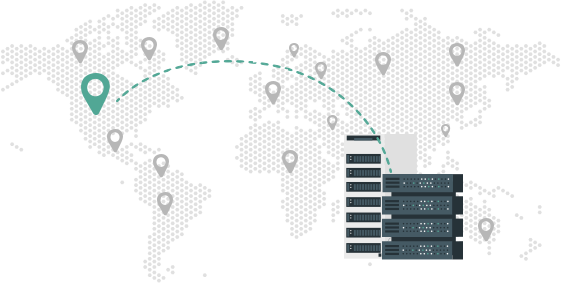
Access web content from 195+ countries, cities, and ASNs.

Extract data from dynamic and JavaScript-heavy websites.

Stay undetected with automatic proxy rotation and built-in retry logic.

Keep sessions stable for multi-step flows and logged-in data extraction.
Businesses are basing more of their decisions on Internet data. This includes anything from product pricing to news articles, publications, catalogs, reviews, company listings, and other data that are constantly changing on the web. With numerous possible sources, the manual collection of information becomes a problem very quickly.
Thus, the problem of automated web data collection arises. Simply put, the problem involves automating the cleaning, sorting, and organizing of data stored on the web. This replaces the need to open a page, edit or copy the information, change the state of a table, and ultimately the entire process is performed automatically. This may include the “creation” of systems that will go to the page, and in the need of data in a table or the preferably saved in a “readable” outcome will be data-presenting.
This method allows for up-to-the-minute data collection. Companies can adapt to changes that are occurring on certain sites. Companies can employ methods for the organization of data in greater volumes, and to the synthesis of a data analytical model without the need for constant manual work. Most people referring to the need of automating the analytics data capture and integrating a model or database, or analytic or enterprise insourcing model are from the bottom tier of the data creation.
When using web automation APIs, there is no longer a need to do any of the data collection processes manually. The automation has means of requesting specific pieces of information from websites as well as receiving and processing them.
Usually, the first step is choosing a particular data source. The source can be a single web page, a collection of URLs, or an entire site. The system can automatically extract the relevant pieces from a page of your choosing.
Commonly, the following information is captured:
Once the information is collected, the system conducts a data processing phase automated data capture transforms the data into a format that is structured. The format can be worked with easily in analytics, reports, or internal systems of the organization.
Once the process is accurately set, the system can do so on a recurring basis and capture and update information regularly. The data is always up-to-date.
Companies often ask the question, how can data be captured from websites without user intervention? In fact, there are a number of ways to automate this process.
You can collect data from HTML web pages by using script and parser data or website browser automation. Simple websites help because the data you need can be found in the web page code.
You can use browser automation. Here, the web page is opened just like an ordinary web user. Then the page is javascript executed, and required data is extracted.
An alternative is using web automation API. Here, the API handles the data extraction, page processing, requests, etc. While keeping the infrastructure simple and the automated web data collection process going. Within most projects, Web automation API is the most optimal solution.
Regular web data analytics use automated data collection.
Market research, for example, is a full analytics use case. It collects data on competitor sites to track and analyze products, web pages, price changes, and newly added products.
Automated web data collection can also be used for marketing by analyzing and collecting data of published content and brand mentions to track audience engagement and popular.
Data collection is also automated in e-commerce. Automated systems in e-commerce help online stores analyze their competitors’ pricing, catalogs, and product offerings.
In media analytics, automated systems help gather articles, news stories, and publications from different sources. This helps one analyze information quicker.
Furthermore, automated web data collection is used in research and analytics projects where web data is extensive and needs to be processed in bulk.
One of automation’s most important advantages is saving time. Manual data collection alone can take hours or even days, especially if you analyze many sources.
When using web automation APIs, steps can be completed significantly quicker. The system is able to let multiple pages be processed simultaneously while also updating information.
The system can effectively manage multiple websites and data sources without consuming more
Automation can also lessen the number of mistakes. When data is extracted manually, the possibility of human error and missing pertinent information is high.
Lastly, automated data collection makes data analysis much easier. The information is captured in a pre-defined format to be more beneficial in analytical systems.
Web data automation solutions are typically used by teams or companies that handle web data on a regular basis.
Data automation becomes a necessity when the volume of data to be processed exceeds the capacity of manual processing.
Only pay for successful data extraction — no surprises, no hidden fees.
Define target URL and connect to the API with a single line of code
Edit crawl parameters and insert your custom logic using Python or JavaScript
Retrieve website data as Markdown, Text, HTML, or JSON files
fetch('https://api.webunlocker.scalehat.link/tasks/', {
    method: 'POST',
    headers: {'X-API-Key': 'YOUR_API_KEY'}, 'Content-Type': 'application/json'},
    body: JSON.stringify({url: 'https://example.com'})
});
requests.post(
    'https://api.webunlocker.scalehat.link/tasks/',
    headers={'X-API-Key': 'YOUR_API_KEY'}, 'Content-Type': 'application/json'},
    json={'url': 'https://example.com'}
)
curl -X POST https://api.webunlocker.scalehat.link/tasks/ \
  -H "X-API-Key: $API_KEY" \
  -H "Content-Type: application/json" \
  -d '{"url": "https://example.com"}'
Automated data collection is a collection of the data automatically, without the human factor, from various sources. The system does the collection and stores the data for analysis.
Automated data collection can be done in several ways, including HTML parsing, browser automation, or specialized APIs designed for automatic data retrieval from web pages.