Web scraping in Java is the collection of data from websites using Java programs. In fact, you write code that opens a page, takes the necessary fragments (text, prices, product cards, tables) and saves them in a convenient form: a file, database or analytical system.
Java is often chosen when an “adult” approach is needed: stable architecture, understandable team support, and good work with large amounts of data. Therefore, requests like how to do web scraping in Java appear to those who want not just to “pull out the plate” one-time, but to build a process – to regularly collect, clean, update and transfer data further.
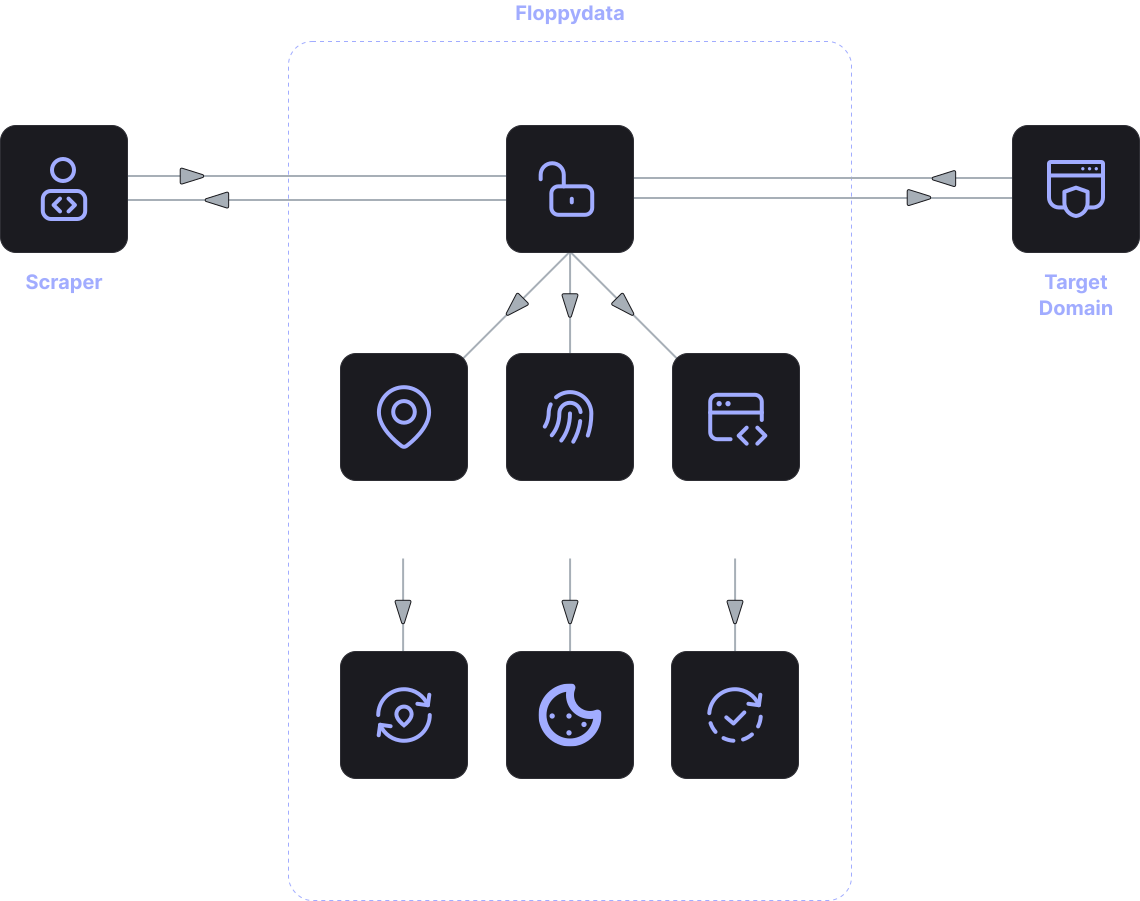
If the launch speed and a minimum of tinkering with the infrastructure are important for the project, then instead of a self-written solution, it is more convenient to connect the Java web scraping api. Then the Java application makes a request to the API and gets a ready-made result – without managing proxies, browsers, and anti-bot protection.
How web scraping using Java usually works
In simple terms, web scraping using Java is most often based on one of two scenarios.
The first is classic HTML parsing. You send an HTTP request, receive the HTML code of the page, and pull out the necessary elements. This works great when the site provides the data directly in the markup.
The second is data collection from dynamic pages. Nowadays, many sites load content via JavaScript. In this case, one HTML request can return an “empty” page, and the data will appear only after executing the scripts. Then you need browser rendering or a specialized API that can “wait” for content.
In practice, when people search for web scraper in Java, they usually choose one of the approaches:
- simple websites is used for HTML parsing
- complex websites is used for rendering / browser automation / API solution
And this is where the API often wins: you keep the Java code simple, and give the whole complex part (rendering, circumvention of restrictions, retries, stability) to the service.
How is the web scraping API useful for Java projects?
When you build data collection from scratch, typical problems quickly appear: where to get a proxy, how to change the IP, how not to get restrictions from the site, how to process captchas, what to do with unstable responses, how to parallel requests and not break everything in a week.
That’s why requesting the Java web scraping api often means one thing: “I want to receive data in Java without unnecessary infrastructure.”
The advantages of the API approach are usually as follows:
- less code and fewer dependencies
- faster project launch
- easier scaling (parallel requests, queues, retrays)
- Team support is more convenient
If you need a Java web scraper as part of a product, rather than as an experiment, the API reduces the amount of “technical debt” that inevitably appears in self-written scrapers.
When should I do web scraping in Java on my own?
Sometimes your web scraper in Java is really justified. For example, when:
- The site is very simple and outputs data in HTML
- you need full control over the parsing logic
- There are non-standard storage/processing requirements
- the project is internal and does not require scaling
Java is convenient here because it integrates well with the corporate infrastructure: queues, databases, logging, monitoring. This is a plus for regular data collection.
But if you realize that you will have to collect data from different sites, change the rules frequently, and maintain stability, then at some point the “self-written scraper” turns into a separate product within the product.
What to look for if you choose Java web scraper
There are several practical points that usually decide the fate of a project.
First, determine the type of sites: static or dynamic. This affects whether you can do with a simple parser, or whether you need rendering.
Secondly, think about frequency and volume. It’s one thing to collect data once a week. Another thing is to update prices every 10 minutes and keep a history.
Third, decide in advance what you will do with the restrictions on the part of the sites. Even if everything is opening now, it may change. Therefore, many teams start with a self-written solution, and then they come to the API anyway.
If startup speed and predictability are important to you, the Java web scraping api usually turns out to be easier and cheaper in time than the constant support of your own scraper.