When checking websites, collecting information, or automating routine actions, you need to control the browser through code. They usually take special tools and run the browser on their computer or server. But when there are a lot of such tasks, a lot of time is spent on maintaining the entire system.
This is where the Cloud Browser API comes to the rescue.
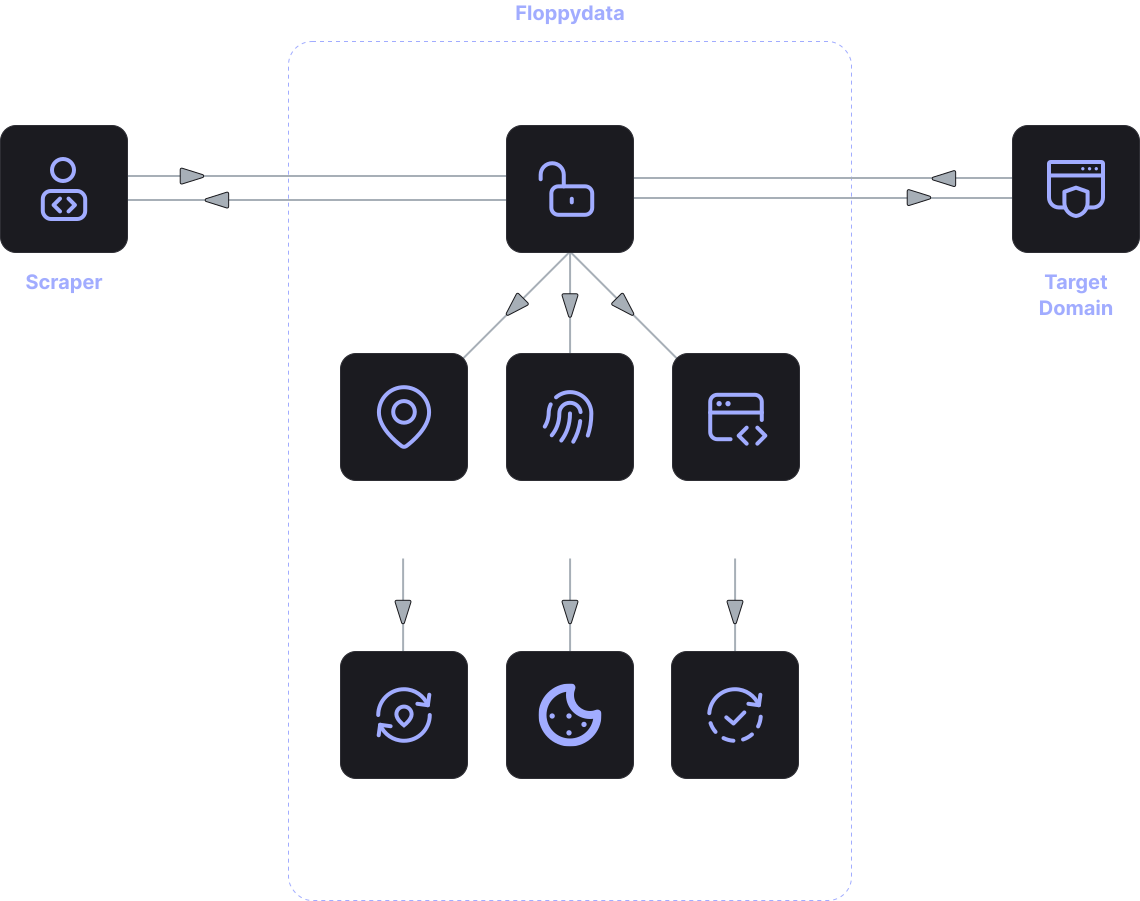
It’s like a browser, but it doesn’t work for you, but in the cloud. Instead of installing the browser on its servers, the program connects to it via the API and manages it.
Simply put, it’s a browser somewhere on the internet. You send him commands – to open a website, do something, take data – and he executes them like a regular user.
This way you can launch the browser in the cloud without messing with the settings. Developers are only involved in automation, not server and browser support.
How does Cloud Browser work?
First, a remote browser session is created. This way, you are able to connect to their available cloud browser.
When you are connected, you can send commands such as opening a website, following a link, clicking a button, filling a form, or extracting data from a document. The cloud browser does everything and returns the result.
Everything looks the same as if you were working with a browser on your computer. Only the browser is not in your place, but in the cloud.
This makes the system very convenient. A test system, for example, can be configured to execute dozens of browser tests in parallel.
Support for Playwright, Puppeteer and Selenium
Modern cloud browser solutions usually support popular automation tools.
Developers can work with libraries such as:
- Playwright cloud browser
- Puppeteer cloud browser
- Selenium cloud browser
This allows you to use familiar tools without having to rewrite the code.
For example, a test system can run dozens of browser tests simultaneously. The website analysis service can automatically open pages and extract data. And automated processes can perform actions on the site without user involvement.
This makes browsers in the Cloud a convenient solution for large-scale browser automation.
Where the Cloud browser is used
The use of the cloud browser API is found in various projects where you need to automate work with web pages.
One of the most common tasks is automating actions on websites. A browser in the cloud can open pages, interact with interface elements, and execute user scripts.
The remote browser API is also actively used in testing web applications. The cloud browser allows you to run tests in parallel and check the site’s performance in different conditions.
Another popular scenario is data collection. When you need to analyze websites or extract information from pages, the cloud browser can load the page, execute JavaScript and get the necessary data.
In addition, running browsers in the Cloud is used in business process automation systems. For example, to process web forms, validate pages, or interact with online services.
Advantages of using cloud browser
Using the cloud browser has several important advantages.
- No need to maintain infrastructure
The browser works on the service side, so you don’t need to install and update it on your own servers.
You can run multiple browser sessions simultaneously without loading on local resources.
Connecting to the cloud browser API allows you to get started without complicated environment settings.
- Compatibility with automation tools
Cloud browsers support playwright, puppeteer, and selenium.
The browser runs in a controlled environment, which reduces the number of problems with settings and updates.
Who is suitable for browser in the cloud
Cloud browsers use teams that actively work with the web infrastructure.
Developers use the cloud browser API to automate actions on websites.
QA teams use selenium cloud browser and other tools to run tests.
Data commands use the remote browser API to load pages and extract data.
Analytics platforms use browsers in the Cloud to process large amounts of web content.
When a project requires scalable browser automation, cloud solutions are much more convenient to run locally.