Java is ideal for building fast, scalable scraping pipelines thanks to its performance, ecosystem, and multi-threading. Tools like jsoup work well for static HTML, but modern websites rely on anti-bot systems, CAPTCHAs, proxies, and JavaScript rendering — making standalone Java scraping unreliable. In 2026, the best approach is to use Java as your control layer (requests, parsing, logic) and rely on a scraping API like Floppydata to handle infrastructure, unblock requests, and scale reliably.
Why Web Scraping in Java is a Powerful Choice
Java is a solid choice for web scraping due to its speed, scalability and supporting infrastructure. I have tried Python, Go and NodeJS for scraping but Java has always proved to be much better at handling production level scraping jobs. Python is great for parsing and data manipulation due to its extensive data handling libraries but Java stands out for its static HTML scraping.
I prefer Java for production scale scraping jobs because of:
- Speed: Java is faster than interpreted languages like Python.
- Ecosystem: You can connect professional tools like Apache HttpClient and databases.
- Multi-threading: Java’s ExecutorService makes multi-threading scraping simple.
For Java backends that want to deploy a mature scraping system, Java’s jsoup library is a great option. You can extract HTML and XML content from webpages and refine it using Java’s data manipulation libraries without needing additional tools for data analytics.
Many famous ecommerce data scraping tools use jsoup to track competitor products and keywords by deploying large scale automation jobs via Java and jsoup.
Essential Java Infrastructure for Web Scraping
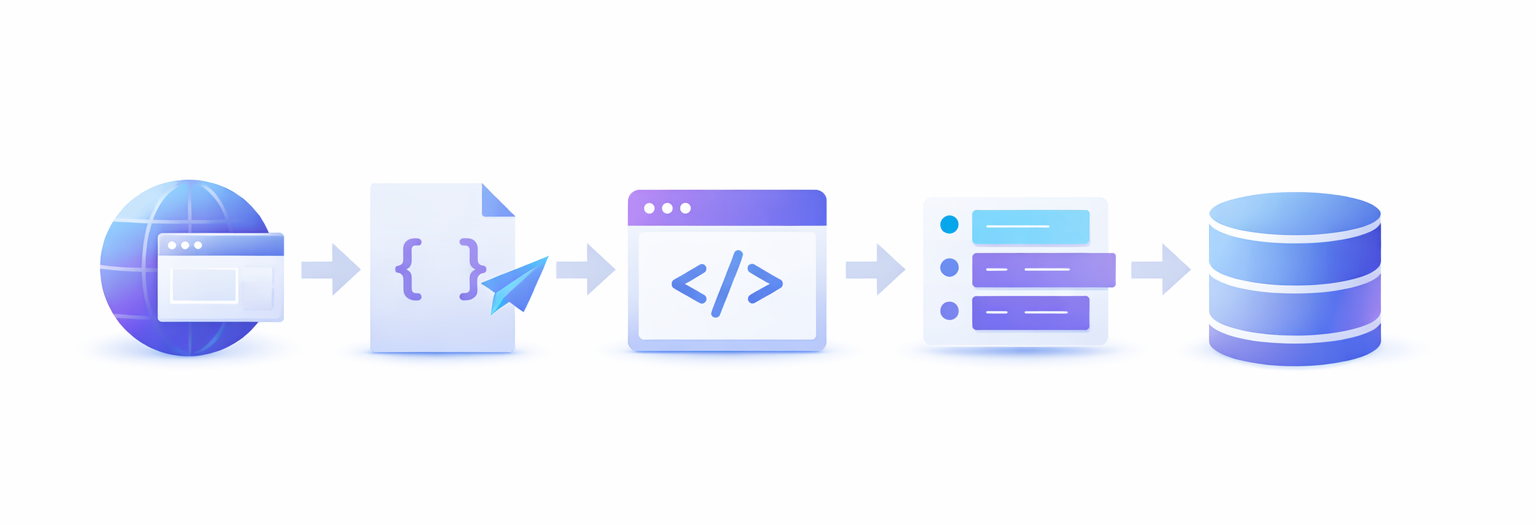
Java has a mature ecosystem and supports thousands of libraries and integrations. The key libraries that support web scraping are jsoup, Apache, Jackson, Gson and other data manipulation libraries. Java also supports database queries within code via JDBC.
Jsoup: Java’s Web Scraping Library
Jsoup is the backbone of web scraping with Java (for HTML webpages). Jsoup provides you CSS-like selector syntax that helps you extract all kinds of HTML content from the extracted document.
Jsoup is fast, has a simple syntax and handles broken links on its own.
Example code:
Document doc = Jsoup.parse(html);
String title = doc.select("title").text();
String price = doc.select(".price").text();
If you want to parse a webpage, you must fetch it first. Java cannot just browse a page. You need an HTTP server to make a request for a specific webpage, and then the web server responds back with the web page content. This is what you feed to jsoup to start extracting data.
You can also use Java’s own HTTP methods instead of Apache HttpClient but it’s not as scalable. Apache handles session timeouts, retries, and user agents and cookies.
Jackson and Gson
Jackson and Gson are two distinct Java libraries. These libraries help you convert raw extracted text into clean, and actionable data like product prices with titles, or product prices across certain categories, from an ecommerce website. Jackson handles larger scraping automations better than Gson which is designed for small and lightweight tasks.
What Are The Cons of Using Java for Web Scraping?
Now that you understand a bit about Java’s scraping capabilities, let’s discuss where it will let you down. In 2026, you can’t rely solely on libraries like jsoup and Apache HttpClient for scalable scraping jobs.
There are two fundamental issues that you face when scraping solely with Java:
- Websites block you: Websites are more defensive now. They care whether the visitor on their website is a real human or just a bot putting unnecessary load on the server and extracting customer data without permission. Websites don’t like scrapers anymore.
- JS-Heavy pages can’t be extracted: Jsoup and other extraction frameworks work great for HTML pages. This can include product pages and other ecommerce/blog webpages but many websites have started putting JavaScript code snippets to add animations and cool visuals to the website. Jsoup isn’t built to extract JS-heavy page so the extraction fails or returns irrelevant results.
Both of these issues are solvable. Web scrapers have different strategies and frameworks to avoid getting blocked by any website, and easily scraping JS-heavy pages. However, the process isn’t as simple as running a few lines of jsoup and Apache code.
The Modern Way for Web Scraping in Java
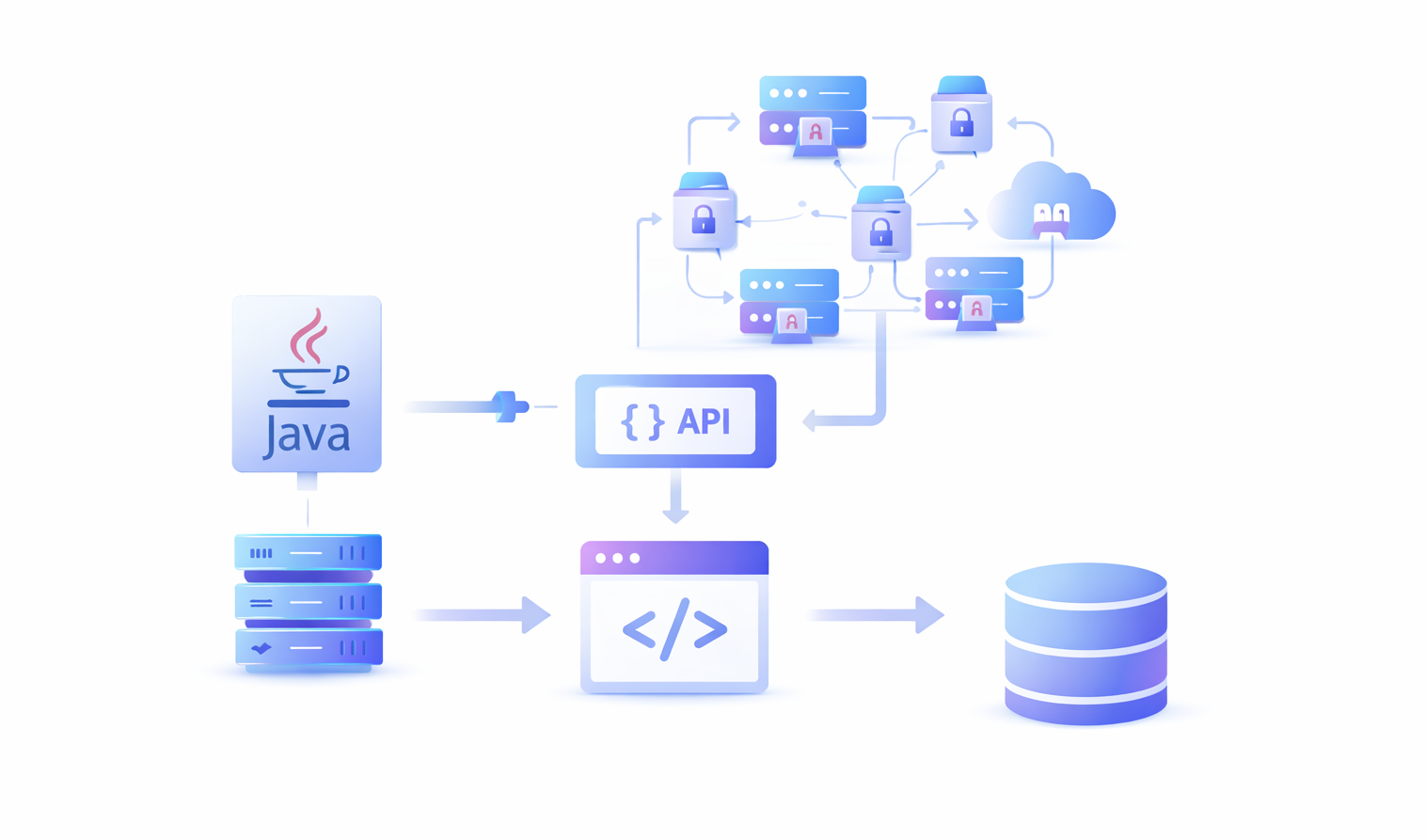
Standalone Java libraries aren’t enough for web scraping in 2026. We’re not dealing with static HTML pages anymore. We’re dealing with anti-bot systems, CAPTCHAs, redirects, cookies, Java Script powered design animations and text layouts and so much more.
To create a successful and scalable scraping automation, you need to combine Java with other latest scraping technologies. Here is a list of key things you need alongside Java code to run a successful web scraping automation:
- A Pool of Proxies: Websites track each visitor by IP address. When a network wall like Cloudflare finds out that a user is scraping data,the first thing they do is block the IP address from accessing the website. This is why you need a pool of safe proxies and Java logic to switch proxies every few requests to avoid getting banned.
- CAPTCHA Solver: CAPTCHAs exist to drive bots out of the platform. Traditional scrapers could not solve CAPTCHAs. Hardcoding a CAPTCHA solver in Java or any other language is near impossible. This is why you need a third-party CAPTCHA solver.
- Device Fingerprint Profiles: Platforms like Facebook and LinkedIn deploy even more advanced detection systems. These systems don’t just rely on IP addresses for potential scraping signals, they track device fingerprint, user behavior, proxy jumps and account linking. This is why you need to switch your browser fingerprint along with your proxies to avoid getting your device banned from the platform.
- Tools for JS-Heavy Extractions: Even if you bypass all detection systems, many modern webpages are developed using heavy Javascript frameworks like ReactJS and NextJS. Tools like jsoup and other traditional scrapers cannot extract content from these pages. You need an additional this-party tool to help with conversion from JS to HTML.
Scraping in Java isn’t dead. It’s still very useful if you add your own infrastructure like proxies, CAPTCHA solvers, and JS page converters. Or, the most ideal way to skip all these integrations is to use a web scraper API like Floppydata.
Guide: How to Do Web Scraping With Java in 2026
In 2026, Java should be used to support scraping infrastructure by hitting requests, organizing raw data, parsing raw data into structured and actionable data, and handling other edge cases and logics like proxy rotation, retries, print messages, warnings, and more.
If you are trying to scrape modern webpages with jsoup, you might fail 40%-50% of the time. However, Java should be used for its speed, integrations and multi-threading, not for jsoup library.
So, once you’re ready to use Java as the control layer for your scraper, let’s dive into the simplest and the most effective web scraping method in 2026.
Step 1: Get a Web Scraper API
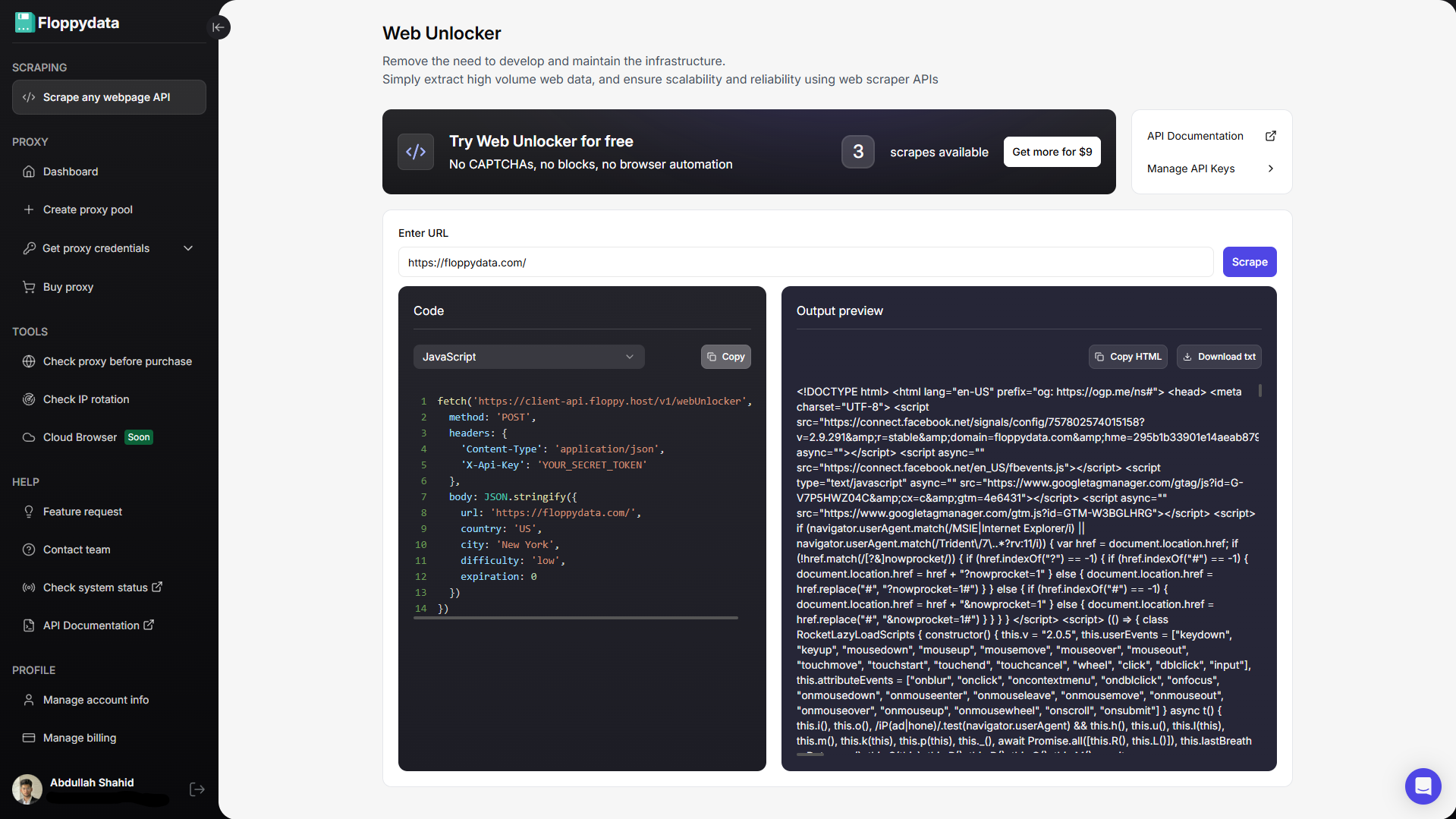
Instead of trying to use Java’s scraper, utilize a trusted web scraper API. A web scraper API receives your webpage URL, sends a request to it, handles CAPTCHAs, converts the webpage into raw data and returns it back. The web scraper API does the heavy lifting of HTTP server, retries, CAPTCHAs, errors, bad payload, rotating proxies and device fingerprint.
In Java, you write the rest of the pipeline infrastructure like creating multi-thread queues of links to explore, extracting useful tags from the HTML content and storing them in a structured way, or performing other functions on top of the extracted data.
You can read our review on best scraping services to find the most suitable one for your use case.
Step 2: Add API Key in Java Code Snippet
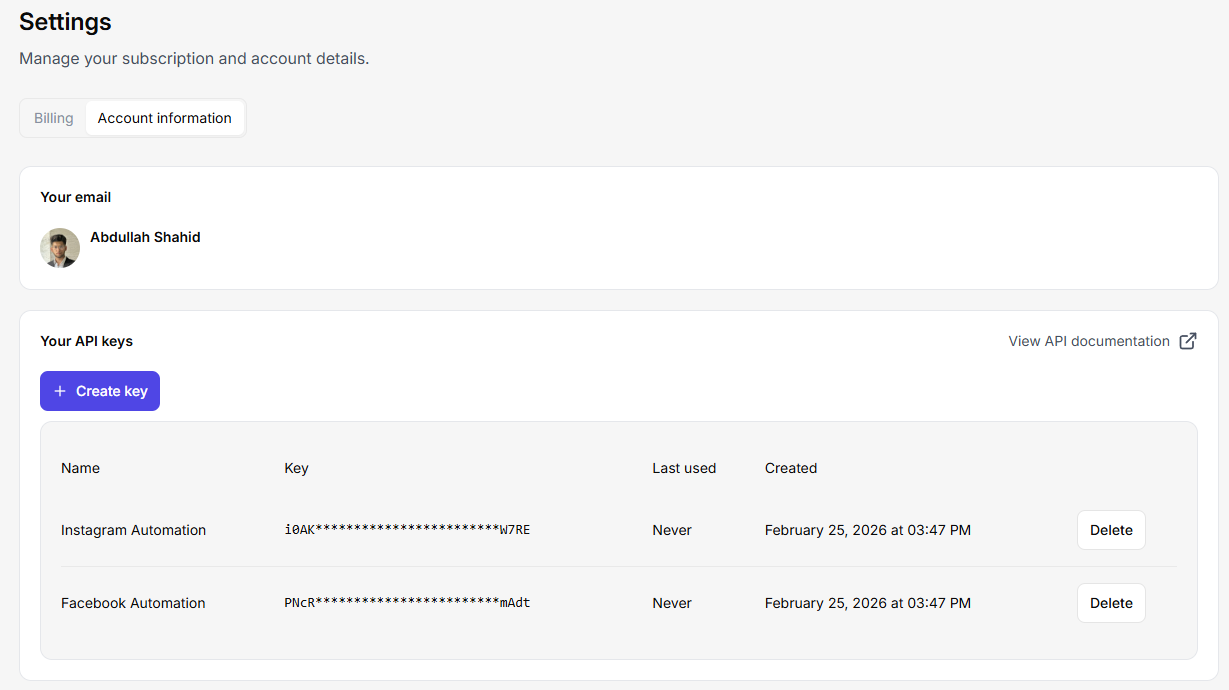
Grab the API key from your web scraper service. Let’s integrate it into Java. You can create multiple API keys in Floppydata by going to your settings > account > ‘create key’ button. You can send hundreds of concurrent requests on this API and create a multi-threading scraping job that handles thousands of webpages at once.
Since Floppydata runs your web scraping jobs in the cloud, you also take off all the load of opening a web browser and running scraping libraries off your device. If you were to manage all the scraping infrastructure, you would need a lot of RAM and processing power.
Floppydata’s Client API uses an X-Api-Key header, and the documented Web Unlocker endpoint accepts a url and additional parameters like country, city, difficulty, and cache expiration. The response includes HTML content you can parse in Java.
Here is a code snippet example of what I like to use:
public class Floppydatascraper {

    public static void main(String[] args) throws Exception {

        String apiKey = System.getenv("FLOPPY_API_KEY");

        String payload = """
        {
          "url": "https://example.com",
          "country": "US",
          "difficulty": "medium",
          "expiration": 0
        }
        """;

        HttpClient client = HttpClient.newBuilder()
                .connectTimeout(Duration.ofSeconds(20))
                .build();

        HttpRequest request = HttpRequest.newBuilder()
                .uri(URI.create("https://client-api.floppy.host/v1/webUnlocker"))
                .header("X-Api-Key", apiKey)
                .header("Content-Type", "application/json")
                .POST(HttpRequest.BodyPublishers.ofString(payload))
                .build();

        HttpResponse<String> response =
                client.send(request, HttpResponse.BodyHandlers.ofString());

        System.out.println(response.body());
    }
}
Step 3: Improve Your Java Scraping Pipeline
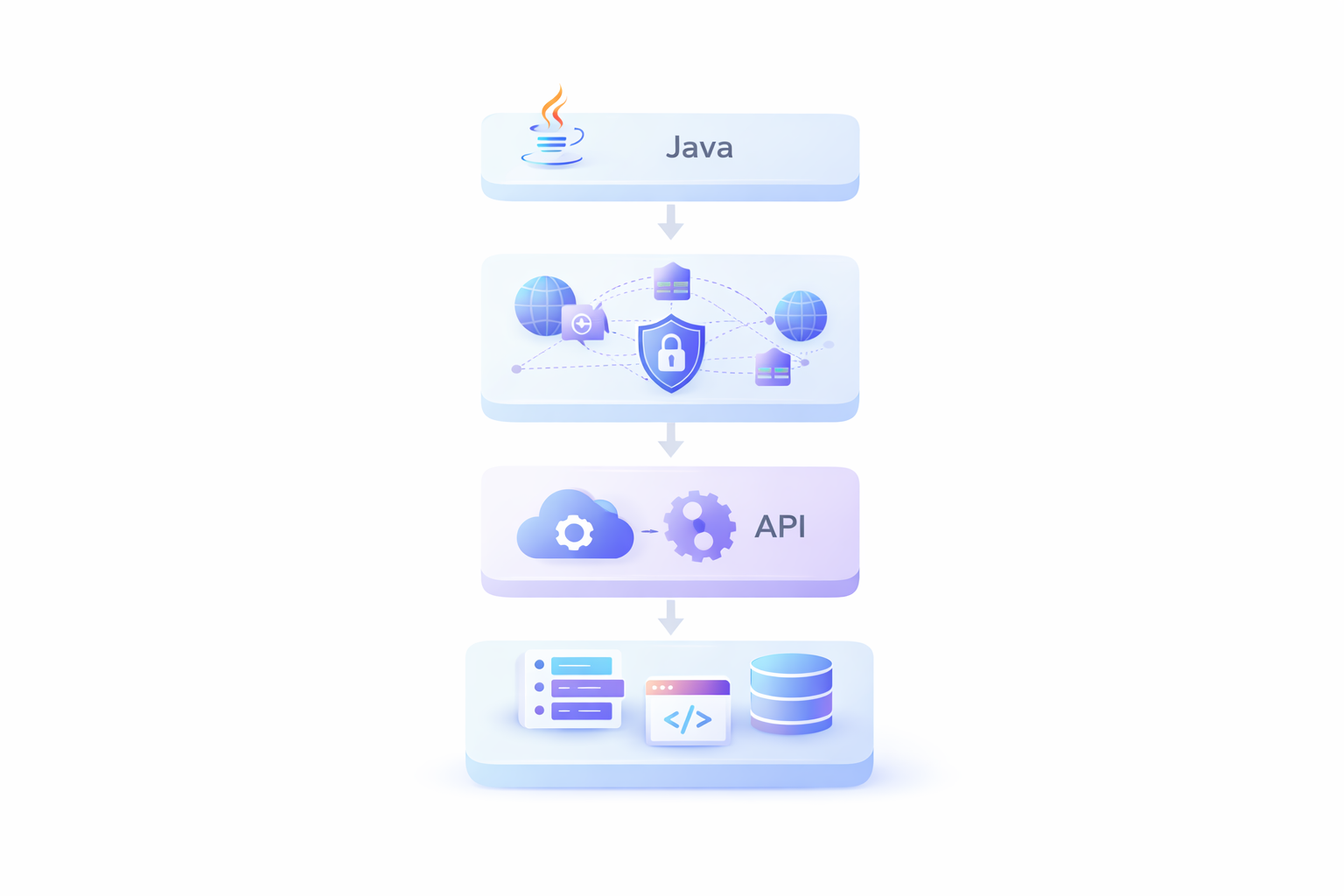
Now that you have the API key integrated, build your scraping pipeline around it. For example, if you have an ecommerce tool that explores Amazon for relevant products around the target keyword, extract their title, tags, description, etc. and show it to the user. Scraper API is the best and the most scalable approach. Even if you have thousands of customers sending concurrent requests to your app, Floppydata API can easily handle them.
You can add more features around the scraped data like using an AI API key to write a similar description and title, or to analyze similar keywords from all the extracted results, etc. All this infrastructure needs to be built on your end in Java.
Headless browsing in Java without Selenium or Puppeteer
Traditionally, scrapers used Selenium and Puppeteer for running headless browser sessions, managing proxies and scraping logic. However, this process is heavier, slower and breaks in production under heavy load because you require scalable cloud infrastructure to handle the growing requests demand. You end up spending time in building infrastructure that you can get from these extremely cheap scraping APIs like Floppydata. Moreover, these scraping tools are tested for reliability and scale, and are constantly evolving with the market so you don’t have to change your scraping pipeline every 4 months.
With Floppydata API, you need:
- no local browser management
- no headless browser fleet
- no Selenium maintenance
- no Puppeteer setup
- just Java request logic plus HTML parsing
All this for $0.45-$0.9/1k successfully scraped results. It’s cheaper than maintaining your own cloud machines. See detailed pricing.
Final Thoughts
If someone asked me to build a web scraping pipeline in Java today, it would take anywhere from 20-30 minutes. I would get the Floppydata API key and draft my pipeline requirements including what I want to do with scraped data, and how I want to store it. I would then use Claude Code to create a robust scraping pipeline. Since I am not setting up any scraping infrastructure, I can quickly test by running this script whether my pipeline is working or not.
Java is an excellent choice for building scalable, multi-thread web scraping systems, even with its limitations. But in 2026, basic web scraping libraries don’t stand a chance against AI-powered anti-bot systems that platforms deploy to keep scrapers away. You need an equally modern and powerful scraping tool to deploy a successful scraping automation.