Midjourney’s account-sharing policy is nonexistent. In other words, the platform doesn’t allow you to share a Midjourney subscription.
Here are the exact words from Midjourney’s Terms of Service document:
- Only one user may use the Services per registered account. Each user of the Services may only have one account.
- Midjourney reserves the right to suspend or ban Your access to the Services at any time, and for any reason.
- If you are a company or any employee of a company with more than $1,000,000 USD a year in revenue, you must be subscribed to a “Pro” or “Mega” plan to own Your Assets.
Let’s show you the pricing of Midjourney plans.
| Term | Basic Plan | Standard Plan | Pro Plan | Mega Plan |
| Monthly Price | $10 | $30 | $60 | $120 |
| Annual Price | $96
($8 / month) |
$288
($24 / month) |
$576
($48 / month) |
$1,152
($96 / month) |
If you abide by Midjourney’s requirement of buying individual Pro or Mega subscriptions for every single member of your team who needs access, your total cost can get enormous. For example, if you have a team of 10 people and buy Pro plans for everyone, that’s $600 per month or $5,760 annually. And if you go for Mega plans for all of them, that’s $1,200 monthly or $11,520 per year. That’s a lot of money, especially if not everyone on your team will be using Midjourney heavily. You’ll just add another recurring cost to your already lengthy list of software expenses.
Is there a Workaround Available for Sharing a Midjourney Account?
If Midjourney offered team plans with collaboration features or a Midjourney share subscription, you could simply purchase one subscription. But as it stands, there’s no such plan available. So, how to share a Midjourney account without buying multiple subscriptions? You have to find a way to play the cards you’re dealt. You need a workaround for sharing a single Midjourney subscription between multiple users.
Luckily, we have that solution for you. First, we’ll explain the solution and then demonstrate how to implement it step by step.
Solution: Share Midjourney Subscription Using Floppydata Proxies on an Anti-Detect Browser
The problem with Midjourney account sharing is two-fold, so you’ll need a combination of tools to solve it.
- The first issue is that you can’t technically share a Midjourney account because Midjourney simply offers no way for it.
- Second, Midjourney warns that they reserve the right to suspend or ban your account if you’re found violating their ToS. In this case, attempting to share one subscription between multiple users through external means would count as a ToS violation.
Our solution, Anti-detect browser + Floppydata proxies, addresses both these issues in a foolproof way. An anti-detect browser is like any regular browser, but with the additional ability to make multiple browser profiles and share them between users.
You can make a browser profile in an anti-detect browser, log in to the Midjourney account in that profile, and share the access to that profile with others. They’ll open the same anti-detect browser on their devices and start using the Midjourney account from the shared browser profile without having to log in to Midjourney.
This solves the first issue. The second issue still persists, and Floppydata addresses that.
Multiple logins from different locations, different devices with different digital fingerprints, suspicious activity patterns that don’t match a single user’s behavior, can all alert Midjourney’s detection system and lead it to suspend your account. And since most people are going to use Midjourney through Discord, you’ll have to evade Discord’s security checks too.
You can simply configure the same Floppydata proxy in the anti-detect browsers of all the users, and it’ll appear as if they’re using Midjourney from the same location.
Now, let’s get down to work and show you how to implement this.
But what are Antidetect Browsers and Proxies?
An antidetect browser is a software program that allows you to create multiple and completely isolated browser profiles, each having its own fingerprint. Suppose you have multiple computers, but all those computers are running from one device, and that’s exactly what an antidetect browser (multi account browser) does.
A proxy, on the other hand, is a server that does the job of a middleman between you and the internet. So whenever you connect to the internet, having a proxy in place, sites and platforms online will see the proxy’s IP address instead of your original one.
Now, if you’re thinking “But why do I need both?”, it’s because:
- The antidetect browser changes your device fingerprint and allows you to share your browser profiles with multiple users
- And the proxy changes your location
How to Share Midjourney Account: Step-by-Step Guide
Follow this step-by-step guide and learn how to easily share a single Midjourney account with multiple users.
Step 1: Get Proxies From Floppydata
Floppydata is one of the safest and largest proxy pool providers in the world. To get Floppydata proxies, you need to make an account on Floppydata first. Here’s how to do that:
- Head over to the FloppyData website.
- Click the Get Started button in the top right corner.
- Fill in your basic info.
- Check your email inbox for the verification link and click it to activate your account.
Next, you have to create a proxy pool. Follow these steps:
1. Log in to your Floppydata dashboard and go to the Create Proxy Pool section.
2. Choose a proxy type. We offer all three types of proxies:
Out of the three, residential proxies are the safest for this scenario i.e. bypassing security systems. Therefore, I highly recommend you use them. Don’t choose datacenter proxies as they are shared by hundreds of other users at any given time.
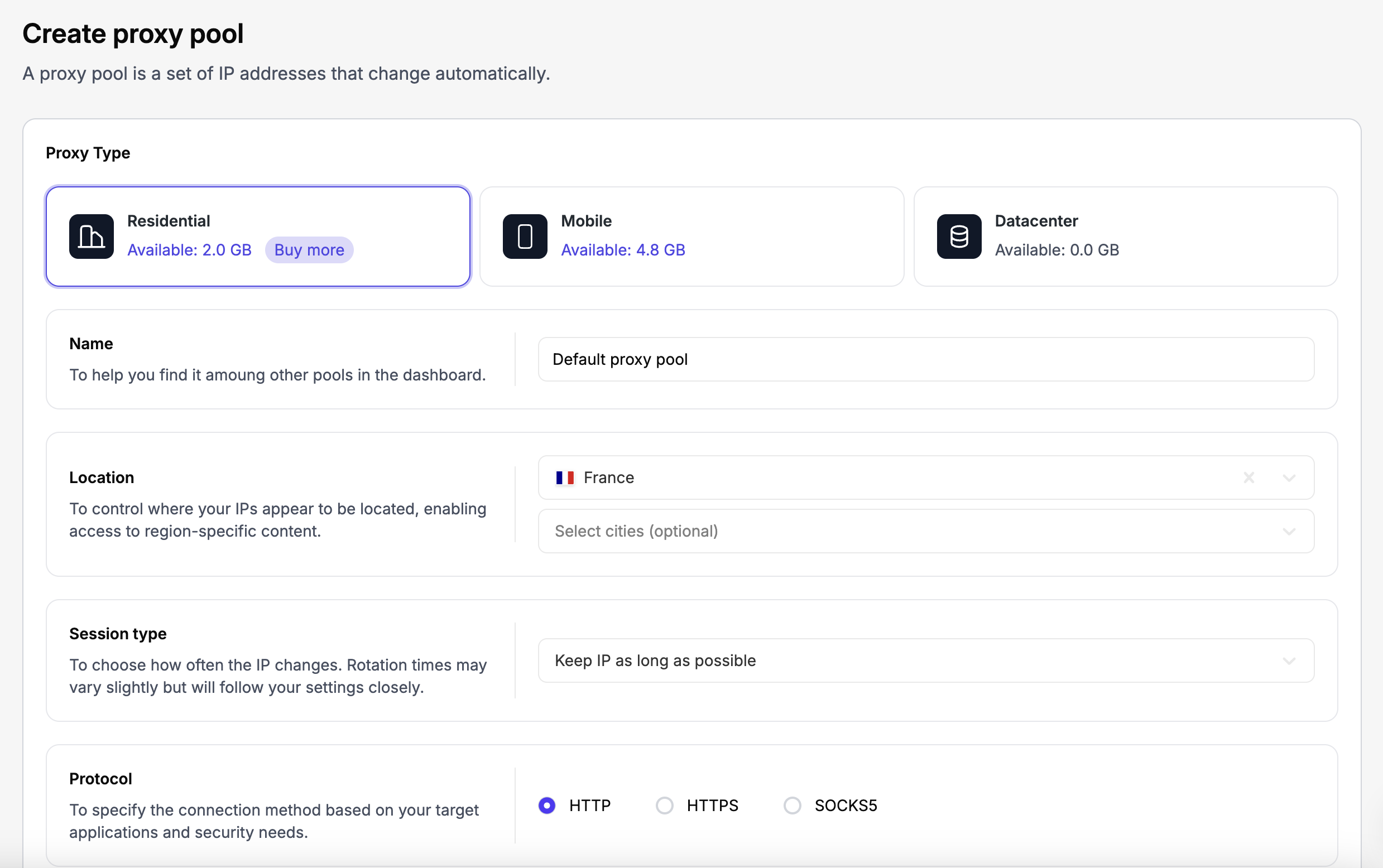
3. Choose your preferred location (make sure it’s a country where Midjourney works). Also specify how many proxies you want.
4. Hit the Buy to create button, and you’ll get your proxy list in the Dashboard section that’ll include the proxy host, along with the username, password, and port info for each.
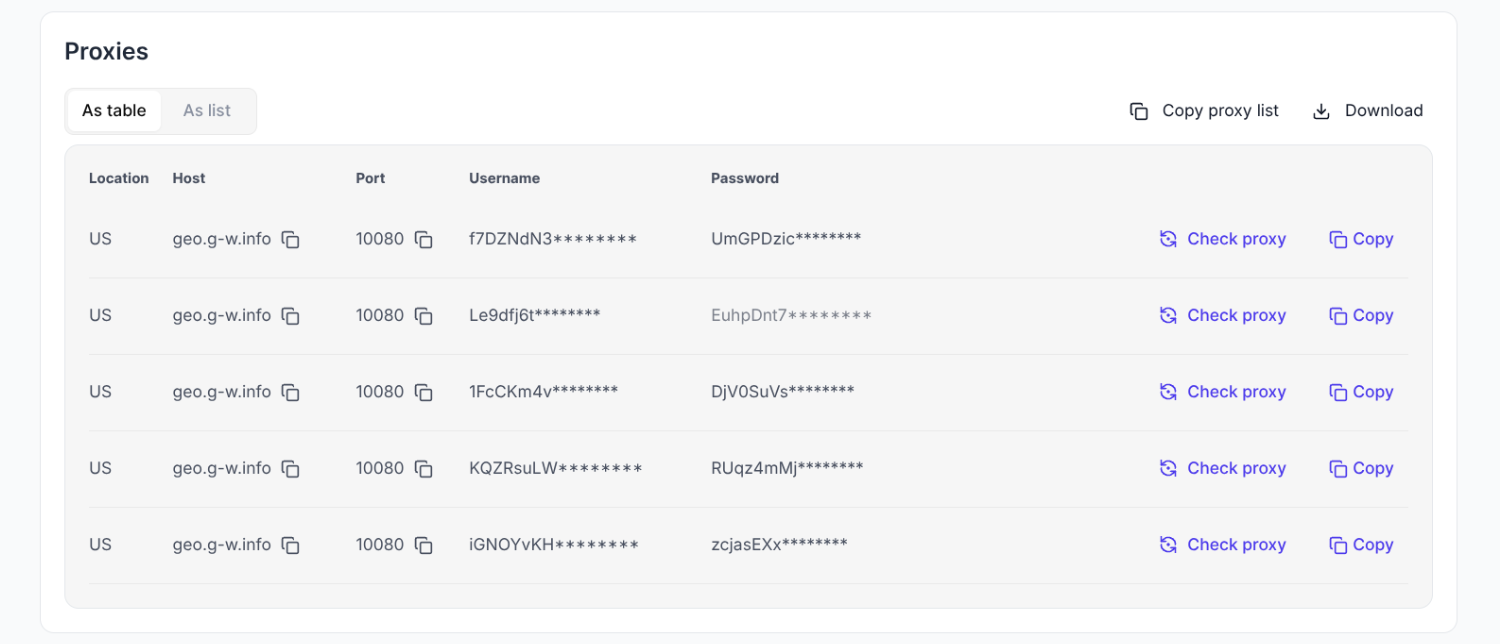
You’ll need these proxy details when setting up browser profiles in the antidetect browser.
Step 2: Download & Install an Antidetect Browser
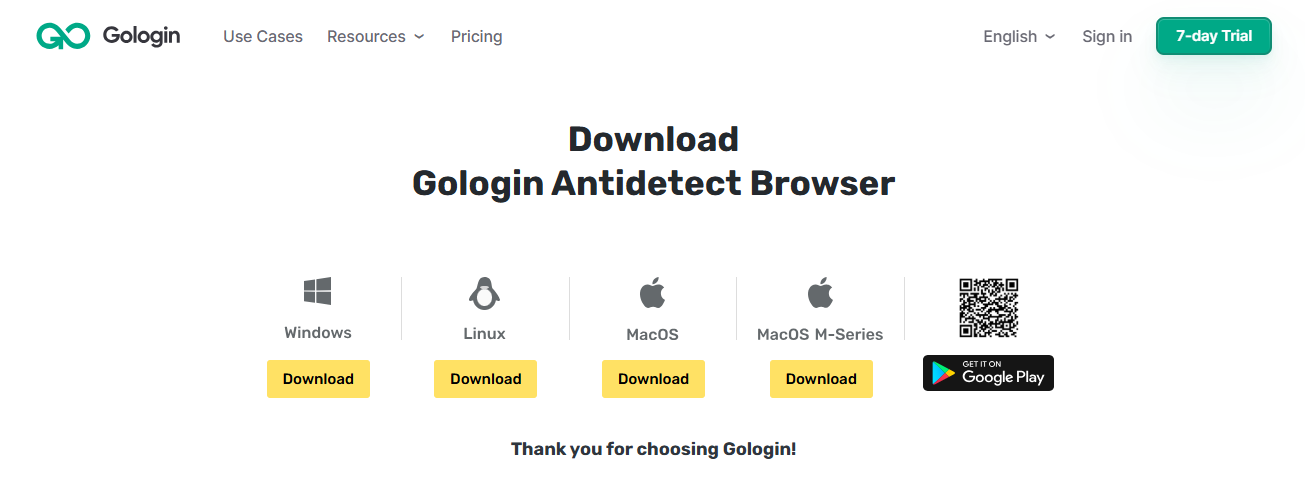
The rest of the process is quick and easy. Find a good anti-detect browser. Our top pick is Gologin because it’s easy to use and best for sharing accounts. So, register for a free account in Gologin, then download and install the app on your device.
Step 3: Create a Browser Profile
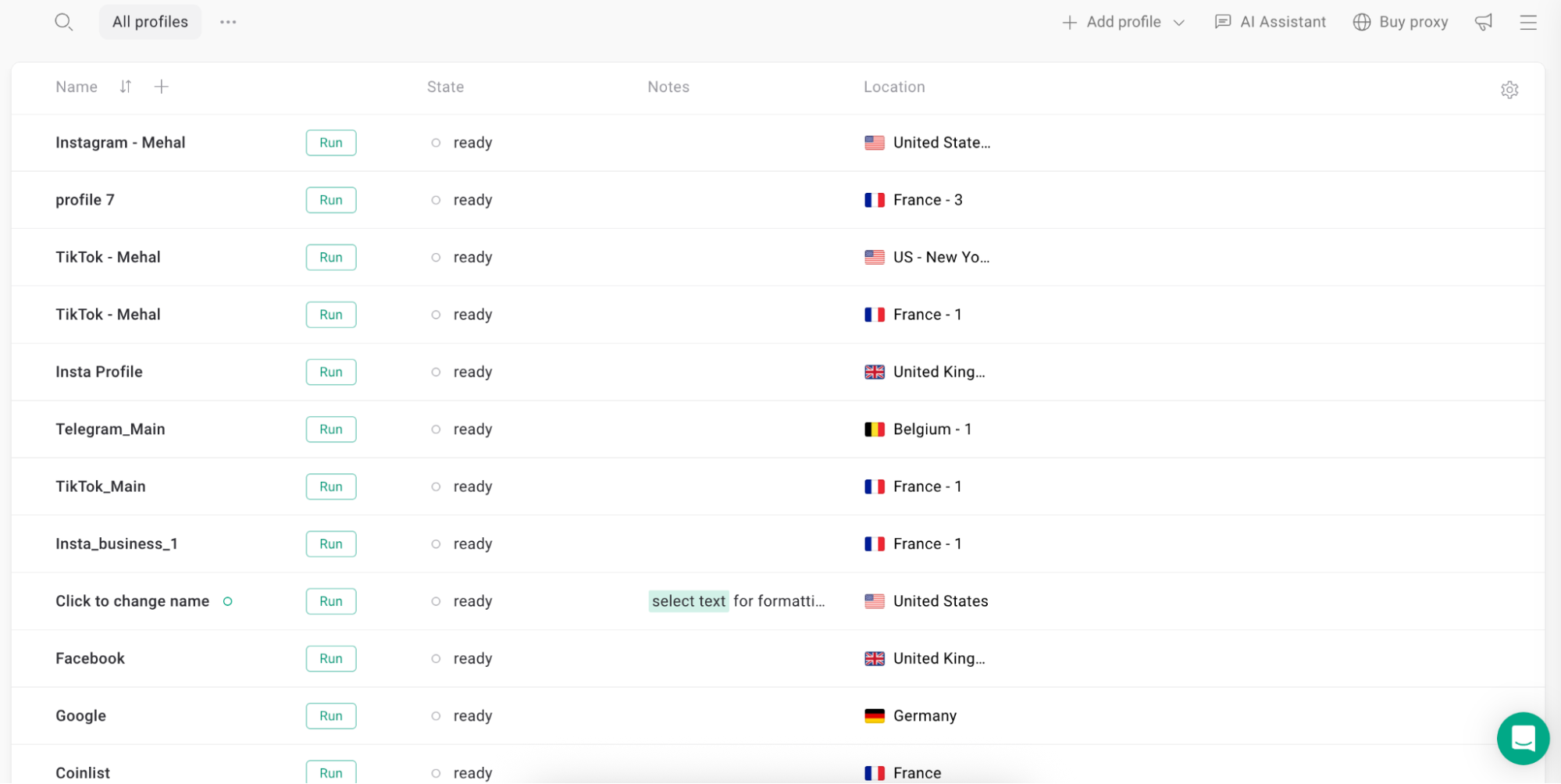
Open the newly installed Gologin browser and create a new browser profile.
- Click “+ Add Profile” button in the Gologin dashboard
- Optional: give your profile an appropriate name (e.g. “Midjourney account”)
- Click “Create Profile”

Step 4: Configure Floppydata Proxy
Go to your Floppydata dashboard and fetch the details of a proxy from the proxy pool you just created.
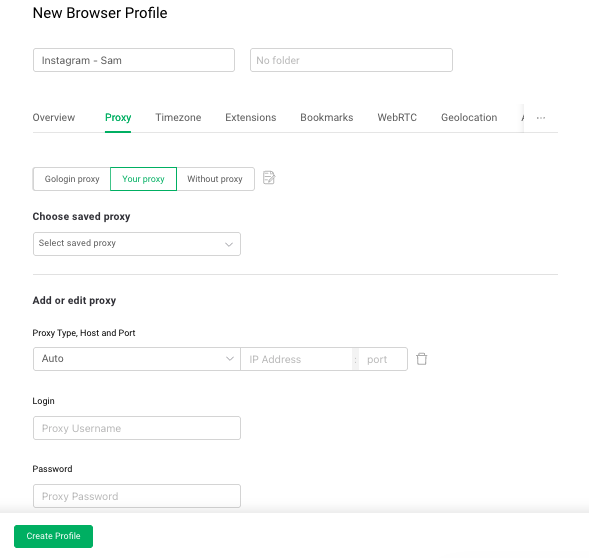
Now come back to the Gologin dashboard and open the proxy settings of the browser profile (click the plus sign in the Location column) you created for Midjourney and paste the proxy details you copied from Floppydata.
Note: We have a full guide on how to import Floppydata proxies in Gologin.
Step 5: Launch the Browser Profile and Open Midjourney
Click the Run button next to the profile name. A browser window will open as if it’s Google Chrome because Gologin is built on Chromium. Then, open the Midjourney login page and log in to your account. Or open and log in to your Discord if that’s where you use Midjourney.
Step 6: Share the Browser Profile With Others
Come back to your Gologin dashboard where you created the profile. Click the three-dot menu of the Midjourney profile and click Share.
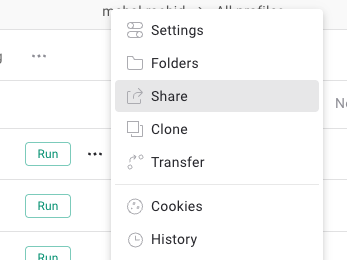
Enter your teammate’s Gologin account email in the invite field and set their access permission. Then click Send Invite. Your teammate will be able to open this profile from Gologin’s web app if they don’t have Gologin installed on their device.
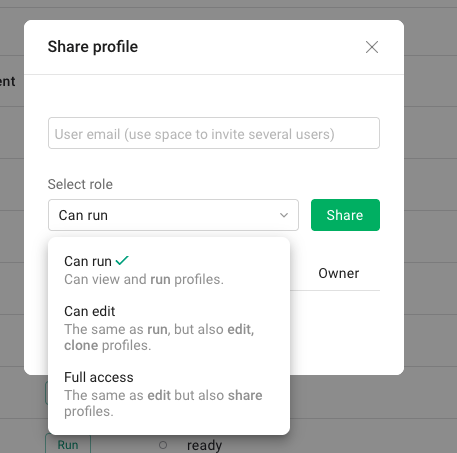
They’ll simply open this profile and start using the Midjourney account, which will already be logged in.
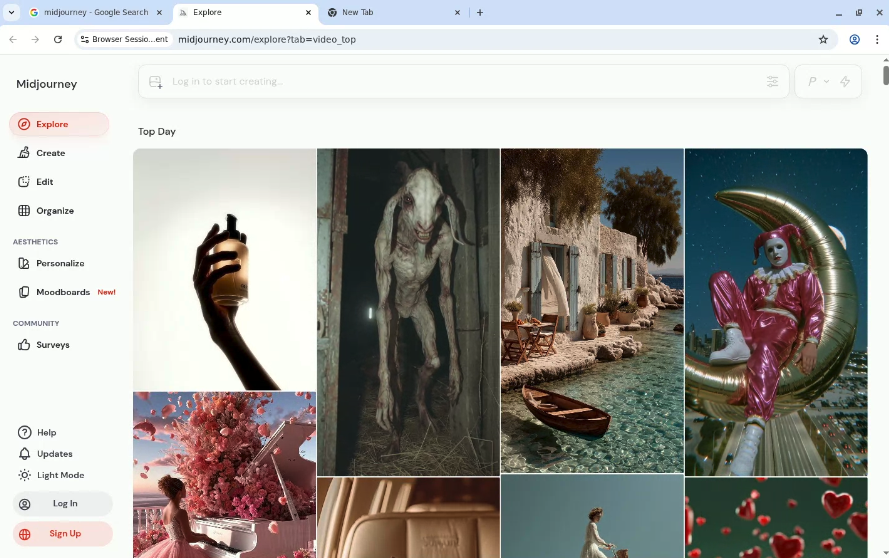
And just like that, you’ve shared a Midjourney account without buying more subscriptions or sharing account credentials.
FAQ
Can I share a MidJourney account safely with others?
Yes - you can share access, but it’s best to use a consistent proxy or anti-detect browser profile so logins appear from the same IP/device, reducing security flags or forced logouts.
What are the risks when sharing a MidJourney account?
Risks include security alerts, account locks, rate limits, or policy issues. Use a trusted proxy, enable MFA, monitor usage, and avoid simultaneous logins from unrelated IPs.
How do I set up sharing for MidJourney?
Create a secure browser profile with fixed proxy settings from Floppydata, log into MidJourney there, then share the profile or credentials cautiously with teammates while keeping MFA enabled.