
Can You Have Multiple Coinbase Accounts? That’s what we need to answer first.
In a Reddit thread, Coinbase’s official support account states that “only one account is permitted per person.”
But in response to a question on the same Reddit thread, Coinbase’s staff acknowledges that you can have both a personal and a business account simultaneously.
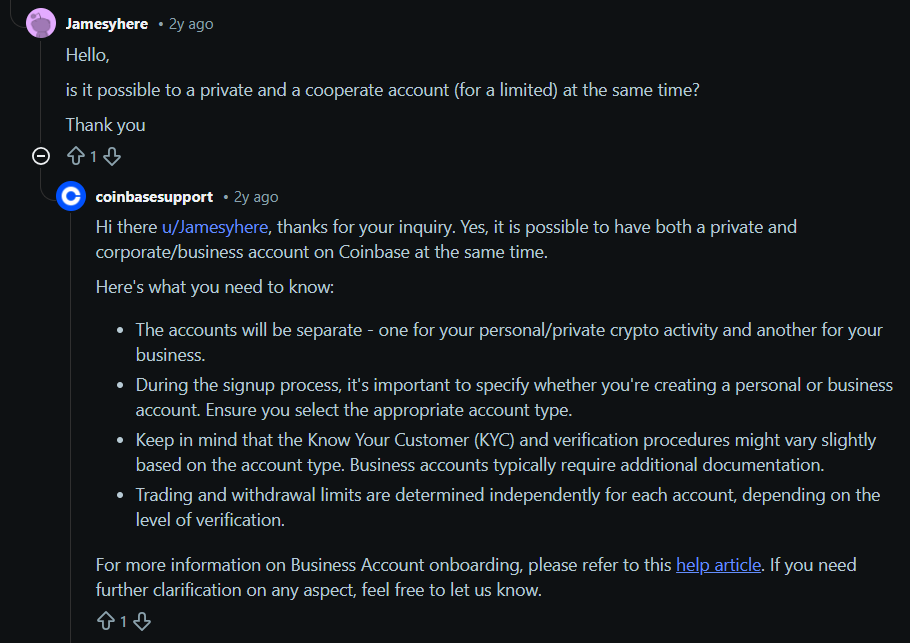
[source]
Similarly, in the Coinbase user agreement, Coinbase specifies two separate user agreements: the Individual User Agreement and the Coinbase Business User Agreement.
So which one is it? These statements aren’t contradictory. Let me explain what’s going on here.
When Coinbase says “one account per person,” they’re talking about one account for personal usage.
Coinbase’s Terms of Use Regarding Multiple Accounts
You’re allowed one personal account for your individual crypto activities, and if you’re an authorized representative of a business, you can also have a separate business account for that company.
So, technically, you can have multiple Coinbase accounts. But only one of them can be for personal usage. Using an Individual account for business transactions or vice versa will be a violation of Coinbase’s terms of use and can lead to temporary or permanent account bans.
Both types of accounts require extensive identity verification. You’ll need to provide your name, date of birth, Social Security Number (or government ID), and other personal information to comply with KYC (Know Your Customer) and AML (Anti-Money Laundering) regulations. The identity verification process for business accounts is typically more extensive.
This also explains why you can not even try to create more than one personal account. Coinbase has extensive identity information about you, and that information can be tied to one account only.
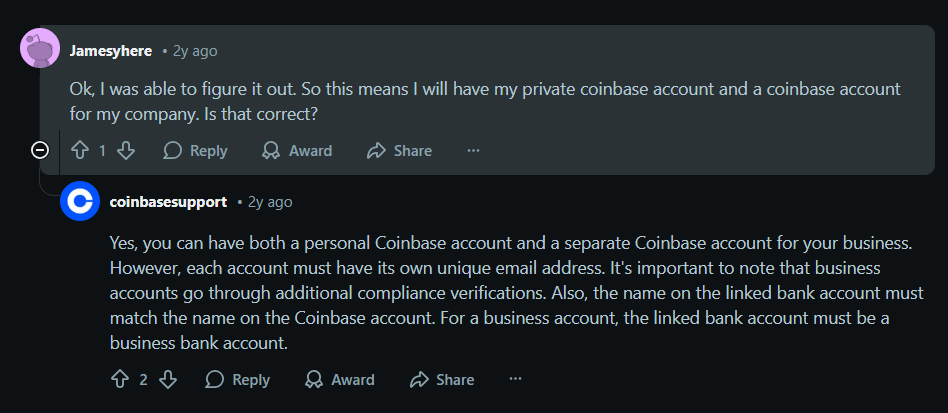
[source]
So the only way that remains if you want to run multiple Coinbase accounts is if all of them belong to different people. You can log in to all of them from a device simultaneously, but using a special solution, because Coinbase doesn’t offer multiple logins either. We’ll demonstrate the steps for how to do that in this guide. But first, let’s cover some important information.
How Many Coinbase Accounts Can I Have Logged in Simultaneously?
Most modern apps allow multiple accounts to be logged in simultaneously.
But not Coinbase. It allows only one login at a time.
If you’re using Coinbase from a browser, you’ll have to log out of one account to log in to another. The same is the case with the Coinbase mobile app. And this makes sense, too. Being a crypto exchange and wallet, Coinbase is a highly sensitive platform. If it had allowed multiple users to share a device simultaneously, it would introduce the risk of one account owner trespassing on another user’s account.
That’s also why Coinbase’s user agreement explicitly warns that you should never share your computer or computer screen with someone else while you are logged into your Coinbase account. It also has strict device identification in place as part of its identity verification and fraud protection procedures. So, even if you employ some other means to try to access multiple accounts from the same device, you can alert Coinbase’s security system and get your account(s) banned, temporarily or permanently.
Solution: Use a Good Proxy + Multi-Account Browser
All said, in some scenarios, the need for multiple simultaneous logins is legitimate. For instance, there are agencies whose work involves managing crypto portfolios of their customers. They need to log in to several customer accounts from each of their devices.
Having to purchase a separate device for each Coinbase account would be a huge expense for them. And managing accounts from that many devices isn’t practical either. Similarly, developers of crypto plugins and other supportive tools need multiple logins to properly test their solutions before launch.
How do these users log into multiple Coinbase accounts, then? They use multi-account browsers or antidetect browsers plugged with a good proxy.
What is an Antidetect Browser?
An anti-detect browser lets you create multiple isolated browser profiles that behave as separate devices. You can log in to a different Coinbase account in each of these browser profiles and imitate a login from a separate device. But all your browser profiles will still show the same location and IP address to Coinbase. To prevent this, you can use a reliable proxy and assign a different IP address to each browser profile you make for Coinbase.
What are Proxies?
A proxy is a server that does the job of a middleman between you and the internet. So whenever you connect to the internet, having a proxy in place, sites and platforms online will see the proxy’s IP address instead of your original one.
Let’s demonstrate the steps for using a proxy + multi-account browser for logging into multiple Coinbase accounts.
How to Run Multiple Coinbase Accounts Using Floppydata Proxies on Gologin Browser
We use Floppydata proxies and the Gologin antidetect browser because they’re the best in class for what they do. We also highly recommend using this combination for all your multi-login needs. This demonstration also uses these two.
Step 1: Get Floppydata Proxies
Head to the Floppydata website and create an account.
You’ll get a verification link in your email inbox. Click that link and your account will be activated.
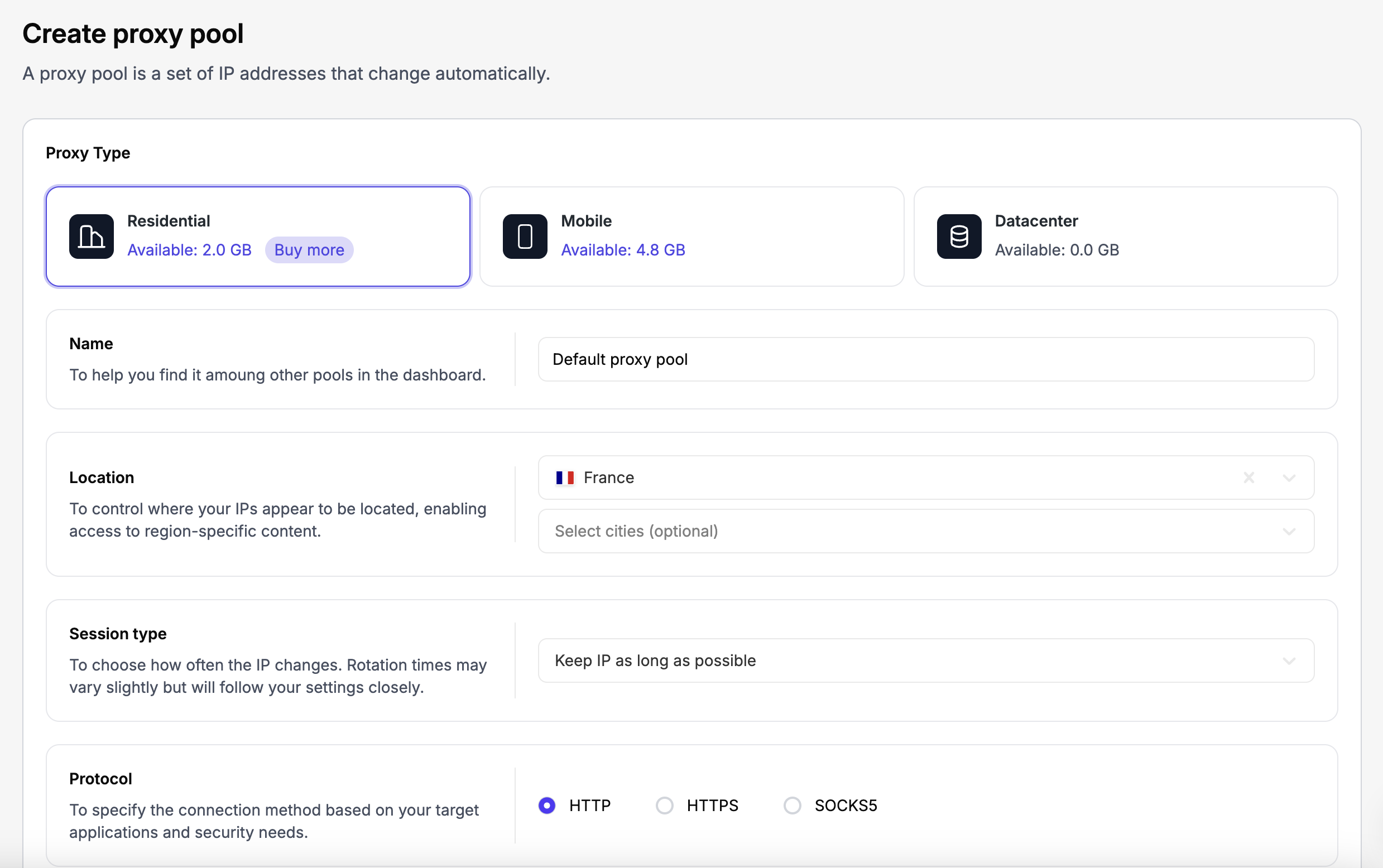
Now you have to create a proxy pool.
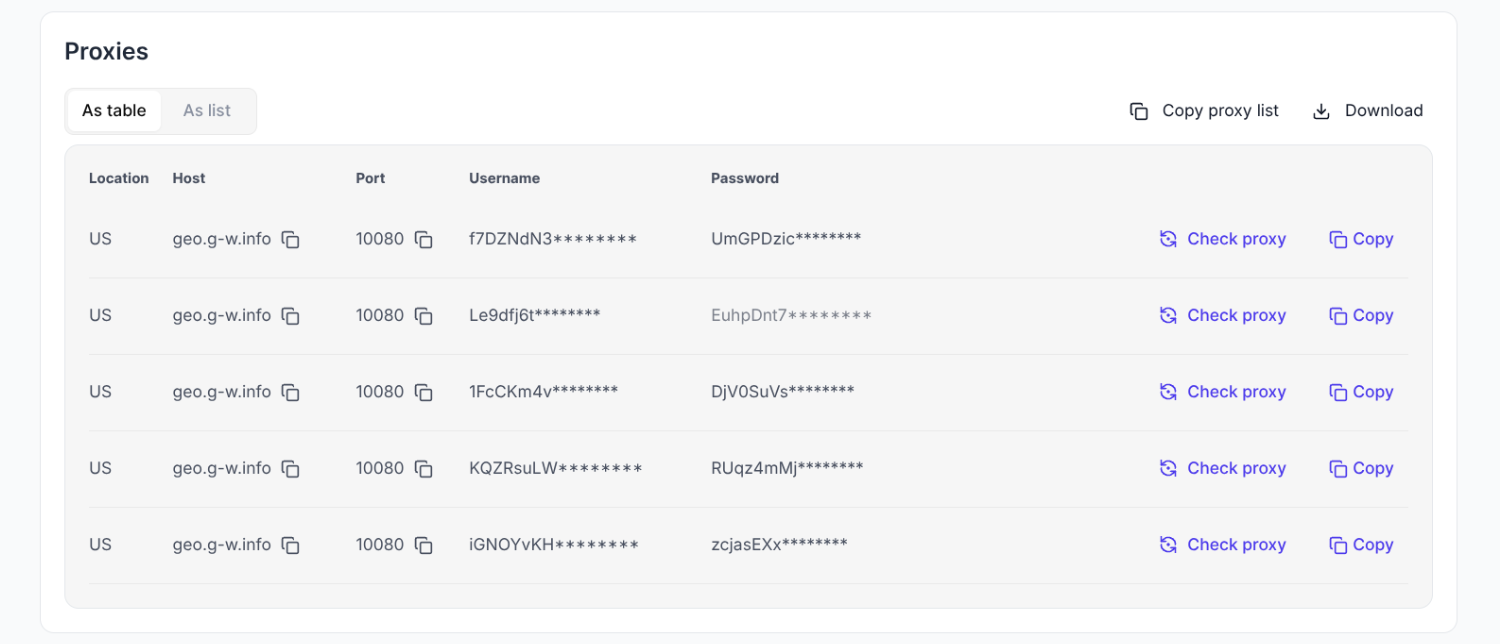
- In your Floppydata dashboard, click Create Proxy Pool located at the top.
- Choose a proxy type. We recommend you choose Residential proxies because they have the cleanest history and have a high success rate.
- Choose the locations your Coinbase accounts are from and complete the rest of the form accordingly.

- Click Buy to Create, and you’ll get a list of Floppydata residential proxies in your dashboard.

Step 2: Install Gologin & Create Browser Profiles
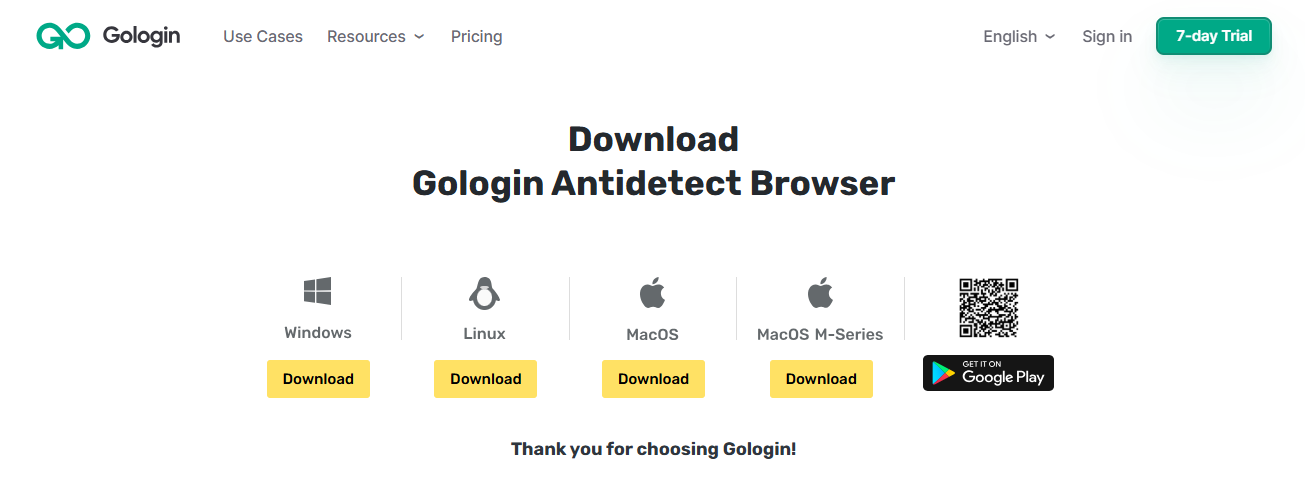
Next, create a Gologin account and download and install Gologin from their official website.
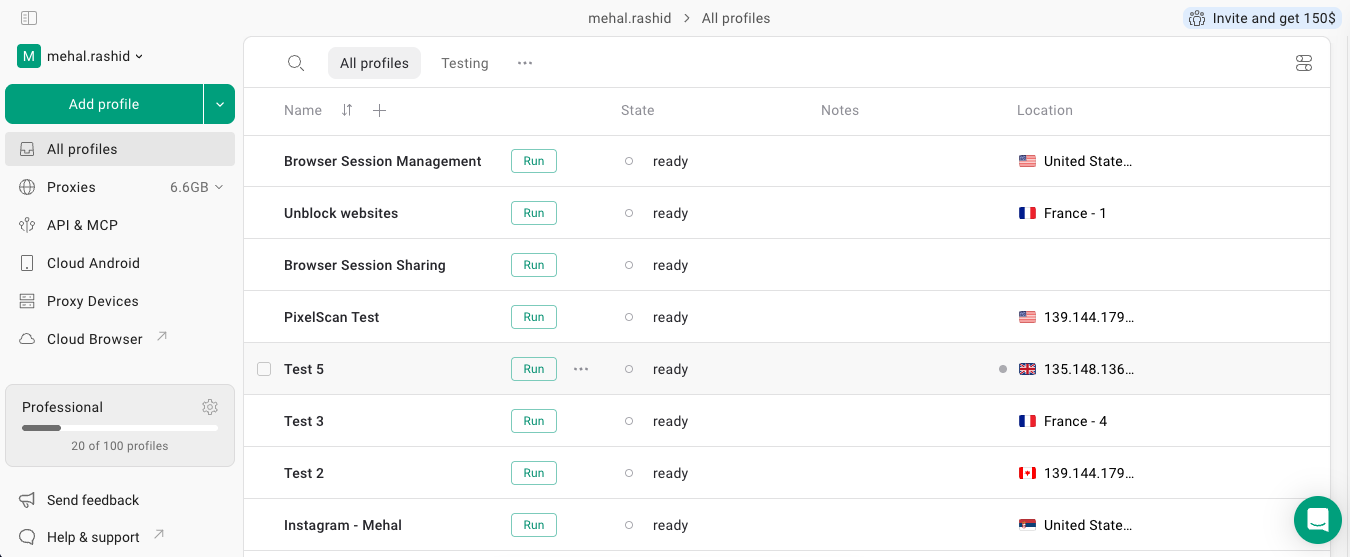
Once Gologin is installed, launch it, and the Gologin dashboard will open.
Step 3: Create Browser Profiles & Assign Floppydata Proxies
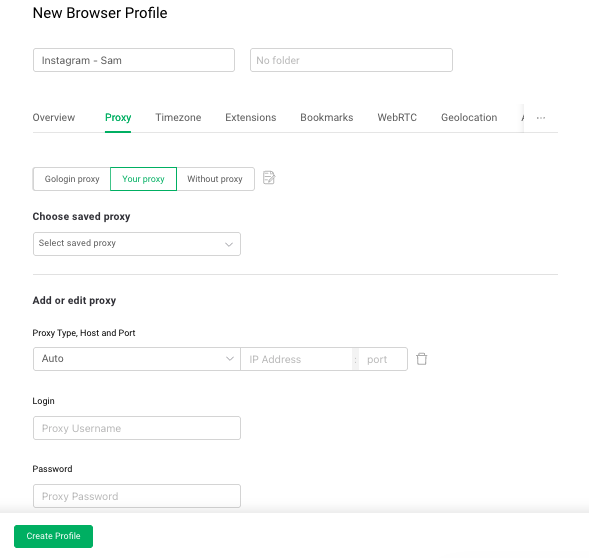
- Click the “+ Add Profile” button at the top of the Gologin dashboard

- In the account creation form, you have to specify a name for the browser profile and adjust proxy settings. Since you’ll be creating multiple browser profiles, name each of them distinctly (e.g., Coinbase [user 1 name], Coinbase [user 2 name]).
- In the proxy setup, click “Your Proxy” and paste the required details of a proxy that you got from the proxy list in your Floppydata dashboard. Make sure the location of the Coinbase account and the proxy match.

- Hit Create Profile, and you’re golden.
- Repeat the above steps and create as many browser profiles as Coinbase accounts you want to log in to. Make sure you assign a different Floppydata proxy each time based on the original location of a Coinbase account.
Step 4: Launch Profiles & Log in to Coinbase Accounts
Click the “Run” button next to a profile’s name. A typical browser window will open with a new tab. Open Coinbase and log in to an account.
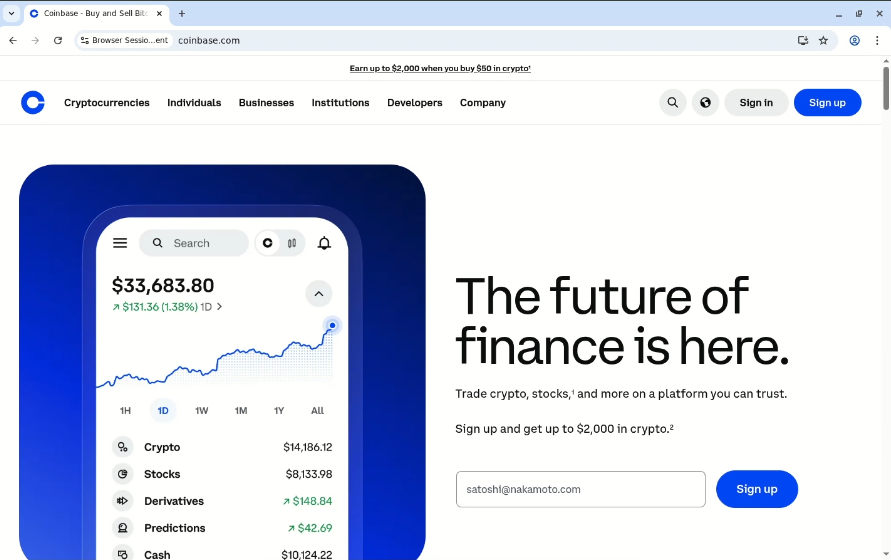
Then launch another browser profile you made for Coinbase and log into another Coinbase account in that. Repeat the process for all Coinbase accounts.
All your accounts will stay logged in simultaneously and appear to be running from different locations, thanks to Floppydata proxies.
FAQ
Can I have multiple Coinbase accounts?
Yes — Coinbase allows multiple accounts if each has unique identity verification (email, KYC, phone), and complies with their terms to prevent fraud or policy violations.
Why use proxies for multiple Coinbase accounts?
Proxies provide different IPs so each account appears from a unique location, reducing flags or verification checks — especially important for security and compliance.